A Chrome-backed desktop application for Android Messages, similar to iMessage.
- Android Messages as the main SMS app (https://play.google.com/store/apps/details?id=com.google.android.apps.messaging&hl=en_US)
- Google Chrome
- Pack the src folder yourself, or download the prebuilt .crx.
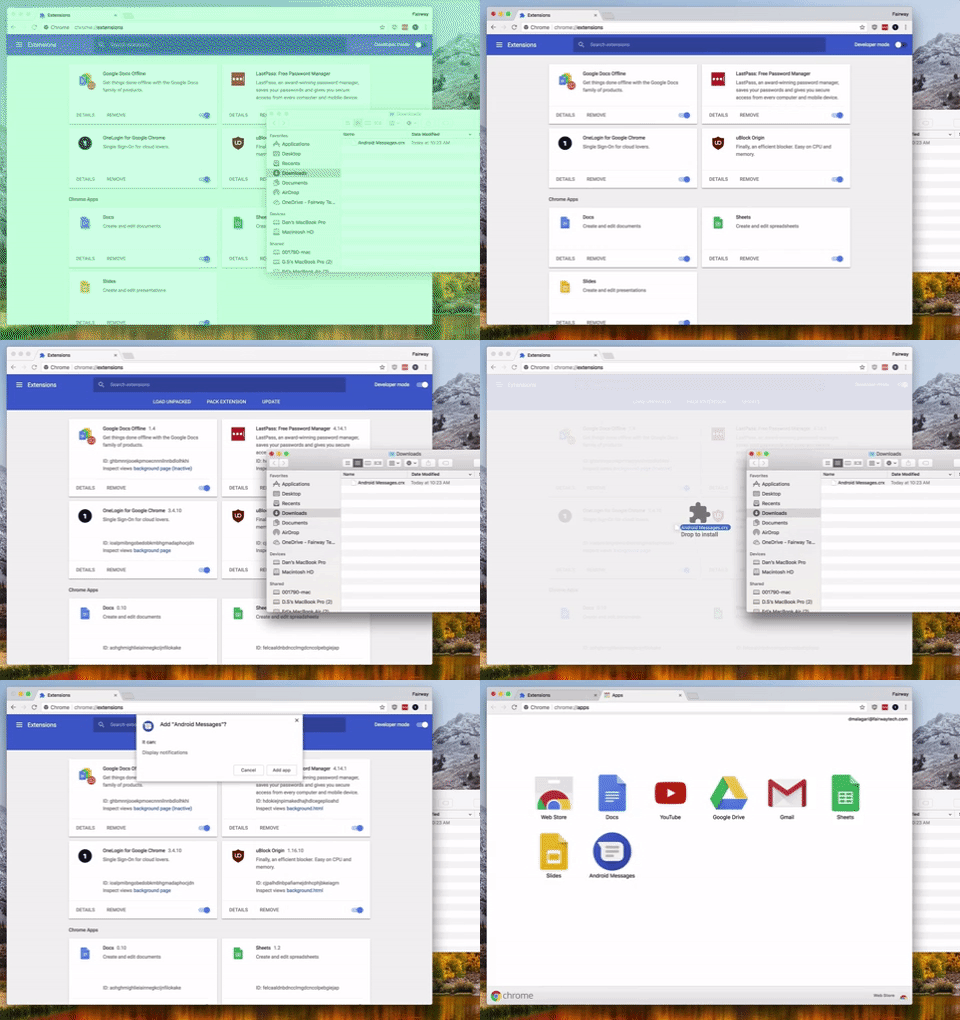
- In Google Chrome, go to Settings - More Tools - Extensions.
- Toggle Developer Mode on (in the top right corner of the Extensions screen).
- Drag-and-drop the .crx file onto the browser window. This will prompt you to install the application. Once installed, the application will show up in the Chrome App Launcher.
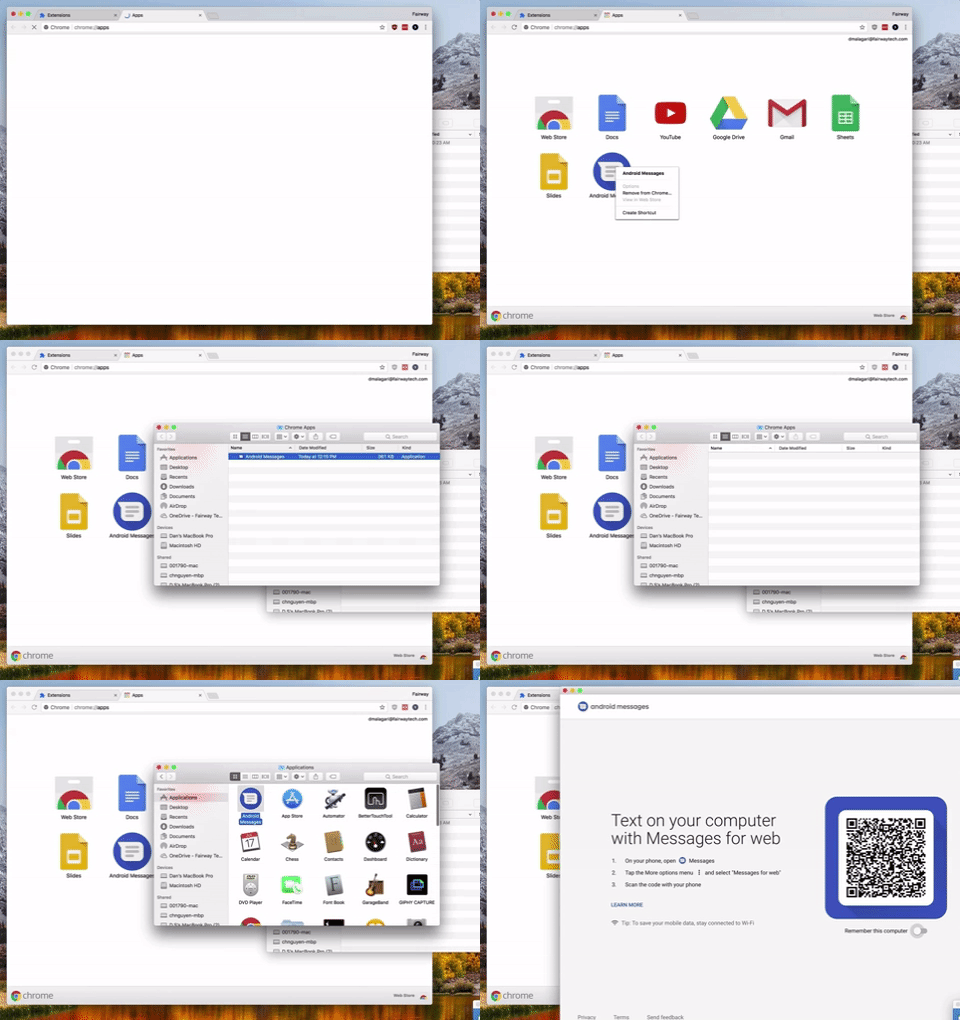
- Right-click the app in the Chrome App Launcher, and select Create Shortcut. This shortcut can be added to the Applications folder on macOS for easy Spotlight access, or anywhere on Windows.
- Launch the application, and follow the instructions to pair it with your phone.
Kudos to Applicationize (https://github.com/eladnava/applicationize) for providing the baseline for this.