Welcome to the Xbox-Pin-Controller repository! This project enables Windows users to use their Xbox controllers to input the Windows Hello PIN, utilizing the same PIN schema from the Xbox.
- Seamless Integration: Easily log into your Windows system using your Xbox controller.
- Familiar Experience: Use the same PIN input method as on your Xbox console (PIN Schema).
- Simple Installation and Removal: Straightforward steps to set up and remove the controller functionality.
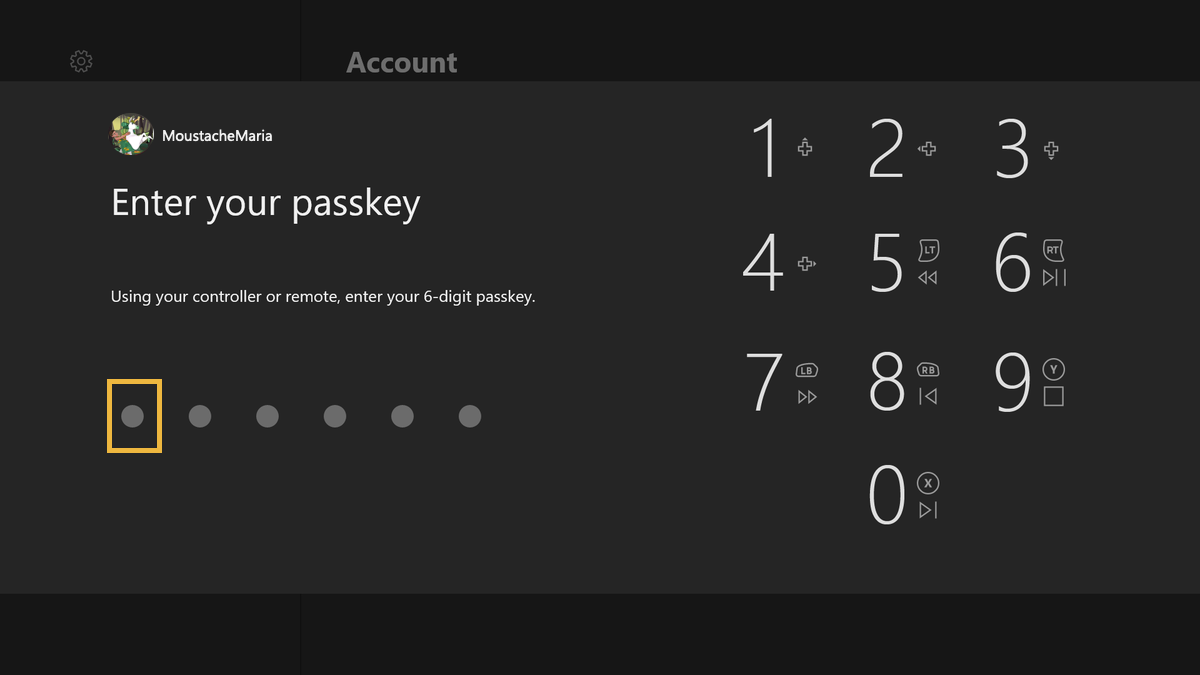
Follow these steps to install the Xbox-Pin-Controller:
-
Copy the DLL File:
- 📂 Copy
XboxPINController.dlltoC:\Windows\System32.
- 📂 Copy
-
Register the DLL:
- 🛠 Execute
register.regas an Administrator.
- 🛠 Execute
NOTE: In case the controller will control the UI in winlogon, add this key on registry: \HKEY_LOCAL_MACHINE\SOFTWARE\Microsoft\Input\Settings\ControllerProcessor\ControllerToVKMapping
And add this value: Enabled = 0 (DWORD32)
If you wish to remove the Xbox-Pin-Controller, follow these steps:
-
Unregister the DLL:
- 🛠 Execute
Unregister.regas an Administrator.
- 🛠 Execute
-
Delete the DLL File:
- 🗂 Delete
XboxPINController.dllfromC:\Windows\System32.
- 🗂 Delete
And, if you added the key reported above, proceed to delete it.
Video Tutorial: https://files.fm/u/jatscf4ea9
These files edit your registry info so I will not assume any responsibility about how you will use this files
Contributions are welcome! If you have any ideas, issues, or suggestions, feel free to open an issue or submit a pull request.
Feel free to reach out if you have any questions or need further assistance.