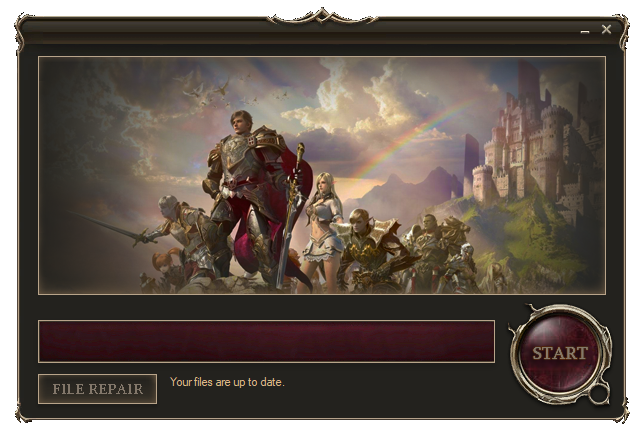
AutoUpdater is a VB.NET application designed to automatically update software by downloading and installing the latest files from a web server. It checks for updates, downloads necessary files, and maintains the software at the latest version.
- Automatic detection of new updates based on version comparison.
- Download and installation of updates from a specified web server.
- Progress indication during updates.
- Self-update capability for the AutoUpdater application.
- Support for transparent backgrounds and custom UI elements.
The only thing you need to do is open AutoUpdater.sln with Visual Studio and hit F5 to run it.
No specific installation process required. The application runs directly from the executable in the Windows environment.
Before using AutoUpdater, ensure the following variables are set correctly in the code:
gameServerIP: The IP address of the game server (if applicable).baseURL: The URL where the update files are hosted.downloadFolderName: The name of the temporary folder for storing downloaded files.pakFolderName: The folder on the server where package files are stored.pakExtension: The extension of the package files (typically.zip).enableBrowser: Boolean to enable or disable the in-built web browser.browserURL: The URL to display in the in-built web browser (if enabled).
These settings are crucial for the proper operation of the AutoUpdater.
- Run AutoUpdater: Launch the application.
- Automatic Update Check: On load, AutoUpdater will check for updates. If an update is found, it will automatically start downloading.
- Progress Display: During the update, the progress is displayed on the UI.
- Completion: Once the updates are downloaded and installed, the application is up-to-date.
- Use the "Repair Files" button to manually trigger an update check and process.
If an update for the AutoUpdater itself is detected, it will self-update and restart.
AutoUpdater - Keeping your software up-to-date effortlessly.