(I'm using the latest version of YAFC)
Not sure if this is actually a bug and not just a result of my screen potentially being too small, but large recipes (large w.r.t. their number of inputs and outputs) cause the tooltip view to be only partially visible, with the topmost (and bottommost?) parts being off-screen.
My screen size is 3024 × 1964 (14" MacBook Pro), which i guess shouldn't be too uncommon.
Idk how difficult this would be to change (if it is possible at all), so I don't wanna make unreasonable suggestions, but here's some ideas:
- IMO a simple fix for this would be to try to detect situations where the tooltip would be taller than the screen size, and then scale it down so that it fits.
- If the tooltip were made scrollable, you could allow scrolling while hovering over some tooltip-displaying item and then redirect these scroll events to the tooltip. Though I don't think that would work too well since you can currently already scroll in the production sheet view while hovering over a tooltip (and it'll just scroll the production sheet, which is probably more expected than it scrolling the tooltip).
- Instead of scaling the tooltips, they could be multi-column if the screen height isn't sufficient to display the whole thing.
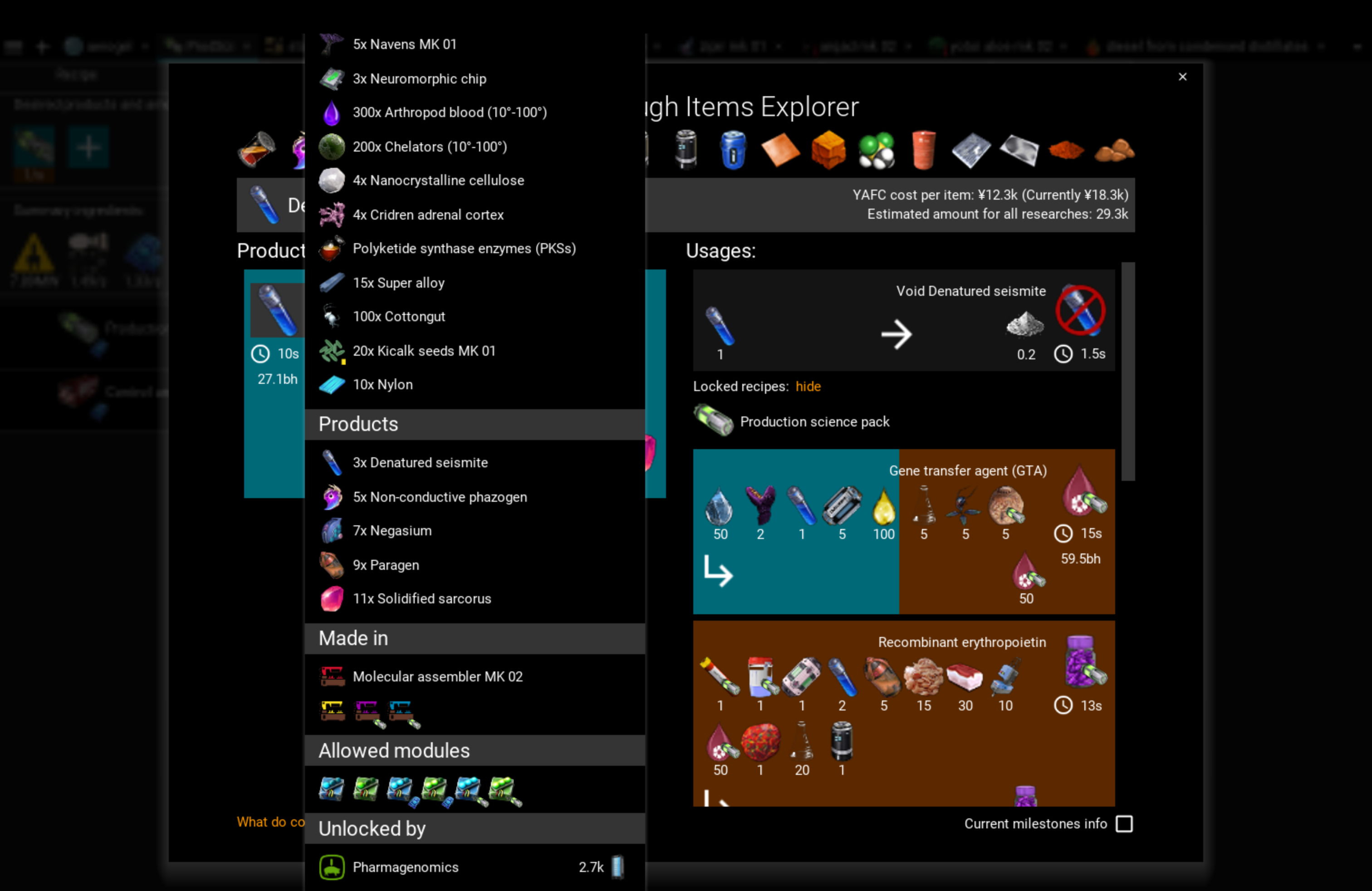

(I'm using the latest version of YAFC)
Not sure if this is actually a bug and not just a result of my screen potentially being too small, but large recipes (large w.r.t. their number of inputs and outputs) cause the tooltip view to be only partially visible, with the topmost (and bottommost?) parts being off-screen.
My screen size is 3024 × 1964 (14" MacBook Pro), which i guess shouldn't be too uncommon.
Idk how difficult this would be to change (if it is possible at all), so I don't wanna make unreasonable suggestions, but here's some ideas: