Unable to import instance from VMware to CS #7420


Description

ISSUE TYPE
- Bug Report
COMPONENT NAME
UI
CLOUDSTACK VERSION
4.18.0.0
CONFIGURATION
advanced networking, vmware zone
OS / ENVIRONMENT
OracleLinux 8, vSphere Client version 6.7.0.54000
SUMMARY
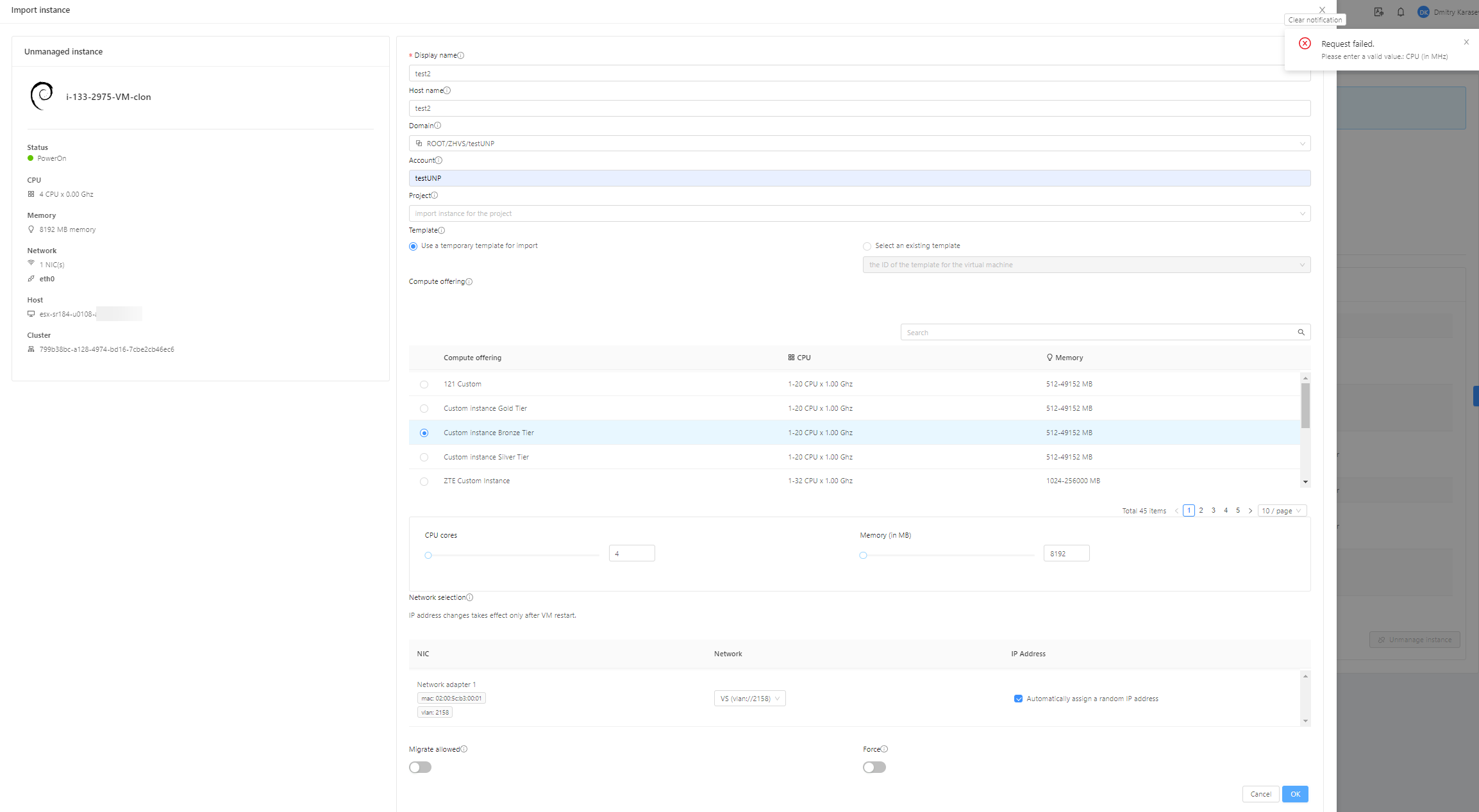
Error "Please enter a valid value.: CPU (in MHz)" when import VM from VMware,
STEPS TO REPRODUCE
- In VMware Vsphere create, clone or restore VM by Veeam. Connect it to existing guest network
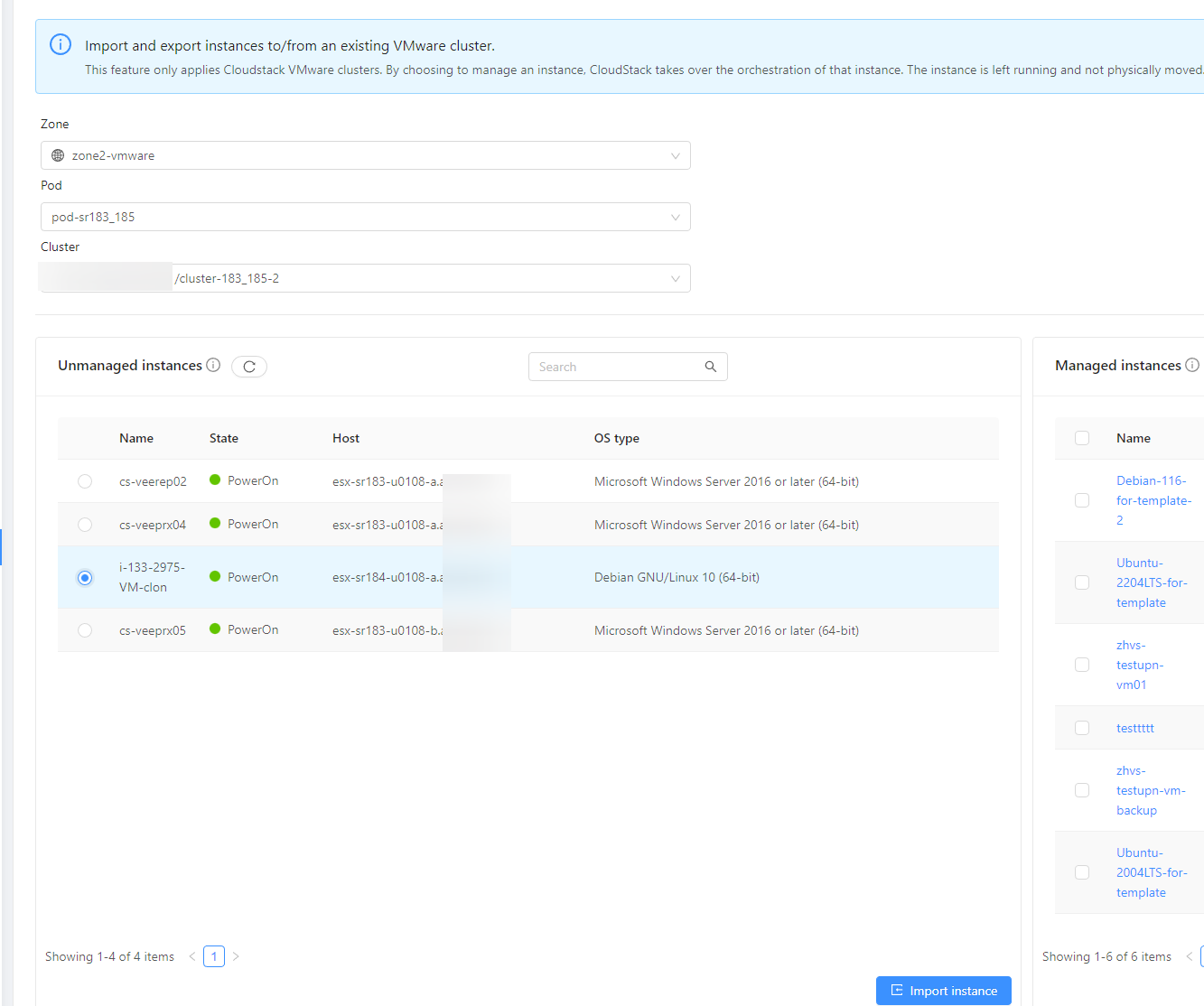
- Find VM in CS "Import-Export instances" section.
- Select it and push "Import Instance"
- Fill required fields, choose right compute offering
- Push "OK" button
EXPECTED RESULTS
VM is imported to CS
ACTUAL RESULTS
Get error "Please enter a valid value.: CPU (in MHz)"