This report shows how an image can be shaped, resized, coverted into a gray scale and convolved with random filters. Google Colab: Problemset2
First we upload an RBG image from a URL found on google.
The image used is this one:
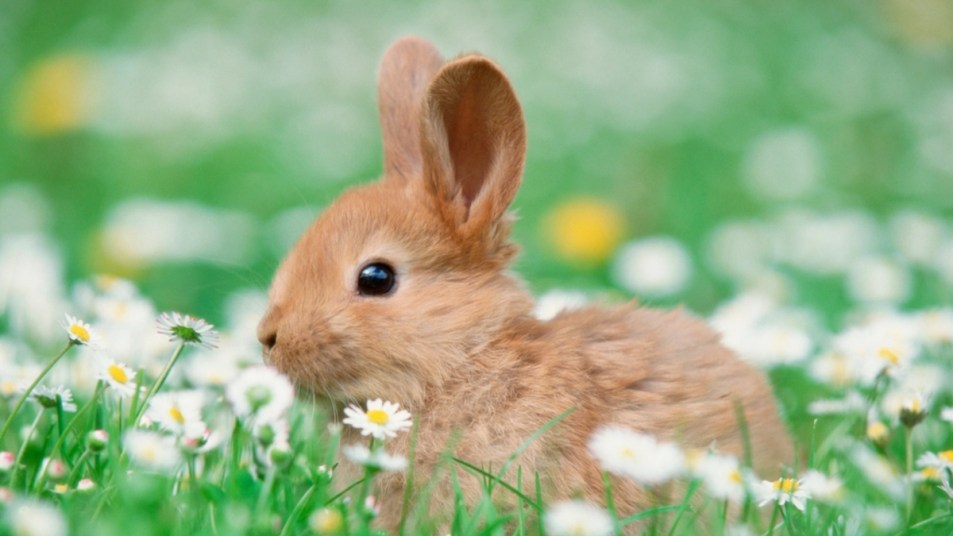
image = io.imread("https://www.womansworld.com/wp-content/uploads/2019/09/cute-bunny-in-a-field-of-grass-and-white-flowers.jpg?w=953")
image = image[:,:,:]
plot(image)
The image is resized in a (224X224x3) size.
from PIL import Image from io import BytesIO
image_url = "https://www.womansworld.com/wp-content/uploads/2019/09/cute-bunny-in-a-field-of-grass-and-white-flowers.jpg?w=953"
response = requests.get(image_url)
image = Image.open(BytesIO(response.content))
new_size = (224, 224) resized_image = image.resize(new_size)
plot(resized_image)
The last this is to convert the image in gra6yscale apply 10 random filter.
for i in range(9): a = 2*np.random.random((3,3))-1 print(a) z=conv2(x,a) plot(z)