Interactive schematic viewer for najaeda netlists: the naja-schematic WASM viewer, packaged with the Python backend that answers it from a live najaeda netlist.
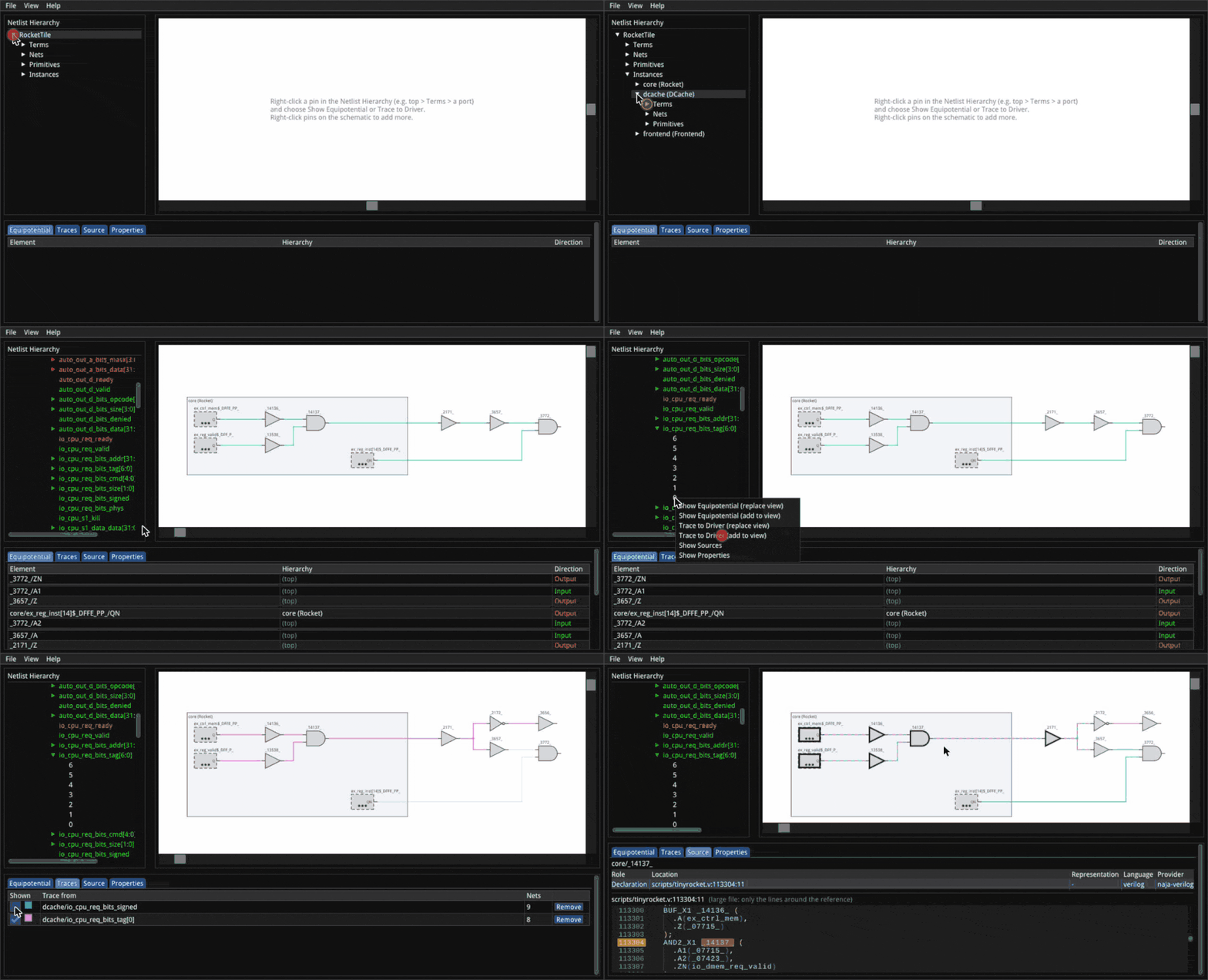
pip install naja-schematicMouse and keyboard controls are listed in the main README and in the viewer under Help > Keyboard Shortcuts.
Try it in Colab: a walkthrough of every widget feature below, runnable as is. Then a real design: a RISC-V core.
from najaeda import netlist
import naja_schematic

netlist.load_primitives("xilinx")
top = netlist.load_verilog("design.v")

naja_schematic.show()          # interactive view in the cell output
The view is answered from the netlist in the running kernel, so it shows
the design as the notebook has built or edited it so far; call show()
again after an edit for a fresh view. Diagnoses (e.g. from a formal
equivalence check) can be overlaid:
view = naja_schematic.show()
view.annotate([{"kind": "instance", "path": ["u_sub"], "severity": "error",
                "message": "not equivalent", "source": "kepler-formal"}])
view
The view and your najaeda code can point each other at instances.
show_instance() takes a najaeda Instance, a list of instance ids (as
Instance.pathIDs) or a list of instance names (a plain string is one
name, never split on /, since escaped names can contain it). Anonymous
instances have no name to go by: reach them with an Instance or ids. The viewer opens its tree down to that instance, selects it, and
draws it alone in the schematic. Each pin there is open, so you can click
one to add its net and grow the schematic from the instance. In the other
direction, the instance selected in the viewer (click it in the tree or the
schematic) is available as a najaeda Instance:
view.show_instance(netlist.get_instance_by_path(["u_sub", "u_and"]))
view.show_instance(["u_sub", "u_and"]) # same thing

inst = view.selected                   # what the user clicked, or None
inst.get_model_name()

view.on_select(lambda inst: print("selected", inst))
naja_schematic.show(inst) (or show(["u_sub", "u_and"])) starts a new
view on it. After editing or reloading the design in later cells,
view.design_changed() refreshes an existing view in place.
naja-schematic --verilog design.v --liberty cells.lib --open
naja-schematic --sv top.sv --top top --diagnosis report.json --open
serves the viewer page and its WebSocket on http://localhost:8081/ and
opens it in a browser. --stdio speaks the same protocol as JSON lines on
stdin/stdout instead, for a host (e.g. an editor extension) that relays
messages itself. naja-schematic --help lists every option.
A tool that loads and edits the design itself (with najaeda or the raw
naja bindings) can serve the viewer on it without loading anything:
import threading, naja_schematic

design_lock = threading.RLock()   # held by the host while it edits the design
server = naja_schematic.ViewerServer(lock=design_lock)   # port 0: any free port
server.start()
server.open_browser()             # or hand server.url to the user

server.annotate(items)            # diagnosis overlay, kept across reloads
server.show_instance([3, 7])      # instance ids, names, or a najaeda Instance
server.on_select(lambda id_path, path: print("selected", path))
with server.replacing_design():   # holds design_lock, then viewers reload
    netlist.load_verilog("other.v")
server.stop()
Viewer requests are answered on a background thread while lock is held
(or pass run= to answer them on a thread of your choosing). The page's
URL carries a random access token, and other web pages can't connect to
the WebSocket. Once the design is replaced, anything a viewer asked about
or selected in the old one is ignored, even if it arrives late or names
instance ids the new design reuses.
The viewer bundle (naja_schematic/static/naja-schematic.js) is built from
the C++ sources, not checked in. From the repository root:
emcmake cmake -S . -B build-wasm-module -DCMAKE_BUILD_TYPE=Release -DNAJA_SCHEMATIC_WASM_MODULE=ON
cmake --build build-wasm-module
export NAJA_SCHEMATIC_BUNDLE=$PWD/build-wasm-module/naja-schematic.js   # or copy it into static/
pip install -e "python[test]" && pytest python/tests
Releases are built and published by .github/workflows/python-package.yml
on a v<version> tag (e.g. v0.1.0).