-
Notifications
You must be signed in to change notification settings - Fork 3
Expand file tree
/
Copy pathREADME.Rmd
More file actions
142 lines (92 loc) · 5.56 KB
/
Copy pathREADME.Rmd
File metadata and controls
142 lines (92 loc) · 5.56 KB
1
2
3
4
5
6
7
8
9
10
11
12
13
14
15
16
17
18
19
20
21
22
23
24
25
26
27
28
29
30
31
32
33
34
35
36
37
38
39
40
41
42
43
44
45
46
47
48
49
50
51
52
53
54
55
56
57
58
59
60
61
62
63
64
65
66
67
68
69
70
71
72
73
74
75
76
77
78
79
80
81
82
83
84
85
86
87
88
89
90
91
92
93
94
95
96
97
98
99
100
101
102
103
104
105
106
107
108
109
110
111
112
113
114
115
116
117
118
119
120
121
122
123
124
125
126
127
128
129
130
131
132
133
134
135
136
137
138
139
140
---
output: github_document
---
<!-- README.md is generated from README.Rmd. Please edit that file -->
```{r, include = FALSE}
knitr::opts_chunk$set(
collapse = TRUE,
comment = "#>",
fig.path = "man/figures/README-",
out.width = "100%"
)
```
# hexsession <img src="https://raw.githubusercontent.com/luisDVA/hexsession/main/man/figures/logo.png" align="right" height="138" alt="" />
<!-- badges: start -->
[](https://CRAN.R-project.org/package=hexsession)
[](https://cran.r-project.org/package=hexsession)
[](https://cran.r-project.org/package=hexsession)
[](https://luisdva.r-universe.dev/hexsession)
<!-- badges: end -->
The goal of hexsession is to create a tile of hexagonal logos for packages installed on your machine. Tiles can be created for a set of packages specified with a character vector, or for the loaded packages in your session (all packages attached to the search path except for base packages). Also supports vectors with paths to local images.
## Installation
Install from CRAN:
``` r
install.packages("hexsession")
```
Or from r-universe:
``` r
install.packages('hexsession', repos = c('https://luisdva.r-universe.dev', 'https://cloud.r-project.org'))
```
Or install the development version from GitHub:
``` r
# install.packages("remotes")
remotes::install_github("luisdva/hexsession")
```
## Using hexsession
With hexsession installed, we can create a self-contained HTML file with tiled hex logos for all loaded packages in a session. If a package does not have a logo bundled in `man/figures/`, if the logos are added to .Rbuildignore, or if the image cannot be found easily, a generic-looking logo with the package name will be generated.
* svg files are internally converted to png
* If the images bundled with a package do not match 'hex' or 'logo', or there are multiple possible options, users are prompted to specify which file to use.
For a given session with libraries loaded in addition to base packages:
```{r example, eval=FALSE}
# custom set of packages
hexsession::make_tile(packages=c("terra","sf","tidyr"))
```
The `make_tile()` function generates a self-contained HTML file and writes it to a `temp_hexsession/` subfolder inside `tempdir()` by default. The function returns the path to the HTML file and prints it as a message, so you always know where to find it. To write the output to your project directory instead, pass `output_dir = getwd()` (or any other path).
For a session with the following packages loaded:
```{r, eval=FALSE}
library(annotater)
library(ggforce)
library(purrr)
library(forcats)
library(unheadr)
library(sdmTMB)
library(parsnip)
library(DBI)
library(broom)
library(vctrs)
library(patchwork)
hexsession::make_tile()
```
The output would look like this:
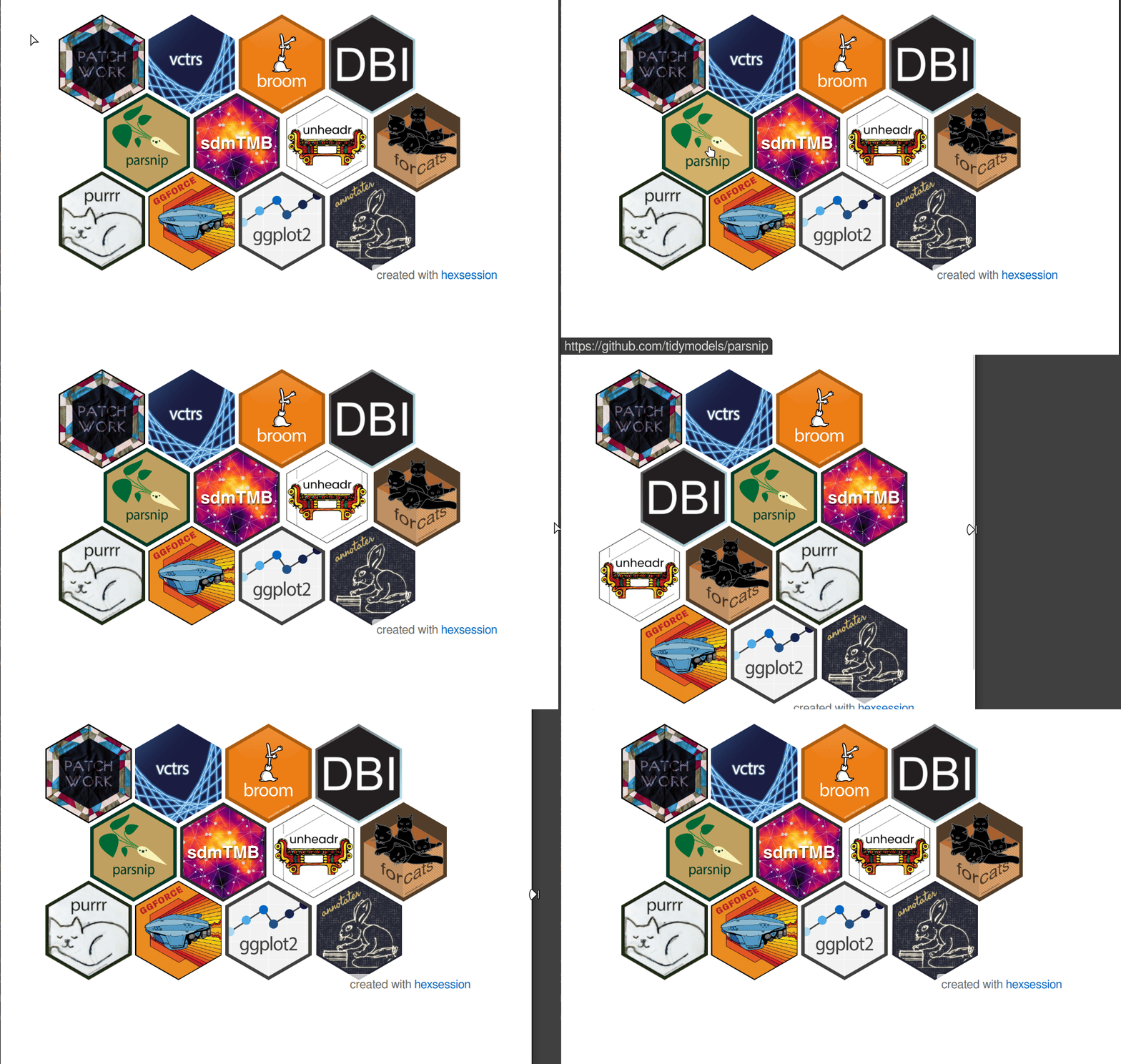
Once downloaded to your machine and opened in a browser, the [hexout_example.html](inst/extdata/hexout_example.html) shows the interactive, responsive HTML version with cool hover effects that adapts to the size of the browser window and includes hyperlinks to each package website.
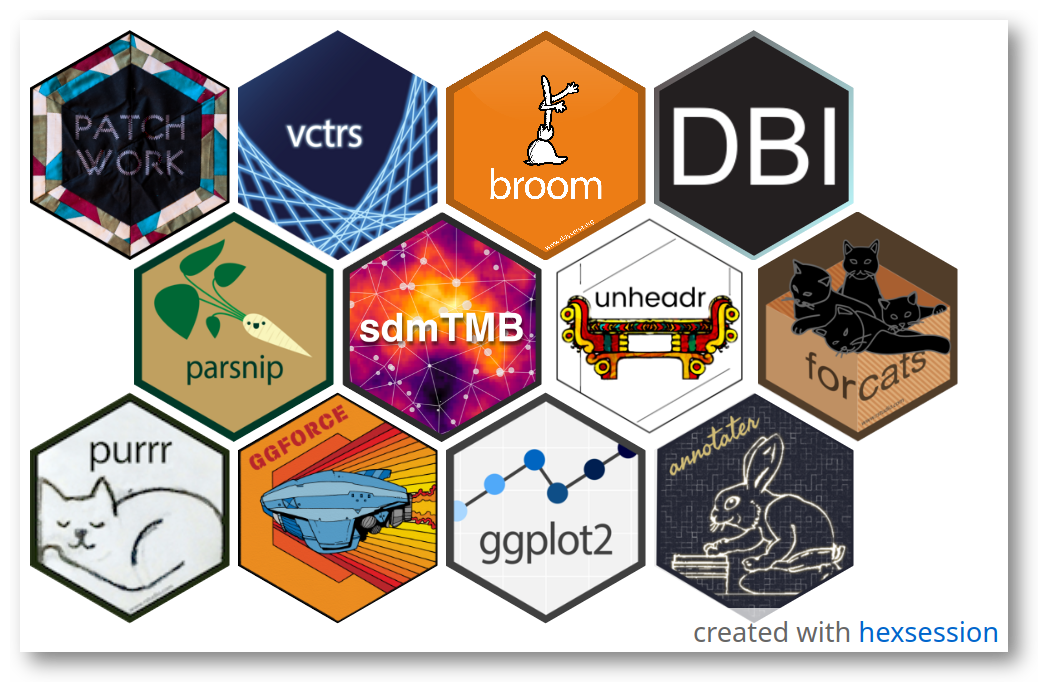
To save a static version of the hex tile, we call `snap_tile()` with a path to the output image and optionally, height and width values to change the viewport size.
The result:
### Highlight mode
Set `highlight_mode` to `TRUE` if you want a tile in which all images are dimmed except the one being hovered over, to emphasize individual packages interactively:
```{r, eval=FALSE}
hexsession::make_tile(highlight_mode = TRUE)
```
### Focus
When making tiles for a vector of package names, use `focus` to specify packages one or more packages that will be highlighted by dimming all the other images in the tile.
### Dark mode
To draw the tiles on a dark background, set `dark_mode` to `TRUE` when creating or capturing your hex logos.
```{r, eval=FALSE}
hexsession::make_tile(dark_mode = TRUE)
hexsession::snap_tile("test.png",dark_mode = TRUE)
```
## User-provided images and urls
`make_tile` can now take vectors of additional images and their respective but optional urls to include in the hex grid.
```{r, eval=FALSE}
make_tile(packages = c("tidyterra", "sf"),
local_images = c("path/to/your/image1.png",
"path/to/your/image2.png",
local_urls = c("https://an-example.web", "https://another-example.com"))
```
## Notes
This package depends on working installations of magick and chromote, and thus requires a Chromium-based web browser (e.g., Chrome, Chromium, Opera, or Vivaldi) for `snap_tile()`.
All feedback is welcome in any form (issues, pull requests, etc.)
### Credit and LLM disclosure statement
- css and html code for the responsive hex grid comes from [this tutorial](https://css-tricks.com/hexagons-and-beyond-flexible-responsive-grid-patterns-sans-media-queries/) by Temani Afif.
- The javascript code to populate the divs in the HTML template was written with input from the Claude 3.5 Sonnet LLM running in the Continue extension in the Positron IDE. Further refinements to the code were added using Claude Sonnet 4 running in the Positron Assistant extension. Latest checks were now aided by Posit Assistant (beta) running in RStudio with Claude Sonnet 4.6. All outputs double-checked and edited by LDVA.