


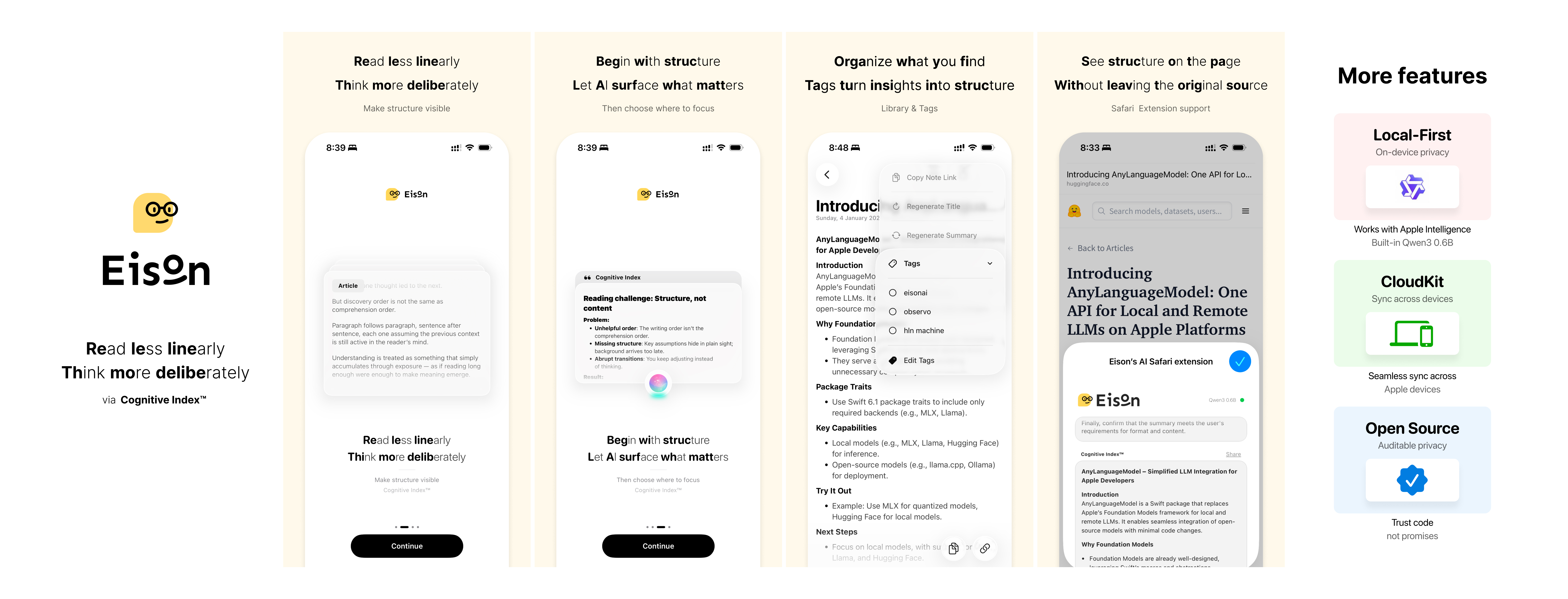
EisonAI is an iOS / iPadOS Safari Web Extension + app that turns structure into the entry point for reading. Instead of following the author’s linear order first, you can inspect key points and relationships up front, then decide where to dive deeper.
The project now uses a unified inference stack built on AnyLanguageModel:
- The Safari popup runs through Apple Intelligence or BYOK only.
- The app can run with Apple Intelligence, BYOK, or downloaded MLX models from Hugging Face.
- Local model management lives in Settings → AI Models → MLX Models.
- Only MLX repos are supported for downloaded local models. GGUF / llama.cpp are not supported.
- Cognitive Index™: Make structure visible before content to reduce the cost of locating where meaning is created.
- Read less linearly: Reading does not have to follow narrative order.
- Think more deliberately: Spend attention on judgment and understanding, not on holding context in working memory.
- Make structure visible: See relationships and key points first, then choose your path deeper.
- Safari Extension: Generate summaries and structured highlights inside Safari without leaving the browser.
- Unified Inference Routing: Route between local and cloud paths using Apple Intelligence, MLX, and BYOK.
- MLX Model Library: Browse
mlx-community, hide obviously oversized models by default, and install custom Hugging Face MLX repos. - BYOK Providers: Configure your own OpenAI-compatible, Anthropic, Gemini, or Ollama endpoint and model.
- Cognitive Index™: Structured output surfaces key points to help you quickly locate meaning-dense sections.
- Long-Document Support: Chunked processing for long content, with local routing and BYOK overflow handling.
- CloudKit Sync: Sync your Library across devices.
- Library & Tags: Save, tag, and search processed articles.
- Language of Thought: Adjust the model’s output language at any time.
- Open Source: Privacy and runtime behavior remain inspectable.
Imagine this: you are reading a book, a webpage, or a document, and you keep thinking:
"Where was that key point again?"
"I know I saved this before, but I forgot where."
"I have the idea in my head, but it gets messy as soon as I try to write it down."
EisonAI is the assistant that helps you remember, organize, and retrieve those pieces without breaking your flow.
The idea is simple:
Do not just remember the content. Remember what it is for.
For example:
- Not just saving an article.
- But knowing whether it is:
- Inspiration.
- Background material.
- A citation you want to use later.
It is closer to how a library works: not a random pile of books, but a structure that tells you where things belong and how to get back to them.
EisonAI is designed around a simple loop:
- You see something worth keeping.
- You send it to eisonAI without stopping your thinking.
- You come back later and can actually find it.
The goal is to reduce the organizational drag around reading and note capture so the thinking part stays uninterrupted.
- OS: iOS / iPadOS 18.0+
- Safari extension target: iPhone / iPad devices
- Apple Intelligence path: requires a supported device and the current Foundation Models runtime available to the app target
- Downloaded local models: Hugging Face MLX repos only
- Clone this repository.
- Clone
AnyLanguageModelas a sibling directory next to this repo.
Example:
Github/
  eisonAI/
  AnyLanguageModel/
The local package shim in Packages/EisonAIModelKit/Package.swift enables the MLX trait from that sibling checkout.
- Open
eisonAI.xcodeprojin Xcode. - Use the appropriate scheme:
iOSfor device builds with the Safari extension.eisonAI-Simfor simulator-only app builds.
Useful commands:
open eisonAI.xcodeprojxcodebuild -scheme 'eisonAI-Sim' -project eisonAI.xcodeproj -configuration Debug -destination 'generic/platform=iOS Simulator' buildxcodebuild -scheme 'iOS' -project eisonAI.xcodeproj -configuration Debug -destination 'generic/platform=iOS' build- Safari extension local execution through WebLLM / WebGPU has been removed.
- The popup now uses Apple Intelligence or BYOK through the native bridge.
- The app downloads MLX models at runtime from Hugging Face instead of bundling local model assets into the extension.
- The built-in MLX catalog queries
mlx-communityacrosstext-generation,image-text-to-text, andany-to-any, then merges and ranks the results bylastModified.
This project is licensed under the PolyForm Noncommercial License 1.0.0. See LICENSE for details.