#Creating CW Memeber API Keys
Please visit the ConnectWise Developer site or contact ConnectWise Support for any questions and issues with ConnectWise service or their API.
##Create Keys for Normal Memeber
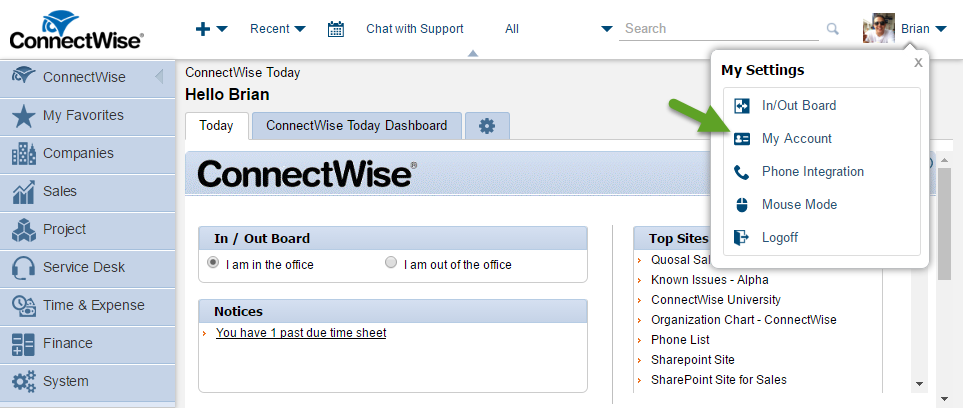
- Go to Respective Memeber's 'My Account' Page
- Click on the API Key Tab
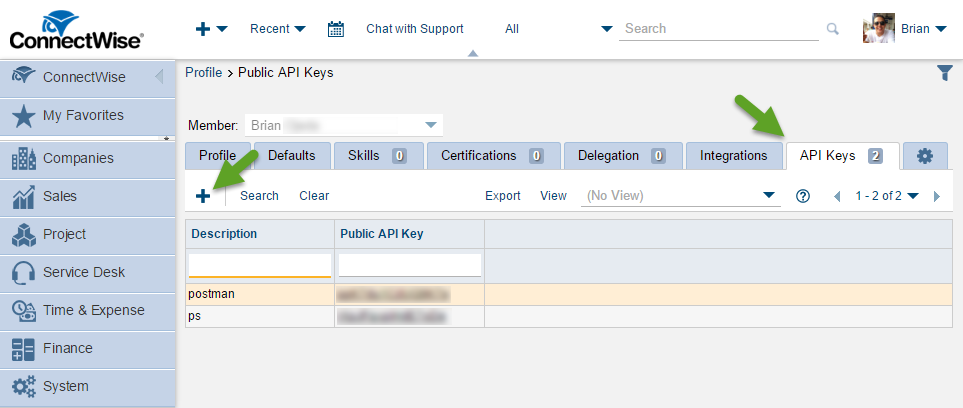
- Click on the Plus Button to Add a New Key
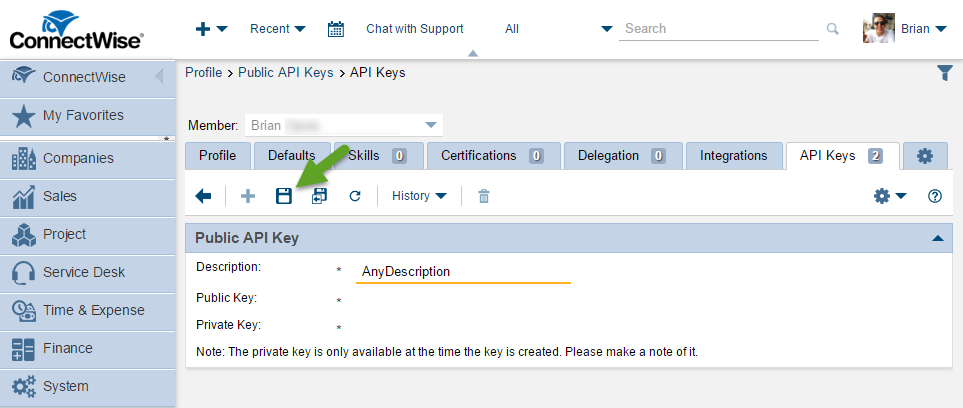
- Add a Description and Click on the Save Button
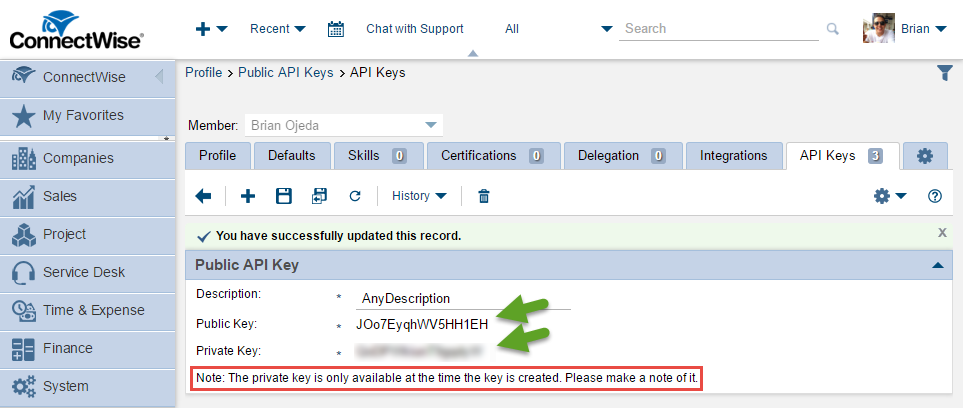
- Write Down Public and Private Keys
Note: Same account restrictions that apply for the member in the ConnectWise Client will apply through the API too. In the above example, it shows how to create a API key for a normal ConnectWise member. However, an 'API Member Only' memeber can be created.