I'm testing the OSF installation in a Ubuntu 14.04.4 LTS Virtual Machine. I followed the README but I still get some errors.
Environment
NAME="Ubuntu"
VERSION="14.04.4 LTS, Trusty Tahr"
ID=ubuntu
ID_LIKE=debian
PRETTY_NAME="Ubuntu 14.04.4 LTS"
VERSION_ID="14.04"
HOME_URL="http://www.ubuntu.com/"
SUPPORT_URL="http://help.ubuntu.com/"
BUG_REPORT_URL="http://bugs.launchpad.net/ubuntu/"
PHP 5.5.9-1ubuntu4.17 (cli) (built: May 19 2016 19:05:57)
Copyright (c) 1997-2014 The PHP Group
Zend Engine v2.5.0, Copyright (c) 1998-2014 Zend Technologies
    with Zend OPcache v7.0.3, Copyright (c) 1999-2014, by Zend Technologies
Installation process
I've made video of installation process (sorry it's RAW video, so please skip to interesting part instead of waiting downloads and installation complete)
OSF Installation
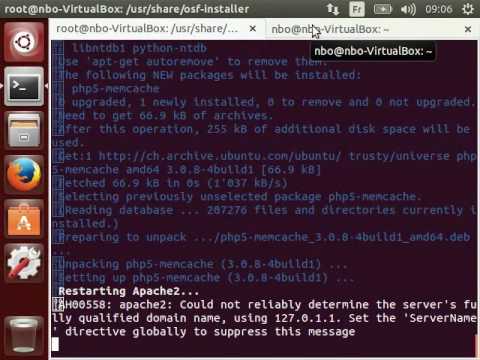
That part went well.
./osf-installer -d --install-osf-drupal -v
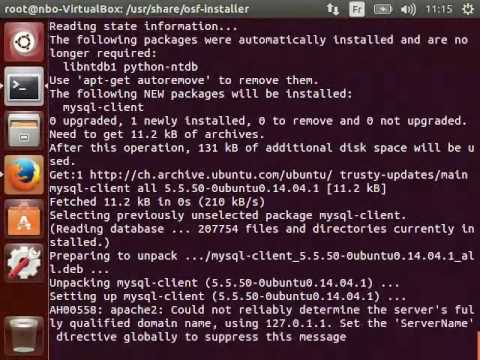
Ends at sh: 1: drush: not found and apt-get install drush does not help.
./osf-installer -d --install-osf-drupal -v | drush
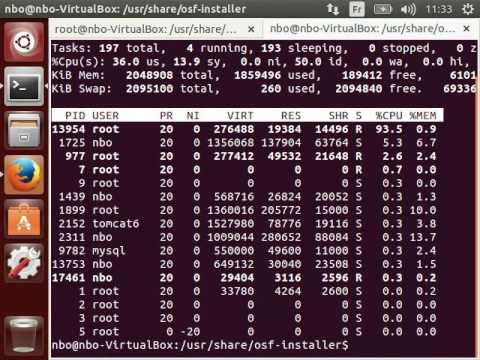
Trying to Install Drush (https://www.drupal.org/node/1248790 / http://docs.drush.org/en/master/install/) and hitting "https://www.drupal.org/node/1428638" bug (https://www.drupal.org/node/1428638)
Questions
- My first question would be "How can I properly install drush in my system ?". First it seems that the repository version just doesn't work, that the composer version just want to be ran as standard user altough the ost-installer drupal installer needs the root's rights to set up apache2 stuff.
- My second question is "How to properly set up OSF in a Virtual Machine ?"; As drush want to connect to the mysql socket and localhost heads to the Unix socket (see Forcing 127.0.0.1 instead of localhost for drush) what would be your recommendation here ?
- In my first attempts, I re-run the
./osf-installer -c --install-osf -v because of some errors. Is there a way to clean up files in order to be able to re-run the installer with different value ? Or osf-installer is asking for few users and passwords (that can be set in installer.ini too) - what would be the procedure to change them (reinstalling is ok).
- In some previous attempts I put some Dollars sign ($) in mysql password and it seems that was a reason of script failure.
- My last question is "Is the CentOS installation more straight-forward ?"
Sorry for the long issue, any help would be appreciated.
I'm testing the OSF installation in a Ubuntu 14.04.4 LTS Virtual Machine. I followed the README but I still get some errors.
Environment
$ cat /etc/os-release$ php --versionInstallation process
I've made video of installation process (sorry it's RAW video, so please skip to interesting part instead of waiting downloads and installation complete)
OSF Installation
That part went well.
./osf-installer -d --install-osf-drupal -v
Ends at
sh: 1: drush: not foundandapt-get install drushdoes not help../osf-installer -d --install-osf-drupal -v | drush
Trying to Install Drush (https://www.drupal.org/node/1248790 / http://docs.drush.org/en/master/install/) and hitting "https://www.drupal.org/node/1428638" bug (https://www.drupal.org/node/1428638)
Questions
./osf-installer -c --install-osf -vbecause of some errors. Is there a way to clean up files in order to be able to re-run the installer with different value ? Orosf-installeris asking for few users and passwords (that can be set ininstaller.initoo) - what would be the procedure to change them (reinstalling is ok).Sorry for the long issue, any help would be appreciated.