Beta This feature is in beta and might change in the future.
We're very much looking for input and feedback on this feature. You can either contact us directly, file an issue, or tweet at us.
Executors provide a sandbox that can run resource-intensive or untrusted tasks on behalf of the Sourcegraph instance, such as:
NOTE: Executors are available with no additional setup required on Sourcegraph Cloud.
Executors by default use KVM-based micro VMs powered by Firecracker in accordance with our sandboxing model to isolate jobs from each other and the host. This requires executors to be run on machines capable of running Linux KVM extensions. On the most popular cloud providers, this either means running executors on bare-metal machines (AWS) or machines capable of nested virtualization (GCP).
Optionally, executors can be run without using KVM-based isolation, which is less secure but might be easier to run on common machines.
It is recommended to set the resources based on the number of jobs an instance will process in parallel.
A single job should have the following resources available.
- CPU: 4
- Memory: 12GB
- Disk: 20GB
So, if you expect an Executor instance to process up to 4 jobs in parallel, the recommended resources for the machine are
- CPU: 16
- Memory: 48GB
- Disk: 80GB
The above recommended resources can be changed to fit your constraints. See below for configuring resources for a Job.
Note: the smallest machine type on AWS that can support Executors with Firecracker is c5n.metal (72 vCPU and
192GB of Memory), but concurrency can be turned up for the additional cost.
The maximum number of Jobs an Executor instance can run in parallel is configured by the Environment
Variable EXECUTOR_MAXIMUM_NUM_JOBS.
The CPU and Memory usage of an individual Job is configured by the Environment Variables EXECUTOR_JOB_NUM_CPUS
and EXECUTOR_JOB_MEMORY. See Environment Variables
for additional Environment Variables.
Note: changing CPU and Memory for jobs will affect the overall requirements for an Executor instance.
It is recommended to add the following Disk configuration in AWS.
- IOPS: Equal to the Disk Size (so if Disk is 100GB, then IOPS is 100)
- Throughput: 125MiB/s
- Operating System: Linux-based
- Architecture: AMD64
To run Executors with Firecracker enabled requires the machine to support Kernel-based Virtual Machine. See deploying Executors binary for additional information on configuring Linux Machines.
Machines on Cloud Providers have additional constraints for use with firecracker.
- AWS: machine type must be
a metal instance (
.metal) - GCP: the instance must enable nested virtualization
Executors must be run separately from your Sourcegraph instance.
Since they must still be able to reach the Sourcegraph instance in order to dequeue and perform work, requests between the Sourcegraph instance and the executors are authenticated via a shared secret.
Before starting any executors, generate an arbitrary secret string (with at least 20 characters) and set it as the executors.accessToken key in your Sourcegraph instance's site-config.
Once the shared secret is set in Sourcegraph, you can start setting up executors that can use that access token to talk to the Sourcegraph instance.
Simply launch executors on AWS or GCP using Sourcegraph-maintained modules and machine images.
Supports auto scaling.
Run executors on any linux amd64 machine.
If executor instances boot correctly and can authenticate with the Sourcegraph frontend, they will show up in the Executors page under Site Admin > Maintenance.
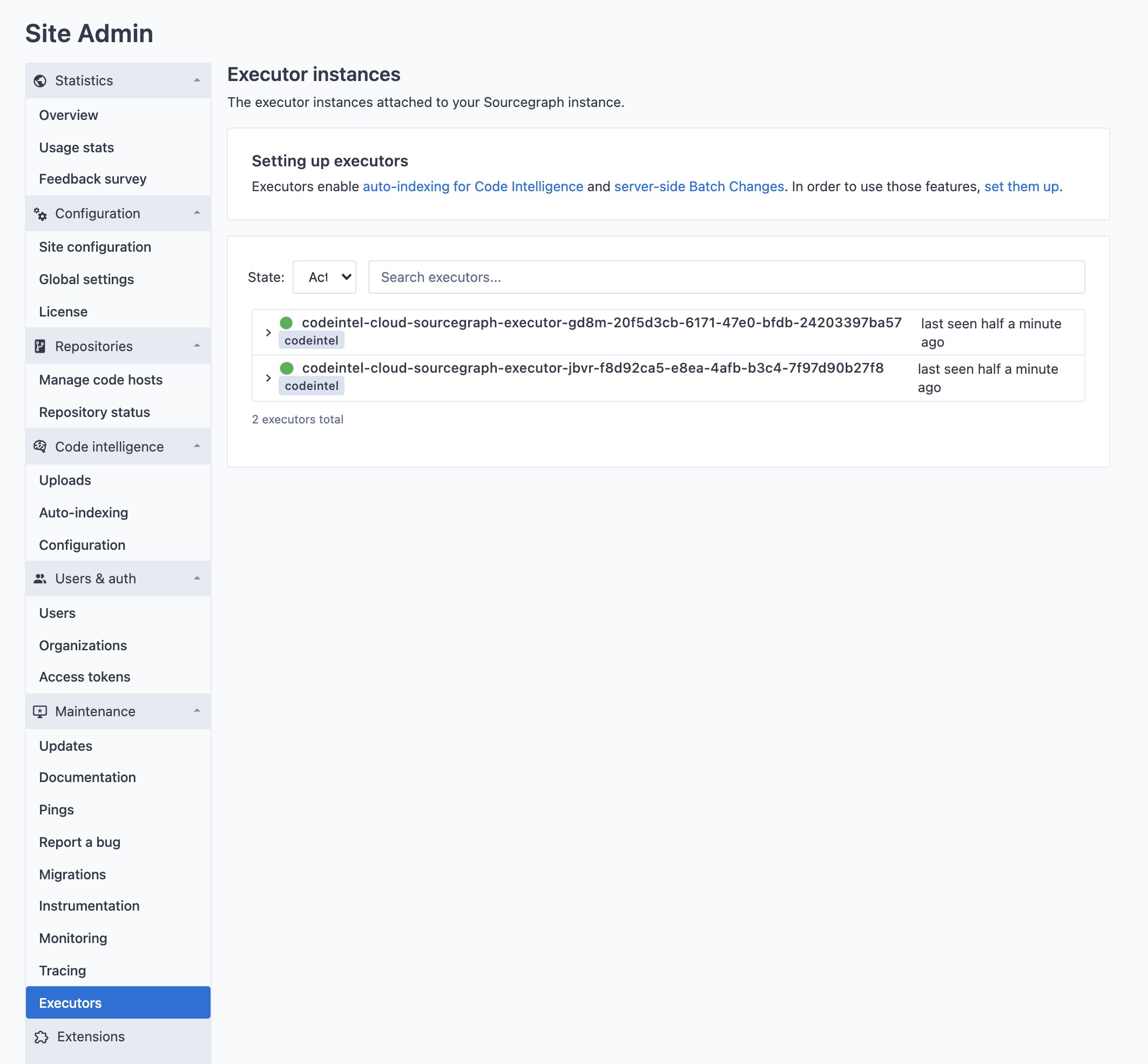
If you want to use docker images stored in a private registry that requires authentication, follow this section to configure it.
Depending on the executor runtime that is being used, different options exist for provisioning access to private container registries:
- Through a special secret called
DOCKER_AUTH_CONFIG, set in executor secrets in Sourcegraph. - Through the
EXECUTOR_DOCKER_AUTH_CONFIGenvironment variable (also available as a variable in the terraform modules for executors). - Through the
config.jsonfile in~/.docker. If using executors with firecracker enabled (recommended) this option is not available.
When multiple of the above options are combined, executors will use them in the following order:
- If a
DOCKER_AUTH_CONFIGexecutor secret is configured, that will be preferred. That is so that users can overwrite the credentials being used in their user-settings. This is the only option available in Sourcegraph Cloud. - If the
EXECUTOR_DOCKER_AUTH_CONFIGenvironment variable is set, this will be used as the next option. - Finally, if neither of the above are set, executors will fall back to the
config.jsonfile in the user home directory of the user that is owning the executor process. NOTE: This is not available in the firecracker runtime, as the rootfs is not shared with the host.
The docker CLI supports three ways to use credentials:
- Using static credentials
- Using credential helpers
- Using credential stores
Credential helpers and credential stores are only available for use with the config.json configuration option, as they require additional infrastructural changes. Thus, those options are not available on Sourcegraph Cloud.
The EXECUTOR_DOCKER_AUTH_CONFIG environment variable and the DOCKER_AUTH_CONFIG secret expect a docker config with only the necessary properties set for configuring authentication.
The format of this config supports multiple registries to be configured and looks like this:
{
  "auths": {
    "myregistry.example.com[:port]": {
      "auth": "base64(username:password)"
    },
    "myregistry2.example.com[:port]": {
      "auth": "base64(username:password)"
    }
  }
}
You can either create this config yourself by hand, or let docker do it for you by running:
TMP_FILE="$(mktemp -d)" bash -c 'echo "<password>" | docker --config "${TMP_FILE}" login --username "<username>" --password-stdin "<registryurl>" && cat "${TMP_FILE}/config.json" && rm -rf "${TMP_FILE}"'NOTE: This doesn't work on Docker for Mac if "Securely store Docker logins in macOS keychain" is enabled, as it would store it in the credentials store instead.
You can also run the following:
echo "username:password" | base64and then paste the result of that into a JSON string like this:
{
  "auths": {
    "myregistry.example.com[:port]": {
      "auth": "<the value from above>"
    }
  }
}
For Google Container Registry, follow this guide for how to obtain long-lived static credentials.
Now that the config has been obtained, it can be used for the EXECUTOR_DOCKER_AUTH_CONFIG environment variable (and terraform variable docker_auth_config) or you can create an executor secret called DOCKER_AUTH_CONFIG. Global executor secrets will be available to every execution, while user and organization level executor secrets will only be available to the namespaces executions.