The Atlas Economy Bot is a discord bot which aims to be the first mutli-discord-server bot to have 1 single shared economy. This means that the bot does not have individual economies for each discord server, but instead has 1 shared economy, where if you where to say for example earn 100 currency on your discord server, you could use that currency on your friends discord server, if that had the bot on their server. This is extremely useful where similar or single communities have multiple discord servers but want to share something that connects them all.
- Standard economy commands – Such as getting your account balance and paying users currency
- Full logging of all transactions made, and all commands used. Users can individually see their own logs, and moderators can see other people's logs.
- Cross-Server trade – You can pay people in multiple servers, for example: if you earned 100 currency on server 1, you could go to server 2 and you could pay someone on their with the 100 currency you earned from server 1.
- Powerful moderation tools to ensure the economy remains how you want it – moderators can remove and add currency from accounts, they can check account logs and transactions of all users. Their is a system in place which allows certain roles to have access to management commands.
- Ranks system – You can set ranks on a server, which the user can use the '/rankup' command to purchase the next rank for a certain amount of currency, these ranks are orderd in the price of the rank and have a discord server role associated with them.
- Competition – commands such as '/baltop' encourage users to compete for the highest amount of currency across all servers.
- Privacy – Users can set their account to private or public mode, private mode does not allow other users to view their join-date or account balance.
- Daily – get a daily reward of currency, can be a unique amount for each server.
All data for users are stored in folders, each user account is stored in a json file.
The config for the bot globally is located next to the main executable, it's called "config.ymal"
All configuration for individual guilds and for the global bot is in YMAL, this makes it easy to quickly change compared to the json which is harder to change but not impossible.
- Create a discord bot through the discord developer portal
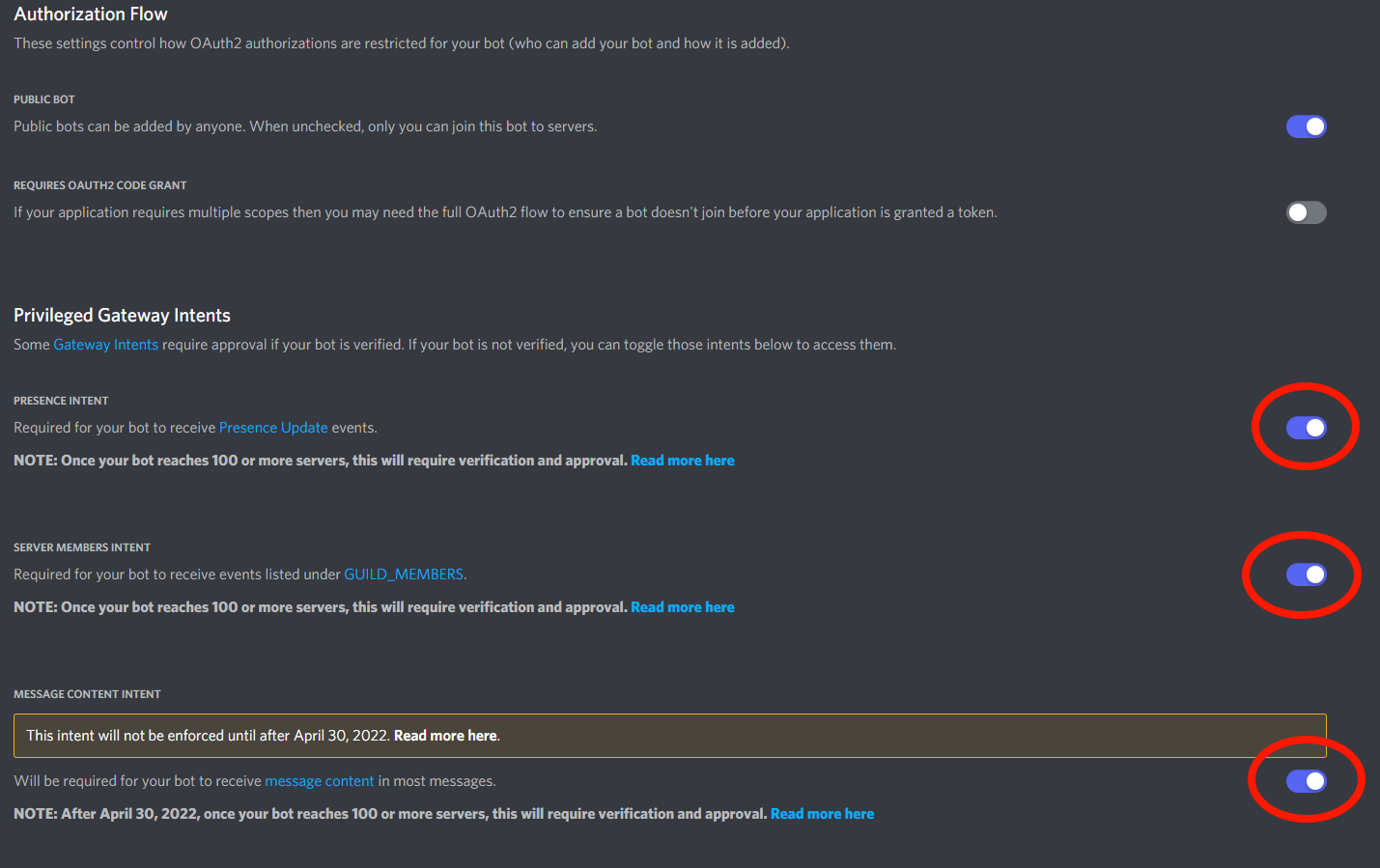
- Make sure that privlege gateway intents are enabled.
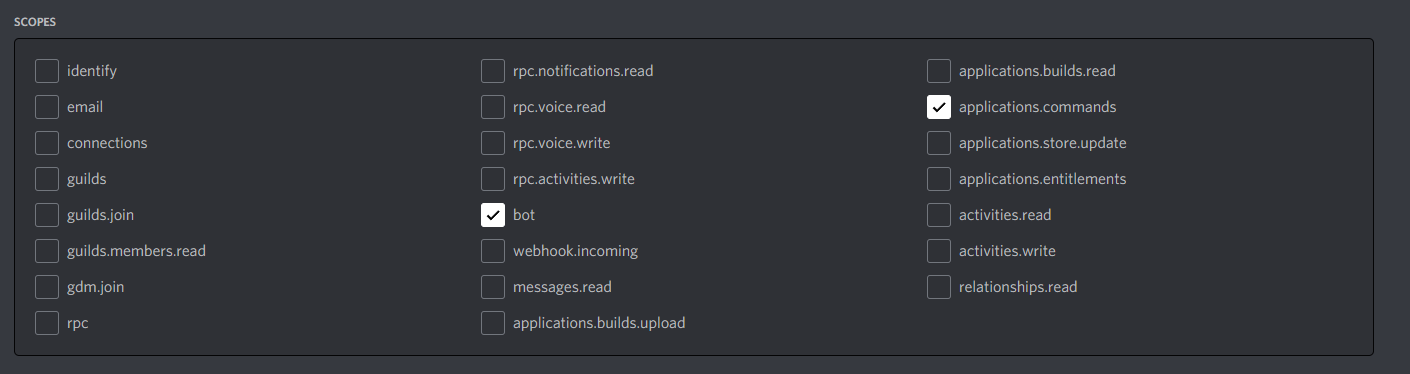
- Invite the discord bot with the following scopes
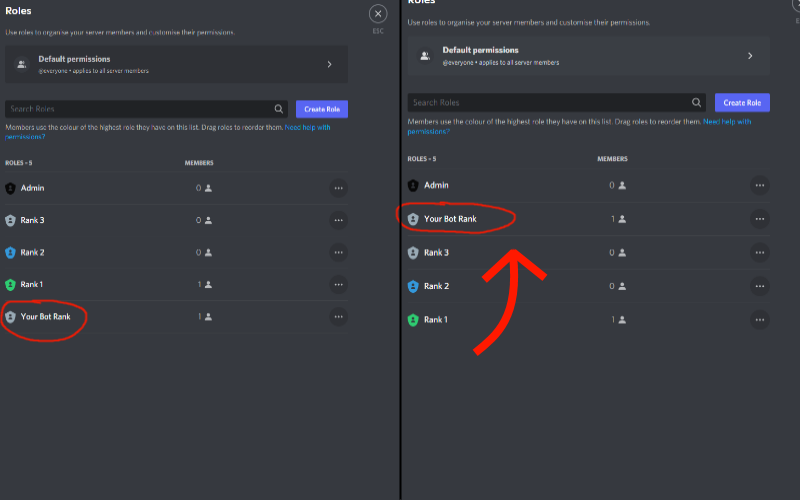
- If a role has not been created for the discord bot, create one and give to the bot, and ensure that it has the correct permissions and that it's role is heriachyly above the roles it needs to interact with, such as ranks and manager roles.
- Run the bot, it will create all nessary files and folders if they are not already their.
- In config.yaml set 'secerity: token: ' to the token of your bot - this can be found in the discord devleloper portal - Please ensure that there are quotation marks surronding the bot token.
- In config.yaml set 'guildIds' to the server your discord bot is in, this enables the bot to register guild commands on that server. For all servers you wish to add into the future you need to add them to this list - or enable global commands.
- From here, run the bot again and make sure that you can do commands such as '/bal', '/help' , '/baltop'
- When reseting the config.ymal file, the bot token will generate without string makers (such as "token_here") - this creates an error and does not allow the bot to startup, please insert quotes around the token in config.ymal