
🔒 PRO-ONLY — requires the Darkmoon Pro REST API (
/api/v1).
📦 Marketplace status: Dashboards + self-host app plugin available here now. grafana.com dashboards library submission pending publication.
Visualize your Darkmoon autonomous-pentest results in Grafana: a security-posture dashboard that mirrors the Darkmoon web app — overview KPIs, findings over time, severity/status distributions, campaigns, targets, a full vulnerabilities table, MITRE ATT&CK, technologies, remediation pull-requests and derived retest verdicts — with a full overview → campaign → finding → evidence-metadata → remediation drill-down.
Two ways to run it:
- Dashboard + Infinity datasource (no build, no install) — import one JSON, point the Infinity datasource at your Darkmoon REST API. Works on Grafana Cloud and self-hosted.
- Self-hosted App plugin with a Go backend datasource that keeps your
Darkmoon token in
secureJsonData— Private signature (free), for teams that prefer a native, token-secured datasource.
Safe by design. The dashboards render safe fields only — never a finding description, evidence, raw request/response, or report body. Evidence is shown as counts/booleans only (the Darkmoon two-key redaction rule). All synthetic screenshots below use the bundled Demo Shop dataset.
Darkmoon is open-source — a star really helps us grow.

🌐 Website: dark-moon.org · 📚 Docs: docs.dark-moon.org · ⭐ Star the core: github.com/ASCIT31/Dark-Moon
Install the integrations, right where you work:
| Platform | Get it |
|---|---|
| VS Code | VS Code Marketplace |
| JetBrains | JetBrains Marketplace |
| GitHub Actions | GitHub Marketplace |
| GitLab CI/CD | CI/CD Catalog |
| Jenkins | Download the .hpi |
| Client & CLI | npm: @darkmoon_ai/client |
Rendered against the synthetic Demo Shop dataset (demo-shop.local, zeroed
secrets) in a real Grafana via the Infinity datasource. Aggregate/metadata only —
no evidence, no report bodies, no tokens.
Security posture — overview
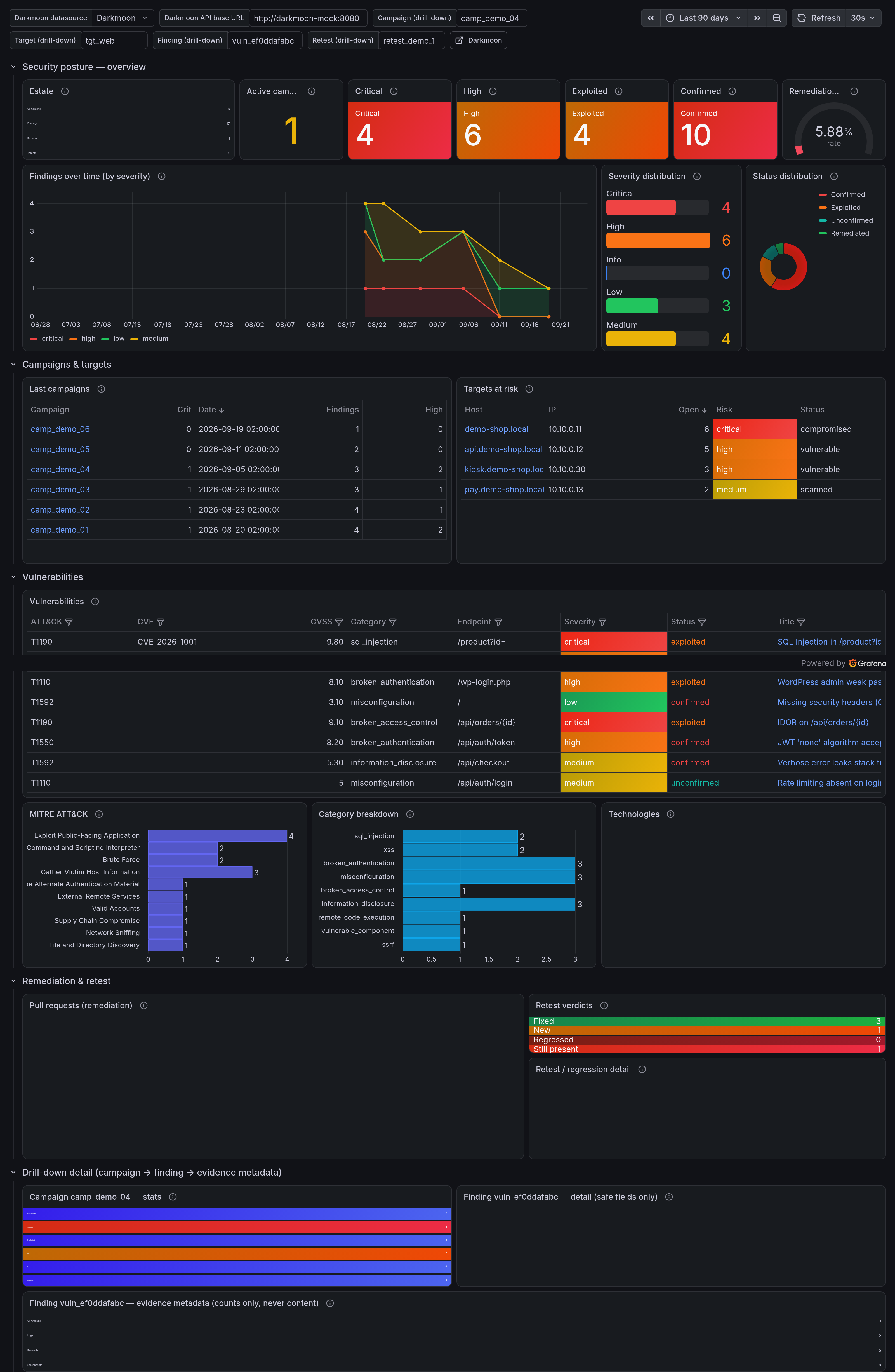
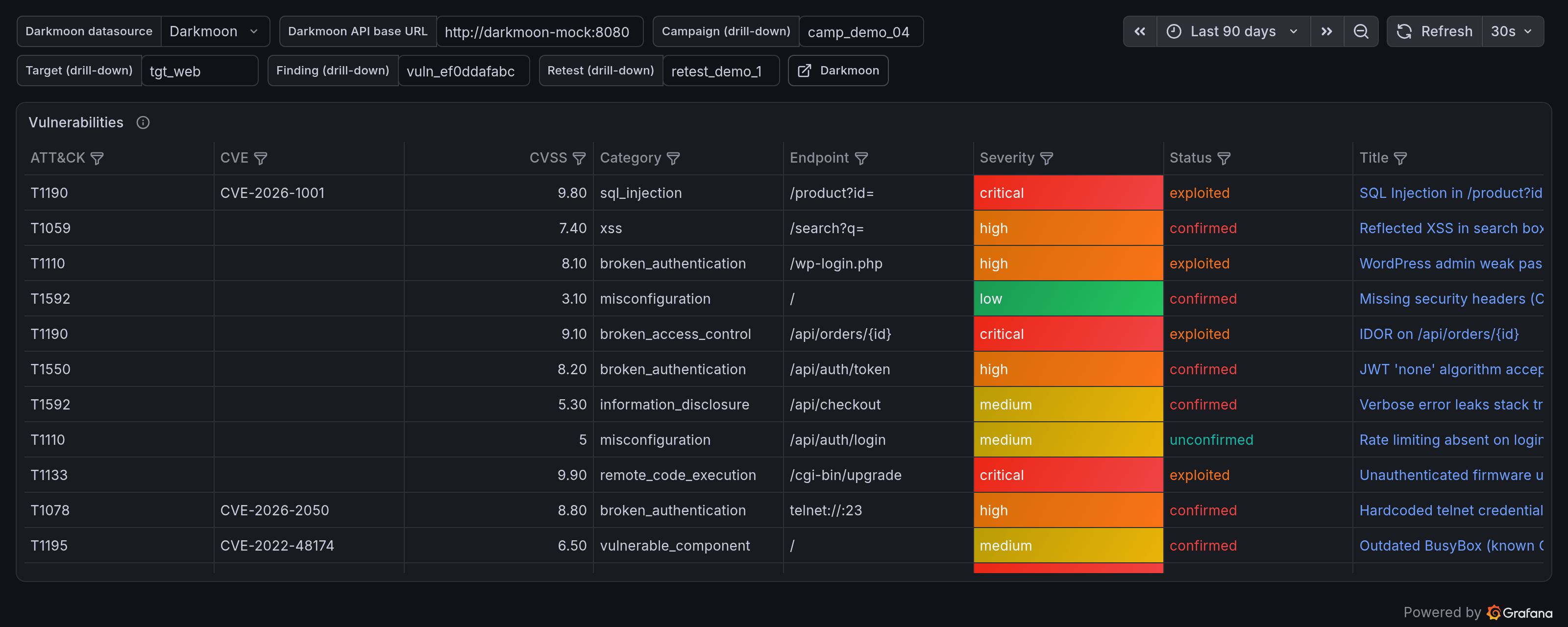
Vulnerabilities table (safe fields only, every column filterable, click a title to drill down)
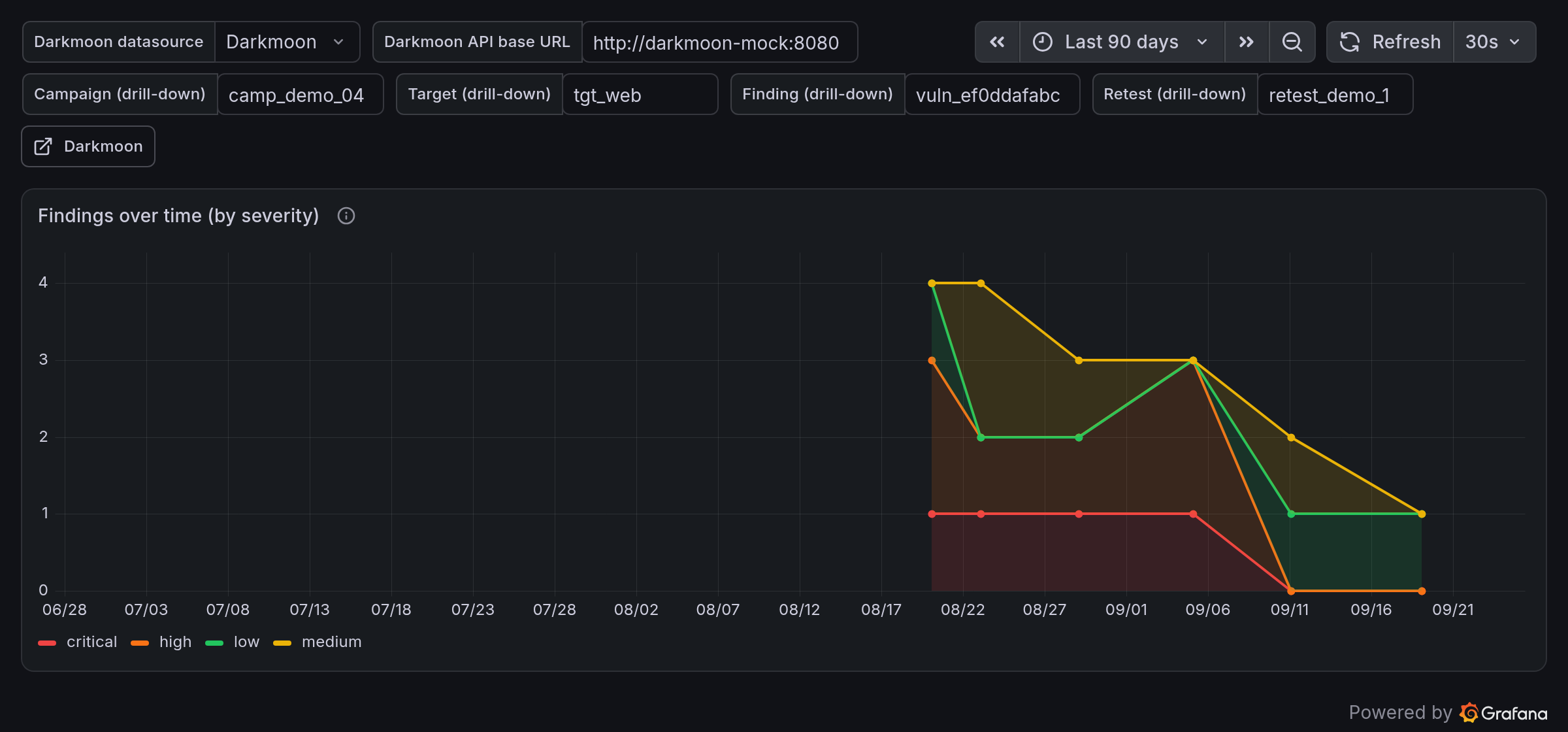
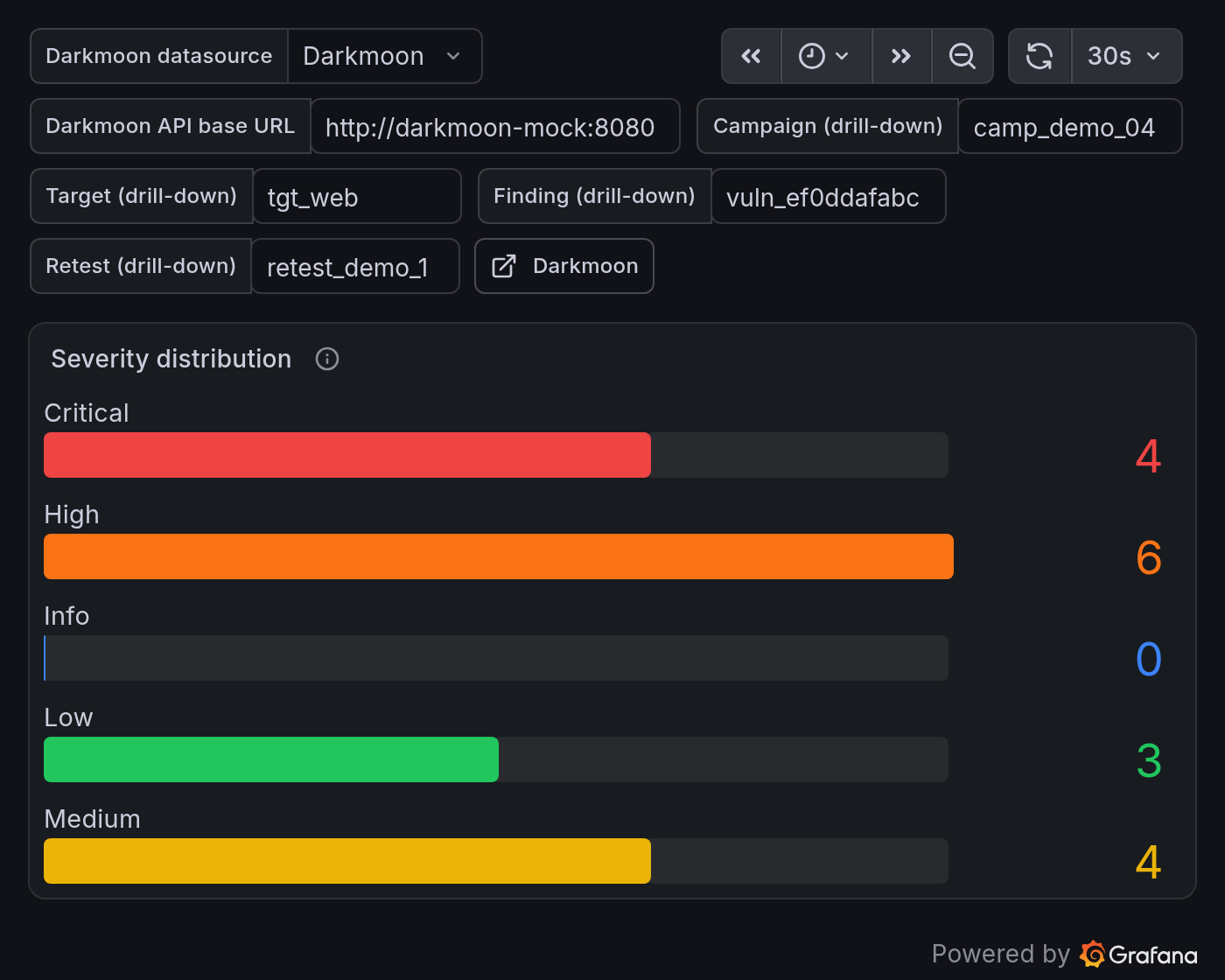
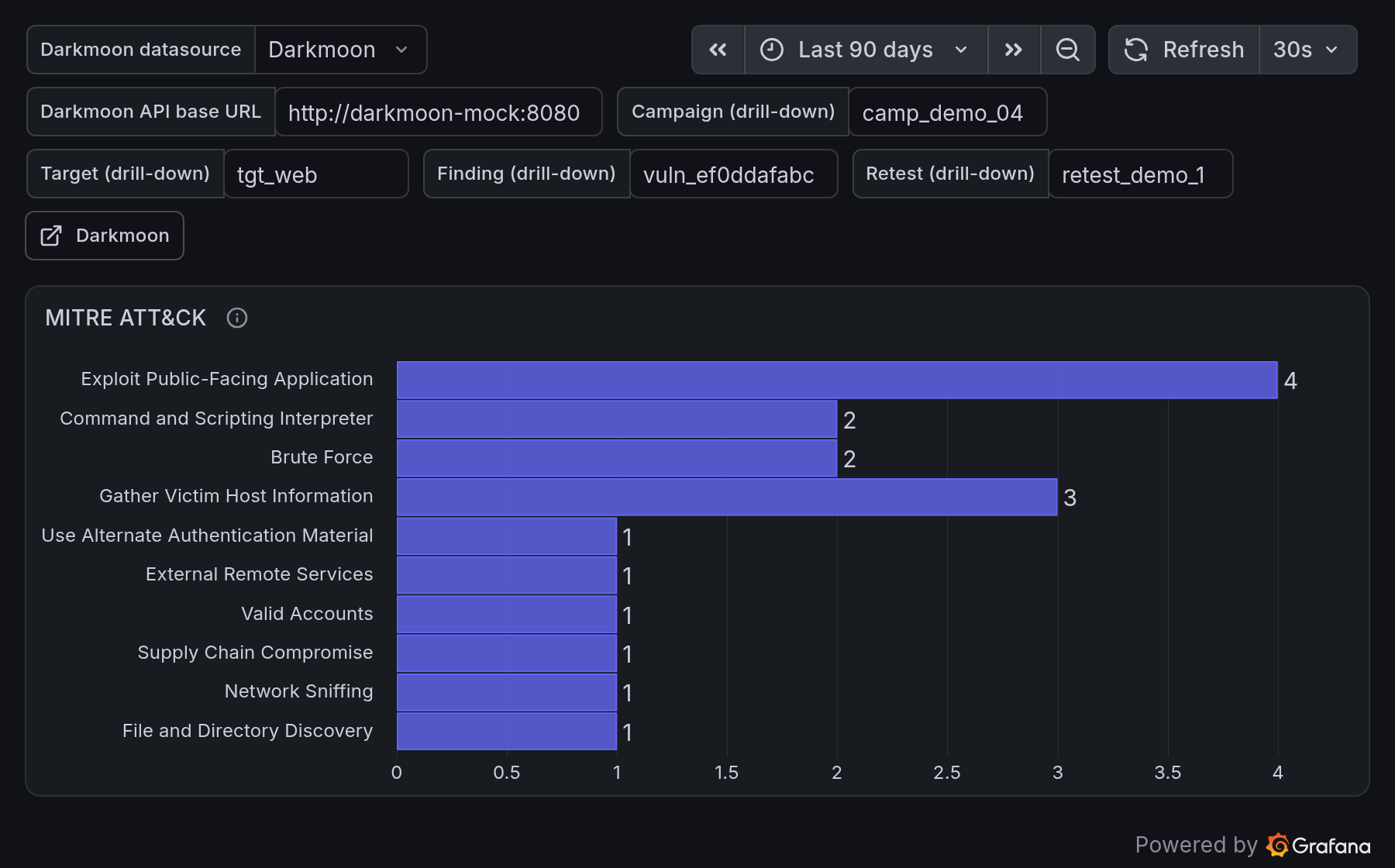
Findings over time · Severity distribution · MITRE ATT&CK
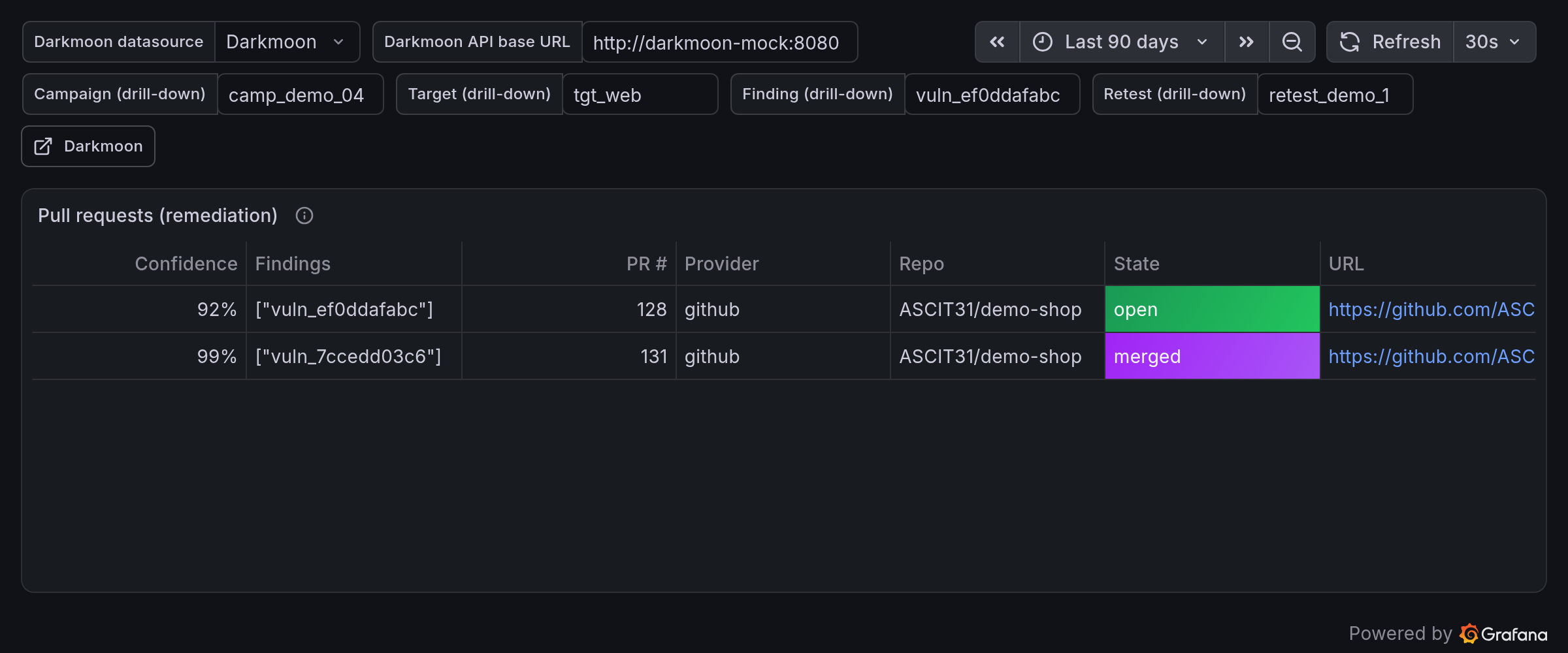
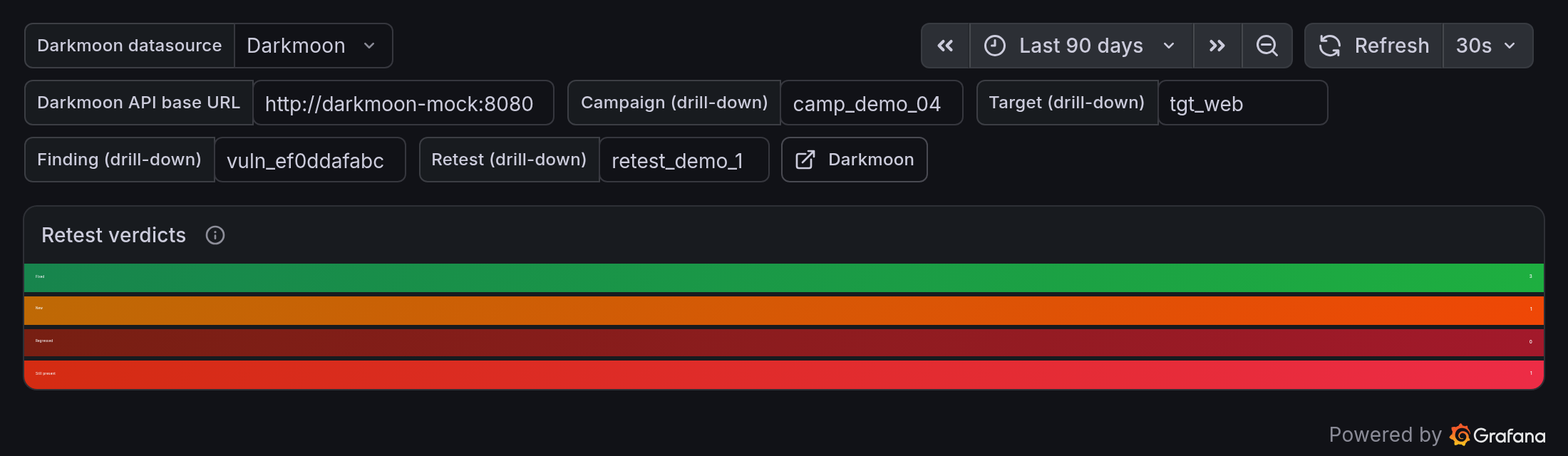
Remediation pull-requests · Retest verdicts
- Install the Infinity datasource (free, Grafana-Catalog-signed):
Grafana → Connections → Add new connection → Infinity
(
yesoreyeram-infinity-datasource). On Grafana Cloud it is one click. - Add a Darkmoon datasource of type Infinity. If your Darkmoon Pro API
requires a token, set Authentication → Bearer Token to your Pro / API token
(stored in
secureJsonData, server-side only). Optionally set Security → Allowed hosts to your Darkmoon host (SSRF hardening). - Import the dashboard: Grafana → Dashboards → New → Import → upload
dashboards/darkmoon-security-posture.json. - Set the dashboard variables:
- Darkmoon datasource → the Infinity datasource from step 2
- Darkmoon API base URL → e.g.
https://darkmoon.example.com(no trailing slash)
That's it — the panels query ‹base›/api/v1/dashboard/overview,
/vulnerabilities, /campaigns, /targets, /pull-requests, /retest/{id} and
/vulnerabilities/{id}/evidence-meta.
Import dashboards/darkmoon-security-posture-demo.json
instead — it is pre-wired to the bundled Demo Shop fixtures on GitHub raw and
renders immediately with any Infinity datasource.
For a native, token-secured datasource (Go backend), install the app plugin from
plugin/. It is not Catalog-signed (that requires a paid commercial
signature for a vendor plugin); run it under a Private signature or as an
allow-listed unsigned plugin on your own instance:
# Grafana config (grafana.ini or env)
GF_PLUGINS_ALLOW_LOADING_UNSIGNED_PLUGINS=darkmoon-securityposture-app,darkmoon-securityposture-datasource
Download darkmoon-securityposture-app.zip from
Releases, unzip into your
Grafana plugins directory, restart Grafana, enable the app, then add a
Darkmoon datasource: set Base URL + Darkmoon token (kept in
secureJsonData). The backend's CheckHealth calls GET /api/v1/system/info and
reports the edition + contract version. To build from source, see
plugin/README.md (npm ci && npm run build + mage -v build:linux).
python3 scripts/gen_fixtures.py       # (re)generate the Demo Shop dataset
python3 scripts/gen_dashboards.py     # (re)generate the dashboards
docker compose up                     # Grafana + Infinity + Darkmoon mock
# open http://localhost:3009  (admin / admin) → folder "Darkmoon"
The mock (fixtures/mock_server.py) serves the exact Darkmoon REST shapes and
honours query filters, so the production dashboard runs against it unchanged.
Pin a Grafana version with GRAFANA_TAG=10.4.7 docker compose up.
Automated assertions (data renders + no forbidden field is ever selected):
bash scripts/test-local.sh| Panel | Source endpoint | Type |
|---|---|---|
| Estate KPIs, Active campaigns, Critical/High, Exploited/Confirmed, Remediation rate | /dashboard/overview, /campaigns |
Stat / Gauge |
| Findings over time (by severity) | /campaigns (date + stats) |
Time series |
| Severity distribution / Status distribution | /dashboard/overview |
Bar gauge / Pie |
| Last campaigns / Targets at risk | /campaigns, /targets |
Table (drill-down links) |
| Vulnerabilities (filterable, safe fields) | /vulnerabilities |
Table |
| MITRE ATT&CK / Category breakdown | /vulnerabilities |
Bar chart |
| Technologies | /targets (flattened) |
Table |
| Pull requests (remediation) | /pull-requests |
Table |
| Retest verdicts / Retest detail | /retest/{id} |
Stat / Table |
| Campaign / Finding / Evidence-metadata detail | /campaigns/{id}, /vulnerabilities/{id}, /vulnerabilities/{id}/evidence-meta |
Stat / Table |
MTTR is intentionally not shown: the Darkmoon data model carries no per-finding open/close timestamps, so it cannot be computed honestly.
| Component | Supported |
|---|---|
| Grafana | ≥ 10.4 (tested 10.4.7, 13.2, 13.3 Cloud) |
| Infinity datasource | yesoreyeram-infinity-datasource (free, Catalog-signed) |
| Darkmoon | Pro REST API (/api/v1), contract version 1. |
| App plugin backend | Go (linux/amd64 shipped; build others with mage) |
- Safe fields only. No panel selects
description,evidence,raw,logs,commands,payloadsorextracted_data.scripts/test-local.shfails the build if any dashboard does. The Go backend re-applies the same allowlist. - Evidence = metadata only. The evidence panel shows presence + counts via
/vulnerabilities/{id}/evidence-meta— never content (two-key redaction rule). - Secrets never leak. The Darkmoon token lives in the datasource
secureJsonData(server-side); it is never returned to the browser, logged, or embedded in a dashboard. CI secrets are read from GitHub Actions secrets only. - SSRF hardening. Set the Infinity datasource Allowed hosts to your Darkmoon host; the Go backend only ever calls its configured base URL.
- Treat all finding/target data as untrusted — tables render data, never HTML.
.github/workflows/deploy.yml— on push tomain, tag, or manual dispatch: idempotently provisions the Darkmoon Infinity datasource + imports the dashboards into the Grafana instance defined by theGRAFANA_URL/GRAFANA_SA_TOKENrepository secrets..github/workflows/validate.yml— builds the app plugin and runs the official Grafana plugin-validator on it.
MIT © 2026 ASC-IT (SARL) / Darkmoon. See LICENSE.
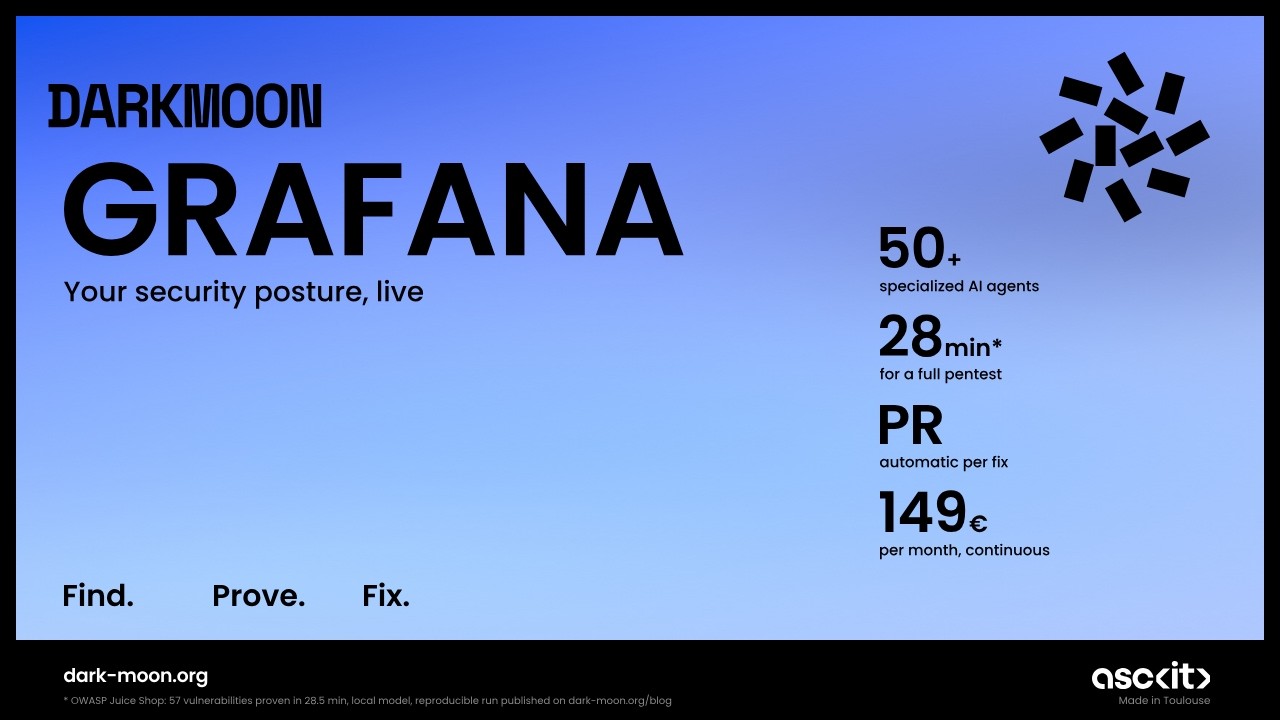
▶ Watch the full Darkmoon + Grafana tutorial on YouTube — real setup, end to end.
Darkmoon is an open-source, AI-powered penetration testing platform. It runs a full autonomous assessment and this integration brings the results into your Grafana workflow.
- ⭐ Flagship (star it): https://github.com/ASCIT31/Dark-Moon
- 📚 Docs: https://docs.dark-moon.org
- 🌐 Website: https://dark-moon.org
- 🔗 Related integrations: Splunk