
📦 Marketplace status: Live on the JetBrains Marketplace (plugin 34497). You can also install the plugin
.zipfrom Releases as a fallback.
Darkmoon is open-source — a star really helps us grow.

🌐 Website: dark-moon.org · 📚 Docs: docs.dark-moon.org · ⭐ Star the core: github.com/ASCIT31/Dark-Moon
Install the integrations, right where you work:
| Platform | Get it |
|---|---|
| VS Code | VS Code Marketplace |
| JetBrains | JetBrains Marketplace |
| GitHub Actions | GitHub Marketplace |
| GitLab CI/CD | CI/CD Catalog |
| Jenkins | Download the .hpi |
| Client & CLI | npm: @darkmoon_ai/client |
The tool window is a native IntelliJ-platform Swing UI (JBTable + panels),
which can only be captured from a running IDE — it does not render in a headless
browser. To grab clean marketplace shots, run the sandbox IDE and screenshot the
tool window (a 2-click pass):
./gradlew runIde              # launches a sandbox IDE with the plugin
# then: View → Tool Windows → Darkmoon, click Refresh (fixtures load the
# synthetic Demo Shop campaign), and screenshot the Campaigns / Vulnerabilities
# / finding-detail / Reports tabs.
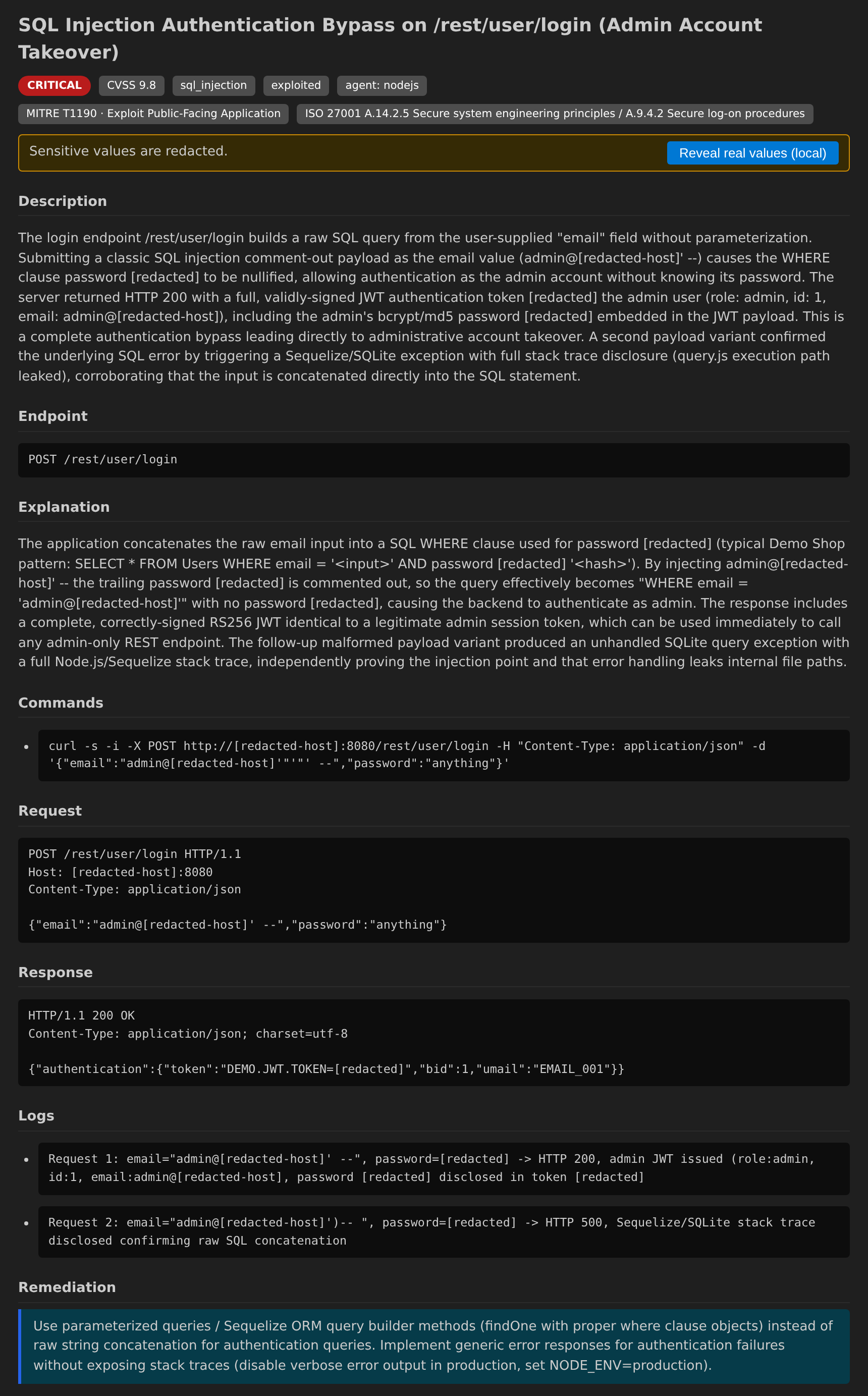
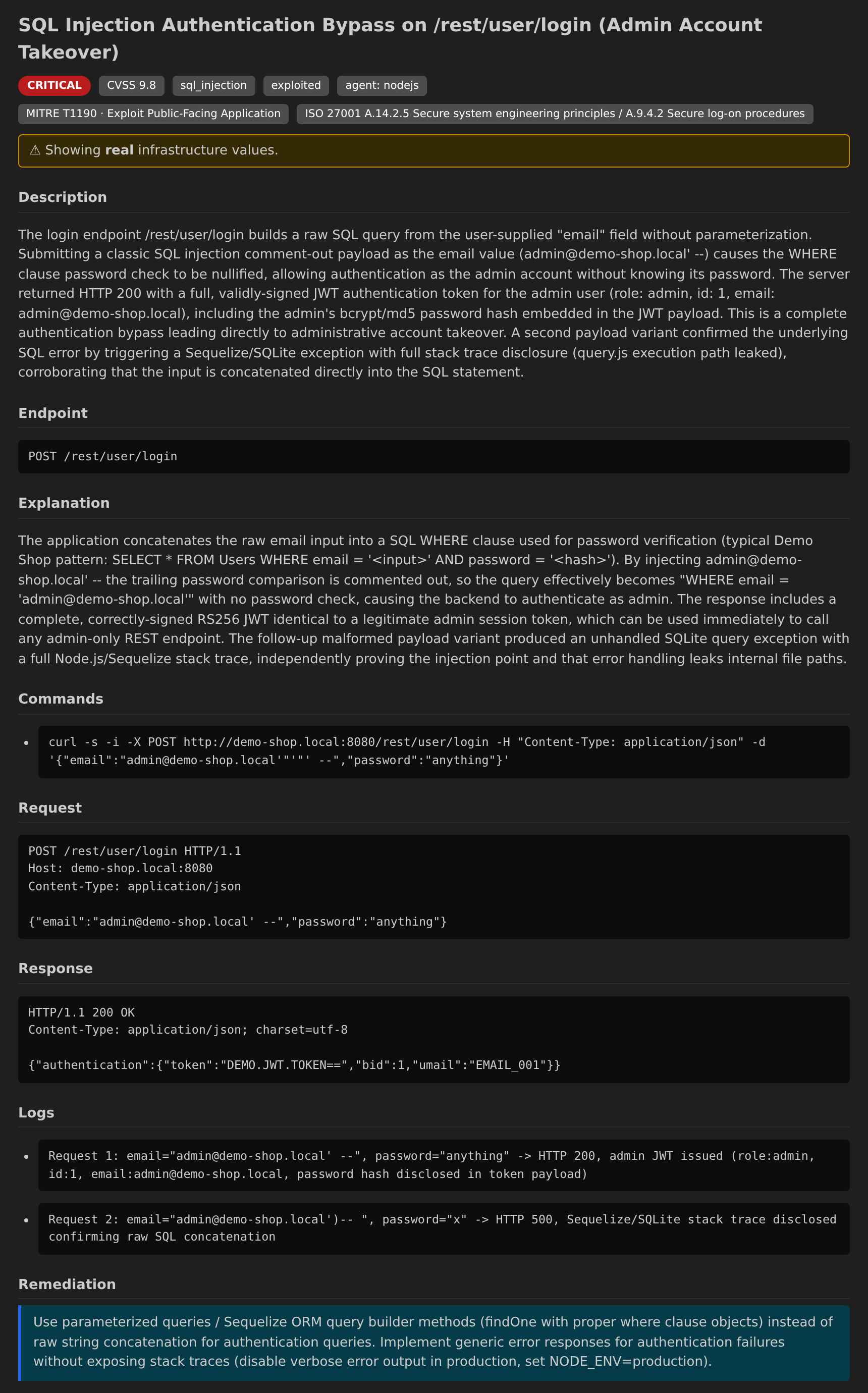
The plugin renders the same synthetic Demo Shop dataset and redaction model as the VS Code extension; see that repo's Screenshots section for the equivalent views.
- Campaigns tab — every campaign with target, status, overall risk and finding count.
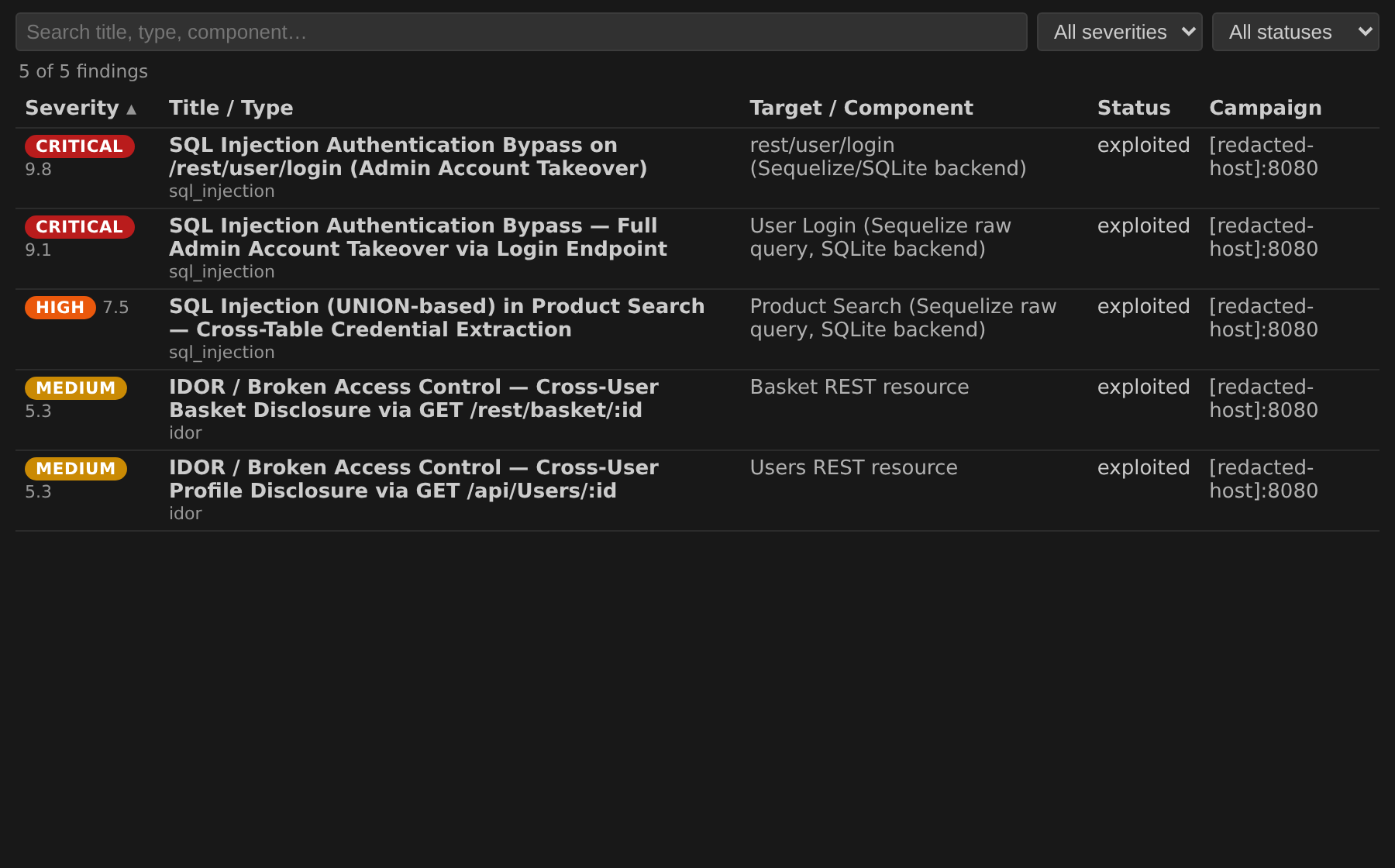
- Vulnerabilities tab — a sortable / filterable / searchable
JBTable(columns: severity, title/type, target/component, status, campaign) with a finding-detail pane (description, evidence, remediation). - Reports tab — the redaction-safe report by default; the full, rehydrated report opens only on an explicit, confirmed, local action.
- Refresh and Launch campaign actions.
- Secrets (the Pro JWT) live in the IDE PasswordSafe, never in settings, logs or process arguments; PasswordSafe is only ever touched off the EDT.
- Capability degradation — Pro-only features (remediation → PR, live streaming, scheduler) are disabled on OSS and gated on the backend-reported capability map, not on an edition sniff.
- Not exposed by design: the infrastructure graph, and any automatic pull request. Remediation is a forwarded opt-in only; the plugin never opens a PR.
darkmoon-jetbrains/
├── client/                     :client — "darkmoon-client-kotlin"
│   └── fr/ascit/darkmoon/client/
│       ├── Contract.kt         Kotlin port of the FROZEN contract.ts types
│       ├── DarkmoonClient.kt   the frozen client surface (interface)
│       ├── CliDarkmoonClient.kt drives the `darkmoon-ci` CLI (contract JSON)
│       ├── ProcessRunner.kt    subprocess seam (injectable for tests)
│       └── CapabilityGate.kt   central Pro/OSS degradation gating
└── src/  (the IntelliJ plugin) fr/ascit/darkmoon/jetbrains/
    ├── settings/               DarkmoonSettings, DarkmoonSecretService, Configurable
    ├── services/               DarkmoonProjectService (client + cached data)
    └── toolwindow/             tool window, tables, finding detail, reports, launch dialog
The plan says do not reimplement the TypeScript client. Detection,
normalization and redaction live once, in the shipped @darkmoon_ai/client.
darkmoon-client-kotlin is therefore a contract port plus a subprocess
adapter: it mirrors the frozen wire types and deserializes JSON produced by the
JS client; it does not re-derive any backend behaviour. The Pro JWT is passed
only via the DARKMOON_TOKEN environment variable, so it never appears in a
process listing.
The foundation ships two entry points:
darkmoon-ci— the CI-oriented binary (detect,launch,status,summary,findings,report,wait,run). Perfect for pipelines, but it has no list all campaigns, single finding + evidence, or stream command.@darkmoon_ai/client— the full library, which does expose the entire contract surface (verified against the real OSS data dir: 11 campaigns, per-campaign findings, redaction-safe by default).
A GUI needs the full read surface, so the plugin ships a tiny bridge
(src/main/resources/bridge/darkmoon-bridge.mjs) that exposes that full library
through the JSON subcommand grammar CliDarkmoonClient speaks. The bridge only
calls the library — no detection, normalization or redaction of its own — and
strips the internal raw object before printing. Point the plugin's
darkmoon-ci command setting at either the CI binary (subset of features) or
node …/darkmoon-bridge.mjs (full features). The subcommand grammar is
documented in the KDoc of CliDarkmoonClient; the JSON shapes are frozen.
Requires JDK 17 and Node.js (for the conformance test double). The Gradle wrapper fetches Gradle 9.5 and the IntelliJ Platform.
export JAVA_HOME=/path/to/jdk-17
./gradlew :client:test        # Kotlin client conformance (18 tests)
./gradlew test                # plugin unit + integration tests
./gradlew verifyPlugin        # IntelliJ Plugin Verifier
./gradlew buildPlugin         # produces build/distributions/darkmoon-jetbrains-<version>.zip
./gradlew runIde # sandbox IDE for a manual smoke test (needs a display)darkmoon-client-kotlin is validated three ways against the same foundation
fixtures:
- Language-neutral goldens (
fixtures/conformance/*.golden.json, the canonical OSS==Pro==golden output) are deserialized into the frozen Kotlin types — proving the port is field-complete and correctly typed (GoldenConformanceTest). - A committed test double of the CLI emits contract JSON from the raw
fixtures so
CliDarkmoonClientis exercised over a real subprocess boundary, including redaction and the two-key opt-in (ConformanceTest, 18 cases). - A real end-to-end test drives
CliDarkmoonClient→ bridge →@darkmoon_ai/client→ the real OSS data dir when they are present on the machine (DarkmoonPluginTest.testRealLibraryViaBridge; skips otherwise).
The plugin is live on the JetBrains Marketplace; use this only for a local build or an offline install.
./gradlew buildPlugin- In the IDE: Settings → Plugins → ⚙ → Install Plugin from Disk… and pick
build/distributions/darkmoon-jetbrains-<version>.zip. - Configure under Settings → Tools → Darkmoon (mode, base URL,
darkmoon-cicommand, and — for Pro — the token).
The plugin is published on the JetBrains Marketplace (plugin 34497, id
fr.ascit.darkmoon). Updates still require human-owned credentials and decisions:
- A JetBrains account and the vendor/organization profile for ASC-IT.
- The first upload was done manually through the Marketplace UI; subsequent
updates can use the automated
publishPlugintask. - A permanent publishing token (
PUBLISH_TOKEN), and, for signed builds, the signing key material (CERTIFICATE_CHAIN,PRIVATE_KEY,PRIVATE_KEY_PASSWORD) — all consumed from environment variables. - The plugin id
fr.ascit.darkmoonis permanent now that it is published.
This plugin is a browse/launch client, not a CI gate. The findings-based
pass/fail policy (--fail-on critical,high, exit code 2) is computed by the
darkmoon-ci CLI and the CI/CD integrations (GitHub Actions, GitLab, Jenkins),
never inside the IDE.
MIT © 2026 ASC-IT (SARL) / Darkmoon. See LICENSE.
▶ Watch the full Darkmoon + JetBrains tutorial on YouTube — real setup, end to end.
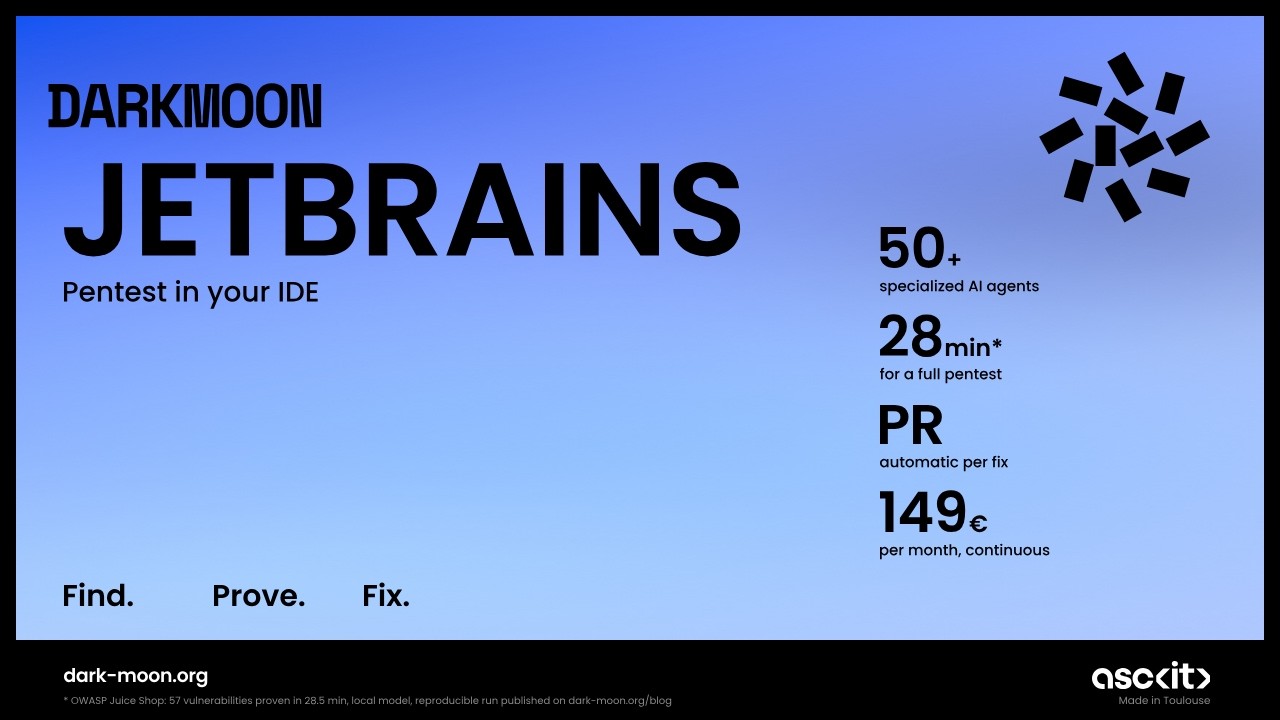
Darkmoon is an open-source, AI-powered penetration testing platform. It runs a full autonomous assessment and this integration brings the results into your JetBrains workflow.
- ⭐ Flagship (star it): https://github.com/ASCIT31/Dark-Moon
- 📚 Docs: https://docs.dark-moon.org
- 🌐 Website: https://dark-moon.org
- 🔗 Related integrations: VS Code · SDK / CLI