CraftPilot turns a sentence typed in Minecraft chat into a build in the world. Type
/build a cozy two storey cottage with a stone chimney, a hologram of the result appears in front of you,
press G, and the building rises out of the ground, seated on the terrain, with an undo record and a
Litematica schematic on disk.
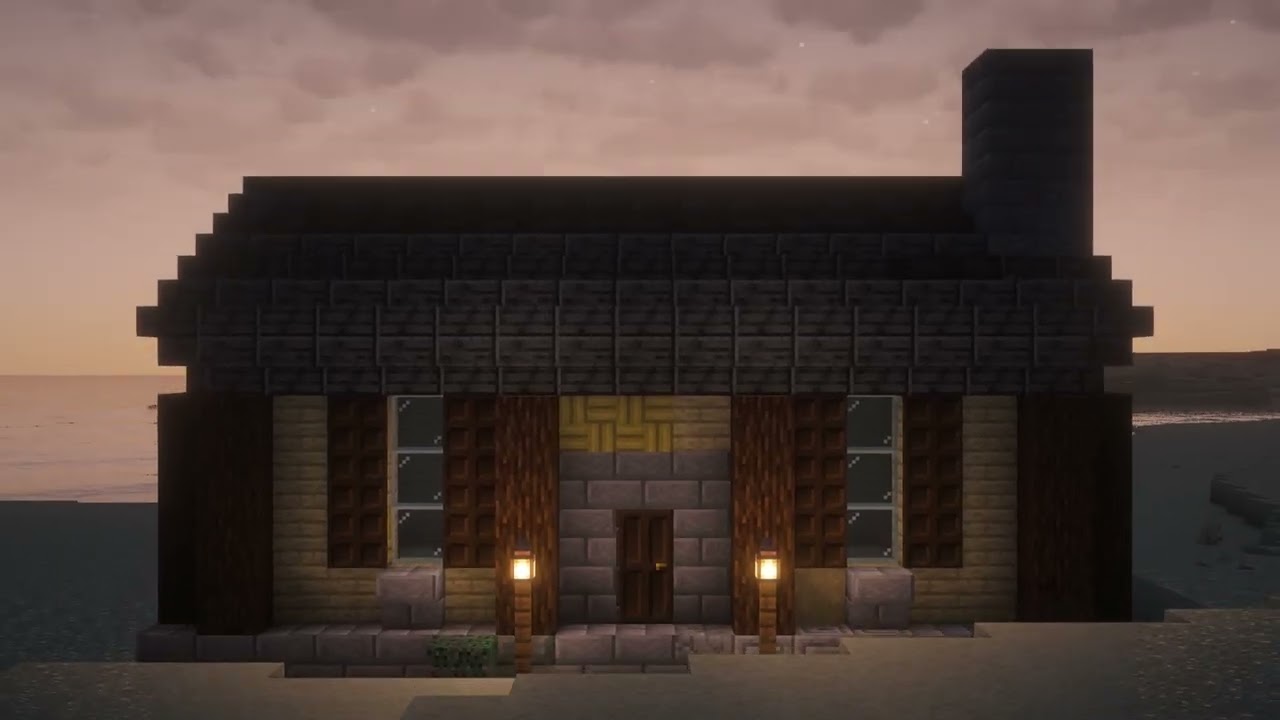
Watch the demo (YouTube, 1:15).
Two generators sit behind one chat command:
- Buildings (houses, castles, churches, towers, barns — anything with floors, walls and a roof). An LLM
writes a
BuildProgram: a structured description of masses, roofs, facade, attachments, interior and palette. A deterministic engine renders that program into blocks using the techniques builders use by hand (palettes, gradients, texturing noise, depth, silhouette). Same program + same seed = same building. About 9 s from chat to hologram. - Objects (statues, creatures, vehicles, props, named landmarks). No LLM composes geometry. An LLM writes a one-paragraph brief, FLUX draws a reference image, a local Hunyuan3D worker reconstructs a mesh from it, and the mesh is voxelised into coloured blocks with stairs and slabs on the slopes. About 15–20 s.
A router reads the request and picks the path: "a statue of a dragon" and "the Eiffel Tower" go to objects, "a timber church with a bell tower" goes to buildings. Both paths produce the same block grid, so the hologram preview, terrain seating, placement, undo and schematic export are shared.
In game you can iterate before committing: /build plan … shows the plan in chat, /build edit make it three floors patches it, /build again 7 re-rolls the seed, /build go places it.
Everything runs on the player's machine except the models on Azure.
| Process | Role | Port |
|---|---|---|
Minecraft + the copilot Fabric mod (mod/, Java) |
/build command, hologram preview, an HTTP bridge exposing the world, a block placement queue that drains one chunk per game tick |
7777 |
The service (uv run craftpilot serve, Python/FastAPI) |
Routing, both generators, terrain seating, placement, undo, schematics | 7778 |
The 3D worker (tools/recon_server.py, own venv) |
Keeps Hunyuan3D / TripoSR loaded on the GPU; image → mesh | 7790 |
| Azure AI Foundry | gpt-5.4-mini for programs and briefs, FLUX-1.1-pro for reference images |
— |
Flow for one request: chat → mod → service → (LLM / image model / 3D worker) → service → mod bridge → world. The mod contains no build logic, no LLM calls and no keys.
On commit the service asks the mod for a heightmap of the footprint, sets the ground level a little below
the median surface, cuts the hill out of the base (trees removed whole), fills a foundation down to the
terrain in the building's own foundation block, grades the surrounding ground, and streams all of that with
the building, bottom-up. CRAFTPILOT_PLACE_TERRAIN=0 turns this off.
docs/HOW_IT_WORKS.md describes every stage in detail. ARCHITECTURE.md has the stack and a diagram.
PLAN.md is the original design.
- Minecraft 26.2 with Fabric Loader and Fabric API; Litematica + MaLiLib if you want to load schematics.
- JDK 21–25 to build the mod (it fetches a JDK 25 toolchain for compilation).
- Python 3.12 and
uv. - An Azure AI Foundry resource with a
gpt-5.4-minideployment; aFLUX-1.1-prodeployment for objects. - For objects, Apple Silicon with ~3 GB free for model weights (
tools/README.md). Buildings work without it.
cp .env.example .env        # Azure endpoint, key, deployment names
uv sync                     # one .venv for the whole package
Mod:
cd mod && ./gradlew build # build/libs/copilot-<version>.jarCopy the jar and the matching Fabric API into your mods/ folder and open a singleplayer world. The log
shows [craftpilot] bridge listening on http://127.0.0.1:7777. See mod/README.md.
3D worker (objects only): one-time install of torch, TripoSR and Hunyuan3D-2 into tools/.venv-3d per
tools/README.md. The service starts the worker itself the first time an object is requested.
Start the service in a terminal:
uv run craftpilot serveThen in chat:
/build a cozy two storey cottage with a stone chimney   # aim, G locks and builds; H lets the hologram follow you again
/build a statue of a dragon                              # routed to the image-to-3D path
/build the eiffel tower                                  # landmarks too; chat says which path was chosen
/build object a small cottage                            # force the object path
/build building a bronze horse                           # force the building path
/build plan a timber church with a bell tower           # plan in chat first ...
/build edit make it three floors                        # ... refine it ...
/build go                                               # ... then aim and press G
/build again 7                                          # same program, new seed
/build preview <text>                                   # schematic only, nothing placed
/build status
/build cancel                                           # abandon the pending build or stop a placement mid-stream
Every build is also written to ~/Library/Application Support/minecraft/schematics/craftpilot/ as a
.litematic, with a .png preview and the composed .program.json. Objects get a working folder under
schematics/craftpilot/objects/ with the brief, prompt, reference image, matted image, mesh and timings.
To load a schematic by hand: Litematica menu (M) → Load Schematics → craftpilot folder, then
Schematic Placements → Paste Schematic in World.
No game needed unless you pass --place.
uv run craftpilot build "a cozy two storey cottage with a stone chimney" --preview
uv run craftpilot build "a statue of a dragon"          # router sends it to the object path
uv run craftpilot build "a stone lighthouse" --place    # place it in the open world
uv run craftpilot object "a stone owl statue" --height 48 --engine triposr
uv run craftpilot route "build the eiffel tower"        # which path, and why
uv run craftpilot render                                # every exemplar to out/exemplars/
uv run craftpilot catalog                               # the block families the LLM sees
craftpilot build flags:
| Flag | Meaning |
|---|---|
--bounds 25x30x25 |
Force a bounding box (width × height × depth). Otherwise the program's own suggestion is used. |
--seed 7 |
Reproducible randomness. |
--facing east |
Which way the front door faces (default south). |
--kind object / --kind building |
Skip the router. |
--no-llm |
Skip Azure; use the nearest exemplar patched by keywords. |
--exemplar castle |
Render an exemplar program directly (exemplars/). |
--show-program |
Print the composed program JSON. |
--out path.litematic |
Write somewhere else. |
--place |
Place in the open world through the mod, seated on the terrain. |
Placement flags: --gap, --sink, --no-clear, --delay-ms, --chunk. craftpilot place-status and
craftpilot place-cancel talk to the mod directly. uv run python scripts/verify_bridge.py smoke-tests the
bridge with the game open.
.env in the repo root. .env.example lists every variable with its default. The ones that matter most:
| Variable | Meaning |
|---|---|
AZURE_OPENAI_ENDPOINT, AZURE_OPENAI_API_KEY |
The Azure resource. |
AZURE_OPENAI_COMPOSE_DEPLOYMENT, AZURE_OPENAI_EDIT_DEPLOYMENT |
LLM deployments (AZURE_OPENAI_DEPLOYMENT is an alias for both). |
CRAFTPILOT_IMAGE_DEPLOYMENT |
Image deployment for objects (default FLUX-1.1-pro). |
CRAFTPILOT_COMPOSE_EFFORT |
Reasoning effort when composing a building: low (~8 s, default) or medium (30–100 s). |
CRAFTPILOT_RECON_ENGINE |
hunyuan (default) or triposr. |
CRAFTPILOT_MC_VERSION |
Which data/blocks_<version>.json the engine draws from (1.21.1 and 26.2 shipped; scripts/gen_catalog.py makes others). |
CRAFTPILOT_PLACE_TERRAIN |
1 seats builds on the surveyed ground; 0 puts the plinth at your feet. |
CRAFTPILOT_ROUTE_LLM |
1 lets the router ask the LLM on unsure requests; 0 is word rules only. |
- Weapons: Azure's image violence classifier rejects any blade, so swords and the like fail with a message saying which filter hit.
- Trademarked names never reach the image model; the brief describes the subject by appearance instead.
- Thin or multi-part subjects (rigging, poles, wires, bridges) reconstruct poorly from one image.
- The back of an object is the reconstructor's guess.
- The first object after a reboot pays ~28 s of model loading.
uv run pytest -q tests                      # 172 tests, ~50 s; object tests use synthetic meshes, no network
uv run ruff check src tests
uv run python scripts/gen_catalog.py 26.2   # regenerate data/blocks_26.2.json from the game jars
Exemplars in exemplars/*.yaml are 13 complete programs (cottage, castle, church, pagoda, lighthouse,
factory, temple, …). They are the few-shot examples for the LLM, the offline fallback, and the test goldens.
src/craftpilot/
  serve.py           FastAPI service: /health /plan /prepare /build /edit /regenerate /cancel /exemplars
  route.py           building or object
  cli.py             craftpilot build | object | object-undo | route | render | serve | catalog
  config.py          .env → SETTINGS
  program/           BuildProgram model, validation, palettes, exemplar retrieval
  llm/               Azure client, compose (text → program), edit, offline fallback, prompts
  engine/            layout, massing, roof, attachments, facade, interior, depth, detail, materials, postprocess
  objects/           brief, imagegen, recon, voxelize, orient, place, pipeline
  grid/              SemanticGrid, enums, rotation
  place/             anchor, bridge client, placer, undo
  terrain.py         survey, ground level, cut / fill / grading
  preview/           isometric PNG renderer, hologram cloud
  export/            .litematic via litemapy
  blocks/            block catalog from the game jar, family colours, palette library
exemplars/           13 complete BuildPrograms
data/                blocks_<version>.json catalogs
mod/                 the Fabric mod (Java 25, Minecraft 26.2)
tools/               recon_server.py, recon_worker.py, the 3D venv
tests/
docs/HOW_IT_WORKS.md the whole system, stage by stage
ARCHITECTURE.md      stack and diagram
PLAN.md              original design