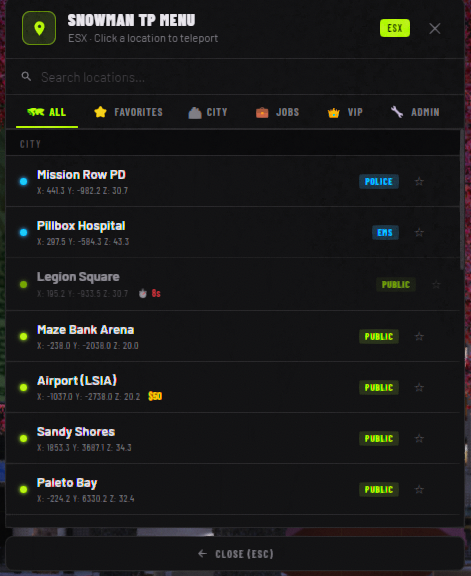
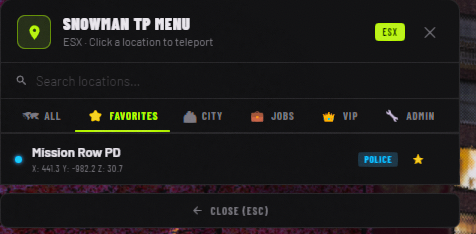
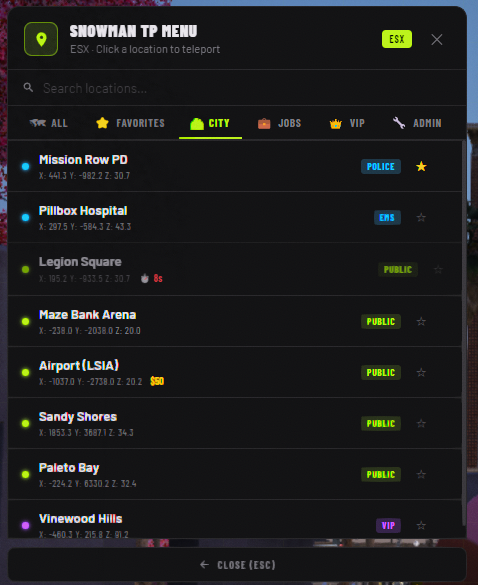
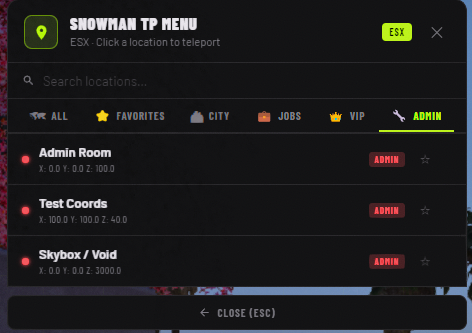
A FiveM ESX teleport menu with a sleek dark theme. Black background · Neon green accents · Bold typography · Smooth animations.
TP_Menu/
├── fxmanifest.lua
├── config.lua           ← All settings & locations here
├── client/
│   └── main.lua
├── server/
│   └── main.lua
└── html/
    ├── index.html
    ├── css/
    │   └── style.css
    └── js/
        └── app.js
- Drop the
TP_Menufolder into your resources directory. - Add to your
server.cfg:ensure TP_Menu - Make sure es_extended is started before this resource.
- Configure
config.luato your needs (see below). - Restart your server.
| Option | Default | Description |
|---|---|---|
Config.OpenKey |
'F5' |
Key to toggle the menu |
Config.UseCommand |
true |
Enable /tpmenu command |
Config.Command |
'tpmenu' |
Command name |
Config.AdminGroup |
'admin' |
ESX group for admin locations |
Config.VipGroup |
'vip' |
ESX group for VIP locations |
Config.TeleportDelay |
1500 |
MS delay before TP executes |
Config.Notification |
true |
Show chat notification |
Config.FreezeOnTP |
true |
Freeze player during teleport |
Config.BlackScreenTP |
true |
Black screen flash effect |
Config.LogTeleports |
true |
Log TPs to server console |
In config.lua, add an entry to Config.Locations:
{
    id        = 21,                  -- Must be unique
    name      = 'My Location',
    cat       = 'city',             -- 'city' | 'jobs' | 'vip' | 'admin'
    tag       = 'free',             -- 'free' | 'job' | 'vip' | 'admin'
    dot       = 'green',            -- 'green' | 'blue' | 'orange' | 'purple' | 'red'
    label     = 'PUBLIC',           -- Badge text in UI
    x         = 100.0,
    y         = 200.0,
    z         = 30.0,
    heading   = 90.0,               -- Player facing direction after TP
    -- Optional filters:
    minJob    = 'police',           -- Only players with this job can see it
    adminOnly = true,               -- Only Config.AdminGroup can see it
    vipOnly   = true,               -- Only Config.VipGroup can see it
},| Key | Action |
|---|---|
F5 (configurable) |
Open / close menu |
/tpmenu |
Open / close menu |
↑ / ↓ |
Navigate locations |
Enter |
Open confirm dialog |
Escape |
Close menu / dialog |
| Double-click | Open confirm dialog |
- Free locations — visible to everyone
- Job locations (
minJob) — only players with matching job - VIP locations (
vipOnly = true) — only players inConfig.VipGroup - Admin locations (
adminOnly = true) — only players inConfig.AdminGroup - Admins automatically see all locations including VIP
- To use a different notify system (e.g. ox_lib, mythic_notify), edit the
Notify()function inclient/main.lua. - The menu is NUI-based — no ox_lib or menu framework required.
- Tested on ESX Legacy.