
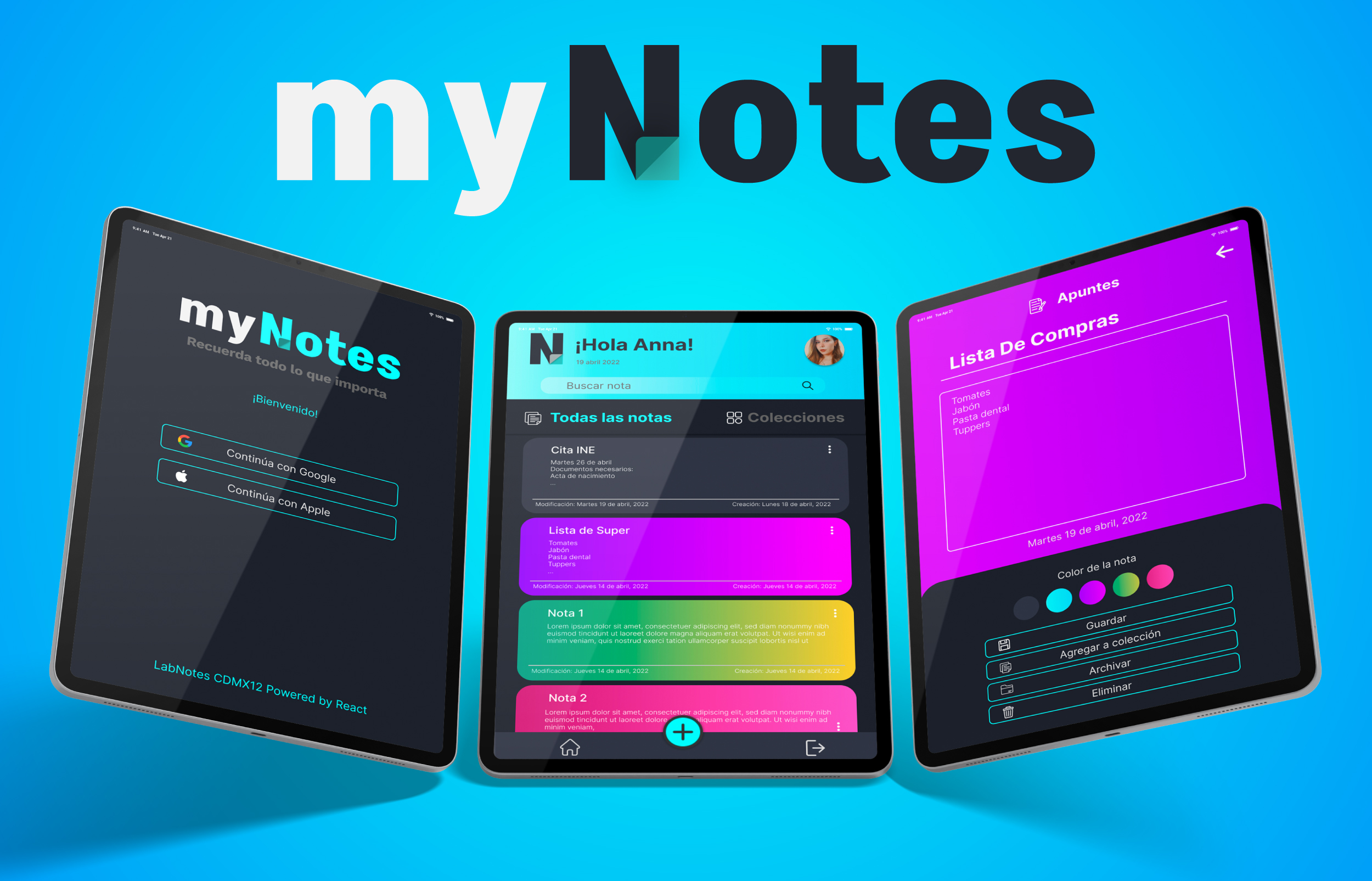
Despliegue del proyecto:
En proceso...
- 1. Resumen del proyecto
- 2. Tech Skills del Proyecto
- 3. Planeación
- 4. Investigación UX
- 5. Bocetaje + Prototipo + Feedback
- DESCRIPCIÓN
En este proyecto se realizó una aplicación web para tomar notas, que nos permita crear, editar, eliminar y consultarlas en cualquier momento. No existe día que no tomemos notas, siempre necesitamos apuntar alguna dirección, número telefónico, notas de alguna reunión o guardar nuestras URLs favoritas para poder consultarlas más tarde. Muchas veces para esta actividad utilizamos libretas o agendas que terminan siendo olvidadas, o anotamos de manera dispersa de tal manera que perdemos de vista la prioridad y el propósito de la nota lo cual da como resultado una nota perdida.
- RESUMEN TÉCNICO
Desarrollo de aplicación web, diseñada principalmente para tablet. Esta es una aplicación creada para la toma notas mediante CRUD, en la cual se pueden guardar, editar y eliminar. Ademas cuenta con la opcion de dar color a la nota , archivar, guardar en colección y mandar a papelera. Las notas se renderizan según el usuario que las crea.
El entorno de la aplicación se creó en base a patrones de diseño a manera de que sus componentes sean reutilizables y escalables, esto mediante renderizado condicional y una simulación de context llevado a cabo con singleton, En este proyecto realizamos pruebas de usabilidad mediante Maze para sus iteraciones y pruebas unitarias con react testing library así como pruebas manuales y uso de eslint para asegurar la calidad de desarrollo y control de versiones mediante Git.
- Semántico
- Selectores de CSS
- Box Model
- Flexbox
- Grid Layout
- Media queries
- Uso de selectores del DOM
- Manejo de eventos del DOM
- Manipulación dinámica del DOM
- Ruteado
- Datos primitivos
- Strings
- Variables
- Funciones
- Condicionales
- Bucles/ciclos
- Arrays
- Objetos
- Callbacks
- Promesas
- Módulos de ECMAScript.
- Uso de linter (ESLINT)
- JSX
- Componentes y propiedades (props)
- Manejo de eventos
- Listas y keys
- Renderizado condicional
- Elevación de estado
- Hooks
- React Router
- Firebase Auth
- Firestore
- Git: Init, clone, add, commit, status, push, pull, remote, checkout
- GitHub: Despliegue con Netlify.
- Diseñar un producto o servicio poniendo a la usuaria en el centro
- Crear prototipos de alta fidelidad que incluyan interacciones
- Seguir los principios básicos de diseño visual
- Planear y ejecutar testeos de usabilidad de prototipos en distintos niveles de fidelidad (Maze)
Este proyecto se realizó con metodologías agiles SCRUM en 4 sprints de 1 semana en la cual se trabajaron historias de usuario.
Puedes ver la planeación aquí
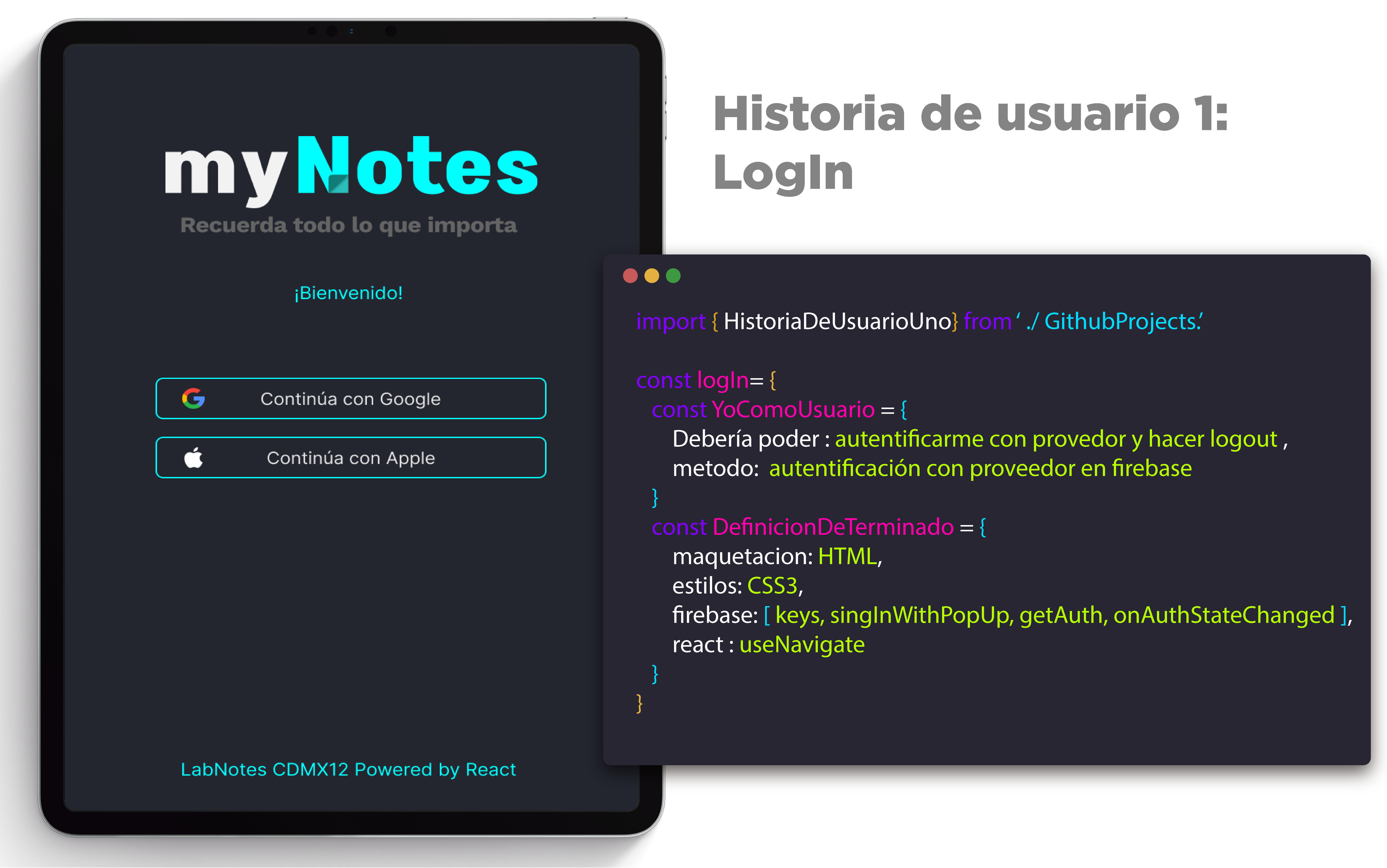
Fig 1. Historia de usuario 1
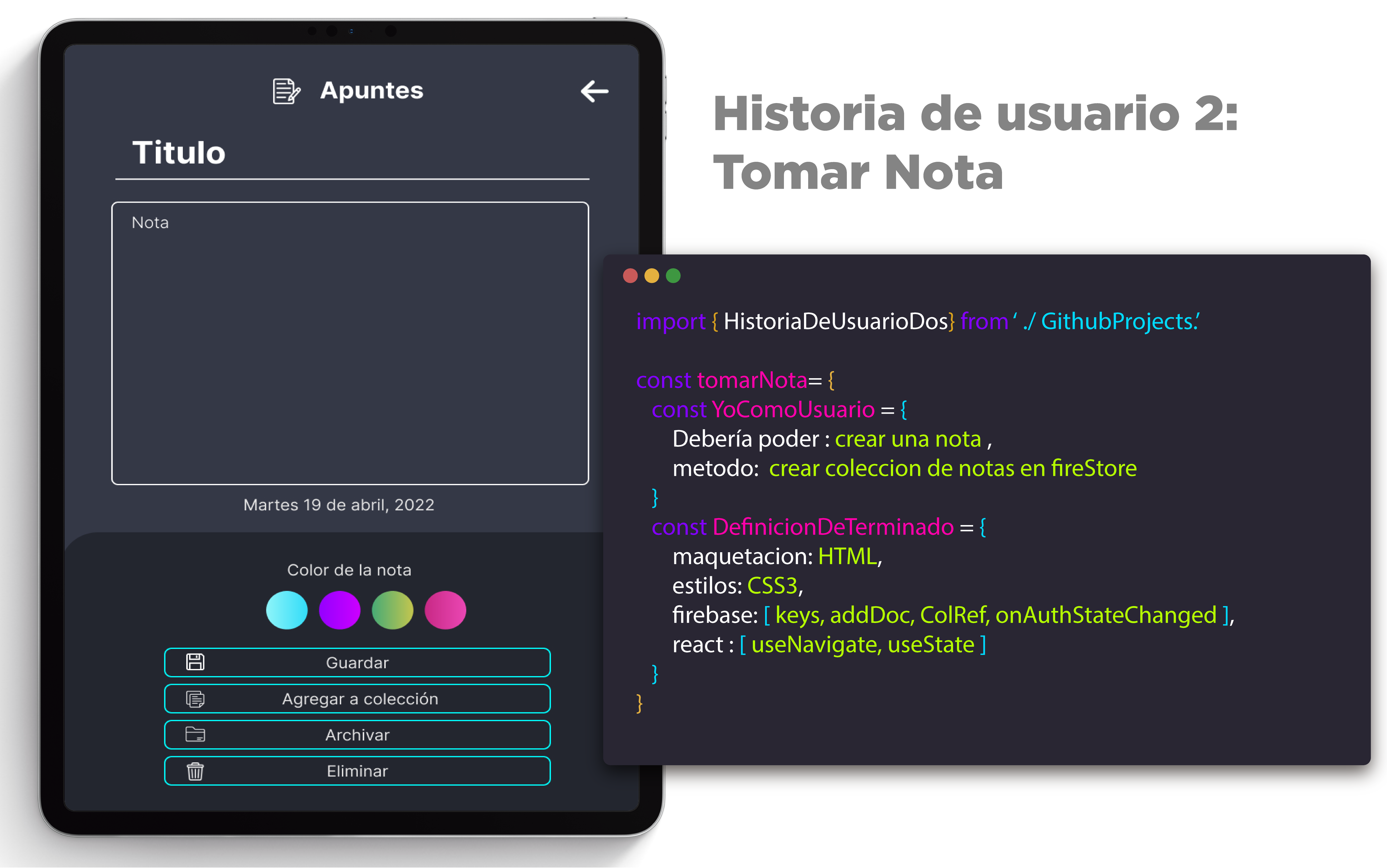
Fig 2. Historia de usuario 2
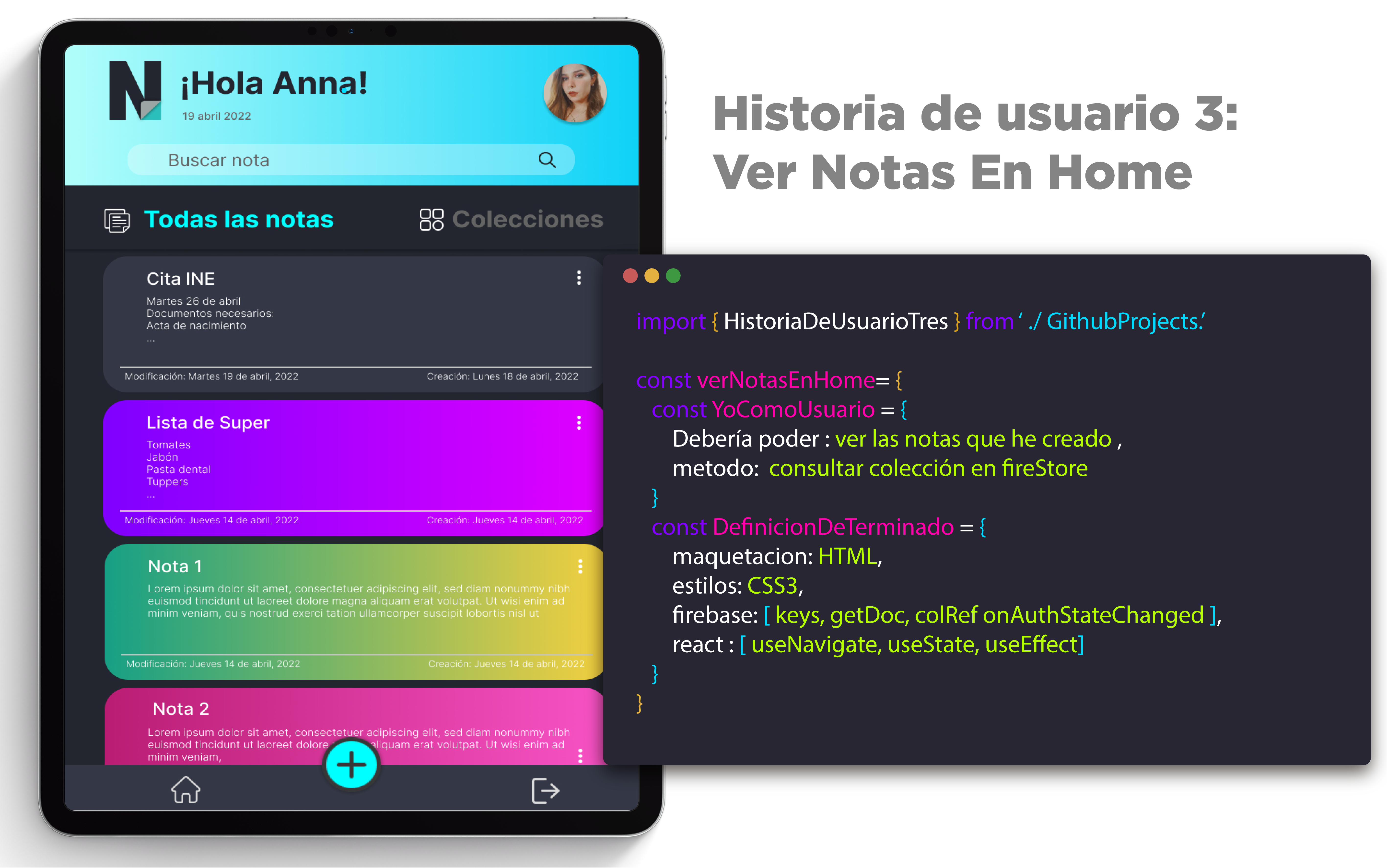
Fig 3. Historia de usuario 3
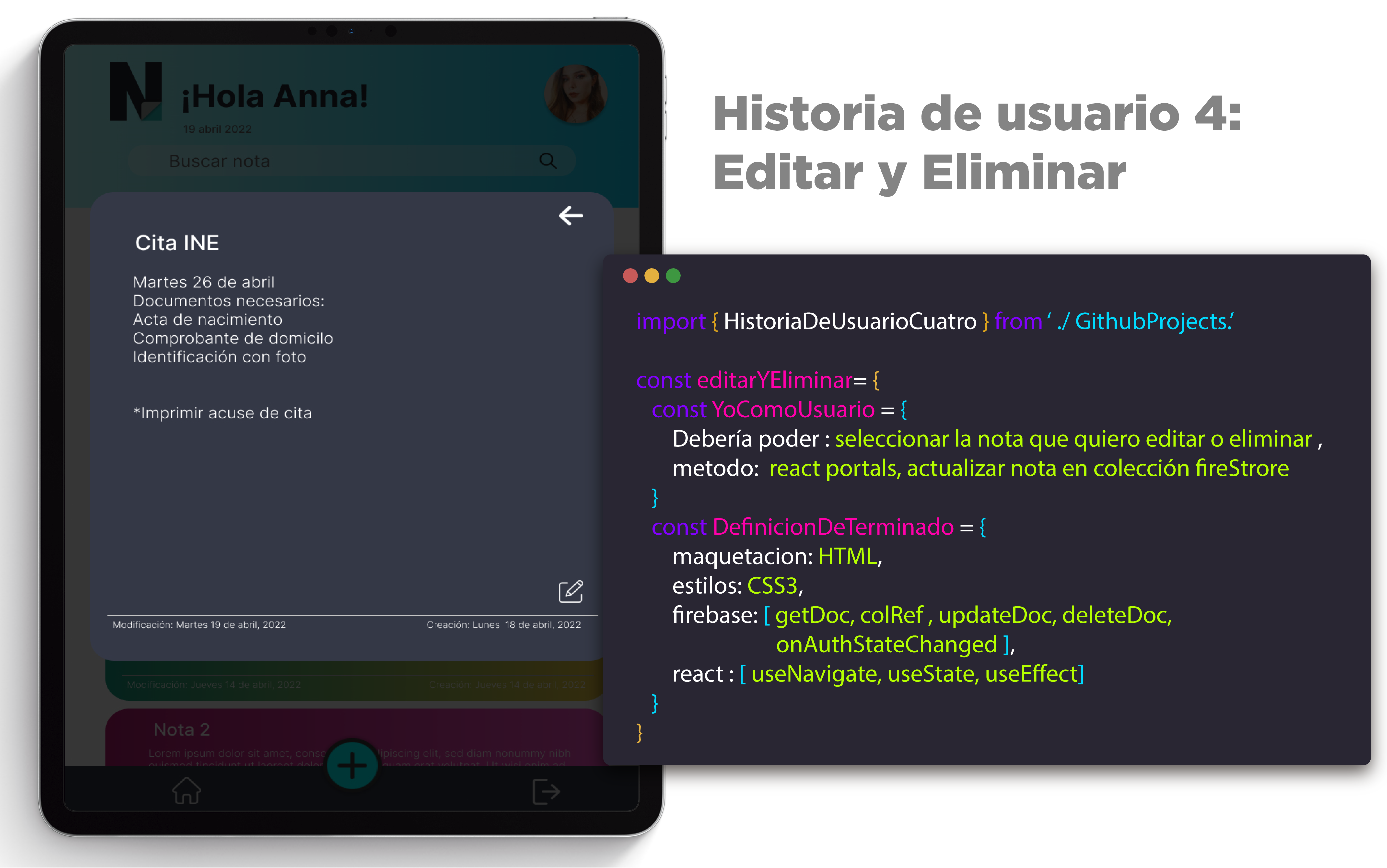
Fig 4. Historia de usuario 4
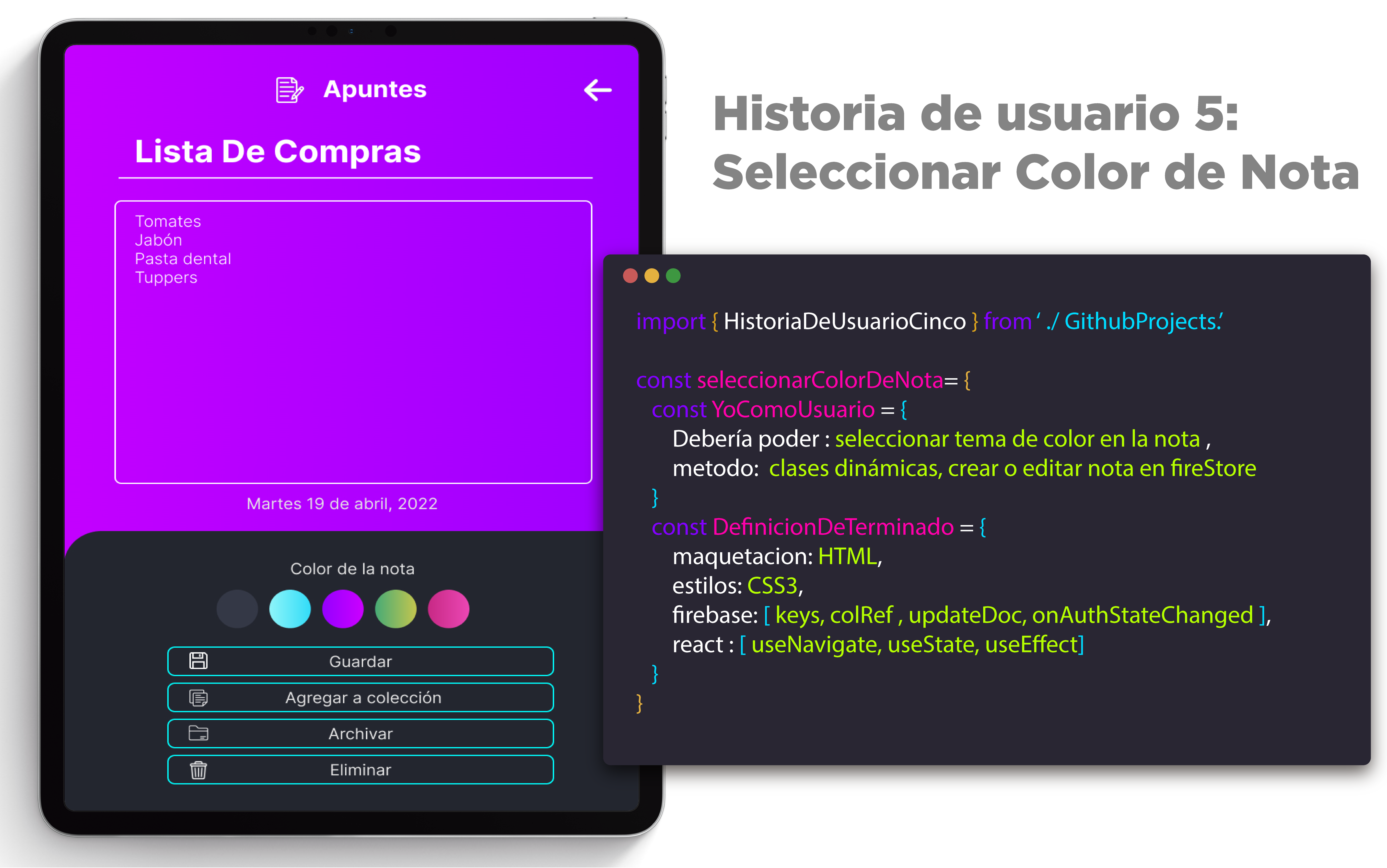
Fig 5. Historia de usuario 5
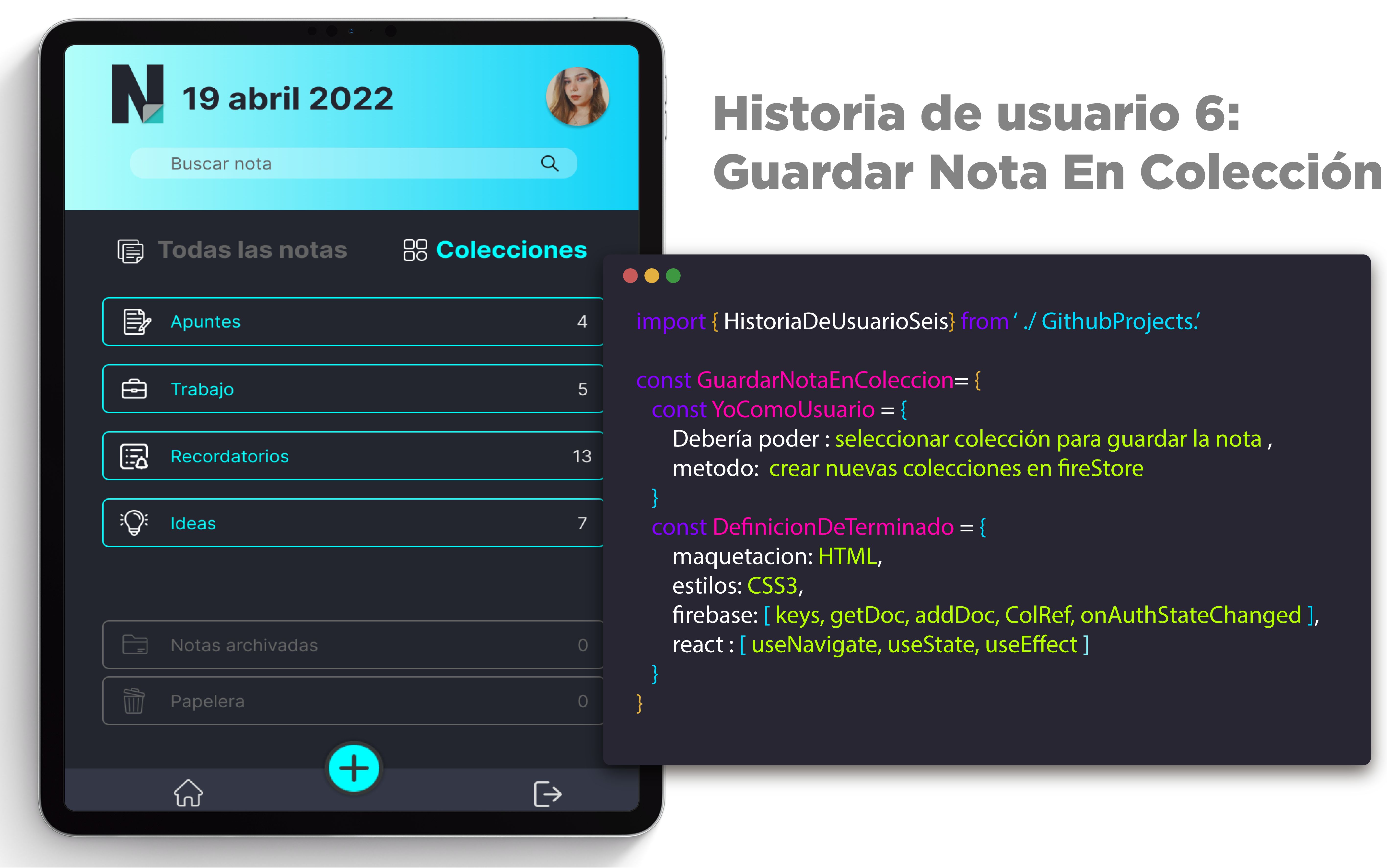
Fig 6. Historia de usuario 6
- ¿Quiénes son los usuarios de este producto?
Los usuarios de esta herramienta son principalmente jóvenes – adultos que tienen cierta predilección a olvidar cosas, por ello requieren de herramientas para tomar apuntes o hacer recordatorios de sus ideas, actividades, etc.
- ¿Cómo soluciona los problemas de los usuarios este producto?
MyNotes es una herramienta que cubre estas necesidades de crear recordatorios o un espacio para plasmar sus ideas, además de ser intuitiva y te da la opción de crear colecciones según el tipo de nota que se va a crear para tener dichas notas mas organizadas.
- Resumen del feedback
Se realizaron diferentes pruebas de usabilidad a través de la plataforma de maze para poder corroborar que la aplicación estaba siendo intuitiva y amigable con los usuarios. Se observaron puntos de mejora en la adaptabilidad al usuario con cada una de ellas.
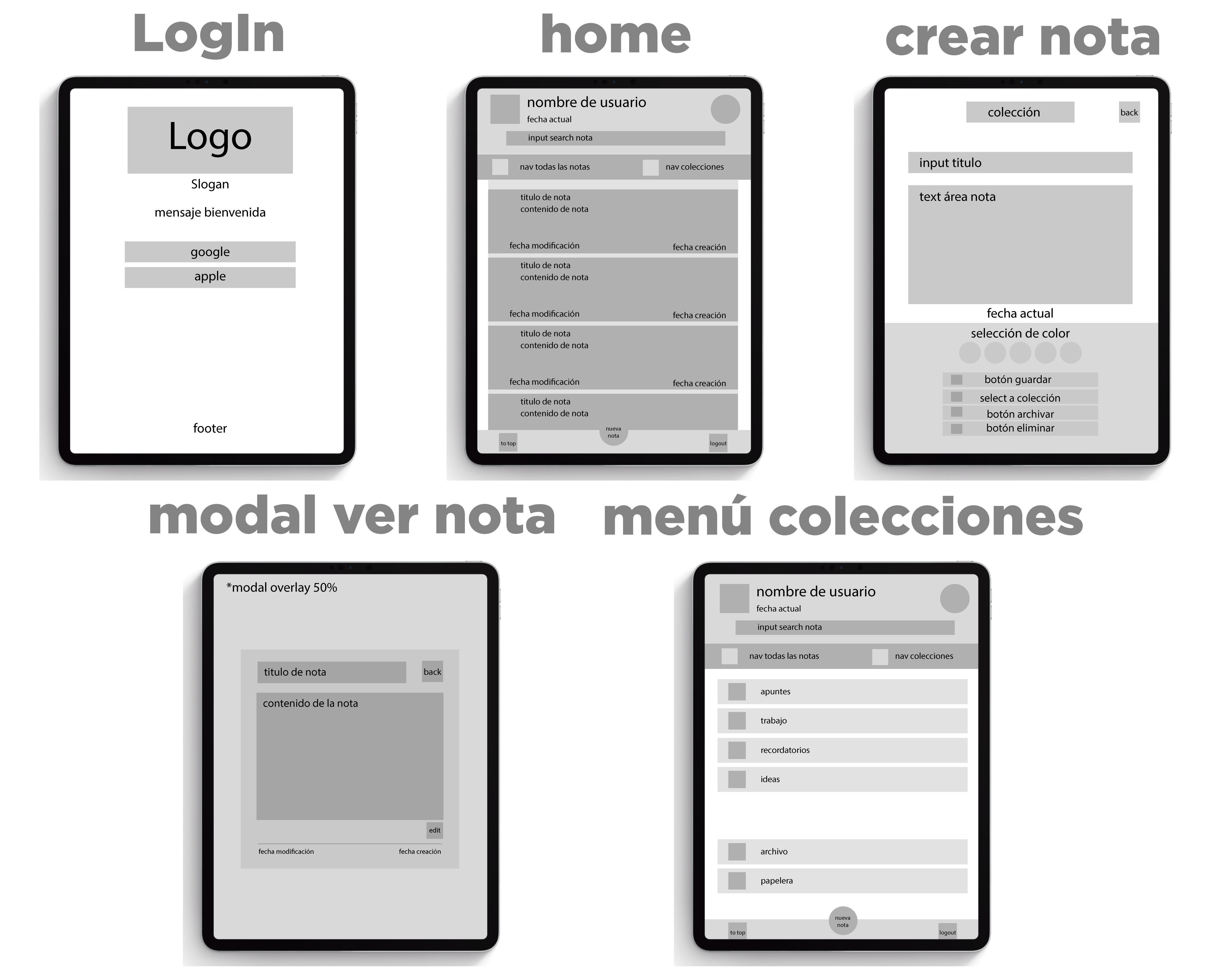
Fig 1. Prototipo baja fidelidad
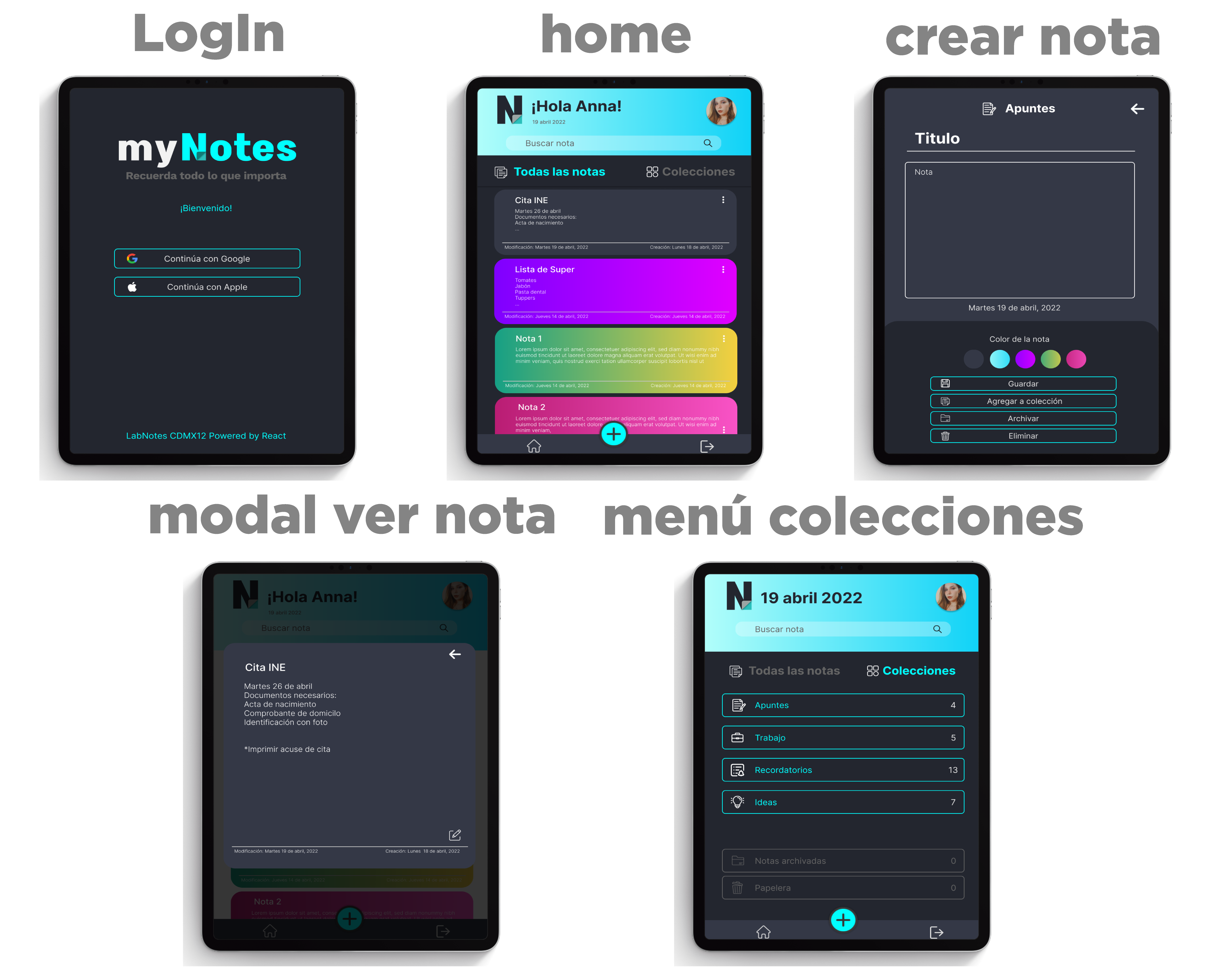
Fig 1. Prototipo alta fidelidad
Project Deploy:
In process...
- 1. Summary of the project
- 2. Technical project skills
- 3. Planning
- 4. UX Research
- 5. Sketches + Prototypes + Feedback
- DESCRIPTION
In this project we made a web application to take notes, which allows us to create, edit, delete and consult them at any time. There is no day that we do not take notes, we always need to write down an address, phone number, notes of a meeting or save our favorite URLs for later reference. Many times for this activity we use notebooks or agendas that end up being forgotten, or we write down in a scattered way in such a way that we lose sight of the priority and purpose of the note which results in a lost note.
- TECHNICAL SUMMARY
Web application development, designed primarily for tablet. This is an application created for taking notes using CRUD, in which you can save, edit and delete. It also has the option to give color to the note, archive, save to collection and send to trash. The notes are rendered according to the user who creates them.
The application environment was created based on design patterns so that its components are reusable and scalable, this through conditional rendering and a context simulation carried out with singleton. In this project we performed usability tests using Maze for its iterations and unit tests with react testing library as well as manual tests and use of eslint to ensure the quality of development and version control through Git.
- Semantics
- CSS Selectors
- Box Model
- Flexbox
- Grid Layout
- Media queries
- Using DOM selectors
- DOM Event Handling
- Dynamic DOM Manipulation
- Routing
- Primitive data
- Strings
- Variables
- Functions
- Conditionals
- Loops/cycles
- Arrays
- Objects
- Callbacks
- Promises
- ECMAScript modules.
- Use of linter (ESLINT)
- JSX
- Components and properties (props)
- Event handling
- Lists and keys
- Conditional rendering
- State elevation
- Hooks
- React Router
- Firebase Auth
- Firestore
- Git: Version control with git (init, clone, add, commit, status, push, pull, remote)
- GitHub: Deployment with Netlify.
- Designing a product or service with the user at the center.
- Create high-fidelity prototypes that include interactions.
- Follow basic visual design principles
- Plan and execute usability testing of prototypes at different levels of fidelity (Maze)
This project was carried out with SCRUM agile methodologies in 4 sprints of 1 week in which user stories were worked.
You can see the planning here
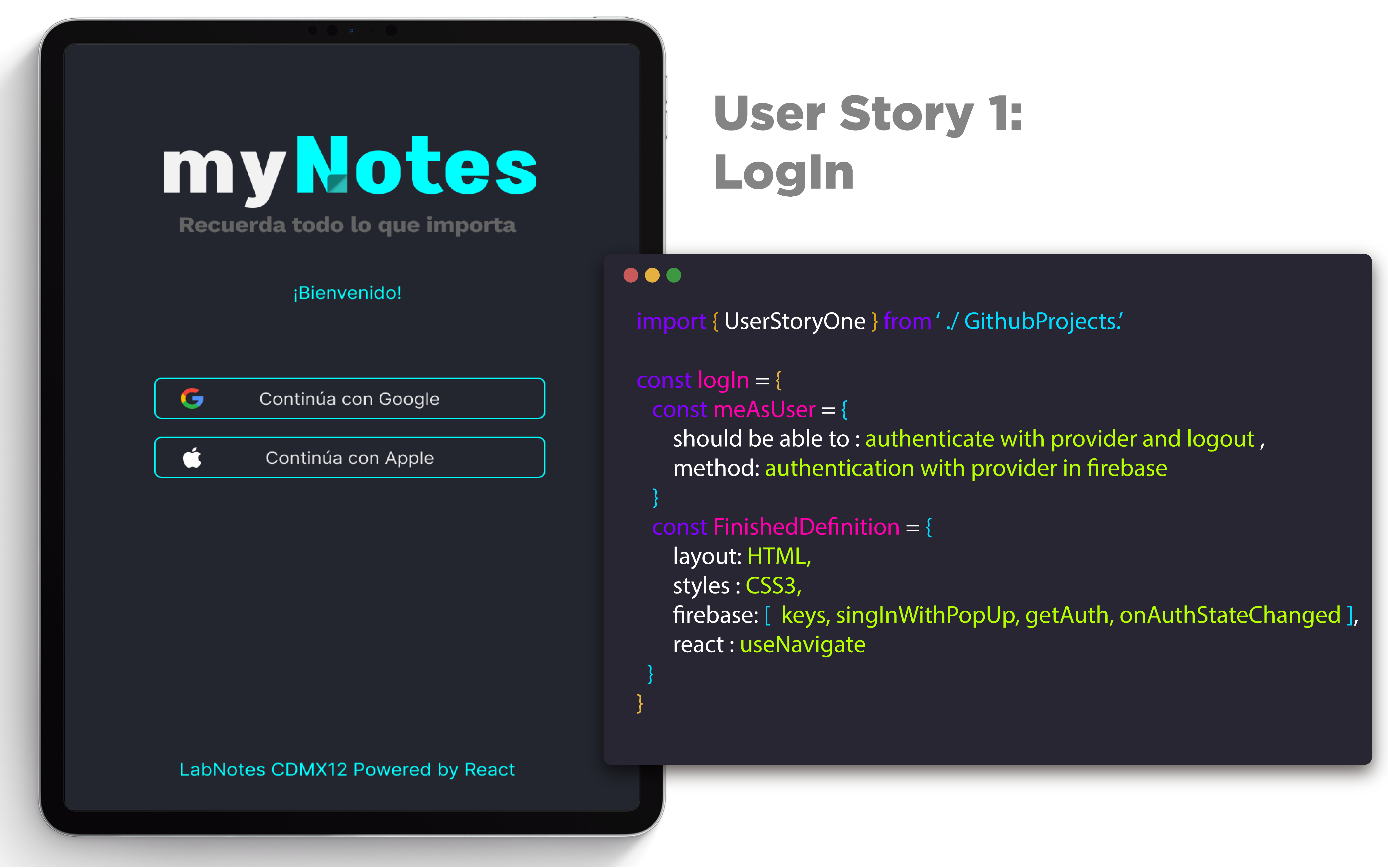
Fig 1. User story 1
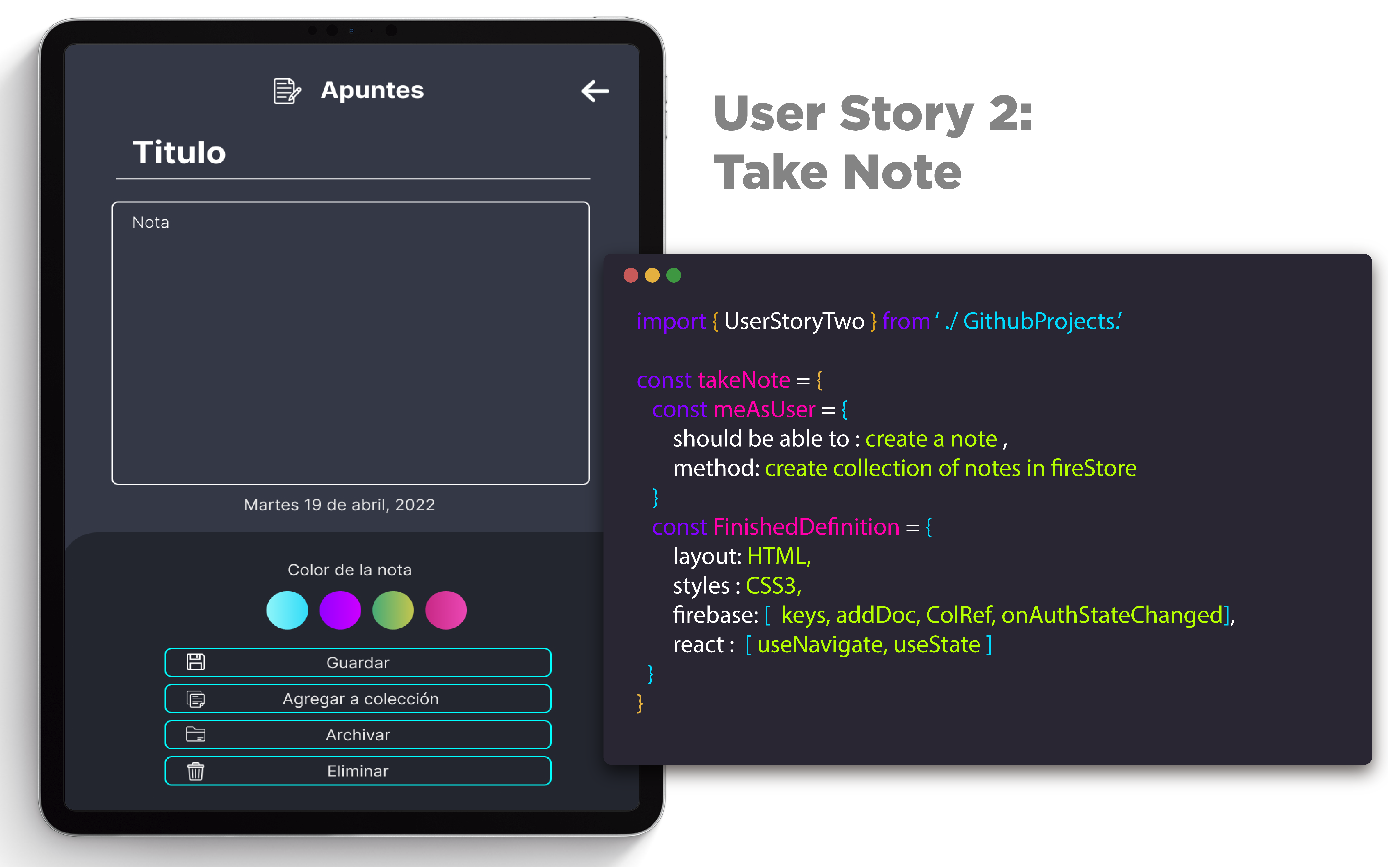
Fig 2. User story 2
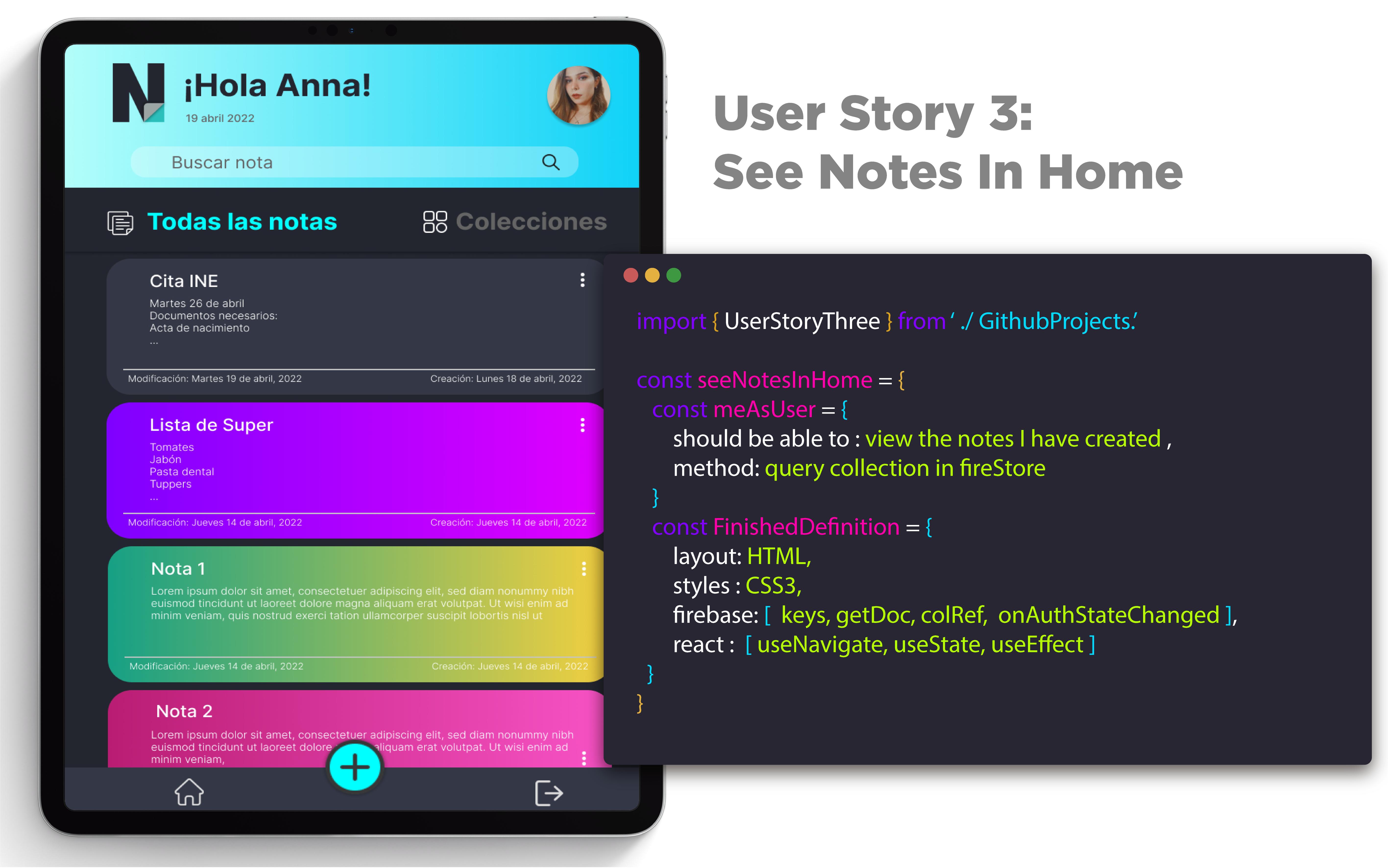
Fig 3.User story 3
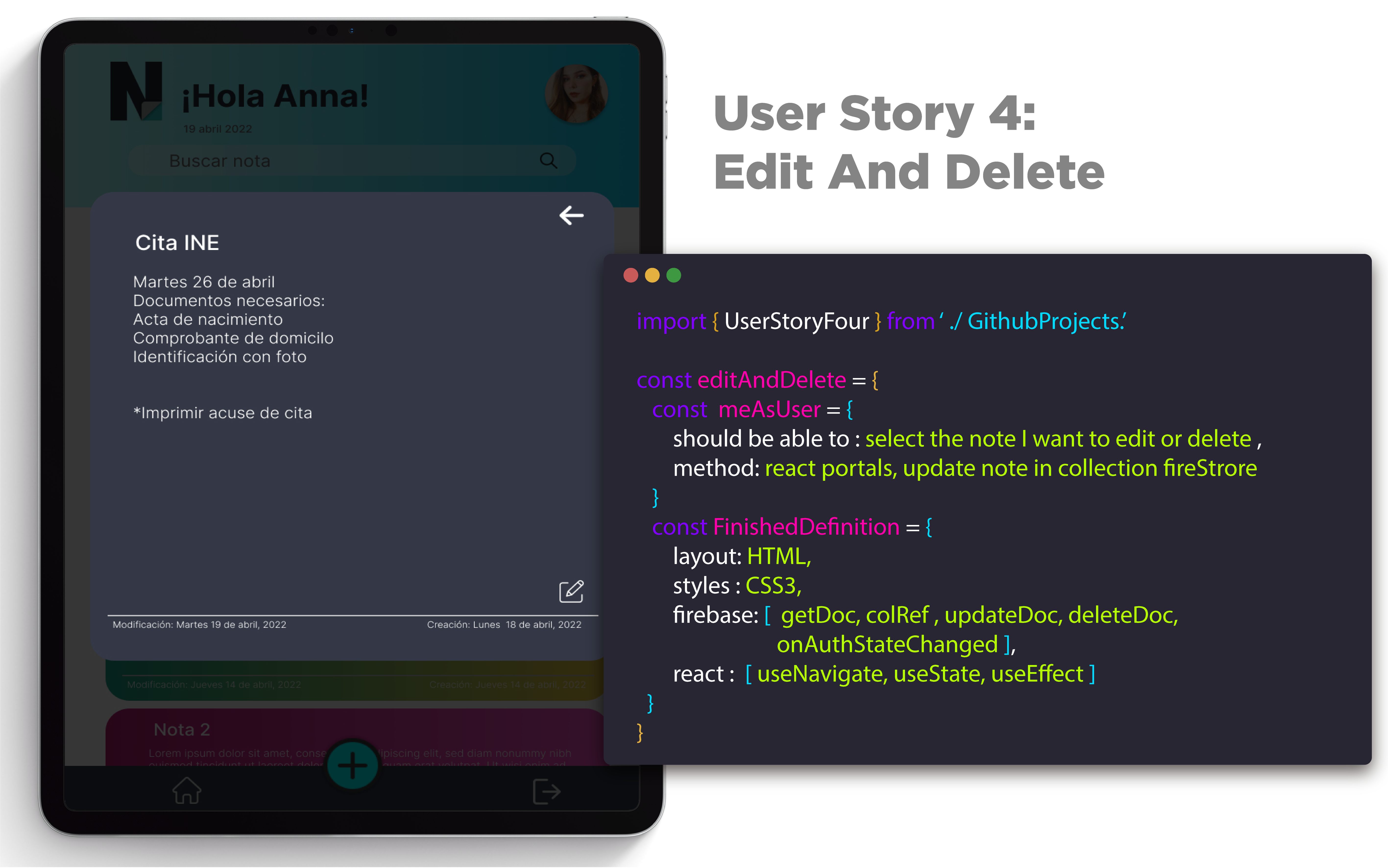
Fig 4. User story 4
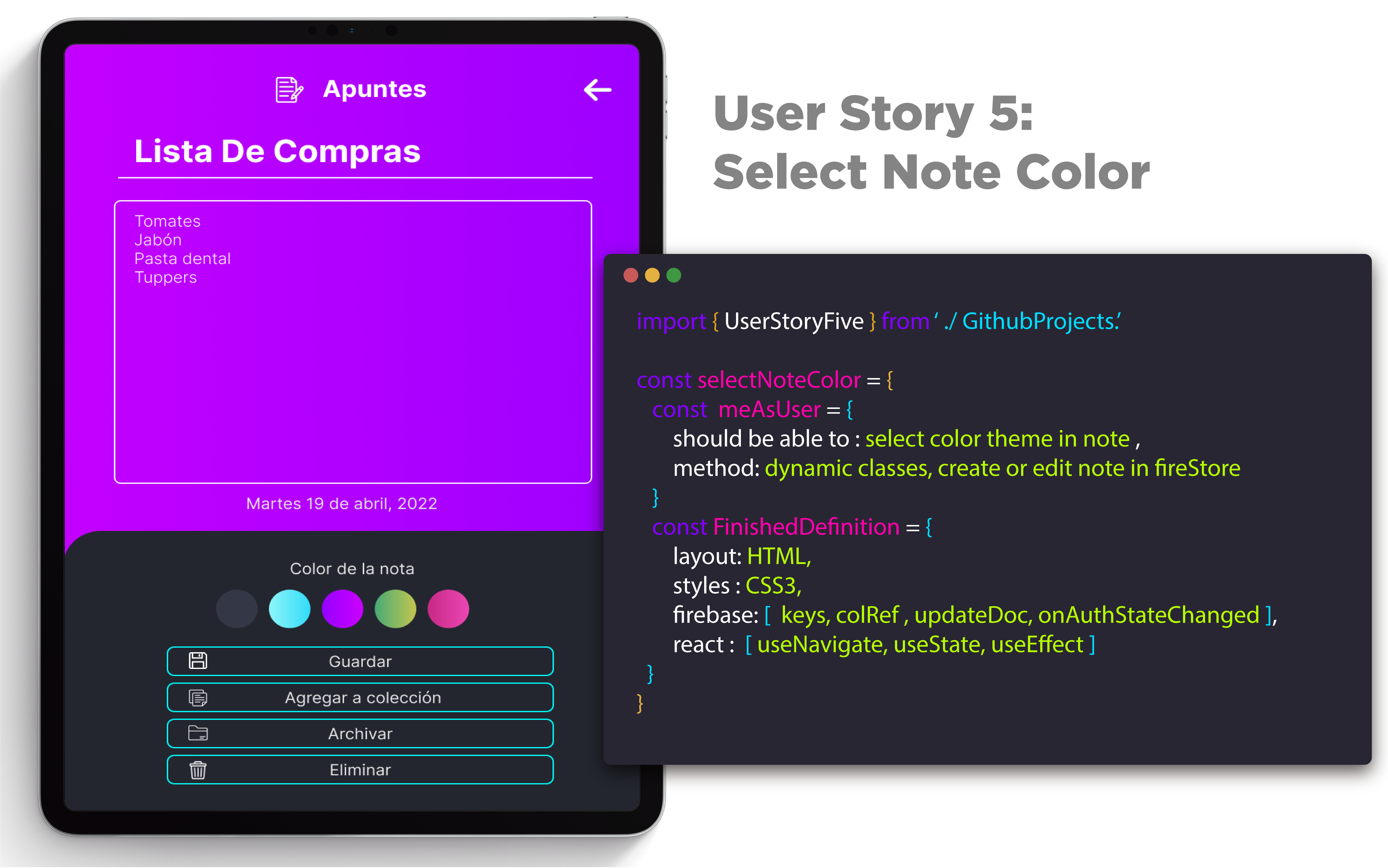
Fig 5. User story 5
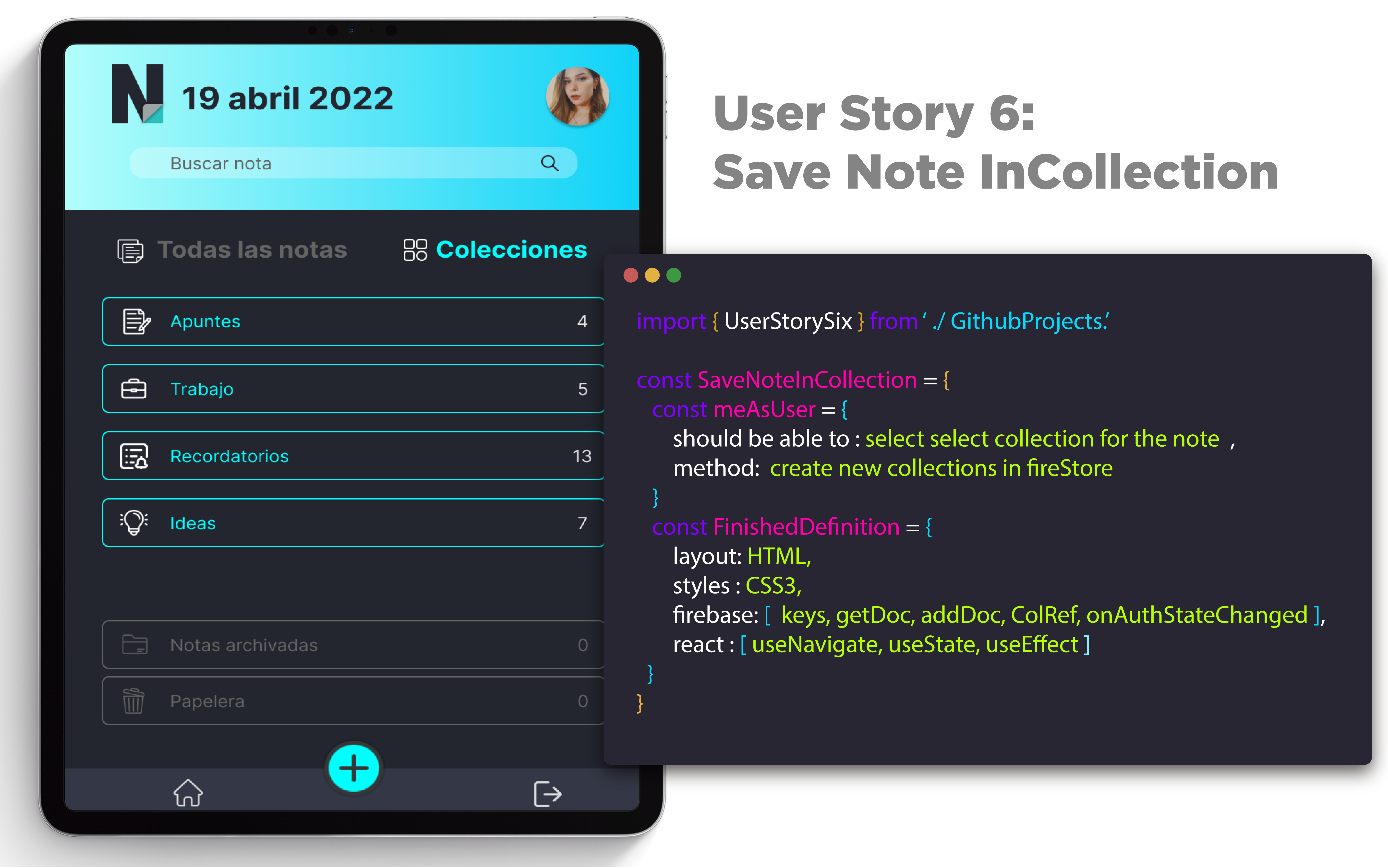
Fig 6. User story 6
- Who are the users of this product?
The users of this tool are mainly young people - adults who have a certain predilection for forgetting things, so they require tools to take notes or make reminders of their ideas, activities, etc.
- How does this product solve user's problems?
MyNotes is a tool that covers these needs to create reminders or a space to capture your ideas, besides being intuitive and gives you the option to create collections according to the type of note to be created to have these notes more organized.
- Summary of feedback
Different usability tests were performed through the maze platform in order to corroborate that the application was being intuitive and user friendly. Points of improvement in user adaptability were observed with each one of them.
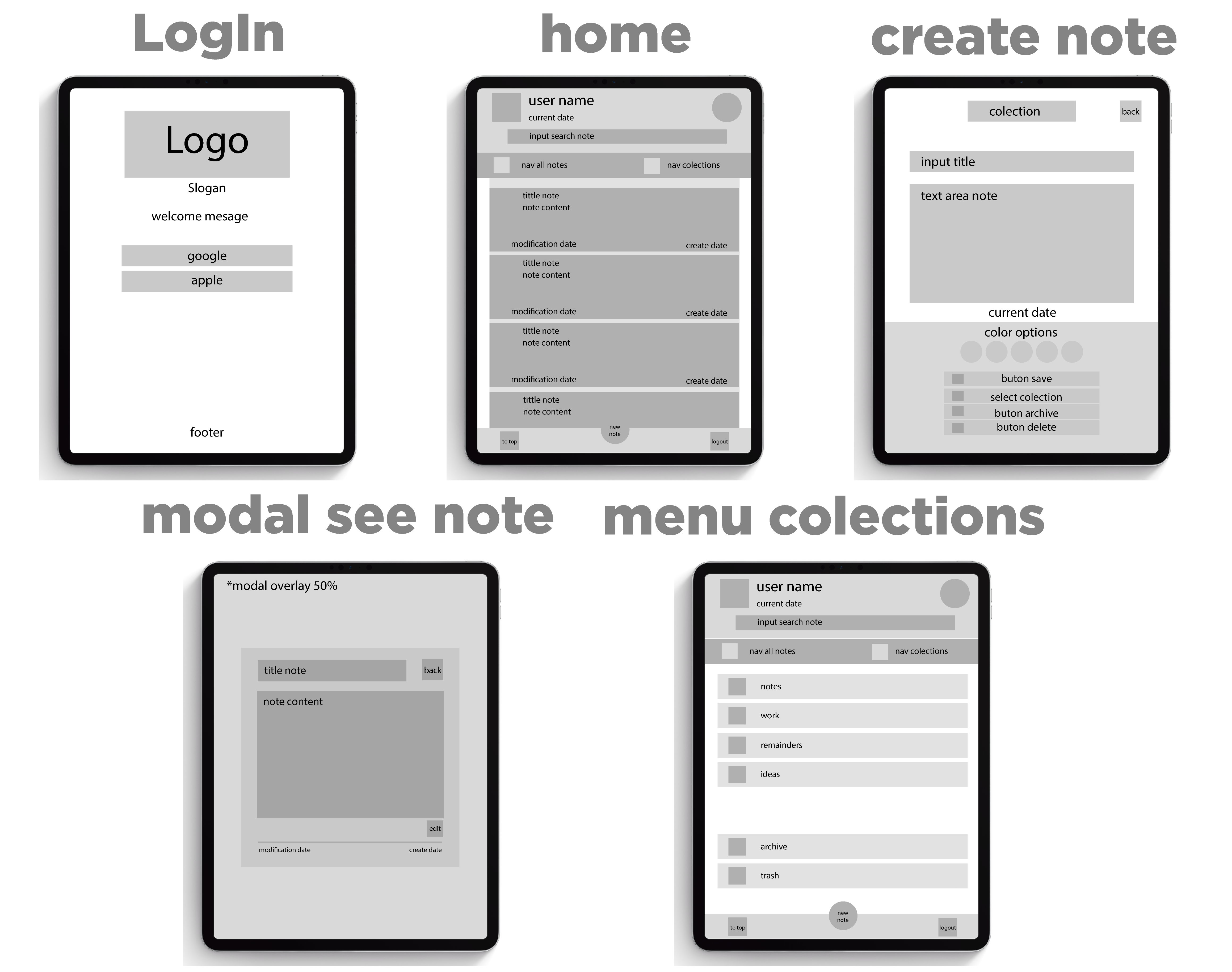
Fig 1. Low fidelity prototype

Fig 1. High fidelity prototype