A highly optimized, server-side Counter-Strike 2 plugin built on CounterStrikeSharp. It displays a sleek, real-time HTML center-HUD overlay showing a player's movement keys, shift/duck states, mouse clicks, and current 2D velocity (speedometer).
Perfect for surf, bhop, KZ, or competitive servers where players want to spectate others, analyze movement, or track their own speed gains. 🚀
This plugin was engineered to bridge the gap between player input and visual telemetry. It serves as an essential tool for several distinct environments:
- 🎬 Content Creation & Tutorials: Perfect for recording movement guides, trick jumps, or complex utility lineups where precise input timing (like jump-throws or specific run-clears) needs to be completely transparent to viewers.
- 🧠 Individual Practice: An invaluable addition to private local or dedicated practice servers, allowing players to instantly analyze their own deadzones, counter-strafing windows, and velocity preservation.
- 📈 Server Analytics & Spectating: Enhances community engagement on custom game servers by giving spectating players a crystal-clear window into how top-tier movers manipulate their velocity vectors in real time.
Real-time HTML center-HUD overlay with dynamic speedometer
- Real-time Key Overlay: Displays W, A, S, D, Jump, and Duck states instantly.
- Optional Action Tracking: Toggable HUD rows for SHIFT and mouse clicks (M1/M2).
- Dynamic Speedometer: Tracks absolute 2D velocity. The numbers automatically shift color dynamically based on speed thresholds.
- RGB Rainbow Mode: Fully customizable overlay colors, including a dynamic rainbow shifting color effect.
- Persistent Settings: Automatically creates a
configs/player_data.jsonfolder on creation. Settings save automatically and persist across server restarts and map changes. - Enterprise-Grade Architecture: Designed using OOP sub-command modules for easy maintenance and zero redundant CPU overhead.
Before installing, ensure your game server has these installed:
- Go to the Releases tab on the right side of this repository and download the latest
.zipfile (e.g.,cs2-wasd-v1.0.2.zip). - Navigate to your Counter-Strike 2 server's main installation directory:
.../game/csgo/ - Extract the contents of the downloaded
.zipfile directly into thatcsgo/folder. - Restart your server or type
css_plugins load cs2-wasdin your server console to start tracking movement! - Note: On the very first run, the plugin will seamlessly generate a
/configs/sub-folder to securely isolate player tracking data. Do not delete this folder during future updates to preserve player settings.
Players interact with the plugin entirely via chat commands using the !wasd prefix (or /wasd for silent text entry).
| Command | Action | Description / Options |
|---|---|---|
!wasd |
Toggle Overlay | Toggles the main WASD overlay UI completely on or off. |
!wasd help |
Help Menu | Prints an interactive menu explaining all subcommands. |
!wasd speed |
Toggle Speedometer | Toggles the 2D speedometer display line at the bottom. |
!wasd shift |
Toggle Shift Logging | Toggles whether the SHIFT tracking visible. |
!wasd mouse |
Toggle Click Logging | Toggles whether Left/Right click (M1 / M2) tracking is visible. |
!wasd reset |
Reset Overlay Preferences | Resets the overlays settings back to the default |
!wasd color <name> |
Change Color | Updates your overlay text color. Options: rainbow, white, lightblue, blue, purple, magenta, red, orange, yellow, green, aqua, pink. |
For maintenance or packaging releases, the plugin code adheres to the following organization standard:
cs2-wasd/
├── Helpers/
│   ├── FileHelper.cs
│   └── UtilitiesHelper.cs
├── Commands/
│   ├── BaseSubCommand.cs   # Base command structure, all plugins must inherit this
│   ├── ColorCommand.cs
│   ├── HelpCommand.cs
│   ├── MouseCommand.cs
│   ├── ResetCommand.cs
│   ├── ShiftCommand.cs
│   └── SpeedCommand.cs
├── Models/
│   └── models.cs
├── cs2-wasd.cs             # Main entry, game hooks, performance tick loop
└── configs/
    └── player_data.json    # Auto-generated server storage (Do not delete on updates)
When a new version of cs2-wasd is released, updating it is simple and safe. Follow these steps to ensure you don't overwrite your server's player data:
- Download the New Release: Grab the latest
cs2-wasd-vX.X.X.zipfrom the Releases tab. - Extraction: Extract the
.zipfile directly into your server's.../game/csgo/directory, letting your OS overwrite the files when prompted. - Configuration Safety: Because the release zip only contains the core application binaries, extracting it will never overwrite or delete your
configs/player_data.jsonfile. Your players' custom color settings, speedometers, and layout preferences are completely safe during updates! - Hot-Reloading: You do not need to restart your entire CS2 server to apply an update. Simply run the following command in your server console to hot-reload the plugin instantly:
css_plugins reload cs2-wasd
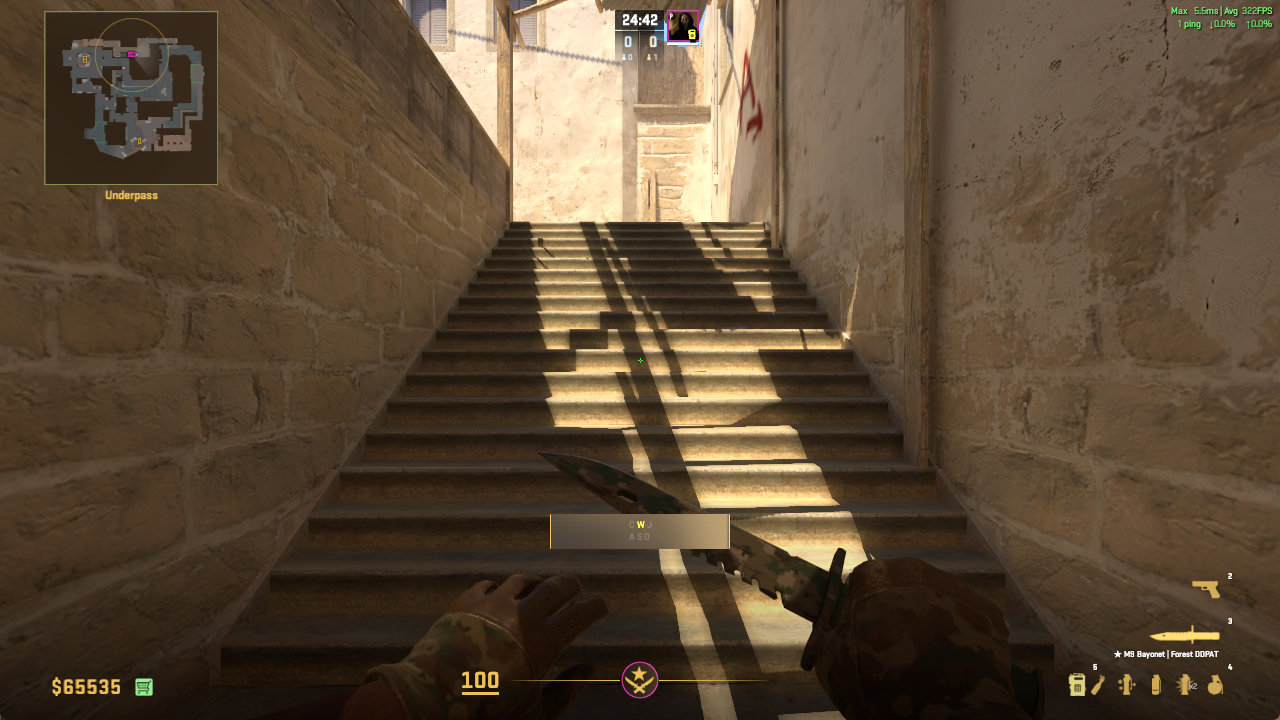
Default WASD overlay
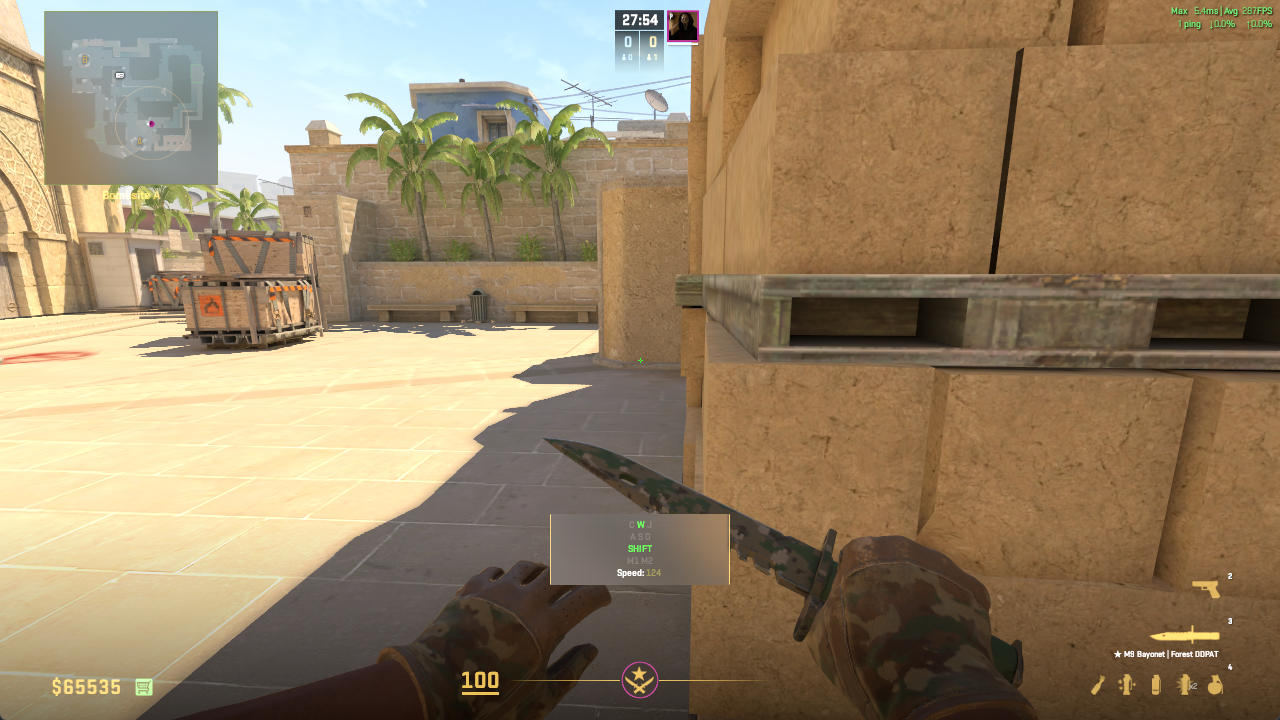
WASD Overlay with all settings enabled
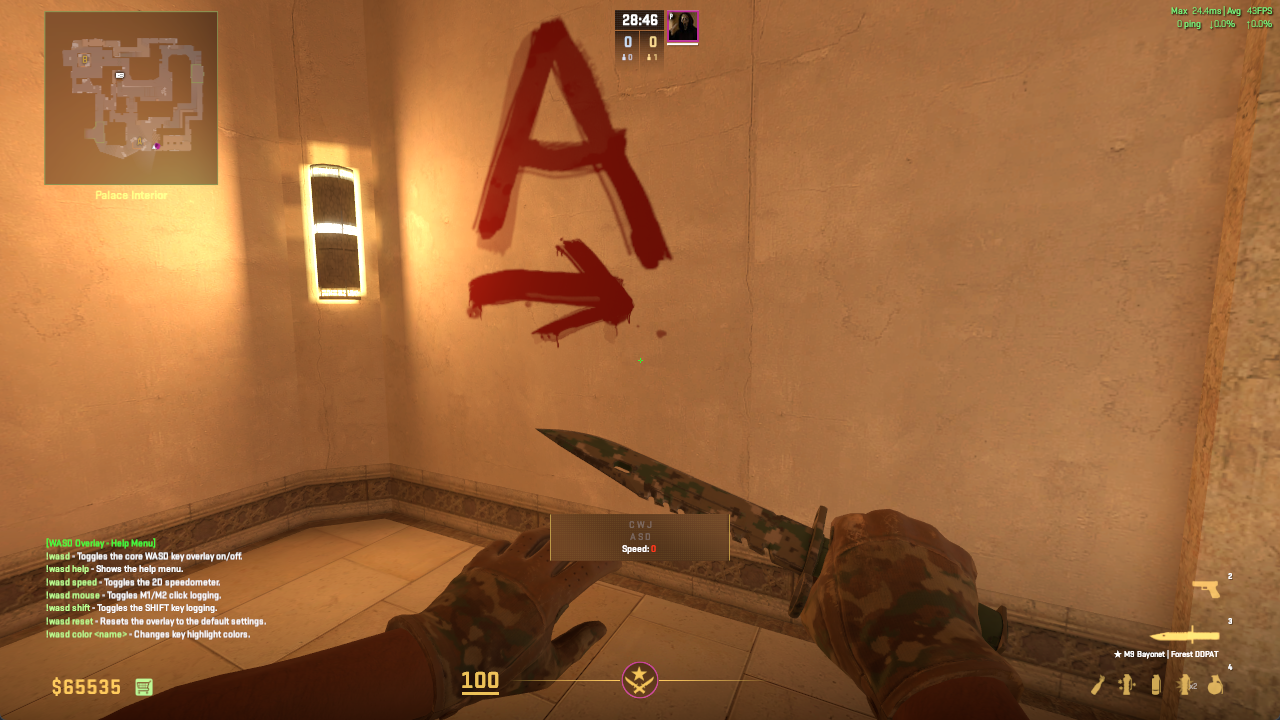
WASD Overlay help menu