Warning
这是个人修改版(fork),不是 QuickLook 官方版本。 官方版本与下载请前往 QL-Win/QuickLook。
在官方版基础上做了两件事:
- 视频预览换成新的渲染内核(D3D11 + Media Foundation),并接入 NVIDIA RTX VSR 超分辨率;
- 键盘操作真正可用 —— 按空格打开视频后,方向键立刻生效,不用先点一下窗口。
按控制栏的 S/W · H/W 按钮决定走哪条播放路径:
| 档位 | 播放路径 | VSR |
|---|---|---|
| H/W(默认) | 新引擎:D3D11 + DXVA 硬解 | 可用 |
| S/W | 原播放器:WPFMediaKit + LAV 软解,不创建任何 D3D 对象 | 不可用 |
显卡跑不了 VSR(AMD / GTX 10 系 / 驱动过旧)时,H/W 会自动退回原播放器 + LAV 硬解, 播放本身不受影响,也不会弹错误框。
点 VSR 按钮打开的菜单:

- 质量:关闭 / 低 / 中 / 高 / 极高
- 超分辨率:输出高度的上限 ——
1K(1080) /2K(1440) /4K(2160)。 实际倍率由引擎按源高度和窗口尺寸换算,永远不超过这个上限,也不会超过 NGX 规格的 4×。 - 压缩算法:
驱动/Spline36/Jinc3—— VSR 之后缩到窗口尺寸用的缩放器。
同一帧、同一输出尺寸,左 → 右依次是 驱动双线性 / Spline36 / VSR。 三张图截的是源画面同一处 48×27 区域,按 2× 最近邻放大显示,没有做任何插值或降采样。 点开图片可看原始尺寸。
1K · 1920×1080

2K · 2560×1440

4K · 3840×2160

边缘能量(相邻像素亮度差的平均值,越高越锐):
| 挡位 | 驱动双线性 | Spline36 | VSR | VSR / 双线性 |
|---|---|---|---|---|
| 1K · 1920×1080 | 3.089 | 3.871 | 4.296 | +39% |
| 2K · 2560×1440 | 2.360 | 2.941 | 3.323 | +41% |
| 4K · 3840×2160 | 1.592 | 1.978 | 2.159 | +36% |
测试片 848×478,取 30s 处同一帧;只改「超分辨率」挡位,其余设置不变。 VSR 不只是比双线性锐,也稳定高于 Spline36(+9% ~ +13%),说明它确实在重建细节而不是插值。
预览器只认本地文件。想在电脑上补番、追剧、存直播回放,先用浏览器扩展把片子落地, 再用这里预览,效果最好 —— 低清的源正好交给上面的 VSR 拉起来。
FetchV(M3U8/HLS 视频下载器)比较省事:
- 嗅探页面里的
m3u8/ MP4 / WebM,把 HLS 的分片自动合并成单个 MP4; - 有多档分辨率时默认挑最高的,也可以手动选;
- 直播、或播放器是
blob:地址抓不到真实链接时,用「录制模式」把缓冲数据转成 MP4; - 全部在浏览器本地完成,不经过第三方服务器。
| 浏览器 | 安装 |
|---|---|
| Edge | 加载项商店 |
| Chrome | Chrome 应用商店 |
用法:打开播放页 → 点扩展图标 → 选条目点下载 → 完成后保存 → 在资源管理器里选中、按空格预览。720p 及以下的源开 H/W 走 VSR, 比在网页里全屏看干净不少。
FetchV 是第三方工具,与本项目没有关系。能不能下、下了能不能用,取决于平台条款和当地版权规定; 请只保存自己有权保存的内容。
| 按键 | 行为 |
|---|---|
← / → |
快退 / 快进 5 秒 |
↑ / ↓ |
音量 −5% / +5% |
空格(资源管理器内选中视频) |
打开预览,键盘焦点直接落在视频上 |
ESC |
关闭预览,焦点回到资源管理器,方向键恢复「选择文件」 |
按方向键时控制栏会短暂浮现,给出进度 / 音量反馈。
- 仅视频生效:音频(mp3 / flac)、图片、PDF、Office 等其他预览类型与官方版完全一致。
- 单击不再播放 / 暂停(按需求移除);按住拖动移动窗口保留,并顺带修掉了「窗口最大化时点击崩溃」的
DragMove异常。 - 预览窗口已打开时,在资源管理器里用方向键切换文件、预览跟随更新的原有行为不受影响。
- 空格仍然是「关闭预览」,没有被占用为播放 / 暂停。
- 放大窗口会重新算倍率:打开时窗口通常和视频差不多大(这时按设计不开超分), 把预览拉大之后会按当前挡位重新计算,缩回 1:1 以下自动关掉。
- 不再爆显存 / 爆内存:解码和超分跑在一个独立的引擎进程里,主程序只负责显示和遥控, 翻片时线程数、内存、显存都是一条直线(旧版每预览一次会多留 55 个线程 + 250 MB 显存,关掉也不回落)。 画面通过共享显存零拷贝传给主程序,像素不经过内存。
- 回收只关引擎,不动主程序:所有预览关掉、闲置 30 秒后,只把引擎子进程关掉, QuickLook 本体全程不退出、托盘不闪、游戏里也不会把它当成「程序结束」。 看片过程中永远不会触发。
- 排障开关
IsolatedEngine:默认true(引擎跑在独立进程里)。改成false就退回 「引擎直接跑在 QuickLook 进程内」的老跑法——出画面/声音问题时用来二分定位, 代价是显存和内存不再归还(那个设备在进程内本来就放不掉)。 改法:关掉 QuickLook,编辑%APPDATA%\pooi.moe\QuickLook\QuickLook.Plugin.VideoViewer.config, 在</Settings>前加一行<IsolatedEngine>False</IsolatedEngine>,再启动。 当前走的是哪条,看日志里有没有proxy: 宿主进程已就绪就知道了。 - 运行中切换
S/W · H/W会带着播放位置和播放状态切过去,不会回到片头。
- Windows 10 / 11(x64 / Arm64 原生组件齐全)
- VSR 需要 NVIDIA RTX 20 系及以上 + 较新的驱动;不满足时自动降级,不影响普通播放
QuickLook.Plugin/QuickLook.Plugin.VideoViewer/Engine/—— 新渲染内核 (VideoEngine解码/渲染/音频时钟、Scaler着色器缩放、AudioOutput、TimeStretcher)ViewerPanel.xaml(.cs)—— 路径选择(S/W·H/W)、VSR 菜单、切换时保持位置Styles.xaml—— 按钮禁用态QuickLook.Common/Plugin/ContextObject.cs、QuickLook/ViewerWindow.Actions.cs、Plugin.cs—— 键盘聚焦(FocusOnOpen)
- 基线:官方
master@2ec219a - 本 fork 的提交与安装包见 Releases 与提交历史
以下为 QuickLook 官方英文 README,为便于与上游同步而原样保留 → QL-Win/QuickLook


The most powerful Quick Look implementation for Windows


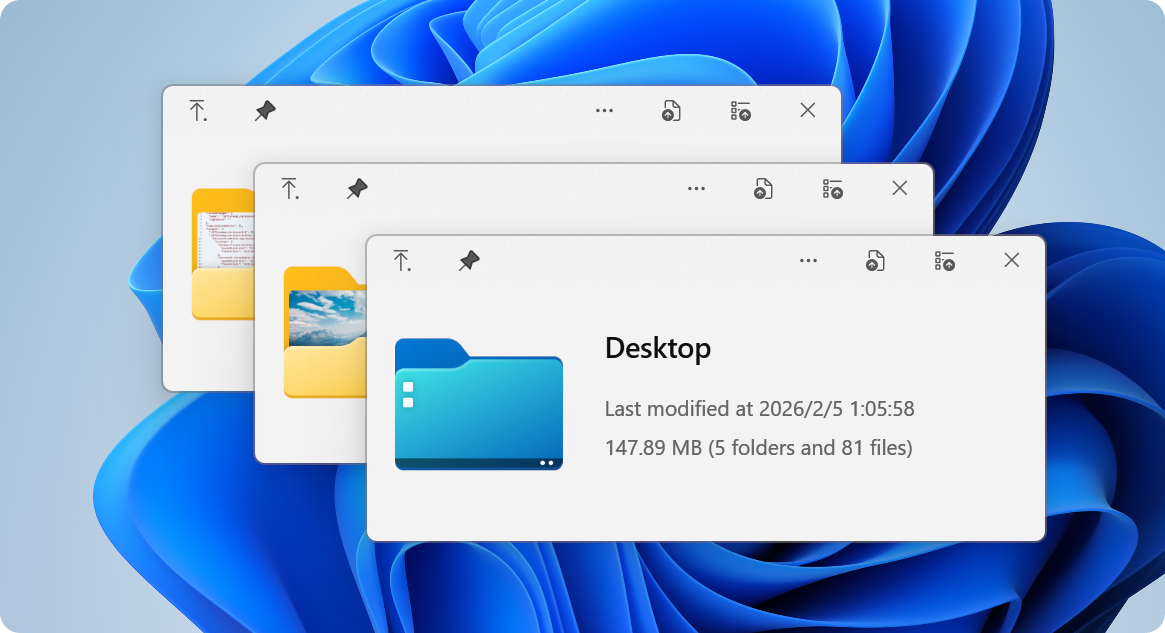
 The Problem |
 Superpowers |
 Get Started |
 Extend |
 Community |
|
You know the drill: you want to peek at a file, so you double-click, wait for an app to launch, view the file, close the app... exhausting, right? macOS users? They just press Space. Instant preview. Any file. Now Windows has it too. 🎉 QuickLook brings that buttery-smooth, instant-preview experience to Windows. No more waiting. No more opening heavy applications just to peek at a document. |
|

Instant previews with zero lag Native performance that feels like magic Hardware-accelerated rendering |
Fluent Design System integration Beautiful on 4K displays Touch-optimized interface |

Images, videos, documents, code 3D models, archives, fonts Extensible with plugins |
|
|
|
File Explorer 
Native integration |
Open/Save Dialogs 
System-wide support |
3rd Party Managers 
Total Commander, xplorer² |
Cloud Storage 
OneDrive, Dropbox ready |
Recommended for most users ✅ Automatic updates ✅ Sandboxed security ✅ One-click install 
|
Full-featured experience ✅ Complete functionality ✅ Open/Save dialog support ✅ Portable option available 
💎 Get the full power |

For command-line lovers ✅ Easy updates ✅ Reproducible installs ✅ Version management scoop bucket add extras
scoop install quicklook🤓 Power user choice |

Live on the edge ✅ Latest features
✅ Bug fixes first

🌙 Experimental builds |
🤔 Not sure which version to choose?
| Feature | Store | Installer | Scoop | Nightly |
|---|---|---|---|---|
| Auto-updates | ✅ | ✅ | ||
| Open/Save dialogs | ❌ | ✅ | ✅ | ✅ |
| Portable mode | ❌ | ✅ | ❌ | ✅ |
| Stability | ✅✅✅ | ✅✅✅ | ✅✅✅ | ✅✅ |
|
💡 Pro Tips:
|
|
|
|
💡 Pro Tip: You can navigate files using arrow keys even when the preview window isn't focused!
Transform QuickLook into a universal file viewer

Preview Word, Excel & PowerPoint files No Microsoft Office required! 
|

Enhanced PDF viewing with WebView2 Modern, fast, feature-rich 
|

Preview Perfect for designers 
|

View CAD files natively

|
|
1️⃣ Download Get the |
2️⃣ Install Ensure QuickLook is currently running, select the file and press |
3️⃣ Restart Click on the |
|
1️⃣ Quit Quit QuickLook. |
2️⃣ Navigate Navigate to the Data location. |
3️⃣ Remove You should find several folders. Remove the one you do not want to use. |



Join our Chinese community 371388501 
|

Help QuickLook speak your language Make it accessible 
|

Show your support It means a lot! 
|
Interested in contributing? Check out our development resources:


Design Team @OiCkilL @QubitsDev @Donno @Shomnipotence Fluent UI & Icons |

Contributors Code, translations & ideas |

Open Source Standing on giants |

You! Every User Matters Thank you for using QuickLook |

QuickLook is free and open source under GPL-3.0
Free software, free forever. No ads, no tracking, no premium tiers.
Need commercial licensing? Contact us for sublicensing options.
Your support keeps this project alive and improving





Note: The official website content may be inaccurate or out of date. To help maintain the site, please submit a PR to QuickLook Website Repository
Made with ❤️ by the QuickLook community