A local debug host for MCP Apps.
When your MCP App fails to render in Claude Desktop, you get nothing — no
error, no log, the iframe just never appears
(ext-apps #671).
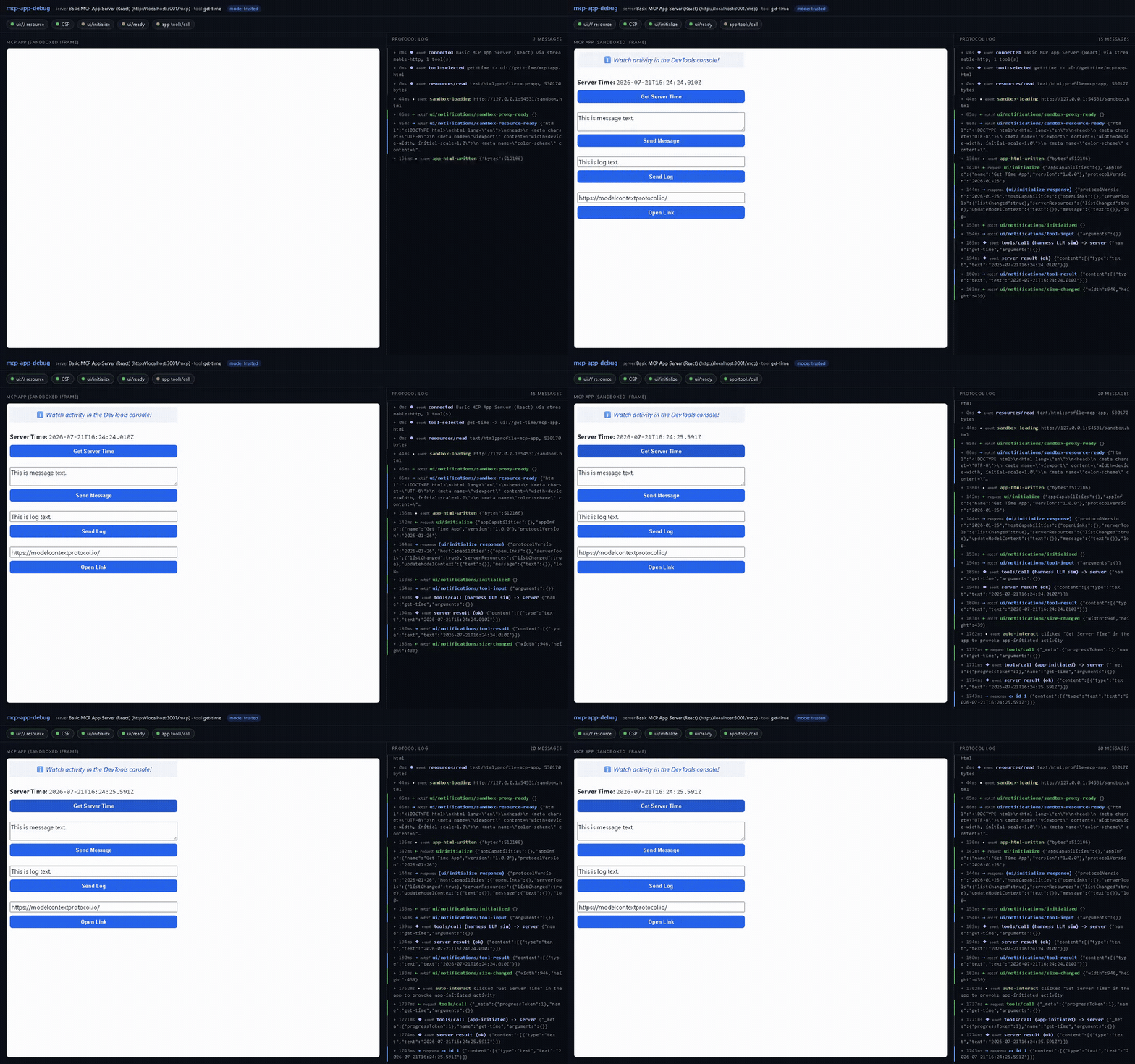
mcp-app-debug renders your server's app in a local Playwright browser using
the same App Bridge + double-iframe sandbox path as spec-conformant
clients, shows every postMessage exchange live in a side panel, and gives
you 6 automated PASS/FAIL diagnostics that tell you exactly where the flow
broke.
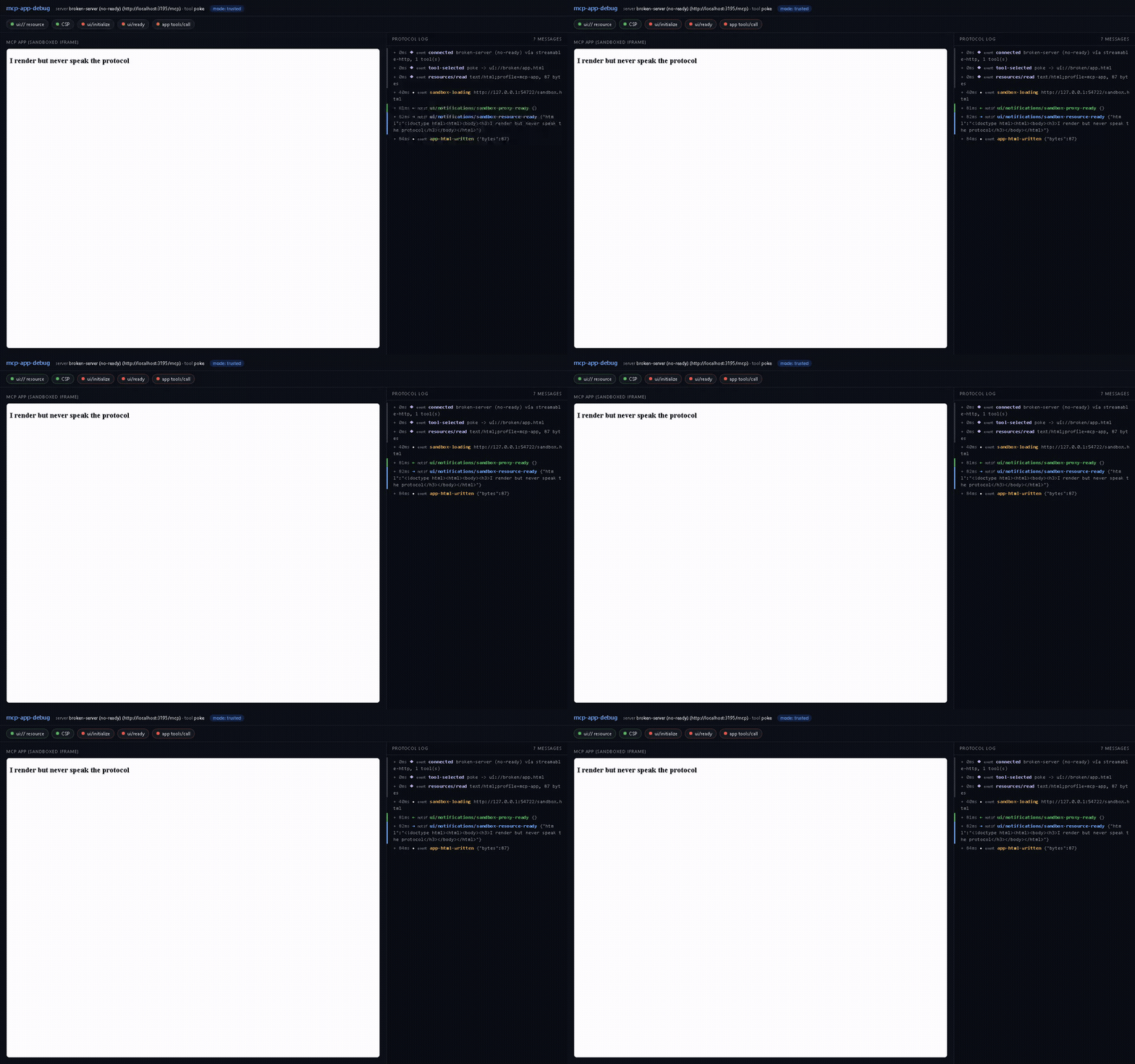
A handshake failure that would be invisible in a real client looks like this —
green up to app-html-written, then silence, and three red chips telling you
what never happened:
# HTTP server (Streamable HTTP, SSE fallback)
npx mcp-app-debug http://localhost:3001/mcp

# stdio server — everything after -- is the server command line
npx mcp-app-debug --stdio -- npx -y @acme/my-mcp-server

# server behind auth
npx mcp-app-debug --header "Authorization: Bearer $TOKEN" https://api.example.com/mcp
That's the whole setup. On the very first run it downloads Chromium automatically (one-time, ~150 MB, via Playwright's installer).
The browser window opens with your app on the left, the protocol log on the right, and the check chips on top; it stays open for interactive debugging. Once every check has passed (or at the end of the observation window, default 10 s) the verdict prints:
Results — server http://localhost:3001/mcp, tool get-time, mode trusted
  PASS  ui:// resource resolves        ui://get-time/mcp-app.html (text/html;profile=mcp-app, 530170 bytes)
  PASS  CSP permits embedding & assets no violations under the default host policy; no frame-ancestors restrictions
  PASS  _meta.ui.domain origin         matches the origin derived from this endpoint (9cdad008…claudemcpcontent.com)
  PASS  ui/initialize handshake        handshake completed in 46 ms
  PASS  ui/ready notification          app signaled ready in 51 ms
  PASS  app-initiated tools/call       app called "get-time" → non-error result (1 app call(s) total)
  6/6 checks passed OK
- ui:// resource resolves — the tool's
_meta.ui.resourceUriis a validui://URI andresources/readreturns exactly onetext/html;profile=mcp-appcontent item. - CSP permits embedding & assets — the sandbox is served with the real
HTTP
Content-Security-Policyheader a conformant host builds from your_meta.ui.csp(same policy construction as the official basic-host); anysecuritypolicyviolationfired while your app renders fails this check, as does aframe-ancestorsdirective in your HTML that would block embedding. _meta.ui.domainorigin — if your resource declares a domain, it must match the origin the host derives from your endpoint (sha256(<endpoint URL>)[:32] + ".claudemcpcontent.com"on Claude). Getting this wrong is fatal — Claude declines to mount the iframe at all — while omitting it is harmless for rendering but means the sandbox origin is minted fresh on every render, so an API server can't allowlist it. When the value you sent is the hash of a near-miss endpoint spelling (a stray trailing slash, a missing/mcp, the wrong scheme), the check names which one.- ui/initialize handshake — your app's
ui/initializerequest is answered within 3 s of HTML injection. - ui/ready notification —
ui/notifications/initialized(the "ui/ready" signal) arrives within 5 s. - app-initiated tools/call — at least one
tools/callinitiated by your app returned a non-error result. After the handshake the harness simulates the LLM flow (tool-input→ server call →tool-result) and then clicks the first button in your app (or the one you name with--click <text>) to provoke real app activity.
Beyond the checks, the log surfaces the evidence silent failures hide: app
console.errors, uncaught exceptions, failed network requests, CSP violation
details, and every JSON-RPC frame with direction and timing.
npx mcp-app-debug http://localhost:3001/mcp --json | jq .Prints one compact JSON object (passed, failed, checks[] with id,
title, pass, detail, ms) on stdout and exits 1 if any check failed.
--json implies headless. Runs end early once all checks have passed and
stayed passed for 2 s (pass --full-window to always wait the whole window).
Exit codes: 0 all checks passed · 1 one or more checks failed ·
2 operational error (bad arguments, connection failed, browser failed).
For CI artifacts, --log-file debug.ndjson writes every protocol log entry
as NDJSON (final line is the check report) and --video session.webm
records the debug window — attach either to a bug report.
npx mcp-app-debug http://localhost:3001/mcp --mode strict # or: --mode 3pstrict runs the host with no optional capabilities (empty
hostCapabilities in the ui/initialize response, no
tools/resources/openLinks/message handlers). Apps that assume a full-featured
host fail here the same way they fail in restrictive clients — you'll see your
app's tools/call rejected with -32601 Method not found in the log while
everything else looks healthy.
Honesty note: the
deploymentMode: '3p'setting circulating in some issue threads does not exist in@modelcontextprotocol/ext-apps(verified against v1.7.4, including the generated protocol schema).--mode 3pis accepted as an alias ofstrictand says so in the output.
--stdio              target is a stdio server command (write it after --)
--header <n:v>       extra HTTP header, repeatable ("Authorization: Bearer …")
--tool <name>        tool to render (default: first tool with _meta.ui.resourceUri)
--args <json>        tool arguments (default: inputSchema defaults)
--mode <mode>        trusted | strict | 3p            (default: trusted)
--timeout <seconds>  observation window                (default: 10)
--full-window        wait the whole window even after all checks pass
--json               CI mode: JSON on stdout, exit 1 on failure
--headless           headless browser; --headed forces a window
--click <text>       button text to click inside the app
--no-interact        don't auto-click anything
--screenshot <path>  save a PNG of the debug window
--video <path>       record the session to a .webm file
--log-file <path>    write the protocol log as NDJSON (last line = report)
test/broken-server.mjs ships 9 scenarios (ok, bad-uri, bad-mime,
no-ready, slow-init, tool-error, csp-meta, ext-img, bad-domain)
reproducing the common silent-failure modes, servable over HTTP or stdio
(--stdio), with optional auth (AUTH_TOKEN=x demands a Bearer token).
npm test asserts each one trips exactly the right checks, plus strict-mode
and stdio cases — 11 cases, all green in CI on Linux and Windows.
- Node CLI (
src/cli.ts, commander) →src/host.tsPlaywright harness. - The MCP client (Streamable HTTP with SSE fallback, or stdio,
@modelcontextprotocol/sdk) lives in Node, so server CORS never causes false negatives; the page reaches it through a Playwright binding. - The page (
src/web/host-page.ts) runs the official@modelcontextprotocol/ext-appsAppBridge in manual-handler mode with a logging transport wrapped aroundPostMessageTransport. - The sandbox (
src/web/sandbox-page.ts) is a port of the official basic-host double-iframe sandbox, served on a separate origin with the CSP header built by the official policy logic, plus CSP-violation relay.
npm install
npm run build        # esbuild: node CLI bundle + 2 browser bundles
npm run typecheck    # tsc, types only
node dist/cli.js <server-url>
npm test             # 10 scenario cases, all must pass
A handy live target is the official example server:
npx @modelcontextprotocol/server-basic-react (serves on port 3001), then
node dist/cli.js http://localhost:3001/mcp.
Note for Windows tarball testing: give npx a relative path
(npx ./mcp-app-debug-0.1.0.tgz) — npx silently no-ops on absolute tarball
paths.
MIT