All-in-One PX4 Framework for Drone Shows, Smart Swarms, and SAR



MDS combines the drone-side runtime, GCS/backend services, and React operator dashboard into one PX4-oriented stack. It is built to stay simple enough for a quick SITL demo while remaining structured enough for serious multi-drone validation, operations, and custom deployments.
- Offline drone shows with SkyBrush-imported trajectories and synchronized execution
- Smart swarm missions with live leader-follower coordination and runtime control
- QuickScout SAR / recon with multi-drone coverage planning and PX4 Mission Mode execution
- Unified operations tooling with SITL, GCS services, trajectory planning, and live/historical logs
| If you want to... | Start here |
|---|---|
| run the first demo quickly | SITL Comprehensive Guide |
| import and launch a drone show | Drone Show Guide |
| run Smart Swarm from the dashboard | Smart Swarm Guide |
| point MDS at a customer/private repo | Custom Repo Workflow |
| install a GCS on a VPS or Ubuntu box | GCS Setup Guide |
| deploy real drone hardware | MDS Init Setup Guide |
| build or ship a validated custom SITL image | SITL Custom Release Workflow |
| browse everything else | Documentation Index |
For a normal first run, use the official SITL archive and the full guide:
- SITL Comprehensive Guide for the current MEGA download, archive validation, extraction, GCS bootstrap, and container launch flow
Once the official image is loaded and the GCS bootstrap is complete, the minimal 2-drone demo path is:
cd ~/mavsdk_drone_show
bash multiple_sitl/create_dockers.sh 2
bash app/linux_dashboard_start.sh --sitl
Then open http://<host>:3030.
For the stock official SITL package, Mission Config starts from the tracked Azadi Stadium demo origin in data/origin.sitl.default.json. If you later set a different origin in the dashboard or via the API, MDS writes a local runtime override to data/origin.json on that server. Remove that local file when you want the stock Azadi default to apply again.
For the default official HTTPS demo path, the GCS now treats git write-back as disabled by default (MDS_GIT_AUTO_PUSH=false). That keeps imports/config saves clean on read-only evaluation setups; move to the fork/SSH workflow when you want the GCS to commit and push changes.
If you skipped the bootstrap installer and do not have the repo yet:
git clone -b main-candidate https://github.com/alireza787b/mavsdk_drone_show.git
cd mavsdk_drone_show
For a first dashboard-driven Smart Swarm run after SITL launch:
- open
Overviewand confirm the target drones showREADYwith live telemetry - open
Swarm Designand review the saved follow chain / cluster layout - use
Formation Analysisto choose the cluster you want to operate on - use
Smart Swarm Runtimeto verify theFormation Previewand live readiness snapshot - start
Selected DroneorSelected Cluster, then useStop Swarm (Hold),Land Swarm, orRTL Swarmfor explicit swarm-level control
For the validated 5-drone Smart Swarm acceptance flow after a SITL launch, use:
python3 tools/validate_smart_swarm_runtime.pyIf you need your own fork, custom image, or a pinned redistribution workflow, do not improvise from the demo path. Use:
These advanced and real-hardware paths require stronger PX4/Linux/networking knowledge plus licensing, regulatory, and operational review. If you need private assistance or deployment consulting, contact Alireza on LinkedIn or p30planets@gmail.com.
- Advanced SITL Guide for custom runtime env vars, mutable boot-sync behavior, and debug-oriented SITL tuning
- Logging System Guide for live and historical GCS / drone logs
- QuickScout Guide for SAR / recon workflows
- Documentation Index for the full map, APIs, archived notes, and deeper references
- Single operator surface: React dashboard for monitoring, control, QuickScout, trajectory planning, and log review
- Modern SITL workflow: prebuilt PX4 Gazebo SITL image, fast container startup, and reproducible custom-image tooling
- Operational visibility: unified logging across GCS, drones, and frontend error reporting with exportable sessions
- Drone Show pipeline: staged SkyBrush ZIP import, processed trajectory plots, readiness gating, and synchronized launch control
- Scalable architecture: designed for anything from a small demo to large validated multi-container runs
The dashboard covers:
- live fleet monitoring and control
- mission upload and execution
- 3D trajectory planning
- QuickScout mission planning and monitoring
- live and historical Log Viewer workflows
Map-heavy features such as trajectory planning and QuickScout require a Mapbox token. See the relevant guides in Documentation Index.
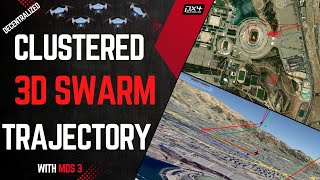
Feature Showcase |
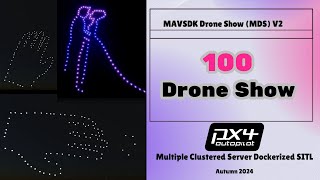
100-Drone SITL |
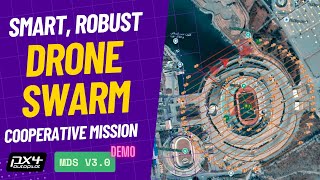
Smart Swarm Demo |
- Project history and walkthrough playlist: YouTube playlist
- MDS 5 walkthrough: coming soon, to be linked here when published
- Documentation Index: full guide map
- CHANGELOG.md: notable changes
- VERSIONING.md: release/version workflow
- Python Compatibility: supported Python versions
MDS uses dual licensing:
- PolyForm Noncommercial for education, research, and other non-commercial use
- PolyForm Small Business for qualifying small commercial operators
- Commercial license for larger commercial deployments
See LICENSE and LICENSE-COMMERCIAL.md.
- Commercial / deployment inquiries: p30planets@gmail.com
- GitHub issues: bug reports and feature requests
- Contributing guide: CONTRIBUTING.md
Contributors should branch from main-candidate. Public-facing main is kept aligned after validation.
Real-drone deployment requires appropriate flight-test discipline, regulatory compliance, and failsafe validation. Treat SITL success as a prerequisite, not as proof of real-world readiness.