Your MAUI release copilot.
One dashboard. Every app. Every device. Every release.





dotnet tool install -g CwSoftware.MauiForge && maui-forgeYou have multiple .NET MAUI apps. To release even one, you have to edit Info.plist, AndroidManifest.xml, and .csproj by hand, make sure all three agree, open Xcode or Android Studio to pick a device, and remember the right dotnet publish flags for archive, codesign, and framework — then repeat it for every app, every time.
MAUI Forge replaces all of that. Open the dashboard, pick an app, pick an action, done.
A local web app at http://localhost:6284 — no cloud, no account, no separate tray app to babysit. It's the same single control panel on Windows, macOS, and Linux.
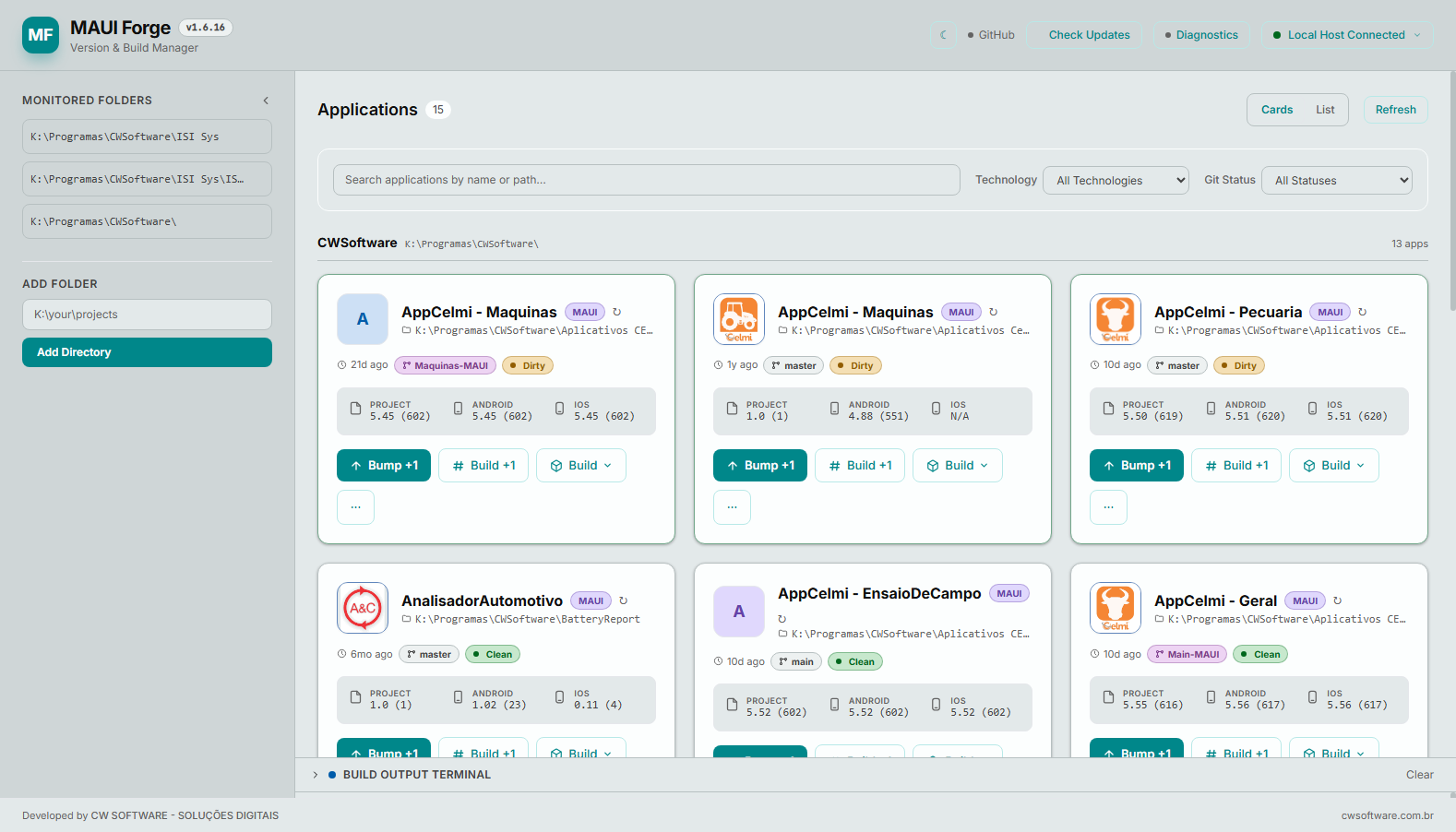
Every project shows up as a card: project type, iOS/Android version + build side by side (flagged the moment they drift apart), live git status, and one-click Bump, Build, and Build & Run — no digging through menus.
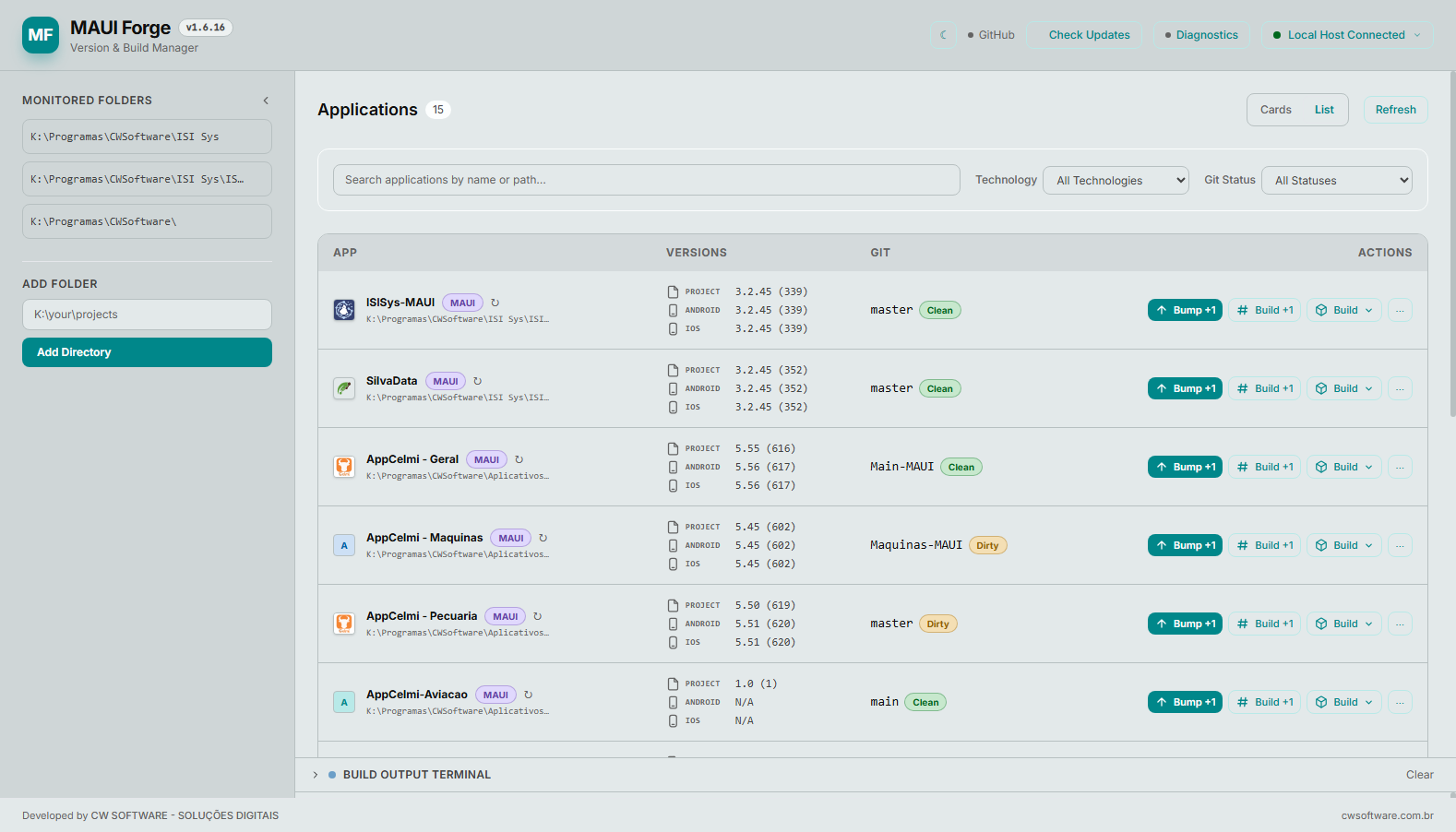
Prefer a dense table? Toggle to List view — same actions, more apps on screen at once.
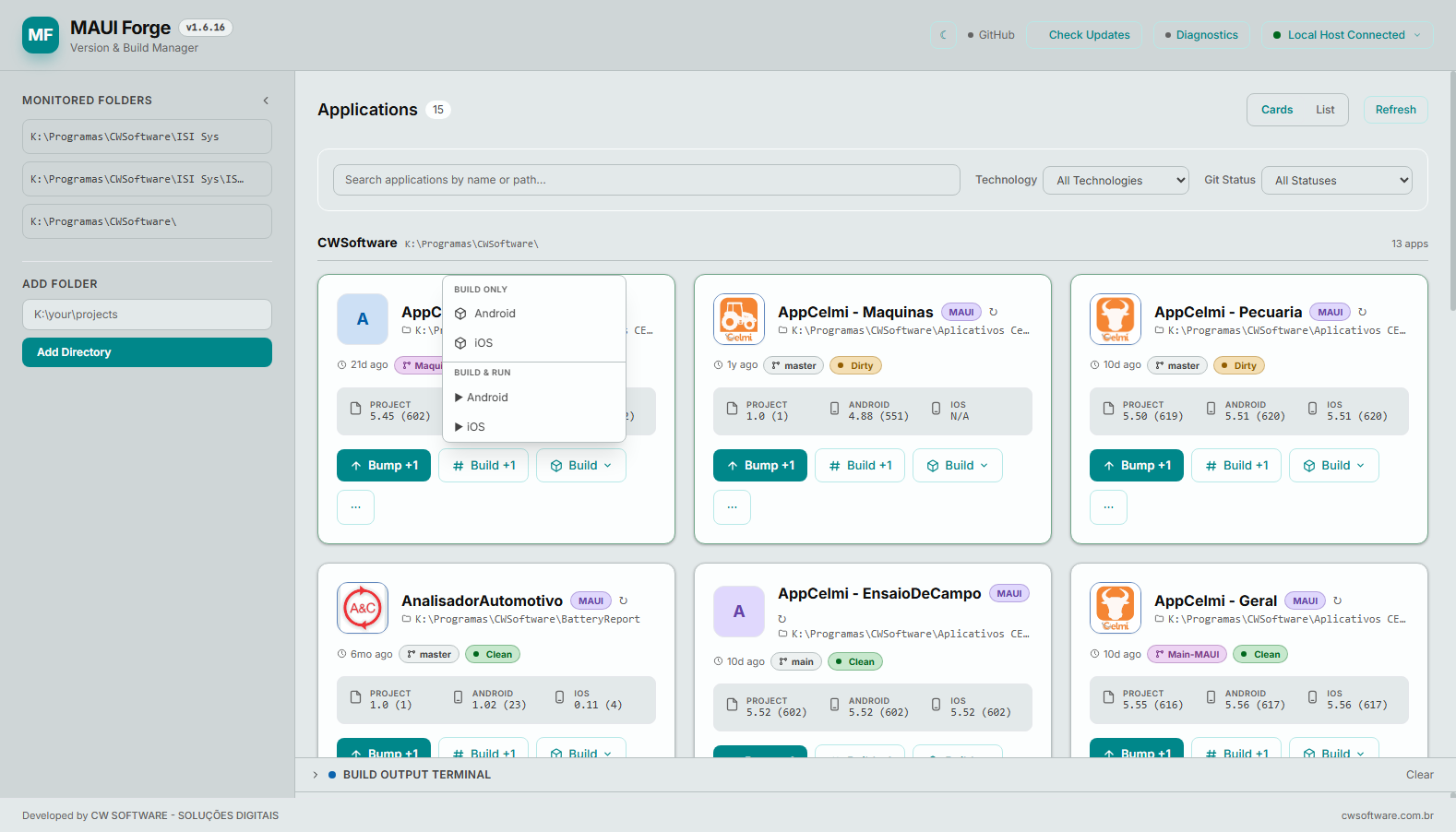
Pick Build Only or Build & Run, per platform, right from the card.
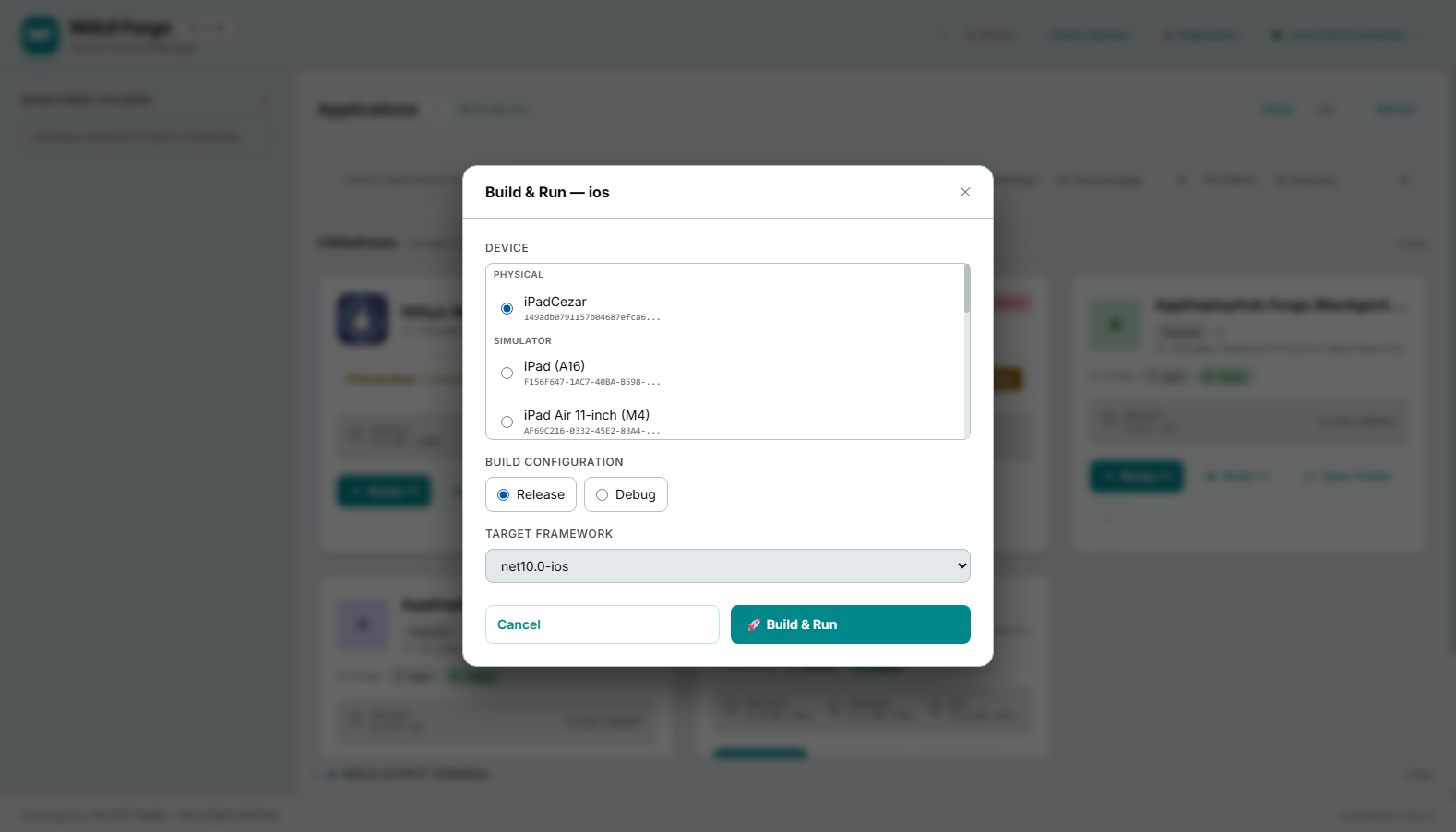
The Build & Run modal lists every physical device and simulator, lets you pick the configuration and target framework, and remembers your choice for next time.
- 📋 Discovery — scans your folders for MAUI, WPF, Blazor, Unity, and ClassLibrary projects, sorted by most recently used
- 🔢 Versioning — reads/writes
Info.plist,AndroidManifest.xml,.csproj, Unity, and legacy WPF atomically; bump version+build, build-only, or sync iOS ↔ Android with one click; snapshot + undo on every change - 🍎 iOS — every physical device and simulator in one list (three parsers under the hood for maximum coverage), Archive with codesign key selection, upload straight to App Store Connect
- 🤖 Android — devices, emulators, and AVDs via
adb; auto-starts emulators and waits for boot; Quick Launch skips the build for fast re-deploys - 🌿 Git — live status per app, pull warnings when you're behind, AI-generated commit messages, push with a formatted bump message
- 🤖 AI commits — Claude CLI, Gemini CLI, local Ollama, or a heuristic smart-suggestion fallback — diff in, message out, no API keys
- 🧹 Clean — Quick, Android, iOS, Deep, or Nuclear, depending on how much you want gone
- 🔁 Auto-update — checks on every start, plus a background re-check every 4h if you leave it running — never interrupts an active build
- 🔐 Auto-start on login — one toggle, works identically on Windows, macOS, and Linux
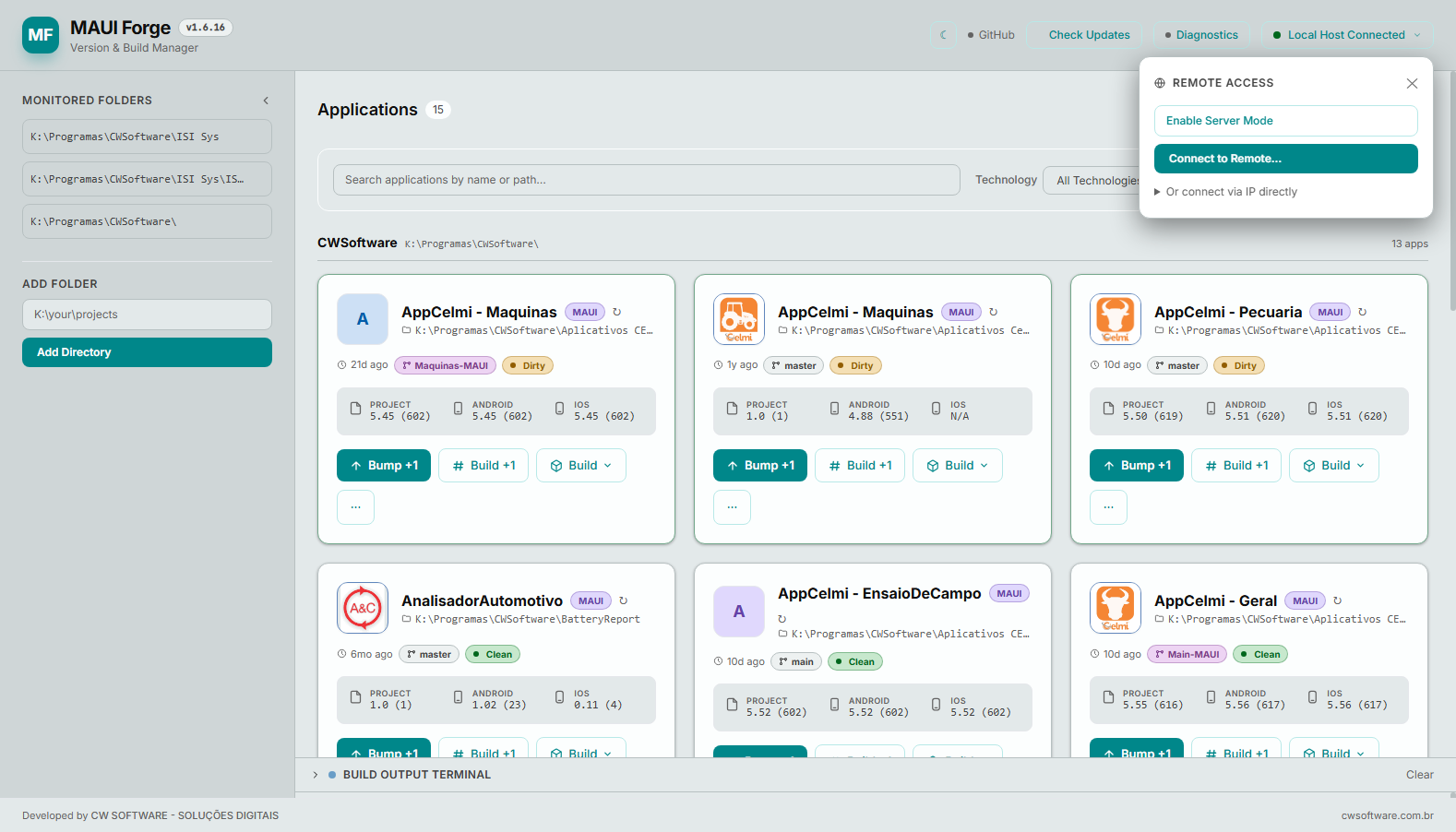
Run MAUI Forge on one machine, drive it from another — no VPN, no port-forwarding:
- Server Mode — binds to
0.0.0.0with an access token; connect from any device on the network - Auto-discovery — other MAUI Forge instances on the LAN find each other automatically
- Connect to Remote — pick a discovered server, or type host:port + token by hand
The classic use case: drive iOS builds on a remote Mac from a Windows dashboard, or check a build's progress from your phone.
VS Code has no built-in Run/Archive launcher for iOS, no per-project device configs, and its device list only shows whatever's on the latest iOS version — an old iPad on iOS 15/16 just doesn't show up.
MAUI Forge's device picker calls xcrun xctrace list devices directly, so every connected device shows up regardless of iOS version — physical or simulator, brand new or ancient. Pick one, hit Build & Run, and it fires the right dotnet build -t:Run -p:_DeviceId=<udid> command for you. Same story for Archive: pick a codesign key, MAUI Forge assembles the full dotnet publish invocation correctly, every time.
No more per-device VS Code launch configs, no more hunting for UDIDs.
One command, identical on Windows, macOS, and Linux — requires the .NET SDK, which every MAUI developer already has:
dotnet tool install -g CwSoftware.MauiForge
maui-forge
On first run, MAUI Forge sets itself up — Desktop shortcut on Windows, Desktop launcher on macOS, app-menu entry on Linux — and auto-updates on every start after that. No install scripts, no manual PATH edits.
dotnet tool update -g CwSoftware.MauiForge    # update manually anytime
dotnet tool uninstall -g CwSoftware.MauiForge # remove
Prefer a copy-paste page with a live "is it running?" check? → cw-software-apps.github.io/maui-forge
maui-forge                                       # web dashboard, localhost:6284
maui-forge --path ~/projects --depth 3           # point to a folder, scan depth
maui-forge --port 8080                           # run on a different port
maui-forge autostart [status|install|uninstall]  # login auto-start, any OS
maui-forge --update                              # force an update check
maui-forge --cli                                 # traditional terminal UI
Everything — scan paths, per-app build config, last actions — is remembered in ~/.maui-forge.state.json, never inside your project folders.
Requires a Mac (local or SSH) with Xcode + dotnet workload install maui-ios for iOS builds, and adb/emulator in PATH (Android SDK) for Android.
C# .NET 10 · ASP.NET Core Minimal API + SignalR (web dashboard) · Spectre.Console (terminal UI) · Tailwind CSS · distributed as a single dotnet tool — one install command, one dashboard, every platform.