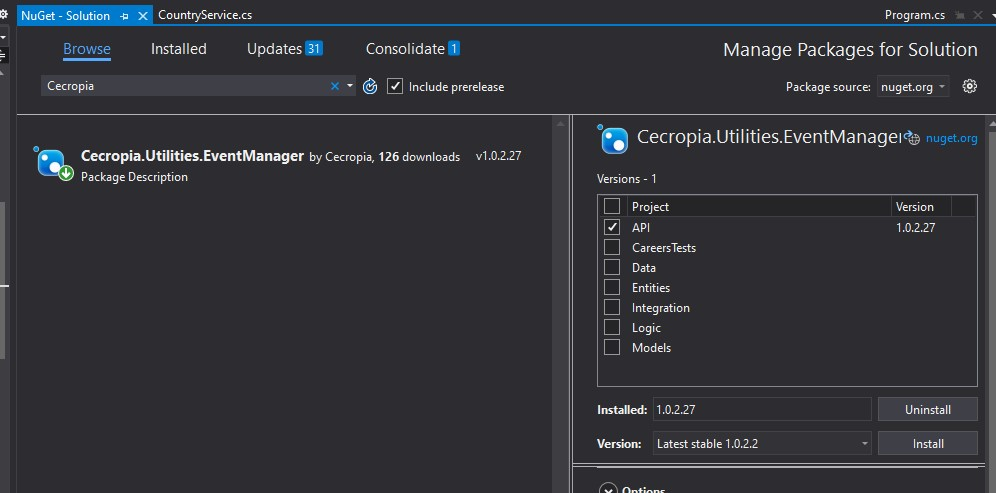
Installation
Steps to install the package
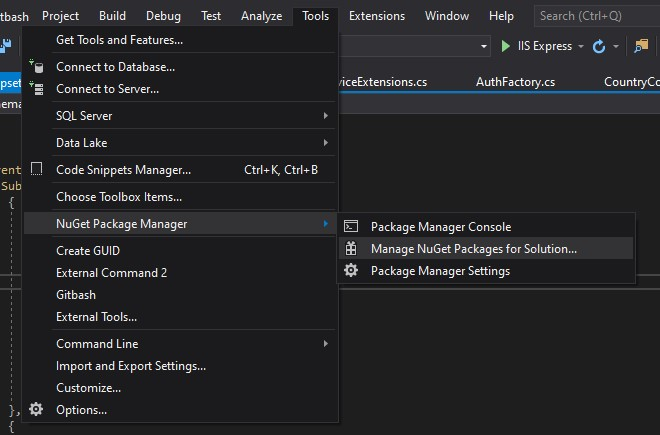
On Visual Studio go to
Tools > NuGet Package Manager > Manage NuGet Packages for Solution...
Select Package Source dropdown: nuget.org

Search for Cecropia Event Manager
Searchbox: Cecropia
Search Result: Cecropia.Utilities.EventManager by Cecropia
Click item and select project where you want to install it and press Install