
Lamina ✦ is a WinUI 3 calculator that is not only includes a Regular Calculator but also something called "Scripties". She supports Mensuration, Finance, Currency Conversion, Unit Conversions And More!, making her a Very Extendable Option.
Target OS: Windows 11 ONLY. | Latest Stable Version: v11.26100.15.0
App Execution Aliases : lamina.exe & lmna.exe
Note
Project Trust My Msix! can be used to Import the Self-Signed Certificate of the .msix Version of Lamina ✦. A Copy is given in Releases for Usage.
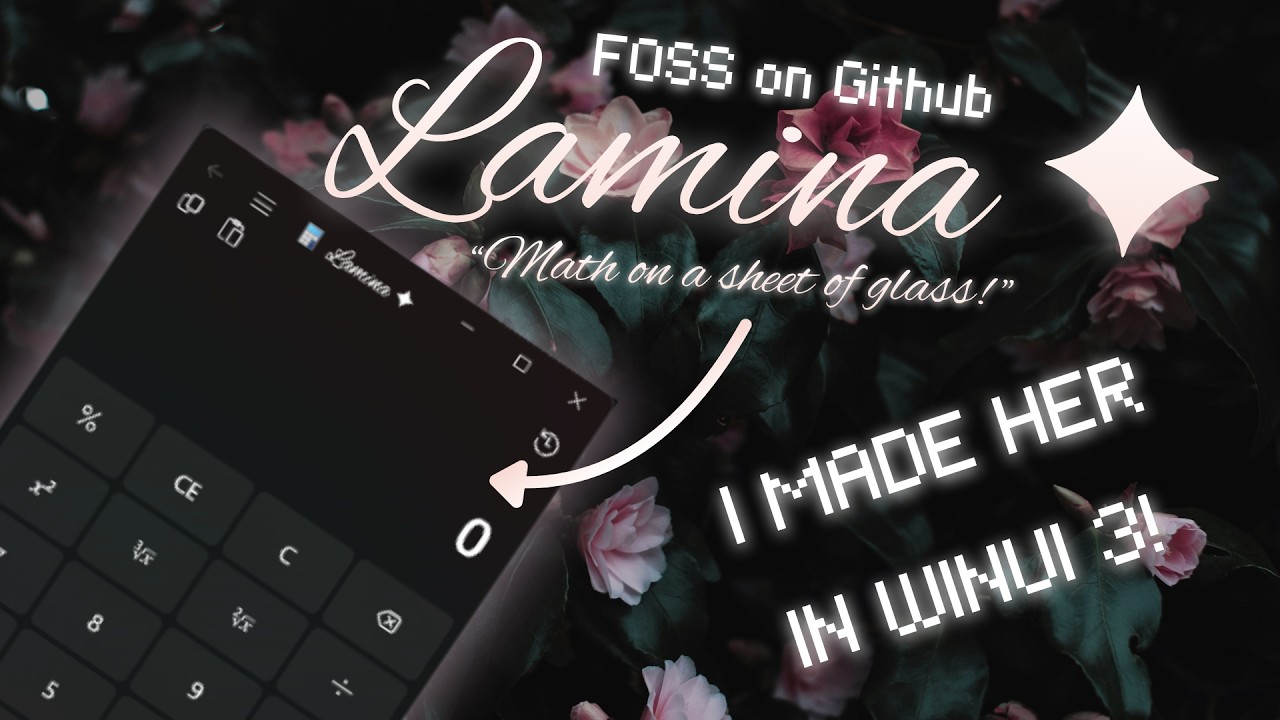
Since Lamina ✦ is Personified as "She" ( Because Computers are She ) and has many Anti-Corporate Design Choices,
so here's her Fictional Human Form! ヾ(^▽^*)))

Well I am no Artist, but I hope that you Have a Nice Time with Her!
Scripties are High Performance GUI equivalents of Console Scripts, that are Reliable and Easy to Make.
- Simple and Clean GUI. ✅
- Dozens of calculation options. ✅
- Fast and Error-Proof Calculations. ✅
- High Precision for decimals. ✅
- Modern UI with Fluid Animations and Transitions. ✅
- History Support for the Base Calculator UI. ✅
- Theme switching built in. ✅
- Backdrop switching betwwen Mica Alt, Mica and Acrylic! ✅
- Eggcelent Looking Splash Screen that hasn't been seen before. ✅
- Splash Screen can be toggled OFF if you are a Serious Mathematician or have 0 Attention Span. ✅
- Available in both Msix & Installer Variants. ✅
- Considering my Age, My UI Design Ideas are Very Humane and Passionate-looking in this World of Corporate Slop.
- Aesthetics are "Nailed it!" in almost Every Part of the UI.
- An Onboarding Page in a Calculator is Unique ✨, afterall most Calculator Apps look Generic.
- She's Anti-Corporate in many parts like : "Aww no History? Let's make Some!" "Oh Snap! (╯°□°)╯︵ ┻━┻ " and "Woohooo! ヾ(^▽^)))"* too Make the User Experience less "It's just another Calculator".
- Tactile Key Press Animations in Base Calculator UI.
- Extra Power with Scripties.
- More Lamina ✦ UI talk you can generate in your Head after trying her out!
- Slow Updates :
- Code is First Generated with
Gemini 3 Flash( after Brainstorming 🧠 ) and then the Generated Code is Rewritten to something not Cluttered with Comments. - This takes time as sometimes AI is Stupid and I can't do Ctrl + C and Ctrl + V every time or the App will be Burnt Garbage.
- I am learning some of the More IMPORTANT Stuff this year and then Even More Next Year, so Understanding is Slow Paced.
- Code is First Generated with
- Lack of Scientific Calculator : Self Explanatory. Even if She's Gorgeous, she lacks the Advanced Stuff.
- Cursive ( For Certain People ) :
Alex Brushis an Excellent Font, but with the Rise of Social Media, people have mostly shifted to Typing and Block Letters or Goody Ahh Hybrid of Print and Cursive.- Certain UIs in this App such as
OnboardingPage,SettingsPageand the Title Bar inShellPagehave used Cursive at least in Branding. - If Cursive looks like Alien Language to you, Sorry! :) The Usage of
Alex Brushis Branding Only!

- BUGS :
- I am just a Teenage Boy with a Budget Laptop, and I have Studies. It's Impossible to Find and Fight all the Bugs and fix them Rapidly, when the Best I know is writing Logic JAVA for CLI ( Without BlueJ ).
- Sometimes Bug Slip in or I couldn't find the Logical Error in AI Code while Rewriting, leading to ODD Issues.
winget install Lamina
11-> Target OS ( She IS for Windows 11 )26100-> Release SDK Version ( Currently She uses 26100.xxxx Versions of Windows 11 SDK )15-> Release Index ( Here 15 stands for the 15th Release Of Course! )0-> Filler Number ( Package.appxmanifest doesn't allow me to edit this Number so it's there for NOTHING 💀 )
- New Onboarding Experience and Reveamped Settings Menu!!!!
2026-03-27.20-54-06.mp4
- BRAND NEW REVAMPED SCRIPTIES!!!!!
2026-04-07.17-49-21.mp4
Note
A Scientific Calculator WILL BE ADDED in v11.26100.16.0!
Important
The Code is undergoing some Refactors for "Better variableNames", some UI Improvements and Cleanups here and there with a Touch of Personality, after all there's no Corporation Controlling Me!
- Basic Calculator
- Advanced Calculator ( v11.26100.16.0 )
- Date Calculator
- Convertors :
- Base Converter
- Unit Convertor
- Currency Convertor
- Mensuration :
- Heron's Formula
- Perimeter Calculator
- Equilateral Triangle
- Isosceles Triangle
- Square / Rhombus
- Rectangle / Parallelogram
- Circle
- Semi-circle
- Area Calculator
- Equilateral Triangle
- Isosceles Triangle
- Standard Triangle
- Square
- Rectangle / Parallelogram
- Rhombus
- Circle
- Semi-circle
- Room
- Volume Calculator
- Cube
- Cuboid
- Cylinder
- Cone
- Sphere
- Total Surface Area
- Cube
- Cuboid
- Cylinder
- Cone
- Sphere
- Curved Surface Area
- Cylinder
- Cone
- Sphere
- Diagonal Calculator
- Square
- Rectangle
- Cube
- Cuboid
- Algebra :
- Quadratic Equation Solver
- Finance :
- Financial Calculator
- Simple Interest
- Compound Interest
- Recurring Deposit
- Financial Calculator
-
Download the
.msixand.cerfiles from the latest release. -
Import the
.cerfile to theTrusted Root CertificatesStore. ( First Run ONLY! )Alternatively use this Command after Downloading
TMM.exefrom Releases :.\tmm --i <Certificate>Also you can Paste the Path into the Terminal Prompt or Drag the
.ceron TMM.exe! -
Install the
.msixfile.
--------------------- OR ---------------------
- Download the
Setup.exethat does the Importing and Installation FOR YOU!
- Install Visual Studio 2026 with WinUI Application Development and .NET Desktop Development workloads.
- Windows 11.
- XAML Styler is recommended for contributing.
- .NET 10.0 Runtime LTS is must.
- Get the latest Windows 11 SDK [26100.xxxx].
- Community Edition is sufficient for contributing and testing. Pro and Enterprise Editions can also be used.
- Github Copilot and Live Share can be skipped for Storage Saving.

-
Get the Code :
git clone https://github.com/Chill-Astro/Lamina-Calculator.git -
Open Lamina.sln in Visual Studio.
-
Hit Deploy as shown in Screenshot. ( Building is Automatically Done while Deploying ).

Lamina ✦ is now Deployed and now she shall appear in the Start Menu. Enjoy! :)

Lamina ✦ uses ExchangeRate-API for Currency conversion. An API key must be manually added in the region indicated.
-
Add
appsettings.jsonunder Lamina/ : Paste the Code into here.{ "LocalSettingsOptions": { "ApplicationDataFolder": "Calculator/ApplicationData", "LocalSettingsFile": "LocalSettings.json" }, "CurrencyApiKey": "Enter API Key Here" } -
Buid and Run the Application as shown above.
- Icons8 : For all the Mensuration and Quadratic Equation Solver Menu Logos,
- SVG REPO : For Calculator Menu Logo, Unit Convertor, Heron's Formula, and most of the icons.
- Icomoon : For the Base Calculator Icon and Produce the
.ttffile for the Icons. - Inno Setup by JRSoftware : Literally the Installer is possible THANKS to them!
- Microsoft Calculator : For Square Root and Cube Root Button Icons. Also this inspired me to make this app.
- ExchangeRate-API : For Currency Conversion. ( Free Plan, so Currency Conversion is Limited! -_- )
- @Lisa on Pexels : For Wallpaper for Promo Art.
// Will add Forked Repos which are genuinely good. 🤩 I will list everything Good about them.
// Will add Inactive Forks. Uh yeah that's it atleast it's Forking not Cloning! 😅
// Includes Clones who are working against the MIT Licence and Distributing Malware. All Flaws are mentioned. 😑
- She has previously Calculator has undergone Malware Attacks.
Please be aware: There are fraudulent repositories on GitHub that are cloning this project's name and using AI-generated readmes, but they contain completely random and unrelated files in each release. These are NOT official versions of this project.
ALWAYS ensure you are downloading or cloning this project ONLY from its official and legitimate source:
https://github.com/Chill-Astro/Lamina-Calculator
I am trying my best to report these people.
Caution
MALWARE ALERT: If your downloaded folder looks like the images below, DO NOT OPEN any files. Format the drive or delete the folder immediately. Official releases are ONLY .msix files or an Inno Setup .exe.
View Details
- Suspicious Windows Executables: Files ending in
.exe,.bat, or.dll(e.g.,luau.exe,StartApp.bat). - Compressed Archives: This project is distributed as an MSIX, never as a
.zipor.7zcontaining Windows binaries. - Hidden Scripts: Text files like
asm.txtused to execute malicious code on your PC. - The Following Folder Structure is used by Malware (Shown in a VM) :


Appreciate my effort? Why not leave a Star ⭐ ! Also if forked, please credit me for my effort and thanks if you do! :)
