It's all recycled! ♻️
A Twitter bot is, in lay(wo)man's terms, a computer program that tweets automatically. Following certain rules, the bot generates tweetable sentences and then pushes them to the Twitters via their API.
This bot takes in the latest tweets from a list of accounts (your team, possibly) and then produces a sentence that starts with We, followed by a verb and some other words (all found within your team's tweeets). For example:
We emerge from 11am!We improve the #Web…We don't outsource through publication #ItSaysHereWe encrypt finished citizen #neverTooLateWe survive on success #PostCapitalismWe don't eliminate #poverty, #disease, and #automation
This bot is built with Node.js so before you get any further:
- Go to nodejs.org and download the installer for your operating system.
- Install it..
- To check if it's installed:
- In Terminal / CP, type
node -vand press the↲(Enter) key. - If Terminal / CP shows a number, like
v0.10.26then it means you have version 0.10.26 installed.
- In Terminal / CP, type
- Fork this repository and clone it to your computer.
-
Go to apps.twitter.com and create a new app.
-
Rename
RENAME_MEconfig.js: call itconfig.js. -
Open
config.jsand changeYOUR_TWITTER_APP_CONSUMER_KEYand all the other bits in capitals to your Twitter app's values (which you can find atapps.twitter.com/app/YOUR_APP_ID/keys)module.exports = { keys: { consumer_key: 'YOUR_TWITTER_APP_CONSUMER_KEY', consumer_secret: 'YOUR_TWITTER_APP_CONSUMER_SECRET', access_token_key: 'YOUR_TWITTER_APP_TOKEN_KEY', access_token_secret: 'YOUR_TWITTER_APP_TOKEN_SECRET' } ... }
-
In
config.jschange the Twitter usernames insideusersto the ones you want to grab tweets from, for the bot to build sentences upon. You can add as many as you like. -
Navigate to this folder in Terminal and then run
sudo npm install. -
Test the bot by running
node bot.js.
Heroku (pronounced her-OH-koo) is a cloud application platform.
This means that instead of running your bot from the Terminal on your computer, you can deploy it to Heroku and it will tweet from there, however many times you want (per hour, day, week..)!
- Go to Heroku and sign up for a free account.
-
When asked to specify your primary development language, pick
Node.js -
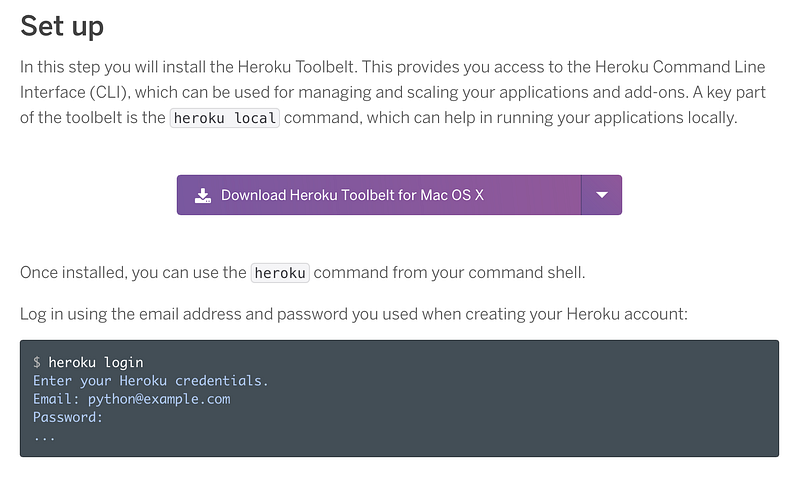
Once you're signed up, and download the Toolbelt
-
Open Terminal (or Command Prompt if you're on Windows), type
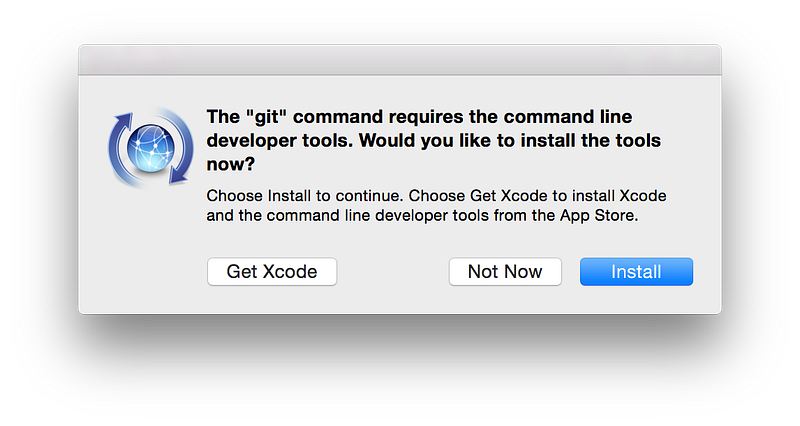
herokuinto it and press the↲(Enter) key.This properly installs Heroku on your computer. You will see a window pop up that looks like this
Choose
Install -
Once the installation has finished, type
heroku loginand hit the↲(Enter) key. -
We're going to prep your bot's folder to send to Heroku
Type
cd, hit space, then drag the folder from Finder into Terminal (cdstands for change directory) and press the↲(Enter) key. -
Type
heroku createand hit↲(Enter).Here, you're asking Heroku to create a space for Git to deliver your files to.
Terminal should say
Git remote heroku added. -
OPTIONAL Let's create a separate branch for your bot on Heroku.
This will allow you to add your
config.jsfile with all your secret Twitter info to a newherokubranch, whilst keeping themasterbranch clean and backed-up on GitHub.git checkout -b herokuRemove
config.jsfrom.gitignoregit commit -am "Config for Heroku" -
Now it's time to deploy your bot to Heroku!
git push heroku heroku:masterTerminal should start spitting out a lot of messages, starting from
Counting objects: 57, done.and finishing withremote: Verifying deploy... done. To https://git.heroku.com/YOUR_HEROKU_NAME.git * [new branch] heroku -> masterThis means that your bot is deployed. 👌
-
And, for the almost final step, type in
heroku run node bot.jsand hit↲(Enter).You're now testing the bot by telling Heroku to run it. If Terminal, after munching your
userstells you something likeDONE!followed by a sentence then it means it has tweeted! Go check out your bot's Twitter account and see for yourself. -
Now, the whole thing about Heroku is that you can schedule how often you want it to get your bot to tweet, so you don't have to do it yourself.
Type in
heroku addons:create scheduler:standardand hit↲(Enter).If you have not added your card to Heroku, now's the time to do so. In fact, it will prompt you to do so.
Once you've done that, type in
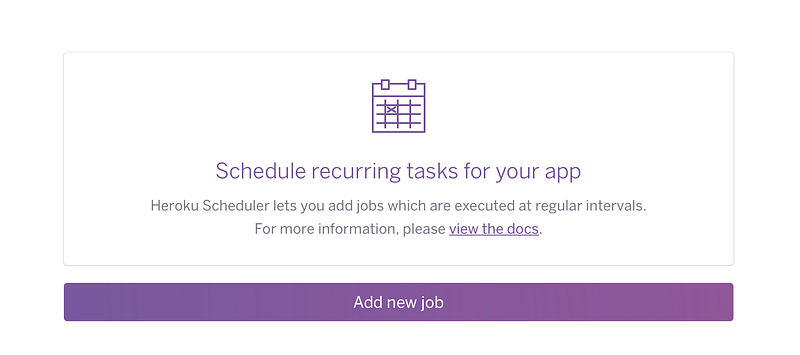
heroku addons:open schedulerand hit↲(Enter). Terminal will open this pageClick
Add new job.In the filed that starts with
$type innode bot.jsThe rest is kind of self-explanatory (if you've got so far!).
Click
Saveand your bot is all set up! 🎉

This work is licensed under a Creative Commons Attribution-NonCommercial-ShareAlike 4.0 International License