This repository contains the source code for Ink & Interface, a full-stack startup agency website. The project is designed as a productized "Business-in-a-Box" service that handles state legal formation, designs premium brand identities, and custom-codes web storefronts for new ventures.
The application is built with Next.js, TypeScript, and Tailwind CSS, featuring an automated onboarding flow that captures client details, sends an email notification via Resend, and directs the user to a Stripe payment link.
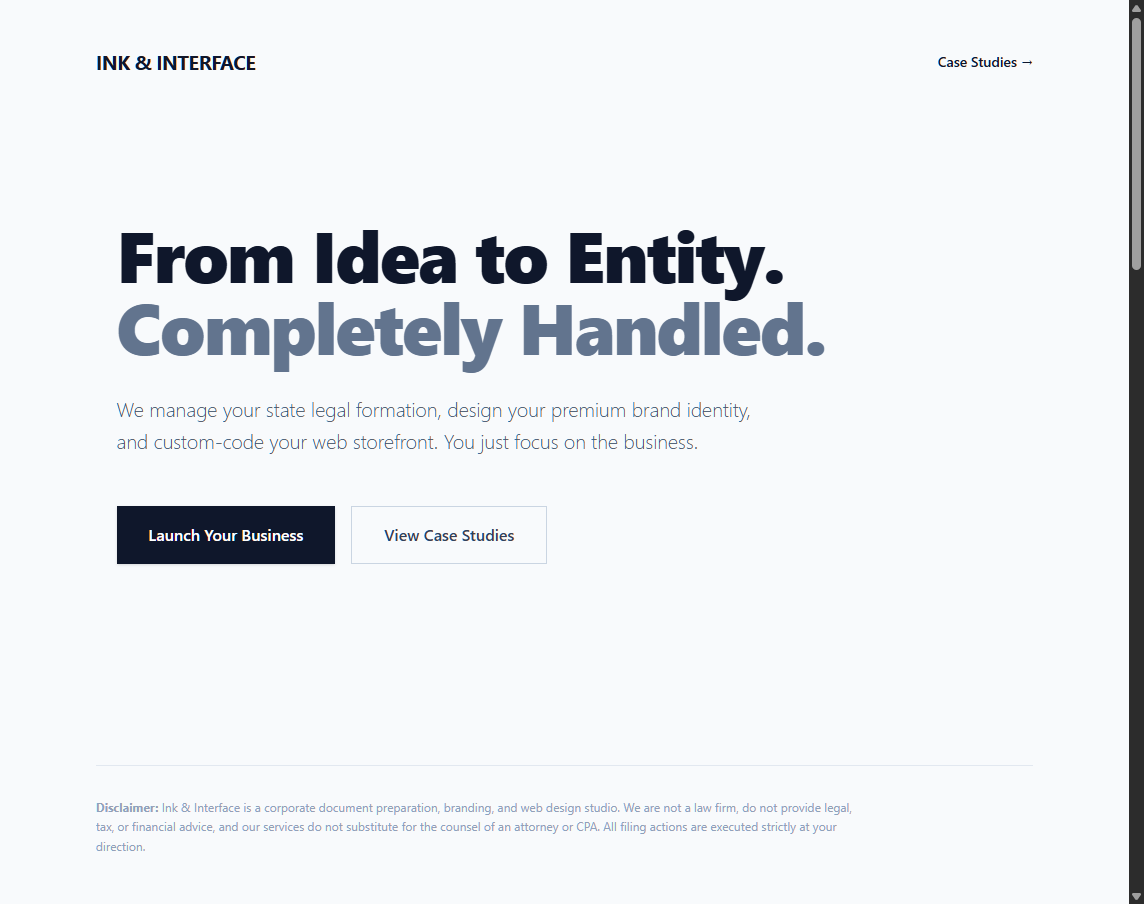
- Productized Service Landing Page: A clean, modern interface showcasing the agency's services, pricing, and case studies.
- Automated Onboarding Funnel: A multi-step form at
/onboardto capture essential business details from new clients. - API-Driven Notifications: A serverless API route (
/api/onboard) that processes form submissions and uses the Resend API to dispatch email alerts for new leads. - Payment Integration: Seamlessly redirects clients to pre-configured Stripe payment links based on their selected service tier.
- Component-Based Architecture: A modular frontend built with reusable React components for the hero section, case studies, and pricing tiers.
- Detailed Case Studies: In-depth pages, like the "Ski Barn" example, that break down the agency's process and results.
- Responsive Design: A fully responsive layout optimized for all devices, crafted with Tailwind CSS.
- Framework: Next.js (App Router)
- Language: TypeScript
- Styling: Tailwind CSS
- UI Library: React
- Email API: Resend
- Payments: Stripe (via secure payment links)
Follow these instructions to set up and run the project locally.
- Node.js (v20.x or later)
- npm, yarn, or pnpm
-
Clone the repository:
git clone https://github.com/codelikeagirl29/ink-and-interface.git cd ink-and-interface -
Install dependencies:
npm install
-
Set up environment variables: Create a
.env.localfile in the root of the project and add your Resend API key. The onboarding form submission will fail without it.RESEND_API_KEY=your_resend_api_key_here
-
Configure API settings (optional): To receive email notifications and process payments, you'll need to update the placeholders in
app/api/onboard/route.ts:- Update the
STRIPE_LINKSobject with your own Stripe payment links. - Change the recipient email address in the
resend.emails.sendto:field. - Change the sender email address in the
from:field to a domain verified with Resend.
- Update the
Run the development server:
npm run devOpen http://localhost:3000 with your browser to see the result.
A brief overview of the key directories and files in this project:
.
├── app/
│   ├── api/onboard/route.ts   # API endpoint for processing new client intake forms.
│   ├── case-studies/ski-barn/ # A dynamic route for a specific case study.
│   ├── onboard/page.tsx       # The new client onboarding form page.
│   ├── layout.tsx             # The root layout for the application.
│   └── page.tsx               # The main landing page.
├── components/
│   ├── Hero.tsx               # The hero section component.
│   ├── CaseStudy.tsx          # The case study summary component for the homepage.
│   └── Pricing.tsx            # The pricing table component.
├── public/
│   └── ski-barn.jpg           # Static image assets.
├── next.config.ts             # Next.js configuration file.
└── tailwind.config.ts         # Tailwind CSS configuration file.
Ink & Interface is presented as a corporate document preparation, branding, and web design studio. It is not a law firm, does not provide legal, tax, or financial advice, and its services do not substitute for the counsel of an attorney or CPA. All filing actions are executed strictly at the user's direction.