
Flutter Starter for ContentChef - Headless CMS
ContentChef is an Headless CMS designed to accelerate the development of modern,cross channel digital products.
This starter is a simple Flutter integrated with our Delivery API using the ContentChef Dart SDK
In order to use make this starter work, you will need
- An active ContentChef account (sign up for a 30-day free trial here)
- Dart >=2.7.0 <3.0.0
- Flutter >= 10.13 1.17.0
Clone the starter repo and install all the deps
    git clone https://github.com/ContentChef/flutter-starter.git
    cd flutter_starter
    pub get
Get your SpaceID, Online API Key from your dashboard home page.
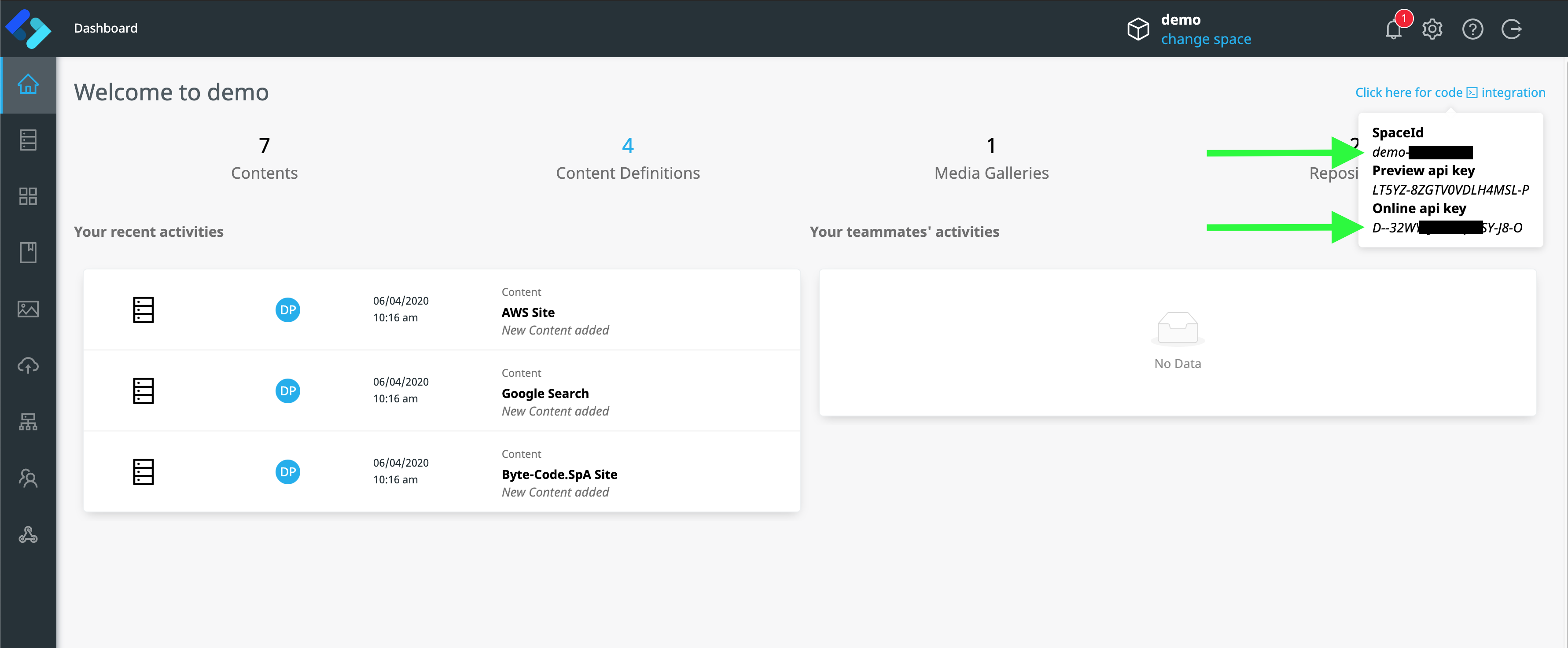
Open ./lib/services/contentchef_client.dart and copy your data in the client configuration and use "example-ch" for your channel now.
class _ContentChefClient {
  Configuration _config = Configuration(spaceId: 'YOUR_SPACEID_GOES_HERE');
  Media _media;
  OnlineChannel _onlineChannel;

  _ContentChefClient() {
    this._media = Media();
    this._onlineChannel = ContentChef(configuration: _config).getOnlineChannel(apiKey: 'YOUR_APIKEY_GOES_HERE', publishingChannel: 'example-ch');
  }

  ...
}
You are now ready to start the flutter project:
- with Android Studio and IntelliJ
- with VS code
- with Terminal & Editor
We have provided useful methods needed to retrieve images, videos and files from ContentChef
  var mediaUtils = Media();
var publicMediaUrl = mediaUtils.imageUrl(publicId: 'the-media-publicId', MediaTransformations(autoFormat: true)); var mediaUtils = Media();
var publicMediaUrl = mediaUtils.videoUrl(publicId: 'the-media-publicId', VideoTransformations(autoFormat: true, croppingMode: CroppingMode.fill)); var mediaUtils = Media();
var publicMediaUrl = mediaUtils.rawUrl(publicId: 'the-media-publicId');Enjoy!
- ContentChef Website
- ContentChef Docs
- ContentChef Blog
- Flutter Documentation - learn about Flutter features and API.
- Flutter Lab - Write your first Flutter app.
- Flutter Cookbook) - useful Flutter samples.
- Dart Documentation - an interactive Next.js tutorial.