OpenGLESScope is an advanced OpenGL ES, EGL, and Android display/HDR capability inspection and reporting tool for Android. It queries the active system graphics implementation directly and presents runtime GPU information, OpenGL ES versions, core capability state, implementation limits, extensions, compressed texture formats, shader and program binary formats, shader precision, EGL runtime information, EGL configurations, Android display modes, HDR capabilities, and query diagnostics.
Current version: 0.7.2
This app supports Obtainium. Identifying the storage links of Obtainium is sufficient.
OpenGLESScope reports what the active Android OpenGL ES/EGL implementation actually exposes. It does not infer capabilities from the GPU model, Android version, marketing specifications, or extension names alone.
Database link: https://efishell0.github.io/OpenGLESScope_database/
- Runtime OpenGL ES 2.0–3.2 capability inspection
- OpenGL ES 3.2 / GLSL ES 3.20 engineering baseline
- EGL 1.5 engineering baseline
- Direct
GL_VENDOR,GL_RENDERER,GL_VERSION, andGL_SHADING_LANGUAGE_VERSIONreporting - Complete runtime OpenGL ES extension enumeration
- Separate EGL display and EGL client extension enumeration
- Complete 145/145 checked-in public capability-reference coverage
- 49 additional OpenGLESScope implementation queries
- 104 directly evaluated OpenGL ES 3.2 implementation minimum/maximum requirements
- Exact-extension-gated implementation queries
- Compressed texture, shader binary, and program binary format inspection
- Vertex/fragment shader precision inspection
- Expanded EGL runtime/context/current-binding/pbuffer evidence
- Detailed EGL configuration enumeration with extension-backed attributes
- Analysis workspace with Compare, Spec minimums, Graph, Quality, Watched, Share, and isolated Tests
- Bounded Analysis snapshots up to 8 MiB / 32,768 evidence entries
- Android Display and HDR capability reporting
- Explicit query diagnostics and exact query provenance
- Complete TXT and self-contained HTML reports
- Explicit complete-report submission to OpenGLESScope Database
- Canonical Database permalink sharing and local QR generation
- Secure GitHub-based update checking
- Dedicated isolated native probe process
- Android TV / D-pad navigation support
- Multi-ABI native Android builds
- Dark Material 3 Expressive interface
- Official OpenGL ES branding and
#BA2A8Dprimary accent
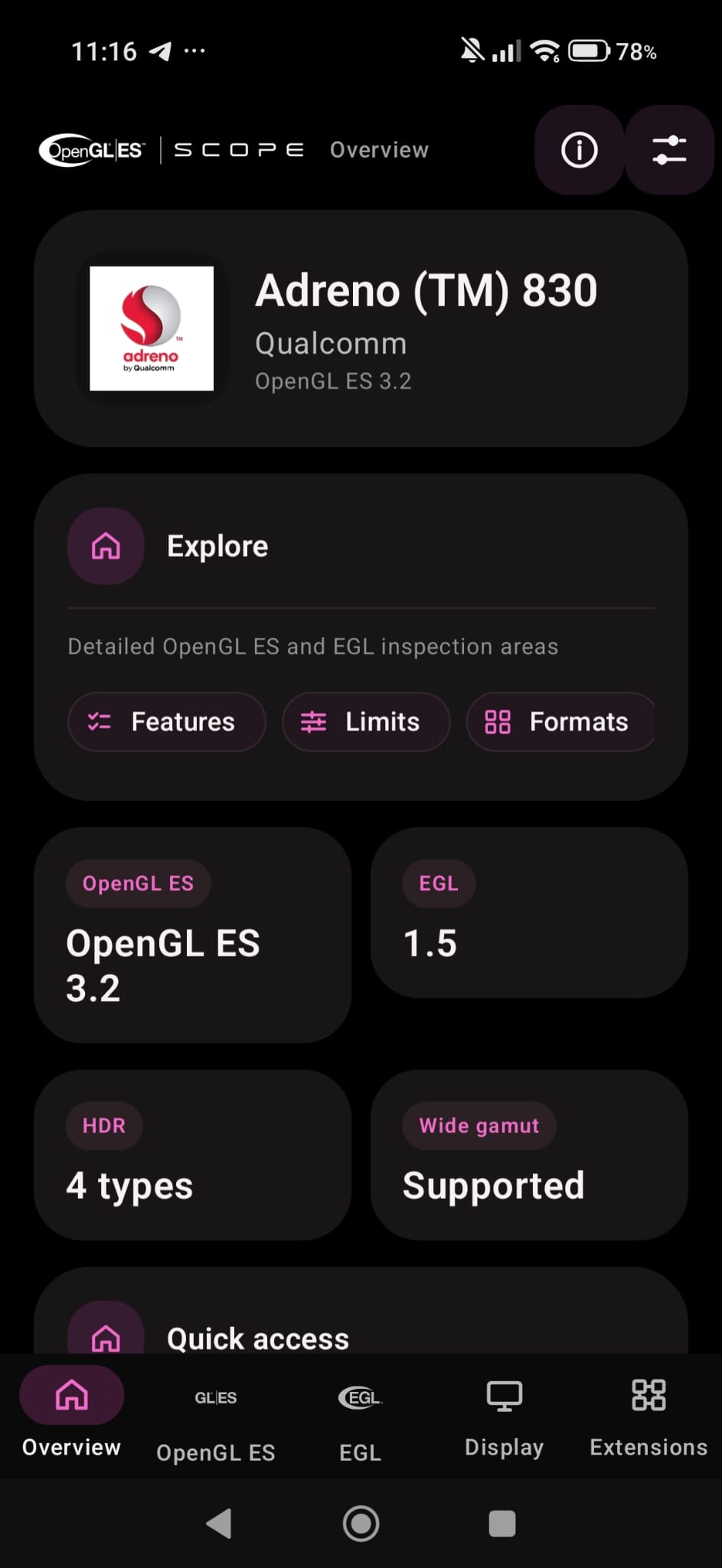
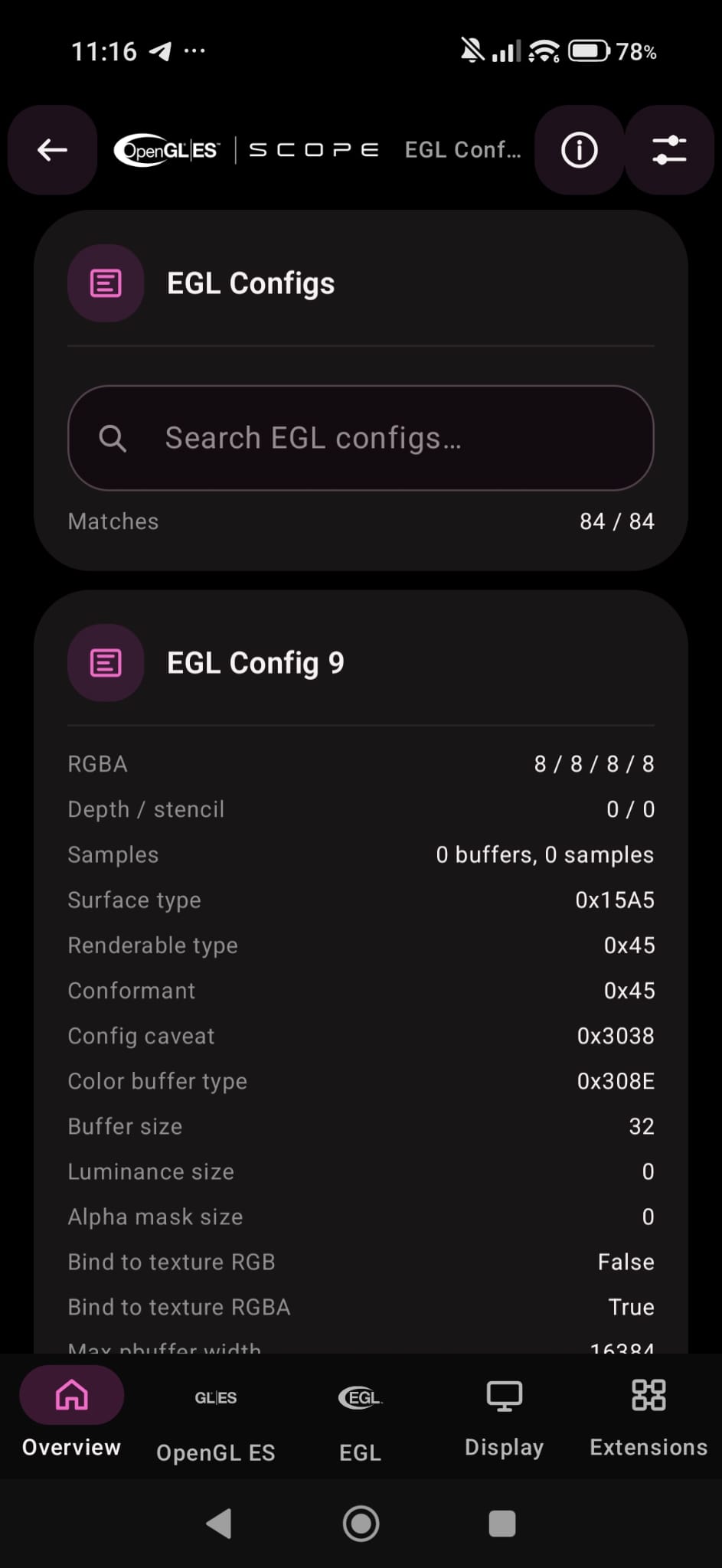
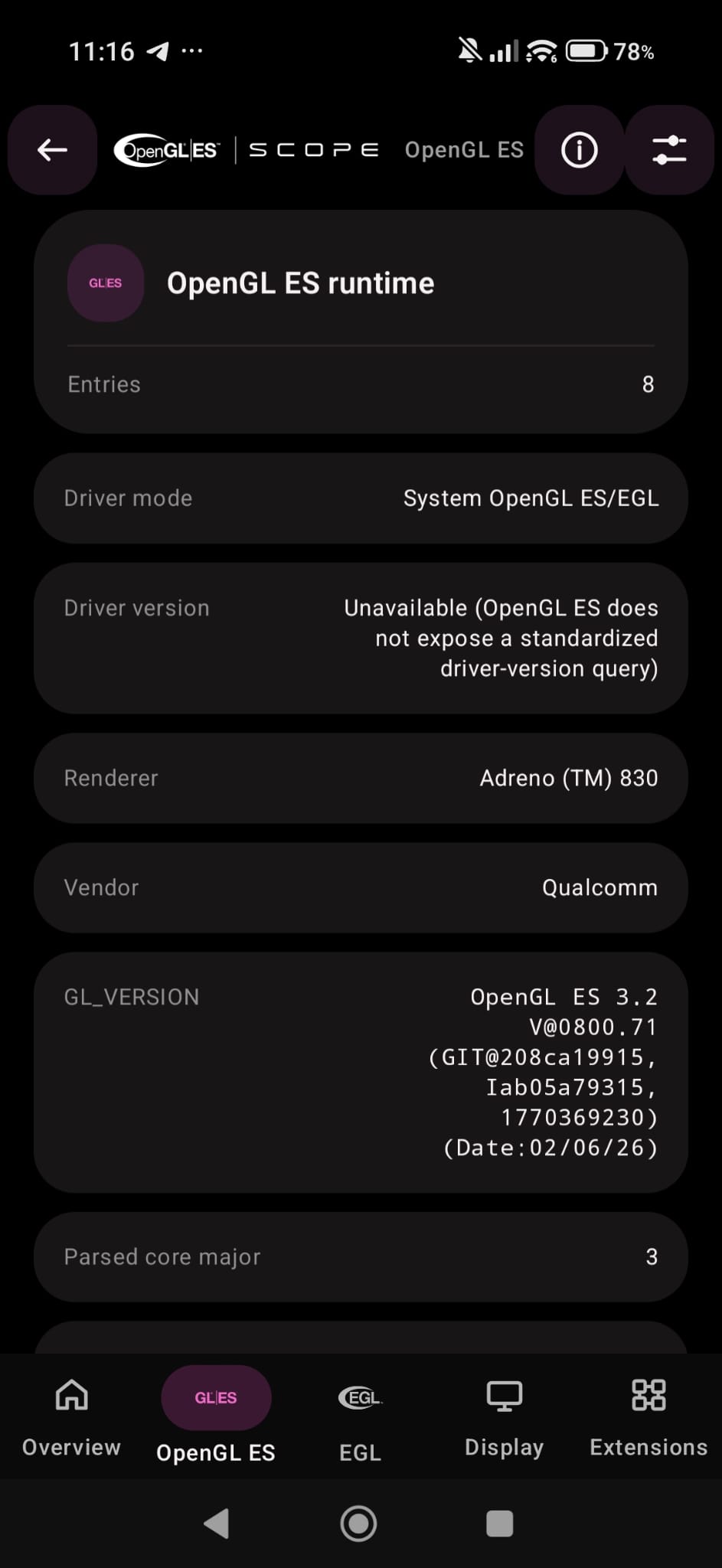
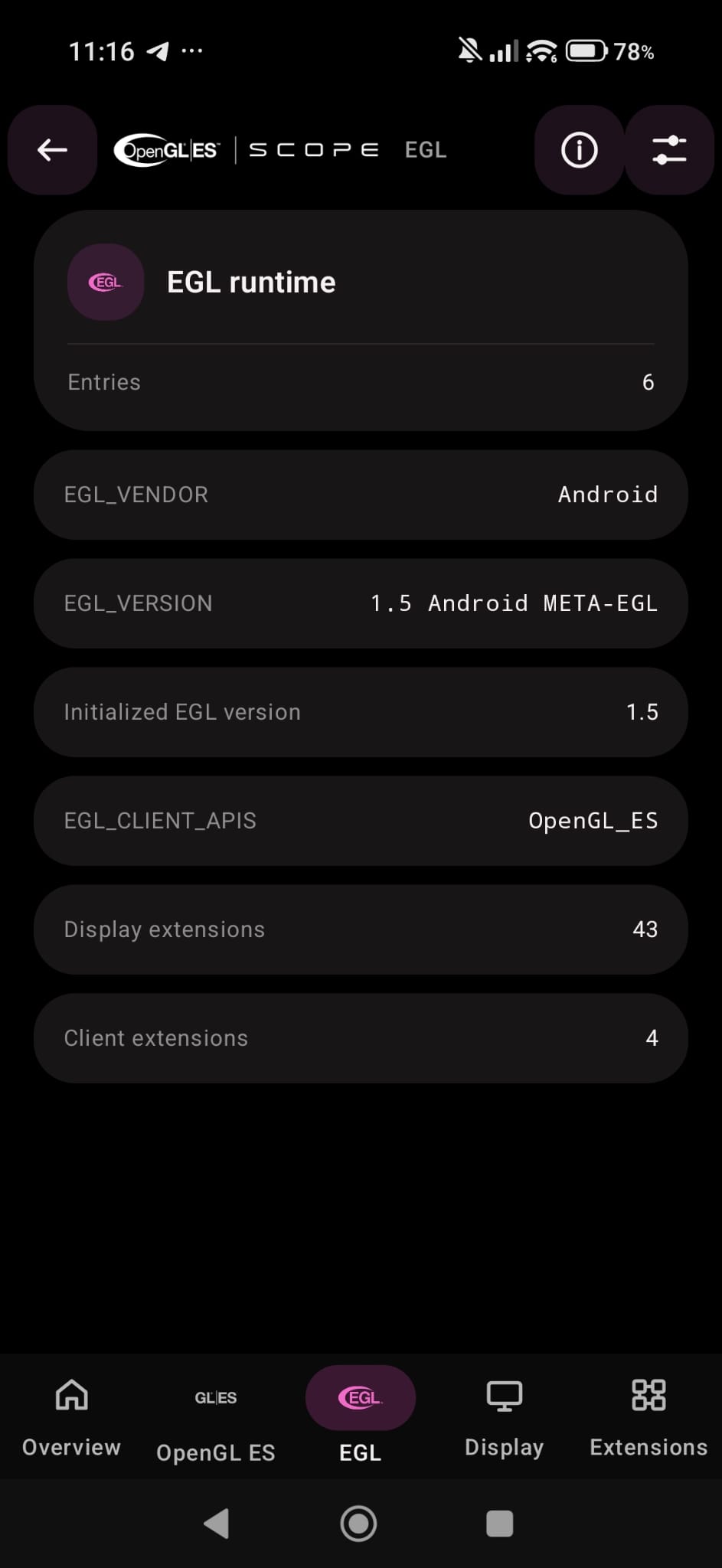
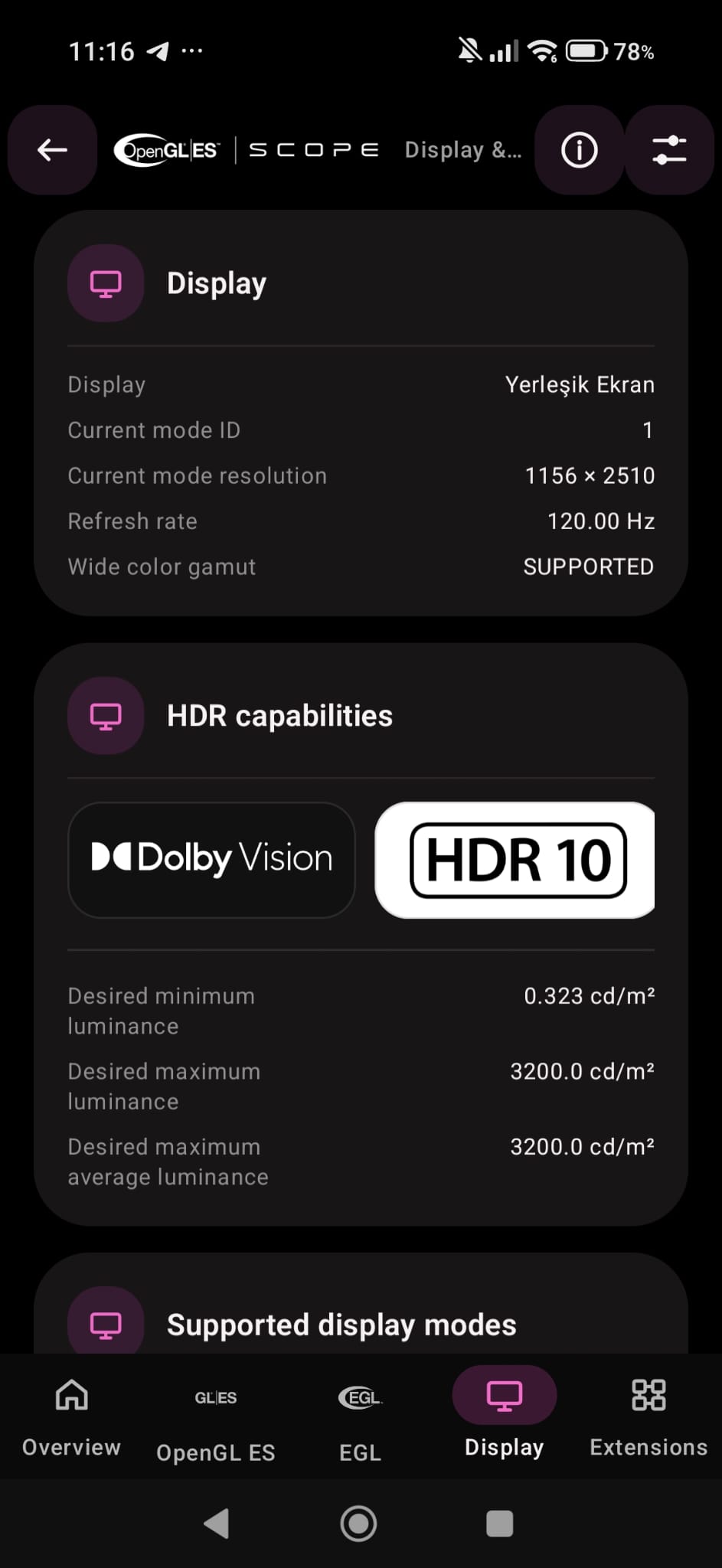
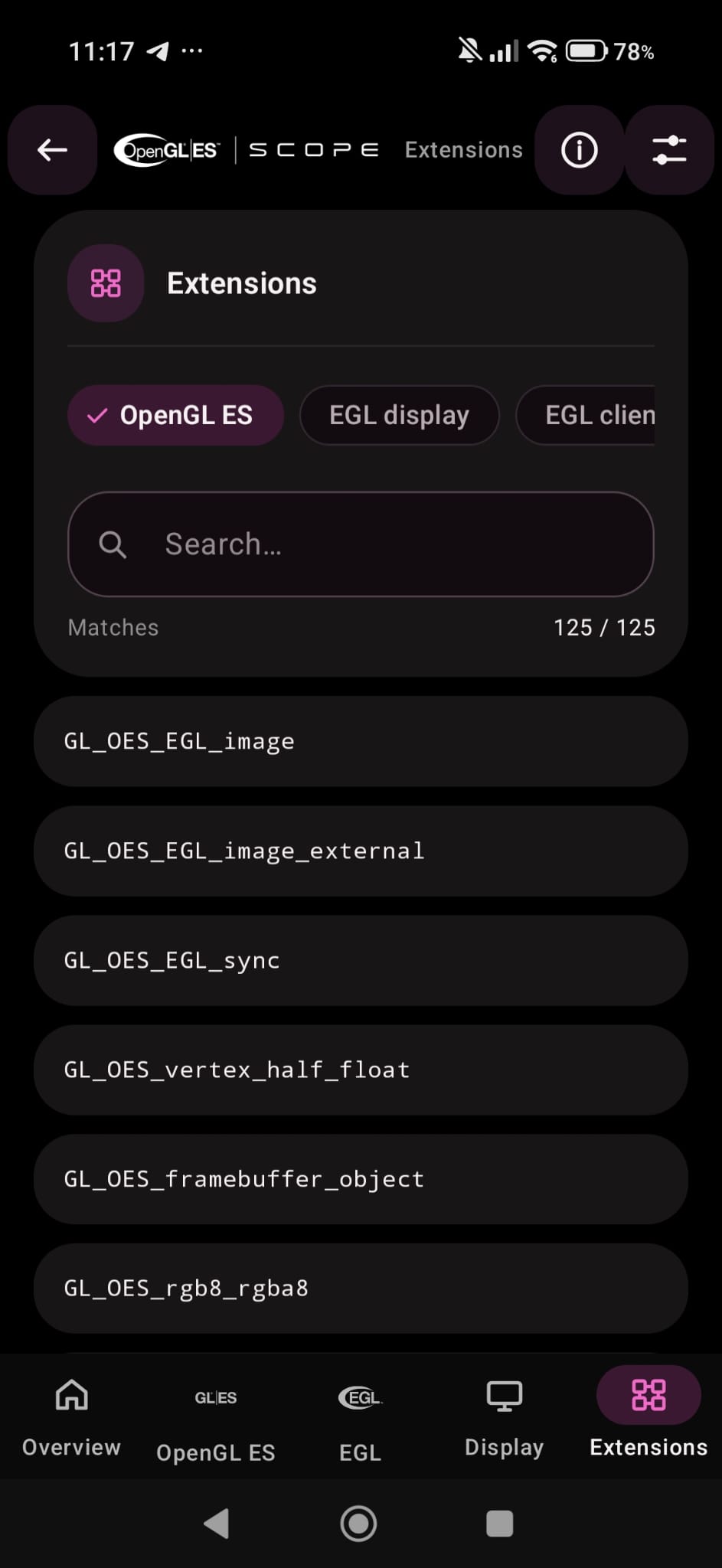
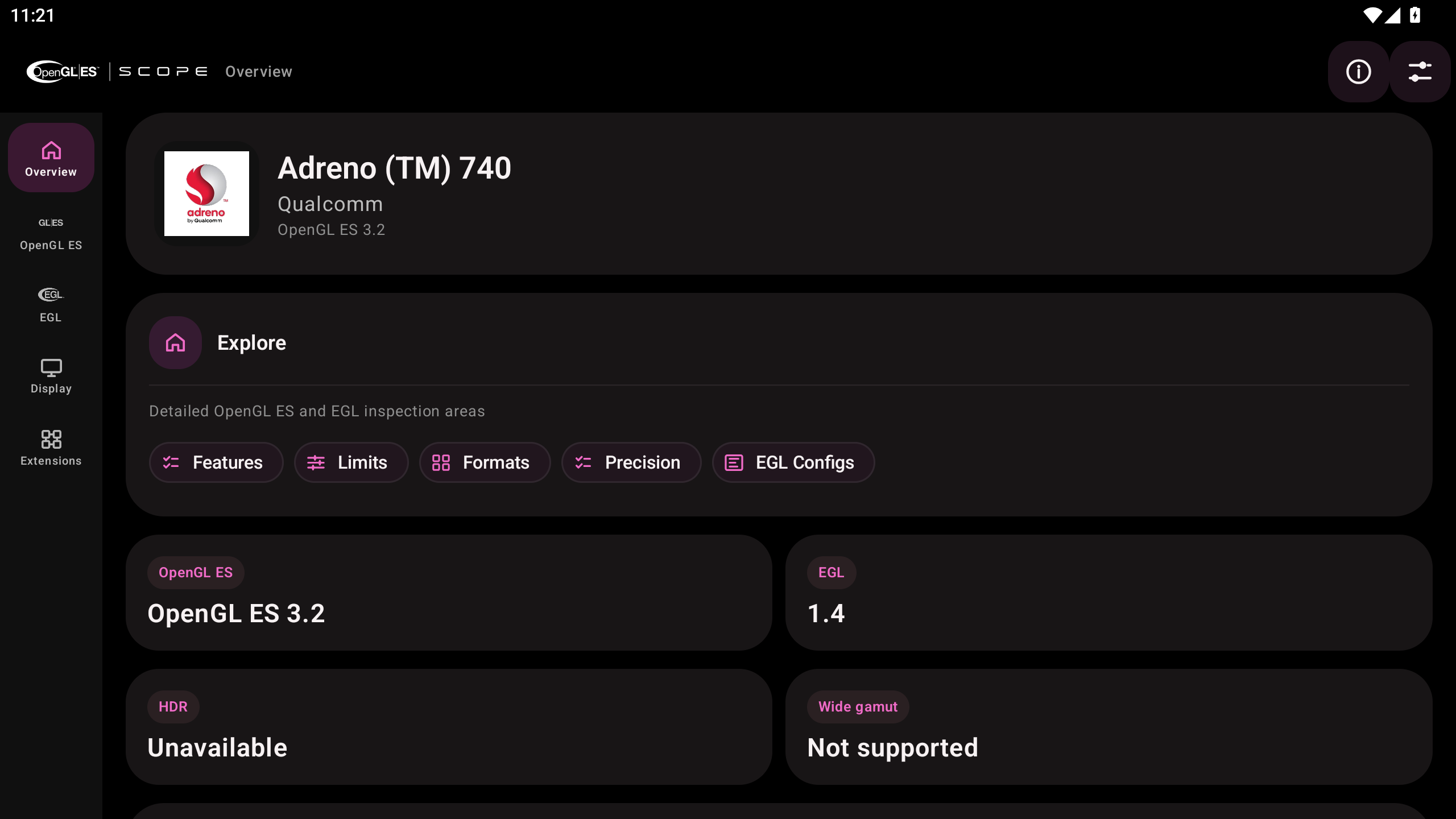
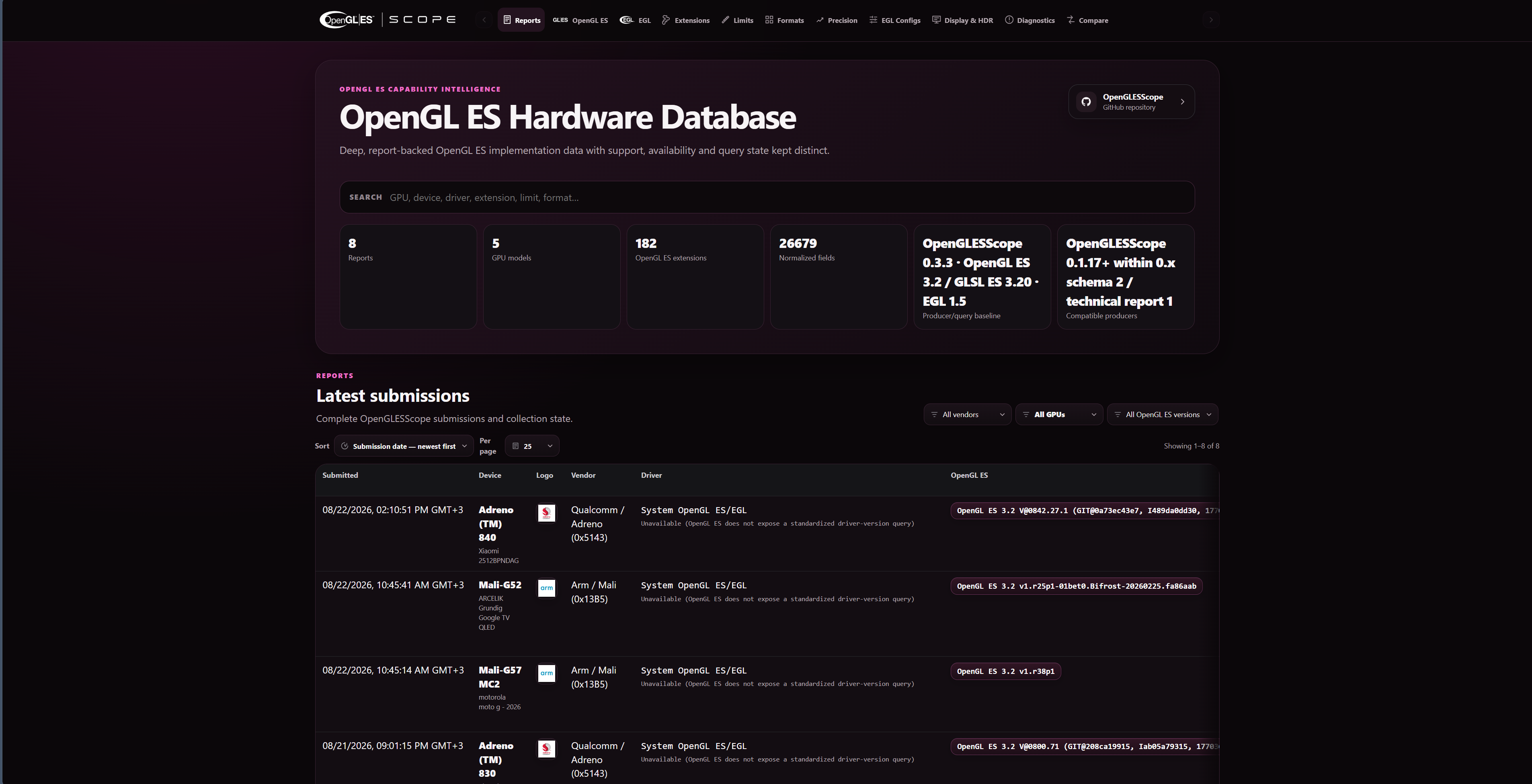
OpenGLESScope uses a dark Material 3 Expressive interface designed for dense graphics-capability data without hiding the underlying implementation evidence.
The application is organized into dedicated inspection areas:
- Overview
- OpenGL ES
- Display & HDR
- EGL
- Features
- Limits
- Formats
- Extensions
- Precision
- EGL Configs
- Analysis
- Info
Status and evidence states remain semantically distinct. Missing information is never silently converted into a negative capability result.
Depending on the page and query type, OpenGLESScope distinguishes states such as:
- Supported
- Unsupported
- Available
- Unavailable
- Not applicable
- Unknown / not queried
A capability that could not be queried, does not apply to the active context, or lacks sufficient runtime evidence is not fabricated as Unsupported.
OpenGLESScope creates a real EGL/OpenGL ES context against the active Android system implementation and reports the actual runtime version exposed by that context.
The collector attempts to create the highest OpenGL ES context supported by the implementation, including OpenGL ES 3.2, 3.1, 3.0, and compatible fallback paths. The application then reports the runtime GL_VERSION returned by the driver rather than assuming success from the requested context version.
Core runtime information includes:
GL_VENDORGL_RENDERERGL_VERSIONGL_SHADING_LANGUAGE_VERSION- Parsed OpenGL ES core version
- Parsed GLSL ES version
- Runtime extension set
- Implementation-dependent limits
- Binary/format enumerations
- Shader precision
- Query diagnostics
OpenGLESScope keeps the following concepts separate:
- OpenGL ES version
- GLSL ES version
- EGL version
- Android platform version
- Android Display/HDR information
No one value is used as a substitute for another.
OpenGLESScope can represent the runtime state of:
- OpenGL ES 2.0 core
- OpenGL ES 3.0 core
- OpenGL ES 3.1 core
- OpenGL ES 3.2 core
Core-version feature state is derived from the actual runtime OpenGL ES version.
A higher Android version or a known GPU model is not treated as proof that a particular OpenGL ES core level is exposed by the active driver.
If the runtime OpenGL ES version cannot be resolved reliably, the corresponding state remains unknown rather than being reported as unsupported.
OpenGLESScope preserves the exact OpenGL ES extension tokens returned by the active implementation.
Extension enumeration follows the runtime-appropriate path:
- OpenGL ES 3.x: indexed enumeration with
glGetStringi - OpenGL ES 2.x: extension string enumeration with
glGetString(GL_EXTENSIONS)
Vendor-specific extensions are not filtered through a fixed vendor allowlist. If the active implementation reports an extension token, OpenGLESScope preserves that exact token.
This allows runtime extension visibility across implementations from vendors and ecosystems such as:
- Qualcomm / Adreno
- Arm / Mali
- Imagination / PowerVR
- NVIDIA
- AMD
- Intel
- Samsung / Xclipse
- Broadcom / VideoCore
- Vivante
- VeriSilicon
- Other conforming OpenGL ES implementations
Vendor identity is not itself used as capability evidence.
An extension-specific numeric implementation query is executed only when:
- the exact defining extension is advertised by the runtime, and
- the query is valid for the active OpenGL ES context.
Examples of explicitly gated implementation-query paths include applicable limits from:
GL_EXT_texture_filter_anisotropicGL_EXT_blend_func_extendedGL_OVR_multiviewGL_OVR_multiview2GL_EXT_multiview_draw_buffersGL_EXT_texture_bufferGL_EXT_clip_cull_distanceGL_EXT_draw_buffersGL_NV_draw_buffersGL_EXT_multisampled_render_to_textureGL_NV_framebuffer_multisampleGL_IMG_multisampled_render_to_textureGL_OES_get_program_binaryGL_KHR_shader_subgroupGL_EXT_window_rectanglesGL_OES_viewport_arrayGL_EXT_shader_pixel_local_storageGL_EXT_shader_pixel_local_storage2GL_OES_sample_shadingGL_EXT_sparse_texture
Extensions that expose no implementation-dependent numeric query remain represented by their exact runtime extension token rather than synthetic values.
OpenGLESScope queries implementation-dependent OpenGL ES limits directly from the active context.
Coverage spans applicable OpenGL ES 2.0, 3.0, 3.1, and 3.2 limit families, including categories such as:
- Texture dimensions
- Cube-map dimensions
- Renderbuffer dimensions
- Viewport dimensions
- Vertex attributes
- Vertex/fragment uniform limits
- Varying limits
- Texture image units
- Combined texture units
- Draw buffers
- Color attachments
- Uniform blocks
- Shader storage blocks
- Atomic counters
- Image units
- Compute work-group counts
- Compute work-group sizes
- Compute work-group invocations
- Transform feedback
- Tessellation-related limits
- Geometry-related limits
- Texture buffer limits
- Clip/cull-distance limits
- Multisample-related limits
- Implementation-specific extension limits where the defining extension is present
Indexed implementation limits such as compute work-group count/size are queried for the corresponding X, Y, and Z dimensions.
A failed implementation query is retained in the diagnostics rather than silently disappearing from the report.
OpenGLESScope reports format-related data only from the corresponding runtime OpenGL ES queries.
The Formats area includes:
Enumerated from the implementation's compressed texture format list.
Known values are displayed using their symbolic OpenGL ES name together with the raw hexadecimal enumerant where applicable.
Unknown future or vendor-specific enumerants remain visible as raw hexadecimal values.
Reported only from the runtime shader-binary format queries.
Reported only when the active core version or exact extension evidence makes the query applicable.
Known program-binary formats are shown symbolically with their raw values where possible; unknown values are preserved rather than discarded.
OpenGLESScope queries shader numeric precision with glGetShaderPrecisionFormat.
Coverage includes vertex and fragment shader precision information for applicable:
- Low precision
- Medium precision
- High precision
- Floating-point types
- Integer types
Each entry preserves the implementation-reported precision/range values.
The application does not infer shader precision from GPU family or OpenGL ES version tables.
OpenGLESScope includes a dedicated Analysis workspace built around the collected OpenGL ES/EGL evidence rather than inferred hardware capability.
- Compares two collected snapshots without converting one-sided absence into
Unsupported. - Keeps one-sided evidence as Unknown / Not reported.
- Separates query diagnostics from implementation-limit totals.
- Uses completeness-aware regression candidates so incomplete enumerations are not mislabeled as removed capabilities.
OpenGLESScope evaluates 104 directly queried OpenGL ES 3.2 implementation-dependent requirements.
- Minimum-direction and maximum-direction requirements are handled separately.
- Alignment limits and minimum texel-offset requirements use the correct comparison direction.
- Missing evidence remains Unknown rather than being converted into an artificial failure.
- This evaluator is an implementation-evidence tool, not a conformance test.
The dependency graph maps exact runtime extensions to the implementation queries actually gated by those extensions.
- Only implemented OpenGLESScope query gates are represented.
- No capability is inferred from GPU model, vendor name, Android version, or unrelated API concepts.
The Quality view summarizes explicit collection/query anomalies.
It is intentionally not presented as a conformance score, benchmark score, driver-quality score, or hardware-quality score.
- Up to 256 watched evidence entries are retained.
- Matched/Missing filtering is available.
- Missing watched evidence remains semantically distinct from unsupported evidence.
- Canonical Database report permalinks can be copied/shared.
- Local QR generation does not require an external QR or tracking service.
- A canonical report permalink is retained only after a successful Database response returns a valid 64-hex report ID.
Optional self-tests remain isolated from the main capability collector.
Test results are attributed to the selected report only when the isolated probe identity matches the report's runtime GL_VENDOR, GL_RENDERER, and GL_VERSION evidence.
Analysis snapshots are explicitly bounded to:
- 8 MiB maximum snapshot size
- 32,768 evidence entries
Snapshots preserve applicable OpenGL ES/EGL identity, limits, extensions, formats, shader precision, EGL runtime/configuration evidence, query diagnostics, and Android Display/HDR evidence.
Incomplete snapshot evidence is not silently transformed into negative capability conclusions.
EGL capability reporting is kept independent from OpenGL ES capability reporting.
OpenGLESScope can report:
- EGL vendor
- EGL version string
- Initialized EGL major/minor version
- EGL client APIs
- EGL display extensions
- EGL client extensions queried with
EGL_NO_DISPLAY - Bound client API
- Current context validation
- Current display validation
- Current draw-surface validation
- Current read-surface validation
- Current config ID
- Context client type
- Context client version
- Render buffer
- Collector pbuffer attributes
- Exact unavailable/failure evidence
- EGL configuration data
- EGL query diagnostics
Runtime identity, current binding/context evidence, and collector pbuffer evidence remain distinct.
An OpenGL ES extension is never treated as an EGL extension, and an EGL extension is never treated as an OpenGL ES extension.
OpenGLESScope enumerates EGL configurations using eglGetConfigs and queries configuration attributes with eglGetConfigAttrib.
Per-config reporting can include applicable EGL 1.5 configuration attributes such as:
- Config ID
- Buffer size
- Red size
- Green size
- Blue size
- Alpha size
- Depth size
- Stencil size
- Sample buffers
- Samples
- Luminance size
- Alpha mask size
- Surface type
- Renderable type
- Conformant
- Config caveat
- Color buffer type
- Bind-to-texture RGB/RGBA
- Maximum pbuffer width
- Maximum pbuffer height
- Maximum pbuffer pixels
- Native visual information
- Transparency attributes
- Minimum swap interval
- Maximum swap interval
EGL_ANDROID_recordablewhenEGL_ANDROID_recordableis advertisedEGL_ANDROID_framebuffer_targetwhen its exact prerequisite extension is advertisedEGL_COLOR_COMPONENT_TYPE_EXT/ floating-point color-component evidence whenEGL_EXT_pixel_format_floatis advertised
If an individual EGL attribute query fails, the failure remains explicit evidence with its exact EGL error where available. OpenGLESScope does not manufacture a value to complete the table.
EGL configuration attributes are implementation data and are not converted into unsupported claims about the physical Android display.
Android Display and HDR information is reported separately from OpenGL ES and EGL capability data.
Depending on the Android version and device, OpenGLESScope can report:
- Current display mode
- Display resolution
- Refresh rate
- Supported display modes
- Android-reported HDR types
- Desired maximum luminance
- Desired maximum average luminance
- Desired minimum luminance
- Display/HDR query availability
On API 34 and newer, HDR type collection uses the mode-level Android HDR type information where applicable. Older supported Android versions use the appropriate legacy Android HDR capability path.
OpenGLESScope does not treat Android HDR support as proof of a particular OpenGL ES rendering path.
Likewise, the absence of an Android HDR type is not used as evidence that the GPU cannot render HDR content.
Wide-color capability is not represented as a measured physical gamut percentage.
Implementation queries are auditable.
Every attempted OpenGL ES/EGL implementation query records an explicit diagnostic state instead of silently omitting a failed query.
Diagnostics and capability-state presentation distinguish conditions such as:
- Supported
- Unsupported
- Available
- Unavailable
- Not applicable
- Unknown / not queried
This is especially important for specification-level comparison because:
Missing or incomplete information is not equivalent to unsupported.
A query that is not applicable to the actual core version or exact runtime extension evidence is not executed merely to populate a field.
Native OpenGL ES/EGL collection runs outside the main UI process in the dedicated non-exported:
:opengles_probe
Android process.
The collection architecture includes:
- A single native worker thread
- A process-wide native-probe lock
- Private application cache storage
- Complete snapshot publication
- Temporary-file replacement before a result becomes visible to the UI
- 8 MiB probe-result size bound
- 20-second probe timeout
- Probe-process termination on timeout/oversize conditions
- Main-process isolation from native-library loading failures
- Bounded result parsing
The UI process does not load the collector native library.
A native-library load failure, JNI failure, native exception, probe crash, or probe timeout is handled as unavailable collection evidence rather than being allowed to crash the main application process.
OpenGLESScope uses a completed capability snapshot for report-dependent operations.
TXT export, HTML export, and database submission remain disabled while collection is still running or when a structurally complete available snapshot does not exist.
This prevents an export from combining information from different collection cycles or submitting a partially collected report.
The same collected capability model is used across:
- Application UI
- TXT export
- HTML export
- OpenGLESScope Database submission
- Bounded Analysis snapshots
Report presentation can differ by format, but capability evidence is not intentionally dropped simply to make an export smaller.
OpenGLESScope can export the complete collected technical report as:
- TXT
- HTML
Reports can contain:
- Application/version metadata
- Device manufacturer/model and Android version
- Android security patch
- Installed application ABI
- Android-supported device ABIs
- OpenGL ES runtime identity
- EGL runtime identity
- Core capability state
- OpenGL ES limits
- OpenGL ES extensions
- EGL display extensions
- EGL client extensions
- Compressed texture formats
- Shader binary formats
- Program binary formats
- Shader precision
- EGL runtime/current-binding/pbuffer evidence
- EGL configurations
- Android Display/HDR information
- Display modes
- Query diagnostics
HTML reports are self-contained and do not load remote:
- Scripts
- Stylesheets
- Fonts
- Trackers
The HTML report uses the same high-density dark presentation language as the application, including:
- Embedded OpenGLESScope branding
- Hero metrics
- Responsive section cards
- Wide-table scrolling
- Monospace technical identifiers
- Explicit query-state badges
- OpenGL ES brand-color accents
As of 0.1.19, TXT and HTML exports intentionally do not embed public Database, Database API, or source-repository URLs. Exported files remain focused on collected capability evidence and local report metadata.
OpenGLESScope can explicitly submit a complete technical report to the public OpenGLESScope Database.
Public database:
https://efishell0.github.io/OpenGLESScope_database/
Submission is opt-in. No hardware capability report is uploaded automatically.
Database submission uses the complete collected report and preserves the distinction between available, unavailable, not-applicable, and unknown evidence.
Important submission behavior includes:
- Explicit user action required
- Complete-report-only submission
- No per-capability omission controls
- 2 MiB request-body bound
- All-or-nothing behavior
- No silent report truncation
- Bounded server-response parsing
- HTTPS-only official API host
- HTTP/HTTPS redirects are not followed for report submission
- Canonical structured technical payload
- Human-readable report snapshot included with the submission
- Valid 64-hex report ID validation before a canonical permalink is retained
- Top-level submission schema
2 technicalReportschema2for the current 0.7.x report model
Sensitive identifiers such as IMEI, Android ID, hardware serial numbers, MAC addresses, account data, authentication tokens, and private paths are not part of the intended report payload.
OpenGLESScope can check the official GitHub releases for application updates.
Repository:
https://github.com/EFIShell0/OpenGLESScope
The update flow is deliberately user-controlled:
- Startup performs a non-blocking metadata-only update check
- Manual update checks use the same official release path
- No APK is downloaded without explicit user confirmation
- Update downloads are size-bounded
- The expected OpenGLESScope package identity is checked
- Signing-certificate compatibility is checked
versionCodeandversionNameare validated- ABI-specific release assets can fall back to the universal APK when appropriate
- Downloaded update files are kept in the application's private cache/update path
- Android's package installer is opened only after validation
The update path uses a non-exported FileProvider restricted to the update cache area.
Capability inspection itself is local.
Network access is limited to explicit network-backed functions such as:
- OpenGLESScope Database submission
- Official GitHub release update checks/downloads
Security and reliability choices include:
- No automatic/background capability-report upload
- HTTPS-only production endpoints
- Cleartext traffic disabled
- Android backup disabled
- Non-exported native probe service
- Non-exported update
FileProvider - Bounded native probe output
- Bounded database responses
- Bounded update downloads
- Complete-report submission
- No silent report truncation
- Main-process isolation from native probe failures
- No guessed GPU capabilities
- No guessed extension capabilities
- No synthetic vendor-specific numeric properties
- No capability inference from marketing data
OpenGLESScope includes Android TV / Leanback launcher support.
The TV experience is designed for D-pad navigation rather than assuming a touchscreen:
- Touchscreen is not required
- Leanback launcher entry is provided
- Navigation rail is used for TV layouts
- Initial focus is placed on navigation
- Actionable controls receive visible focus treatment
- Read-only capability cards and technical rows participate in D-pad traversal
- Focused content is brought into view automatically
- Up/Down navigation can continue through long technical pages even when no clickable button is present
- Back navigation returns from detail content to the expected higher-level view
Read-only technical cards do not become actions simply because they are focusable.
Native release builds are defined for:
| ABI | Status |
|---|---|
arm64-v8a |
Supported |
armeabi-v7a |
Supported |
x86_64 |
Supported |
x86 |
Intentionally excluded |
A valid release build produces exactly four APK artifacts:
- Universal
arm64-v8aarmeabi-v7ax86_64
The universal APK must contain exactly the three supported native ABIs.
Each split APK must contain only its declared ABI.
The build includes a release verifier that rejects unexpected ABI layouts, including accidental x86 inclusion.
OpenGLESScope 0.7.2 uses the following project baseline:
- Minimum SDK: Android API 24
- Compile SDK: Android API 37
- Target SDK: Android API 37
- Android Gradle Plugin: 9.3.2
- Gradle: 9.7.1
- Kotlin Compose plugin: 2.3.21
- JDK: 17+
- NDK: 29.0.14206865 (r29)
- CMake: 3.22.1+
- Native language level: C++20
- UI: Kotlin + Jetpack Compose + Material 3 Expressive
- Native graphics APIs: EGL + OpenGL ES
Native collector hardening includes:
-fstack-protector-strong- hidden symbol visibility
- RELRO
- immediate binding
- 16 KiB native page-size linker compatibility
From the project root:
./gradlew assembleReleaseOn Windows:
gradlew.bat assembleReleaseThe release build verifies and copies the final APK set into the configured release-artifact output directory.
An Android SDK/NDK installation matching the project configuration is required.
- Android 7.0 / API 24 or newer
- OpenGL ES 2.0-capable Android implementation
- Working EGL implementation
- Compatible ABI
- A real Android device is recommended for meaningful GPU/display inspection
The exact information available depends on:
- GPU driver
- EGL implementation
- OpenGL ES implementation
- Android framework
- Device firmware
- Display stack
- Android version
Virtualized Android environments may expose synthetic, translated, or incomplete graphics/display information and are not considered authoritative hardware capability targets.
OpenGLESScope uses official OpenGL ES artwork as its OpenGL ES brand source.
The primary application/database brand accent is:
#BA2A8D
The application does not invent a replacement OpenGL ES mark.
Launcher, round launcher, adaptive launcher, Android TV banner, application shell, HTML reporting, and database presentation preserve OpenGLESScope branding while keeping capability-state colors semantically separate from brand color.
- OpenGLESScope version: 0.7.2
- versionCode: 702
- OpenGL ES engineering baseline: 3.2
- GLSL ES engineering baseline: 3.20
- EGL engineering baseline: 1.5
- Database submission schema: 2
- Database
technicalReportschema: 2 - OpenGL ES 3.2 spec minimum/maximum checks: 104
- Checked-in public capability-reference coverage: 145/145
- Additional OpenGLESScope implementation queries: 49
- Maximum Analysis snapshot size: 8 MiB
- Maximum Analysis evidence entries: 32,768
- Maximum watched evidence entries: 256
OpenGLESScope follows several non-negotiable reporting principles:
-
Runtime evidence first.
Report what the active implementation exposes. -
No GPU-model inference.
A GPU name is identification, not proof of a feature. -
No extension-name overreach.
An extension token proves the extension token was reported; extension-specific numeric data is queried only through a validated query path. -
Unknown is not unsupported.
Missing, failed, incomplete, or non-applicable evidence must retain the correct state. -
OpenGL ES, EGL, and Android Display remain separate evidence domains.
-
Complete reports stay complete.
Reports are not silently truncated or partially submitted. -
Native failures must not take down the UI process.
-
Capability collection stays local unless the user explicitly submits a report.
OpenGLESScope source repository:
https://github.com/EFIShell0/OpenGLESScope
OpenGLESScope Database:
https://github.com/EFIShell0/OpenGLESScope_database
Bug reports, device testing, implementation comparisons, and technical feedback are welcome.
Inspect your GPU. Inspect your driver. Inspect your OpenGL ES implementation.