A personal local browser agent for Stud.IP, built with agent-browser for browser control and Flue for agent orchestration.
This is a side project and video demo, not a production system. It is designed to run on one trusted machine with your own Stud.IP account, saved browser auth state, and local files.
- Browser automation with
agent-browser - Saved authenticated browser state for OTP-protected Stud.IP login
- Deterministic helper scripts for fragile browser/site mechanics
- Flue agents with typed tools and Markdown skills
- Structured agent outputs using Valibot schemas
- Local-only execution for course preparation and Notice Board workflows
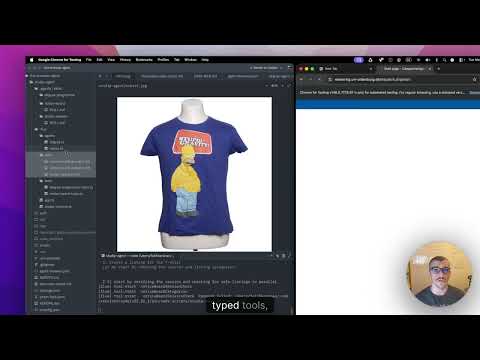

A 5-minute walkthrough showing the Notice Board agent in action:
pnpm notice "Can you check the Stud.IP Notice Board to see if anybody listed a sofa that I can buy, bookmark the relevant ones if you find a good match? Then create a Notice Board listing for my Simpsons T-shirt using studip-agent/tshirt.jpg if possible. The price is 10 euros and the description should be very simple. Dont forget to mention in the descripton of the add that it is 2 years old and it has a small whole on the back."The agent searches the notice board for a sofa, bookmarks relevant matches, then navigates to create a new listing — uploading a photo, filling in the title, price, and description with the exact details specified — all autonomously.
Run commands from this directory:
cd studip-agentInstall dependencies:
pnpm installCreate your local non-secret environment file:
cp .env.example .envKeep provider API keys out of .env so the model cannot read them as files. Export keys in your shell or secret manager instead:
export FIREWORKS_API_KEY=...The model is configurable through .env:
STUDIP_AGENT_MODEL=fireworks/accounts/fireworks/models/minimax-m2p7You can switch providers by changing the model and exporting the provider's normal pi-ai/Flue key variable, for example:
STUDIP_AGENT_MODEL=openrouter/moonshotai/kimi-k2.6
export OPENROUTER_API_KEY=...
The runtime mirrors pi-ai's known provider key list, including OpenAI, Anthropic, Azure OpenAI, Gemini, Vertex API-key mode, Groq, Cerebras, xAI, OpenRouter, Vercel AI Gateway, Z.ai, Mistral, Minimax, Moonshot, Hugging Face, Fireworks, OpenCode, Kimi, GitHub Copilot, Cloudflare, and Xiaomi key variables. For custom providers, use STUDIP_AGENT_API_KEY; set STUDIP_AGENT_PROVIDER only if the provider slug is not the prefix before / in STUDIP_AGENT_MODEL.
At runtime .flue/app.ts copies any present provider API keys into Flue's provider registry and removes those key variables from process.env before the local agent sandbox is created. This prevents LLM-facing shell commands from seeing them via env / printenv.
Make sure agent-browser is installed and Chrome is available:
agent-browser --version
agent-browser install
Check the browser environment:
pnpm studip:doctorLog in once with the visible browser so OTP can be completed manually:
pnpm studip:loginAfter login succeeds, auth state is saved to:
auth/studip-auth.json
That file is ignored by git.
pnpm studip:doctor
pnpm studip:check
pnpm studip:login
For faster non-interactive checks, run headless:
AGENT_BROWSER_HEADED=false pnpm studip:checkpnpm degree courses
pnpm degree resolve-course "Public Economics"
pnpm degree overview --course "Public Economics"
pnpm degree files --course "Public Economics"
pnpm degree schedule --course "Public Economics"
pnpm degree next-sessions --course "Public Economics" --days 14
pnpm degree next-materials --course "Public Economics" --days 14
pnpm degree weekly-brief --course "Public Economics" --days 14
pnpm degree weekly-brief --course "Public Economics" --days 14 --note trueMaterial download / extraction helpers:
pnpm degree download-materials --course "Public Economics" --query "VL7"
pnpm degree extract-materials --course "Public Economics" --query "VL7"
pnpm degree organize-materials --course "Public Economics" --dry-runpnpm notice-board categories
pnpm notice-board resolve "Computer und Technick[Biete]"
pnpm notice-board list "Jobbörse"
pnpm notice-board list "Jobbörse" "AI"
pnpm notice-board bookmark "Jobbörse" "Tutor"Create/edit/delete helpers exist too, but use them carefully because they change real Stud.IP state:
pnpm notice-board create-listing --category "Dies & Das" --title "..." --description "..."
pnpm notice-board edit-listing --id "<article-id-or-url>" --title "..."
pnpm notice-board delete-listing --id "<article-id-or-url>"Run the Degree Programme agent:
pnpm degree-agent "Prepare me for next week's Public Economics session"Run the Notice Board agent:
pnpm notice "Find AI-related student jobs on the Notice Board"You can also invoke Flue directly:
pnpm flue:run degree --payload '{"task":"Prepare me for next week Public Economics"}'
pnpm flue:run notice --payload '{"task":"List recent Jobbörse entries about AI"}'Good prompts for a video demo:
Prepare me for next week's Public Economics session.
Find my Public Economics course, look at the next sessions, and tell me what to prepare.
List recent Jobbörse Notice Board entries related to AI or tutoring.
Resolve the category text "Computer und Technick[Biete]" and show matching listings.
Download and extract the next likely Public Economics lecture material.
Safer Notice Board demo prompt:
List recent Jobbörse postings about tutoring, but do not bookmark or respond.
Potentially state-changing prompt:
Bookmark the first matching Jobbörse listing about tutoring.
Only use state-changing prompts if you are comfortable affecting the real account.
.flue/agents/                  # Flue agent entry points
.flue/tools/                   # Typed Flue tools wrapping deterministic scripts
.agents/skills/                # Markdown skills used by Flue sessions
scripts/studip-session.mjs     # login/check/doctor helpers
scripts/degree-programme.mjs   # deterministic Stud.IP course helpers
scripts/notice-board.mjs       # deterministic Notice Board helpers
scripts/lib/agent-browser-batch.mjs
                                # shared agent-browser batch/json helpers
auth/                          # saved browser auth state, gitignored
logs/                          # Flue run logs, gitignored
materials/                     # downloaded/extracted course materials, gitignored
The project intentionally combines two layers:
- Deterministic scripts handle fragile browser mechanics: auth state, direct Stud.IP URLs, DOM extraction, downloads, and form submission.
- Flue agents and skills handle natural-language interpretation, tool choice, and final structured summaries.
This keeps browser automation reliable while still making the user interface feel agentic.
-
This is personal automation against a real Stud.IP account. Do not treat it as production software.
-
OTP login still requires a headed browser. Use
pnpm studip:loginwhen auth expires. -
For automated runs, prefer headless mode:
AGENT_BROWSER_HEADED=false pnpm studip:check
-
agent-browser batch --jsonis much faster than many separate commands, but agent-browser0.27.0does not handle concurrent batch calls to the same daemon reliably. Avoid parallel browser-heavy agents. -
Conditional waits such as
wait --textandwait --fnwork as standalone commands, but were observed to hang insidebatch --jsonwhen the condition is not met. -
If the browser daemon appears stuck, try:
pnpm studip:doctor
pkill -f agent-browser
pnpm studip:check
-
Notice Board create/edit/delete/respond workflows affect real Stud.IP state. Prefer list/resolve workflows during demos unless you intentionally want to show a state-changing action.
-
Do not show
.env,auth/,logs/, or downloadedmaterials/on screen unless you have checked them for private data. -
Keep API keys out of
.env; use shell/secret-manager environment variables so.flue/app.tscan register and scrub them before the model gets tools.
A quick sanity check sequence:
cd studip-agent
pnpm studip:doctor
AGENT_BROWSER_HEADED=false pnpm studip:check
AGENT_BROWSER_HEADED=false pnpm degree courses
AGENT_BROWSER_HEADED=false pnpm degree overview --course "Public Economics"
AGENT_BROWSER_HEADED=false pnpm notice-board categories
Then run one Flue demo:
AGENT_BROWSER_HEADED=false pnpm degree-agent "Prepare me for next week's Public Economics session"