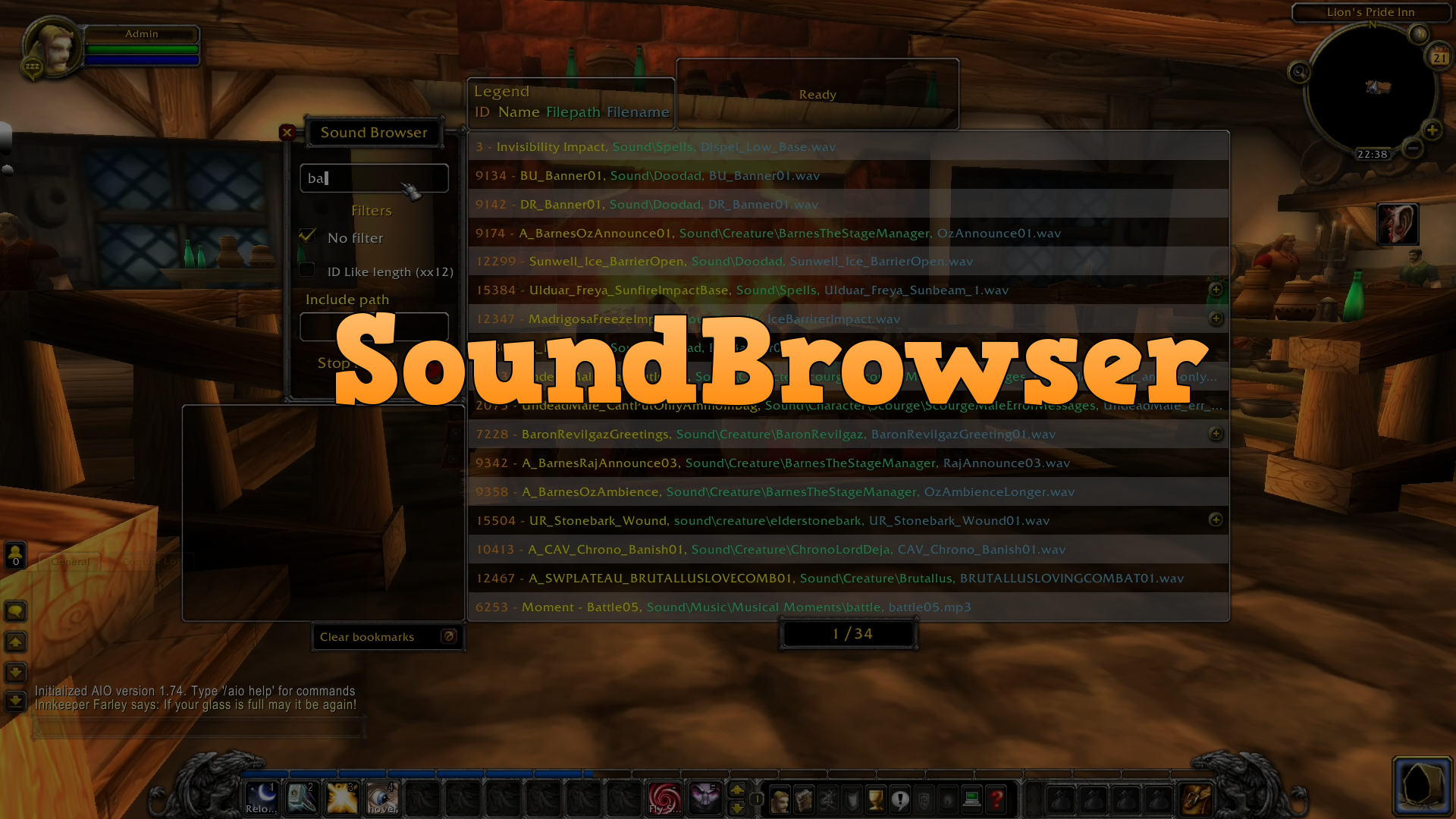
A WotLK sound browsing addon
Two filter options + an extra that works with the two filter options.
- Standard filter, search by ID, name, path, filename.
- Search by ID with same length as the input text, matching numbers and filling in blanks (x or .).
- Extra filter option to include path while searching.
Other features
- Stop music played by the addon.
- Bookmark your favourite sounds.
- Play up individual sounds tied to the same ID

-
Left click the ear icon to open/close the window.
-
Right click and hold to move the ear icon.
-
The frame is moveable by holding left click on the title text "Sound Browser" and the frame below it.
-
Right click a row with a plus sign to open up the window with additional sounds, click the shaded area to close it again.
-
Click the middle mouse button while hovering on a row to add/remove bookmark.
-
You can scroll through the pages with the mousewheel while hovering in the results frame.
If you have custom sounds, please follow the step below: Preparing sound data
- Download the addon
- Unpack the file
- Open the unpacked file and rename the folder named
SoundBrowser-mastertoSoundBrowser - Put the renamed folder into the AddOns folder:
World of Warcraft\Interface\AddOns - Start or restart WoW if already running
- Recommended: Set script memory to 0, this helps against most game crashes caused by addons, click link for instructions.
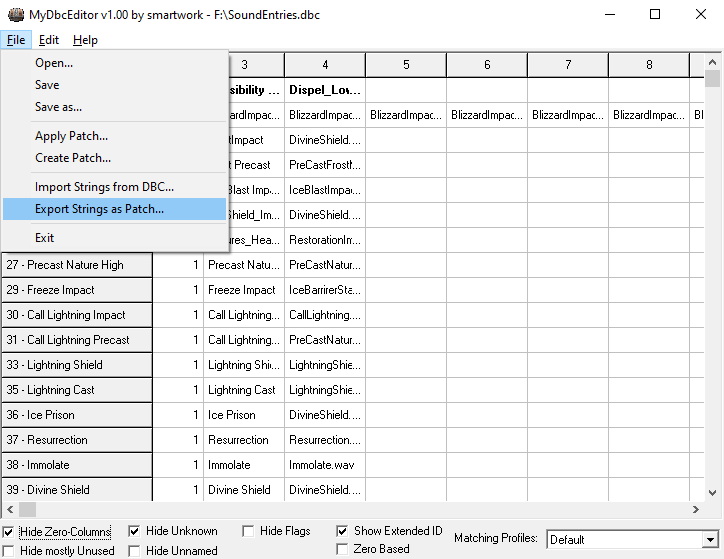
Export the dbc.
Click File -> Export Strings as Patch...
(See image below)
Save it as a .txt.
Open it up, select all of the content with Ctrl-A.
Go into the addon's folder and open SoundEntries.lua
Paste the content from the .txt file into the soundEntryDBC = [[PASTE HERE]] table. (See image below)
Start of the table should look like this after it has been pasted.

End of the table should look like this after it has been pasted.

Save the file and done!