언리얼 엔진 로컬라이제이션(.po) 파일 AI 번역 도구


English | 한국어
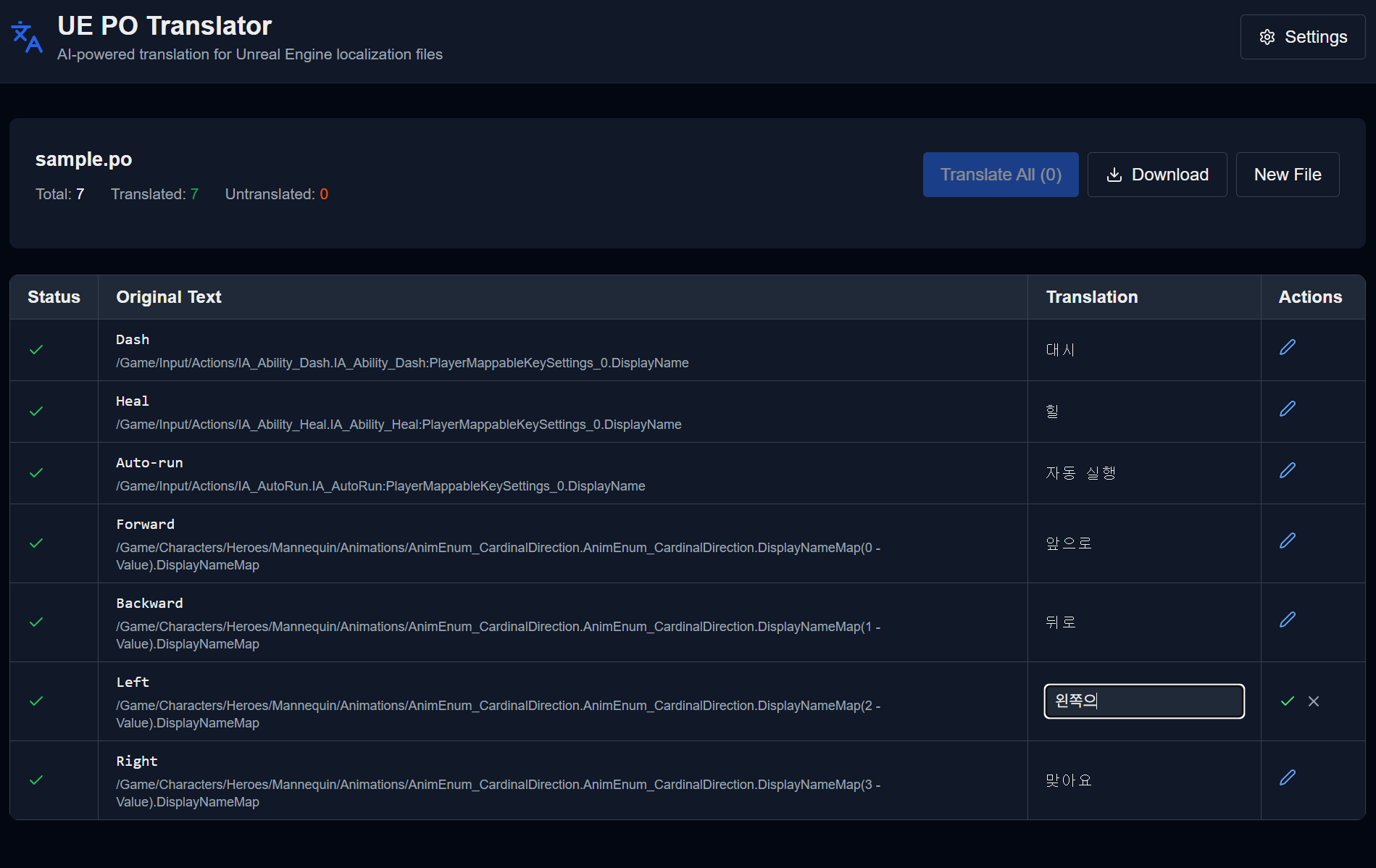
.po 파일을 업로드하고 AI로 자동 번역한 후, 검토하고 다운로드하세요.
# 저장소 클론
git clone https://github.com/genorca/ue-po-translator.git
cd ue-po-translator

# 의존성 설치
npm install방법 A: 환경 변수 사용 (권장)
cp .env.example .env
# .env 파일을 열고 VARCO API 키 입력VARCO_API_KEY=your_api_key_here
VARCO_GAME_CODE=linw방법 B: 웹 UI에서 입력
환경 변수 설정을 건너뛰고, 웹 UI의 Settings에서 개인 API 키를 입력할 수 있습니다.
npm run dev브라우저에서 http://localhost:3000 접속
- 파일 업로드 - .po 파일을 드래그 앤 드롭 또는 클릭하여 선택
- 번역 실행 - "Translate All" 버튼으로 미번역 항목 자동 번역
- 검토 및 수정 - 테이블에서 번역 결과 확인 및 수정
- 다운로드 - 번역된 .po 파일 다운로드
- Import - UE Localization Dashboard에서 Import
기여를 환영합니다. 다음 절차를 따라주세요:
- Fork the Project
- Create your Feature Branch (
git checkout -b feature/AmazingFeature) - Commit your Changes (
git commit -m 'Add some AmazingFeature') - Push to the Branch (
git push origin feature/AmazingFeature) - Open a Pull Request
MIT 라이선스 - 자세한 내용은 LICENSE 파일을 참조하세요.