



XerifeTv CMS is an ASP.NET Core content management system for OTT streaming catalogs. It provides an administrative interface for managing movies, series, episodes, live channels, franchises, users, webhooks, media delivery profiles, and asynchronous import jobs, plus a public Content API for client applications.
The project is built as a modular MVC application with MongoDB persistence, JWT-based sessions, background processing, spreadsheet ingestion, TMDB metadata integration, Supabase file storage, webhook dispatching, audit logging, and OpenAPI documentation.
- Overview
- Features
- Architecture
- Solution Structure
- Technology Stack
- Software Engineering Concepts
- Design Patterns
- Security
- Integrations
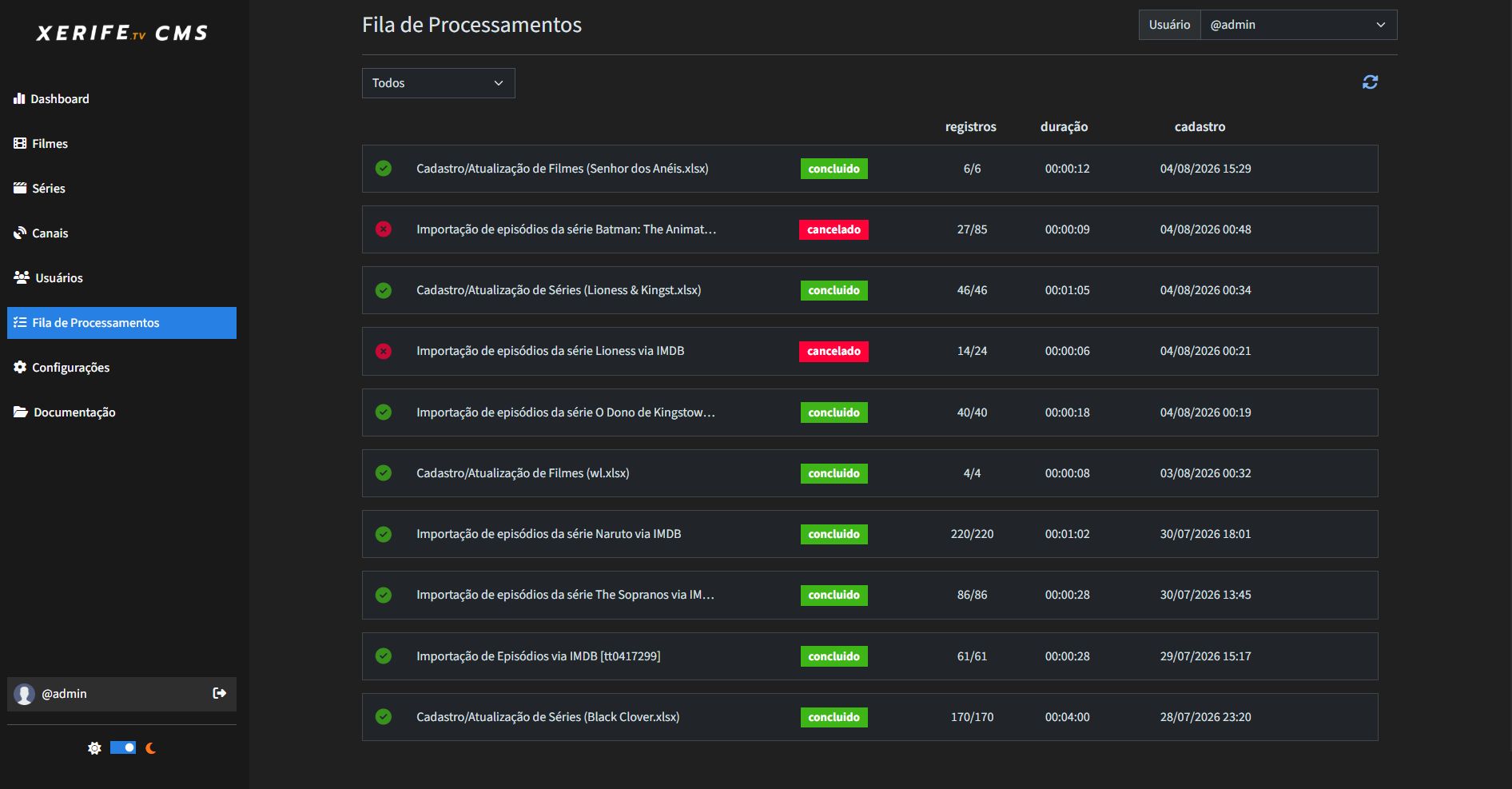
- Background Processing
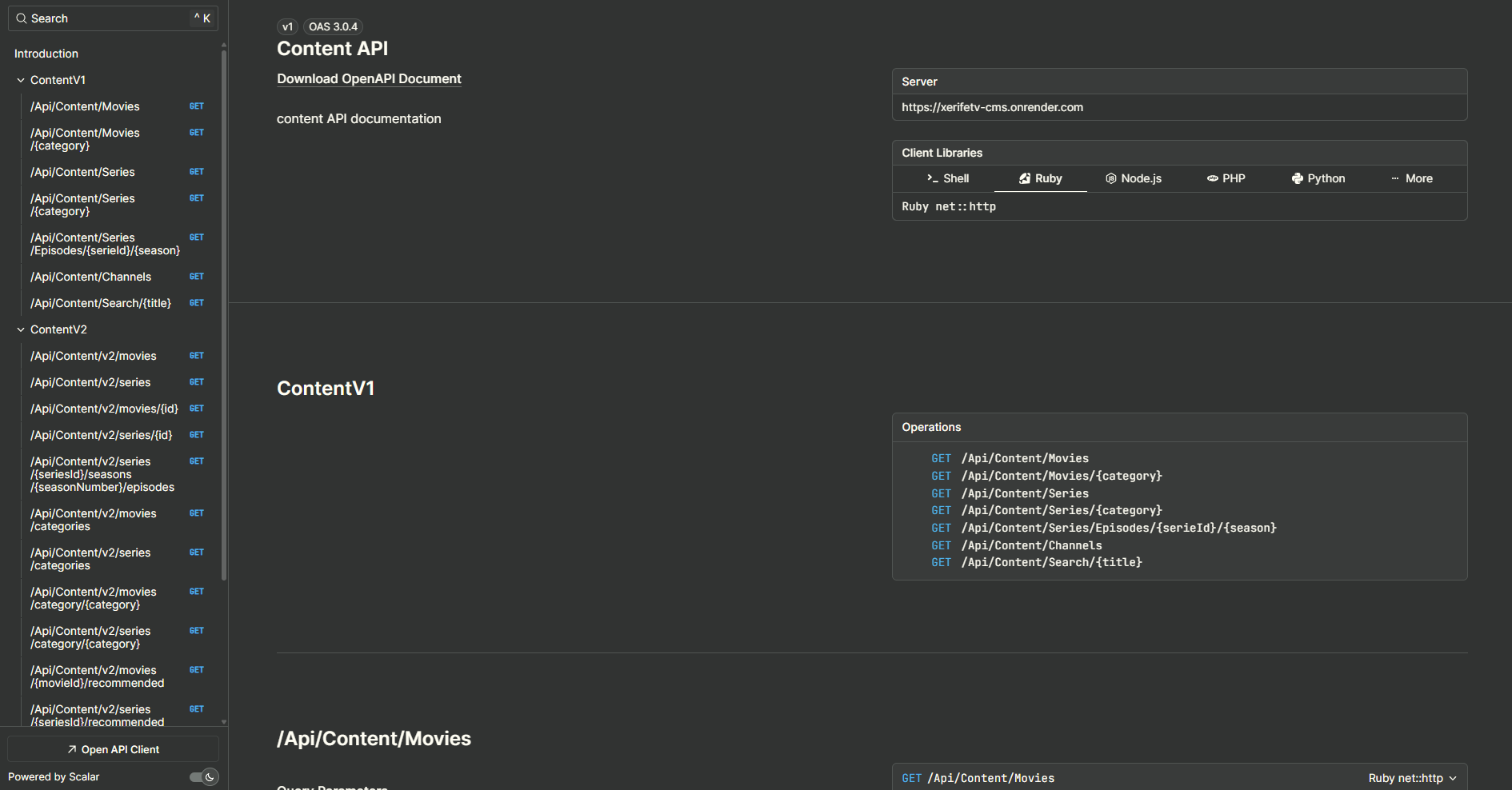
- Content API
- Screenshots
- Folder Structure
- Installation
- Configuration
- Development
- Roadmap
- License
XerifeTv CMS solves the operational problem of maintaining a streaming catalog from a back-office interface while also exposing normalized content data to external clients through REST endpoints.
The system is intended for administrators and content operators who need to:
- Register, search, update, disable, and remove catalog content.
- Import large content batches from Excel spreadsheets.
- Enrich movies, series, and episodes with metadata from TMDB using IMDb IDs.
- Manage playback URLs through configurable media delivery profiles.
- Track background job progress and cancel long-running imports.
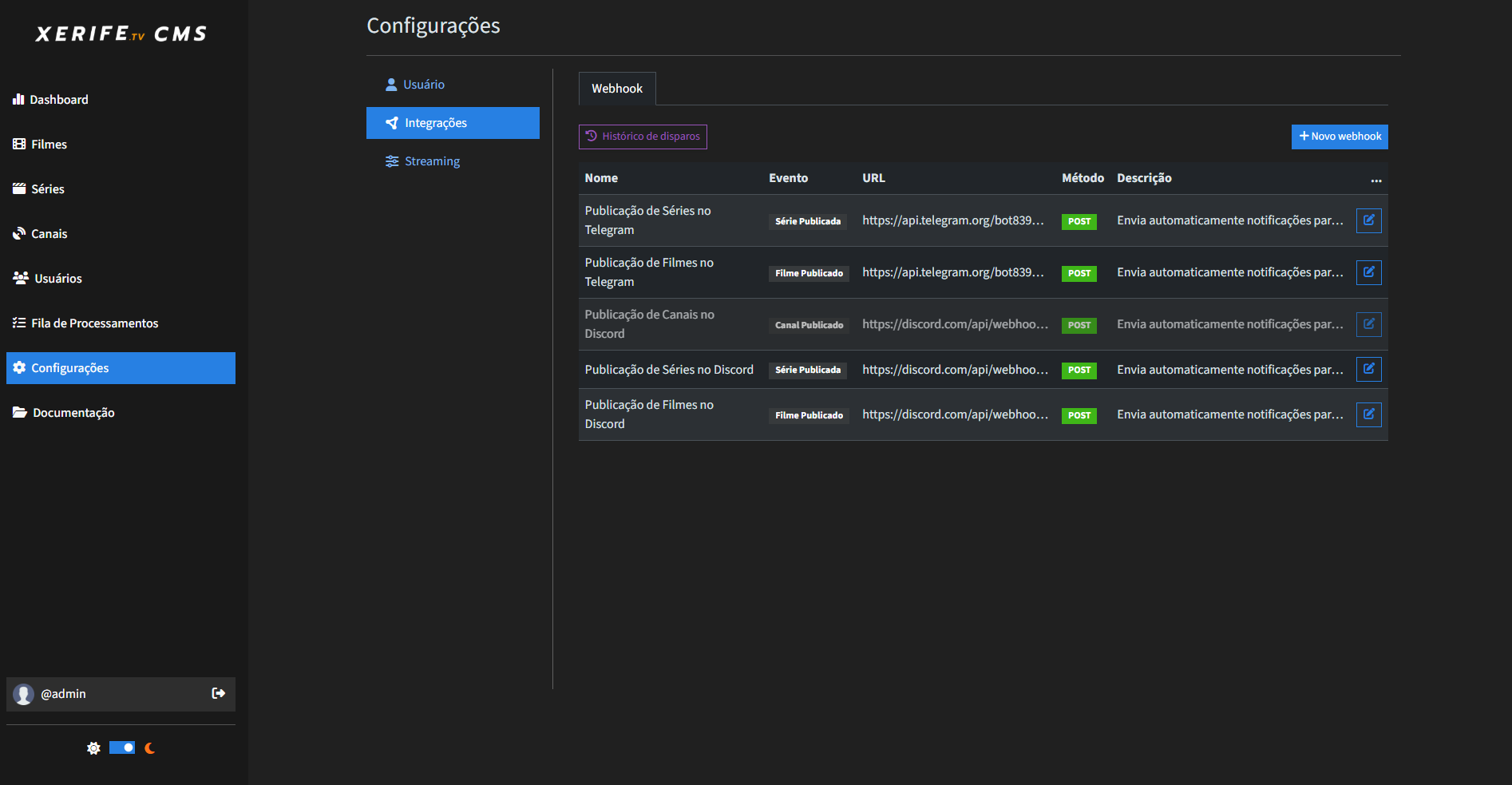
- Publish content-related webhook events to downstream systems.
- Expose curated movie, series, episode, channel, category, recommendation, and home-screen data through a public API.
The codebase is organized by business modules inside a single ASP.NET Core project. Controllers handle HTTP/UI concerns, services coordinate application behavior, repositories isolate MongoDB access, and shared abstractions provide reusable entities, result handling, pagination, caching, spreadsheet reading, storage, and media value objects.
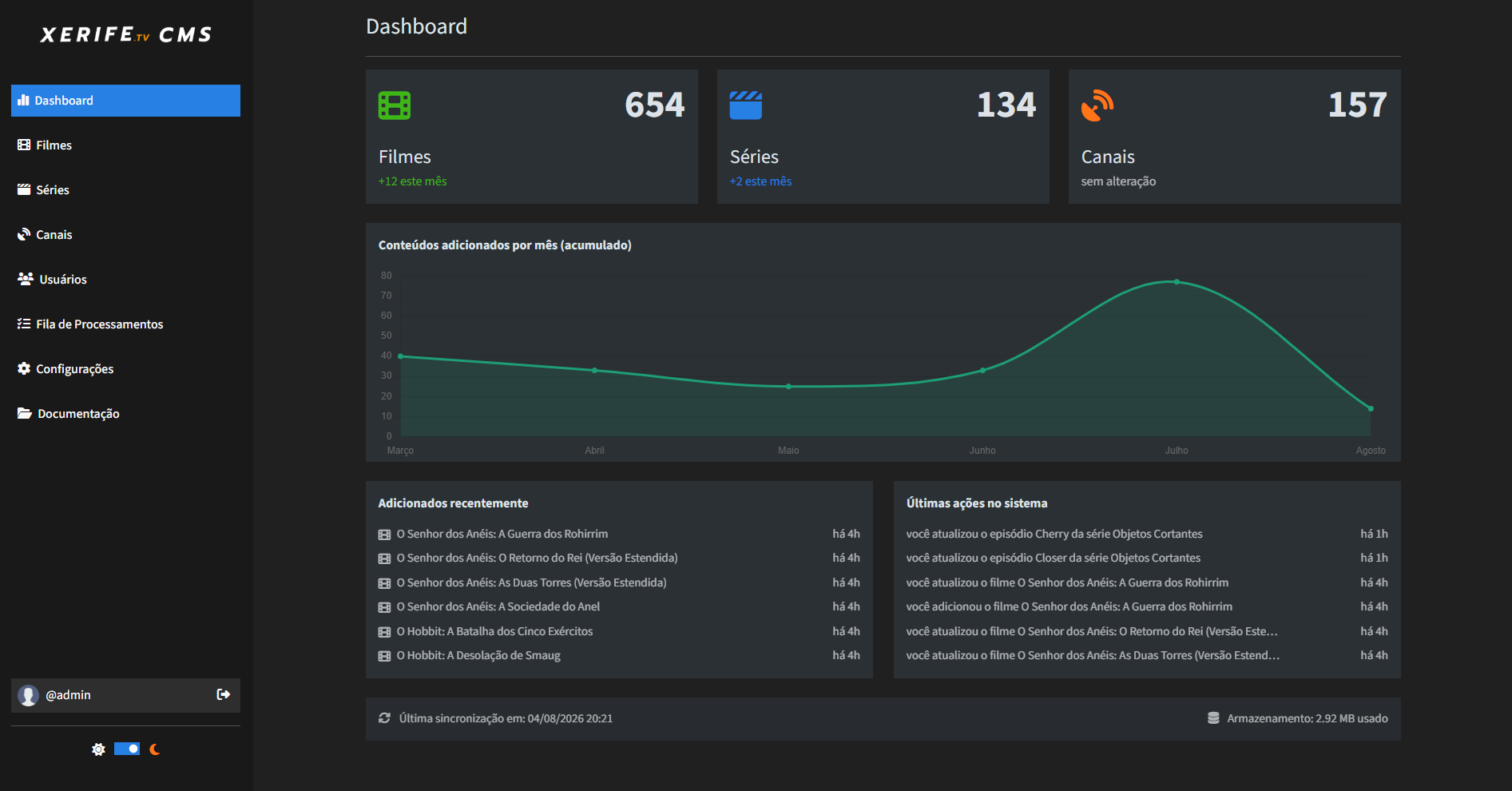
- Dashboard with total movies, series, and channels.
- Current-month content counts.
- Last six months of content registration metrics.
- Latest content activity across movies, series, and channels.
- Latest audit log actions.
- MongoDB storage size reporting through
dbStats.
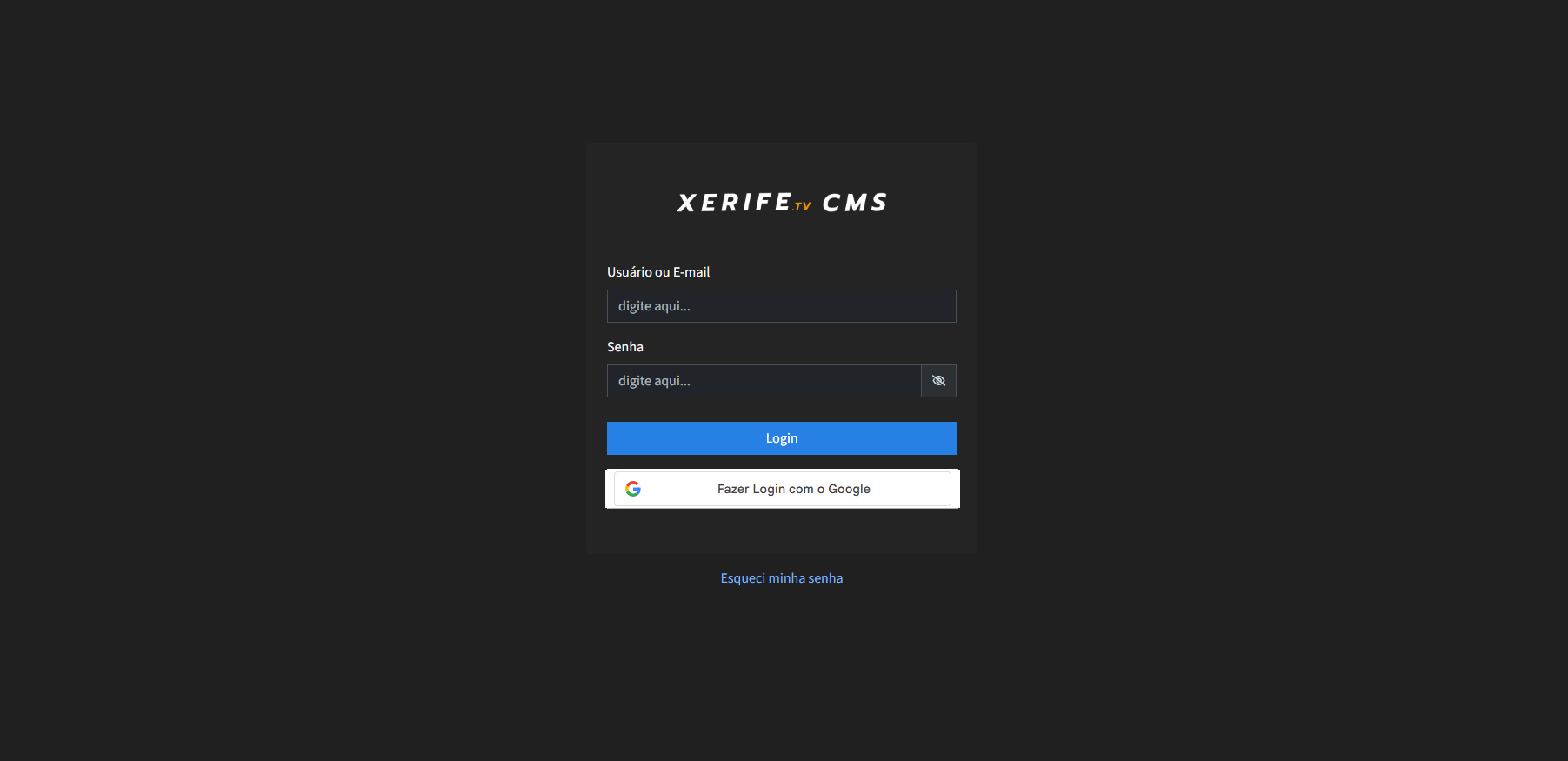
- Username/password login.
- Google login strategy support.
- JWT access tokens and refresh tokens.
- HTTP-only secure cookies for session tokens.
- Session refresh flow when protected requests return unauthorized.
- Password reset email flow.
- User registration, update, and deletion.
- User blocking support.
- Role-based access for
ADMIN,COMMON, andVISITOR.
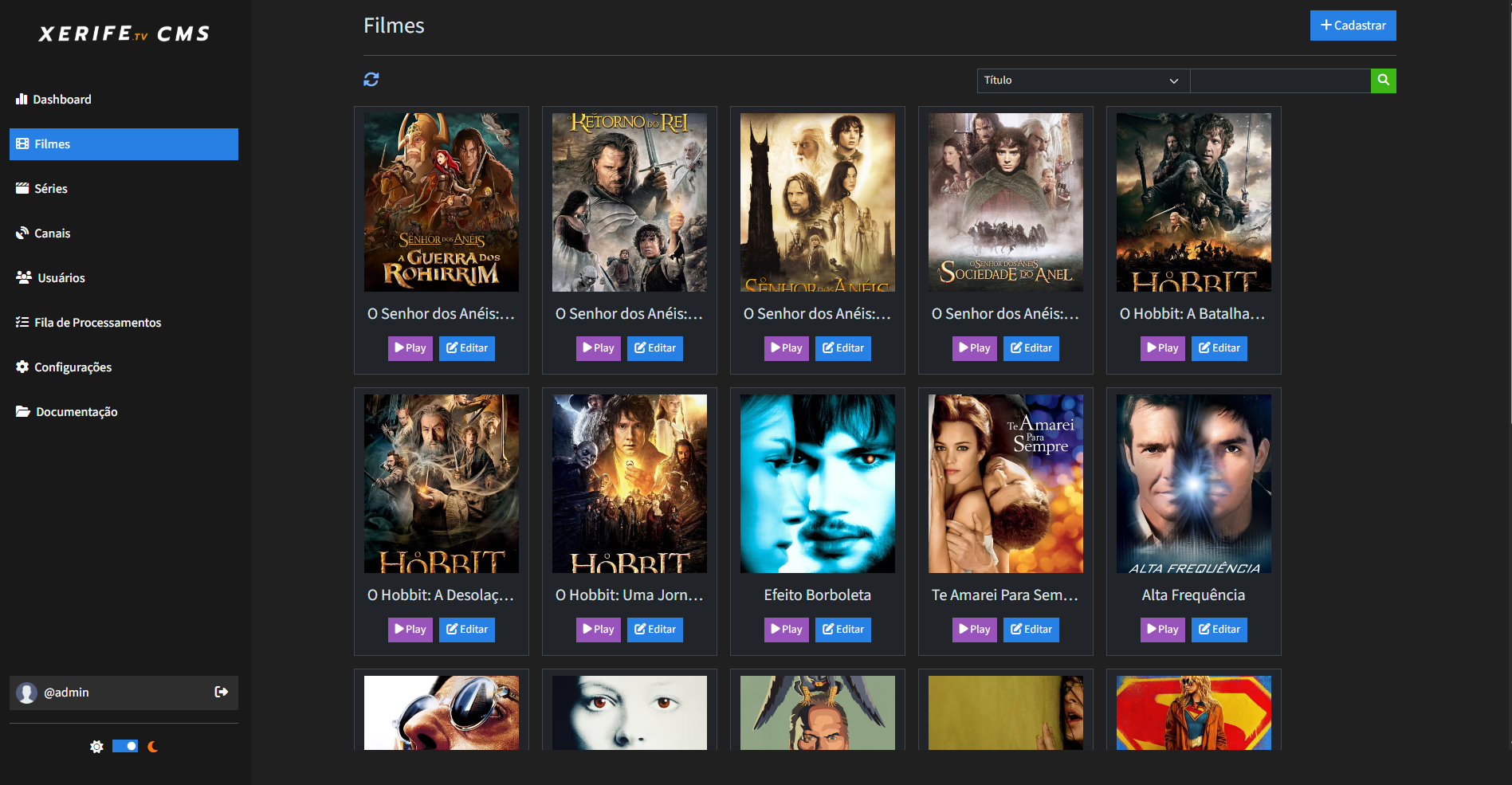
- Movie listing with pagination.
- Search/filter support.
- Create, update, and delete workflows.
- IMDb ID uniqueness validation.
- TMDB metadata lookup by IMDb ID.
- Categories, review score, release year, synopsis, parental rating, poster, banner, video, trailer, franchise, and media delivery metadata.
- Spreadsheet import with progress monitoring and cancellation.
- Audit logging for create, update, delete, import start, and import cancellation.
- Series listing with pagination.
- Search/filter support.
- Create, update, and delete workflows.
- IMDb ID uniqueness validation.
- Series metadata lookup by IMDb ID through TMDB.
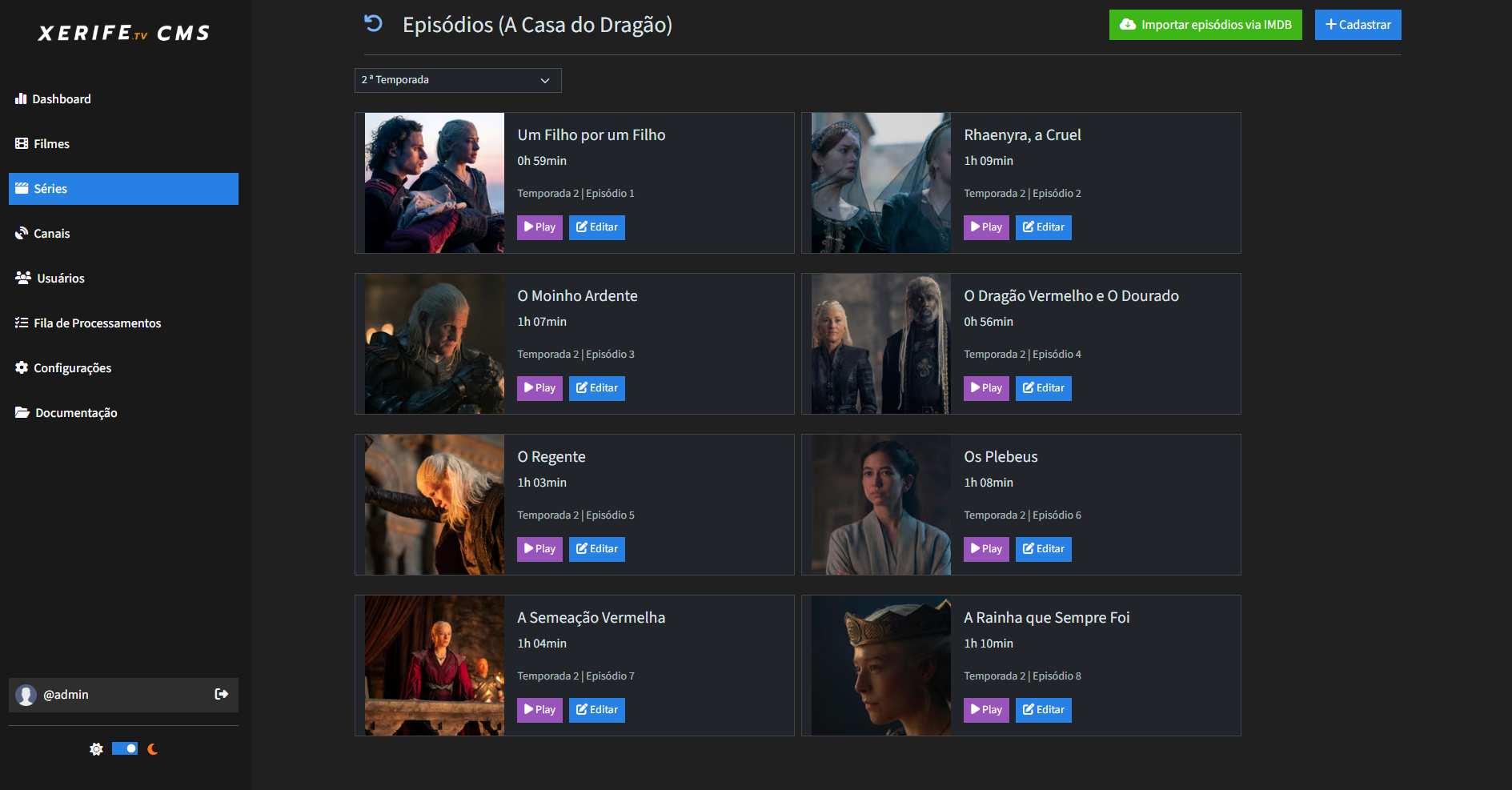
- Season and episode management.
- Episode create, update, and delete workflows.
- Automated episode import by series IMDb ID.
- Spreadsheet import for series and episodes.
- Progress monitoring and cancellation for spreadsheet and episode imports.
- Trailer and franchise support.
- Audit logging for series and episode operations.
- Channel listing and management.
- Category support.
- Logo URL and video metadata.
- Media delivery profile integration.
- Spreadsheet import with monitoring and cancellation.
- Channel publication webhook support.
- Franchise search and management.
- Movie and series association through
FranchiseId. - Reusable franchise field partial for content forms.
- Media delivery profile management.
- URL resolution endpoint for profile-based media paths.
- Fixed URL resolution endpoint.
- Stream format support.
- Token strategies:
- No token.
- Static query parameters.
- Signed query parameters using HMAC-SHA256.
- Webhook CRUD from the settings area.
- Trigger events for movie, series, and channel publication.
- Configurable HTTP method, headers, URL, and payload template.
- Template keyword replacement from published entities.
- Background webhook dispatch jobs.
- Retry support with up to five attempts.
- Dispatch history with request/response metadata and per-attempt logs.
- Manual redispatch support from webhook history.
- MongoDB-backed job queue.
- Hosted worker service.
- Two concurrent jobs by default.
- Job statuses, progress counters, successful/failed counts, and error lists.
- AJAX-powered job list updates.
- Cancellation for pending and running jobs.
- User notification tracking for completed or failed jobs.
- Processor strategies for imports, episode imports, category distribution, and webhook dispatch.
- Versioned Content API endpoints.
- v1 compatibility endpoints under
/Api/Content. - v2 endpoints under
/Api/Content/v2. - Movies, series, episodes, categories, grouped categories, search, recommendations, and home content.
- In-memory response caching.
- Encrypted content identifiers/fields where configured through
SecuritySettings:ContentEncryptionKey. - Swagger/OpenAPI JSON under
/openapi/v1.json. - Scalar API reference UI at
/Api.
- EPPlus-based spreadsheet processing.
- Import templates in
wwwroot/templates. - Supabase Storage uploads for spreadsheets and accepted media-related files.
- Accepted storage extensions currently include
.vtt,.xlsx, and.xls.
- Administrative audit trail for user and content operations.
- Dashboard integration for recent system actions.
- User-scoped audit log retrieval.
- ASP.NET Core MVC with Razor views.
- Bootstrap, jQuery, and unobtrusive validation.
- Shared modals and partials for imports, pagination, video settings, franchises, key/value inputs, webhook forms, and media delivery profiles.
- Subtitle sync bar tooling in the video modal with offset controls and VTT export support.
- Configurable Bootswatch-style theme setting (
cosmoorspacelab).
XerifeTv CMS is a modular monolith. The application is deployed as one ASP.NET Core process, but the code is separated by domain-oriented modules such as Movie, Series, Channel, User, Content, Dashboard, Integrations, Media.Delivery, AuditLog, and BackgroundJobQueue.
The dependency flow is intentionally simple:
- Controllers depend on module interfaces and DTOs.
- Services implement application use cases and return
Result<T>. - Repositories encapsulate MongoDB queries.
- Shared abstractions provide reusable infrastructure and primitives.
- Background processors reuse the same services and repositories through scoped dependency injection.
flowchart TD
    Browser[Admin browser] --> MVC[MVC Controllers + Razor Views]
    Client[External OTT client] --> API[Content API Controllers]

    MVC --> Services[Module Services]
    API --> ContentServices[Content Services]
    Services --> Repositories[MongoDB Repositories]
    ContentServices --> Repositories
    Repositories --> Mongo[(MongoDB)]

    MVC --> Jobs[Background Job Queue Service]
    Jobs --> Mongo
    Worker[Hosted Background Worker] --> Processors[Job Processor Strategies]
    Processors --> Services
    Processors --> Webhooks[External Webhooks]

    Services --> TMDB[TMDB API]
    Services --> Supabase[Supabase Storage]
sequenceDiagram
    participant User as Admin User
    participant Controller as MVC Controller
    participant Service as Module Service
    participant Repository as Repository
    participant Mongo as MongoDB

    User->>Controller: Submit catalog operation
    Controller->>Service: Send request DTO
    Service->>Repository: Query or persist entity
    Repository->>Mongo: Execute MongoDB operation
    Mongo-->>Repository: Entity/result
    Repository-->>Service: Domain data
    Service-->>Controller: Result<T>
    Controller-->>User: View, redirect, or JSON response
flowchart LR
    UI[Admin action] --> Queue[BackgroundJobQueueService]
    Queue --> Store[(MongoDB job collection)]
    Worker[BackgroundJobQueueWorker] --> Store
    Worker --> Strategy{Processor strategy}
    Strategy --> Spreadsheet[Spreadsheet import]
    Strategy --> Episodes[TMDB episode import]
    Strategy --> Categories[Category distribution]
    Strategy --> Dispatch[Webhook dispatch]
    Dispatch --> History[(Webhook dispatch history)]
flowchart TD
    Consumer[Client app] --> ContentAPI[Content API v1/v2]
    ContentAPI --> Cache{In-memory cache}
    Cache -->|hit| Response[HTTP response]
    Cache -->|miss| ContentService[Content service]
    ContentService --> MovieRepo[Movie repository]
    ContentService --> SeriesRepo[Series repository]
    MovieRepo --> Mongo[(MongoDB)]
    SeriesRepo --> Mongo
    ContentService --> Cache
    Cache --> Response
This repository currently contains one ASP.NET Core project:
| Path | Responsibility |
|---|---|
XerifeTv.CMS.csproj |
.NET 8 web project and NuGet references. |
Program.cs |
Application startup, middleware, CORS, MVC routing, authentication, Swagger, and Scalar setup. |
Controllers/ |
MVC and API controllers for dashboard, users, catalog modules, settings, storage, background jobs, media delivery, and public Content API. |
Modules/ |
Business modules, services, repositories, DTOs, entities, importers, strategies, and integrations. |
Shared/ |
Cross-cutting helpers, MongoDB configuration, dependency injection registration, and controller extensions. |
Views/ |
Razor views and partials for the admin UI. |
wwwroot/ |
Static assets, JavaScript, CSS, Excel templates, Bootstrap, jQuery, and validation libraries. |
Properties/launchSettings.json |
Local HTTP/HTTPS launch profiles. |
Dockerfile |
Multi-stage Docker build for publishing and running the ASP.NET Core application. |
| Technology | Usage |
|---|---|
| C# / .NET 8 | Primary language and runtime. |
| ASP.NET Core MVC | Admin UI and controller routing. |
| Razor Views | Server-rendered management interface. |
| ASP.NET Core Hosted Services | Background job worker. |
| ASP.NET Core Authentication/Authorization | JWT bearer authentication and role-based authorization. |
| Technology | Usage |
|---|---|
| MongoDB.Driver | Document persistence for content, users, jobs, webhooks, audit logs, and settings. |
| Supabase Storage | Upload target for spreadsheet and media-related files. |
| IMemoryCache | Short-lived API response caching and job cancellation flags. |
| Technology | Usage |
|---|---|
| Swashbuckle.AspNetCore | OpenAPI document generation. |
| Scalar.AspNetCore | API reference UI at /Api. |
| TMDB API | Metadata lookup using IMDb IDs. |
| Technology | Usage |
|---|---|
| Razor | View composition and partials. |
| Bootstrap | Layout and UI components. |
| jQuery | Interactive UI behavior and AJAX flows. |
| jQuery Validation | Client-side form validation. |
| Technology | Usage |
|---|---|
| EPPlus | Excel spreadsheet parsing. |
| System.IdentityModel.Tokens.Jwt | JWT generation and validation. |
| Docker | Containerized publish/runtime environment. |
The following concepts are implemented in the current codebase:
| Concept | Where it appears |
|---|---|
| Modular monolith | Business capabilities are grouped under Modules/* while deployed as one web app. |
| Layered architecture | Controllers, services, repositories, DTOs, entities, and shared abstractions have separate responsibilities. |
| Dependency injection | Shared/Extensions/ConfigureServices.cs registers services, repositories, strategies, and hosted workers. |
| Repository pattern | BaseRepository<T> and module repositories isolate MongoDB access. |
| Result pattern | Modules/Common/Result.cs standardizes success/failure returns without throwing for expected errors. |
| DTO mapping | Request/response DTOs protect controllers and APIs from direct persistence-model coupling. |
| Specification pattern | User, movie, series, and channel uniqueness checks use specification classes. |
| Strategy pattern | Login providers, media delivery tokens, background processors, and spreadsheet importers use interchangeable strategies. |
| Background processing | BackgroundJobQueueWorker processes queued jobs outside the request lifecycle. |
| Cancellation | Spreadsheet and episode imports can be cancelled through cache-backed cancellation flags. |
| Retry policies | Webhook dispatch retries failed calls up to five times with increasing delay. |
| Pagination | PagedList<T> and controller pagination support list screens and APIs. |
| Caching | Content API responses and job cancellation flags use IMemoryCache. |
| Role-based authorization | Controllers and actions restrict access by admin and common roles. |
| JWT and refresh tokens | Login produces access and refresh tokens, with a refresh endpoint for expired sessions. |
| Audit logging | Administrative actions write audit entries and feed dashboard activity. |
| External API integration | TMDB is used for metadata lookup and episode import. |
| File storage abstraction | Supabase uploads are accessed through IStorageFilesService. |
| OpenAPI documentation | Swagger generation and Scalar UI document the Content API. |
| Pattern | Implementation |
|---|---|
| Repository | MovieRepository, SeriesRepository, ChannelRepository, UserRepository, WebhookRepository, and other repositories derive from or follow the base repository abstraction. |
| Strategy | ILoginStrategy, IMediaDeliveryTokenStrategy, IBackgroundJobProcessorStrategy, ISpreadsheetBatchImporter<T>, and IEpisodesImporter. |
| Template-like shared base | BaseRepository<T> centralizes common CRUD, counting, and pagination behavior. |
| Specification | UniqueUsernameSpecification, UniqueEmailSpecification, UniqueImdbIdSpecification, and UniqueTitleSpecification. |
| DTO / Mapper methods | DTOs expose FromEntity and ToEntity mapping methods across modules. |
| Hosted worker | BackgroundJobQueueWorker runs as an ASP.NET Core BackgroundService. |
| Options pattern | DBSettings is bound from MongoDBConfig. |
- Authentication uses ASP.NET Core JWT bearer authentication.
- Tokens are generated by
TokenService. - Login supports basic credentials and Google token payload validation through separate strategies.
- Access and refresh tokens are stored in HTTP-only, secure, strict SameSite cookies.
- Authorization is enforced with
[Authorize]and role constraints across controllers. - Admin-only areas include user management, settings, webhooks, and media delivery profile management.
- Password hashing is handled through
IHashPasswordusing the configured hash salt. - Password reset uses a reset-code workflow and email delivery.
- Content API response fields can use the configured
SecuritySettings:ContentEncryptionKey. - Supabase uploads restrict accepted file extensions.
Important: do not commit real secrets in appsettings.Development.json. Use local user secrets, environment variables, or a secrets manager for MongoDB credentials, JWT keys, TMDB keys, Supabase keys, Google OAuth credentials, email passwords, and encryption keys.
| Integration | Purpose |
|---|---|
| TMDB API | Movie, series, and episode metadata lookup using IMDb IDs. |
| Supabase Storage | File uploads for import spreadsheets and accepted media-related files. |
| MongoDB | Primary persistence for application data. |
| Google OAuth | Google sign-in support through the Google login strategy. |
| External Webhooks | Outbound content publication events for movies, series, and channels. |
| SMTP-compatible email account | Password reset email delivery. |
Background jobs are stored in MongoDB and processed by BackgroundJobQueueWorker. The worker polls for pending jobs, limits concurrent execution to two jobs, chooses the correct IBackgroundJobProcessorStrategy, and updates progress in the job record.
Supported job types:
REGISTER_SPREADSHEET_MOVIESREGISTER_SPREADSHEET_SERIESREGISTER_SPREADSHEET_CHANNELSIMPORT_EPISODES_FROM_SERIES_IMDBCALCULATE_CATEGORY_DISTRIBUTION_FOR_CONTENT_API_MOVIESCALCULATE_CATEGORY_DISTRIBUTION_FOR_CONTENT_API_SERIESDISPATCH_WEBHOOKS_MOVIESDISPATCH_WEBHOOKS_SERIESDISPATCH_WEBHOOKS_CHANNELS
The job UI supports filtering, live updates, cancellation, deletion, and completed/failed notifications.
The public API is documented through OpenAPI and Scalar.
- Scalar UI:
https://localhost:7222/Api - OpenAPI JSON:
https://localhost:7222/openapi/v1.json
| Method | Route | Description |
|---|---|---|
GET |
/Api/Content/v2/movies |
Latest movies. |
GET |
/Api/Content/v2/series |
Latest series. |
GET |
/Api/Content/v2/movies/{id} |
Movie detail. |
GET |
/Api/Content/v2/series/{id} |
Series detail. |
GET |
/Api/Content/v2/series/{seriesId}/seasons/{seasonNumber}/episodes |
Episodes by season. |
GET |
/Api/Content/v2/movies/categories |
Movie category list. |
GET |
/Api/Content/v2/series/categories |
Series category list. |
GET |
/Api/Content/v2/movies/category/{category} |
Movies by category with pagination. |
GET |
/Api/Content/v2/series/category/{category} |
Series by category with pagination. |
GET |
/Api/Content/v2/movies/{movieId}/recommended |
Recommended movies. |
GET |
/Api/Content/v2/series/{seriesId}/recommended |
Recommended series. |
GET |
/Api/Content/v2/search?term={term} |
Search movies and series. |
GET |
/Api/Content/v2/home |
Featured content and category groups for a home screen. |
GET |
/Api/Content/v2/movies/categories/groups |
Grouped movies for selected categories. |
GET |
/Api/Content/v2/series/categories/groups |
Grouped series for selected categories. |
| Method | Route | Description |
|---|---|---|
GET |
/Api/Content/Movies |
Movies. |
GET |
/Api/Content/Movies/{category} |
Movies by category. |
GET |
/Api/Content/Series |
Series. |
GET |
/Api/Content/Series/{category} |
Series by category. |
GET |
/Api/Content/Series/Episodes/{serieId}/{season} |
Episodes by series and season. |
GET |
/Api/Content/Channels |
Channels. |
GET |
/Api/Content/Search/{title} |
Search content by title. |
.
|-- Controllers/
|   |-- ContentAPI/
|   |-- BackgroundJobQueueController.cs
|   |-- ChannelsController.cs
|   |-- MoviesController.cs
|   |-- SeriesController.cs
|   |-- SettingsController.cs
|   `-- UsersController.cs
|-- Modules/
|   |-- Abstractions/
|   |-- AuditLog/
|   |-- Authentication/
|   |-- BackgroundJobQueue/
|   |-- Channel/
|   |-- Common/
|   |-- Content/
|   |-- Dashboard/
|   |-- Franchise/
|   |-- Integrations/
|   |-- Media/
|   |-- Movie/
|   |-- Series/
|   `-- User/
|-- Shared/
|   |-- Database/
|   |-- Extensions/
|   `-- Helpers/
|-- Views/
|-- wwwroot/
|   |-- assets/
|   |-- css/
|   |-- js/
|   |-- lib/
|   `-- templates/
|-- Dockerfile
|-- Program.cs
`-- XerifeTv.CMS.csproj
- .NET SDK 8.0 or later.
- MongoDB instance, local or hosted.
- TMDB API key.
- Supabase project and storage bucket access.
- Google OAuth 2.0 Client ID for web login.
- SMTP-compatible email account for password reset emails.
- Docker, only if running the containerized build.
git clone https://github.com/GilbertSilvaa/XerifeTv.CMS.git
cd XerifeTv.CMS/XerifeTv.CMS
dotnet restorePrefer user secrets or environment variables for sensitive values.
dotnet user-secrets init
dotnet user-secrets set "MongoDBConfig:ConnectionString" "mongodb://localhost:27017"
dotnet user-secrets set "MongoDBConfig:DatabaseName" "xerifetv_content"
dotnet user-secrets set "Jwt:Key" "replace-with-a-long-random-secret"
dotnet user-secrets set "Jwt:ExpirationTimeInMinutes" "60"
dotnet user-secrets set "Jwt:RefreshExpirationTimeInMinutes" "120"
dotnet user-secrets set "Hash:Salt" "replace-with-random-password-salt"
dotnet user-secrets set "Tmdb:Key" "your-tmdb-api-key"
dotnet user-secrets set "Supabase:Url" "https://your-project.supabase.co"
dotnet user-secrets set "Supabase:Key" "your-supabase-key"
dotnet user-secrets set "OAuth2Google:ClientId" "your-google-client-id.apps.googleusercontent.com"
dotnet user-secrets set "EmailSettings:From" "your-email@example.com"
dotnet user-secrets set "EmailSettings:Password" "your-email-app-password"
dotnet user-secrets set "SecuritySettings:ContentEncryptionKey" "64-hex-character-key"
dotnet user-secrets set "baseUrl" "https://localhost:7222/"dotnet build
dotnet runDefault local profiles:
- HTTP:
http://localhost:5003 - HTTPS:
https://localhost:7222 - API reference:
https://localhost:7222/Api
Build the image:
docker build -t xerifetv-cms .Run the container with environment variables:
docker run --rm -p 8080:80 \
-e ASPNETCORE_ENVIRONMENT=Production \
-e MongoDBConfig__ConnectionString="mongodb://host.docker.internal:27017" \
-e MongoDBConfig__DatabaseName="xerifetv_content" \
-e Jwt__Key="replace-with-a-long-random-secret" \
-e Jwt__ExpirationTimeInMinutes="60" \
-e Jwt__RefreshExpirationTimeInMinutes="120" \
-e Hash__Salt="replace-with-random-password-salt" \
-e Tmdb__Key="your-tmdb-api-key" \
-e Supabase__Url="https://your-project.supabase.co" \
-e Supabase__Key="your-supabase-key" \
-e OAuth2Google__ClientId="your-google-client-id.apps.googleusercontent.com" \
-e EmailSettings__From="your-email@example.com" \
-e EmailSettings__Password="your-email-app-password" \
-e SecuritySettings__ContentEncryptionKey="64-hex-character-key" \
-e baseUrl="http://localhost:8080/" \
xerifetv-cmsThe application adds http://*:80 outside Development, so map host ports to container port 80.
| Key | Required | Description |
|---|---|---|
MongoDBConfig:ConnectionString |
Yes | MongoDB connection string. |
MongoDBConfig:DatabaseName |
Yes | MongoDB database name. |
Jwt:Key |
Yes | Signing key for access and refresh tokens. |
Jwt:Issuer |
Yes | JWT issuer. Defaults to Xerifetvcms in appsettings.json. |
Jwt:Audience |
Yes | JWT audience. Defaults to Xerifetvcms in appsettings.json. |
Jwt:ExpirationTimeInMinutes |
Yes | Access token lifetime. |
Jwt:RefreshExpirationTimeInMinutes |
Yes | Refresh token lifetime. |
Hash:Salt |
Yes | Salt used by password hashing. |
Tmdb:Key |
Yes | TMDB API key used for IMDb/TMDB metadata lookups. |
Supabase:Url |
Yes | Supabase project URL. |
Supabase:Key |
Yes | Supabase API key. |
EPPlus:ExcelPackage:LicenseContext |
Yes | EPPlus license context. Current config uses NonCommercial. |
EmailSettings:From |
Yes | Sender email for password reset. |
EmailSettings:Password |
Yes | Email password or app password. |
OAuth2Google:ClientId |
Yes for Google login | Google OAuth web client ID. |
SecuritySettings:ContentEncryptionKey |
Yes for Content API encryption | Key used by content response DTOs. |
baseUrl |
Yes | Public base URL used by email and callback flows. |
Theme |
No | UI theme value. Current supported values are cosmo and spacelab. |
Useful commands:
dotnet restore
dotnet build
dotnet run
dotnet publish -c Release -o outThere are no test projects in the current repository. If tests are added, place them in separate test projects and document the command here, for example dotnet test.
When adding a new module, follow the existing structure:
- Add the entity, DTOs, interfaces, service, and repository under
Modules/<ModuleName>. - Register interfaces and implementations in
Shared/Extensions/ConfigureServices.cs. - Add a controller under
Controllers/for UI or API entry points. - Add Razor views under
Views/<ModuleName>if the module has an administrative UI. - Use
Result<T>for expected application outcomes. - Keep MongoDB access inside repositories.
- Add audit logging for administrative state changes.
- Add background job strategies when work should not run inside the request lifecycle.
Potential next improvements based on the current repository state:
- Add automated unit and integration tests for services, repositories, importers, and Content API endpoints.
- Add CI for build validation and test execution.
- Move development secrets out of committed configuration files.
- Add
docker-compose.ymlfor MongoDB plus the CMS. - Add seeded administrator creation for first local startup.
- Add structured logging sinks and production observability.
- Add a committed license file if the project is intended to be open source.
No license file is currently present in the repository. Add a LICENSE file before distributing this project as open source.