
Easily install and manage a multi-protocol VPN server; with user management, auto fallback and auto update.
- TROJAN, Shadowsocks/v2ray and VLESS protocols
- One-command installation and management
- Camouflage domains with a real website to reduce the risk of being blocked by probing
- Auto select the best route on user's devices
- User management
- Support multiple domains behind CDN
- Secondary IPs for better availability
- A server with at least 1 GB RAM
- Ubuntu 20.04+ or Debian 11+ (Ubuntu 22.04 recommended)
- At least one domain behind a CDN (such as Cloudflare)
- Two domains behind a CDN (such as Cloudflare), one for the panel/update and one for the VPN itself
- At least one extra server for the secondary proxy (512MB RAM is enough for secondary proxies)
-
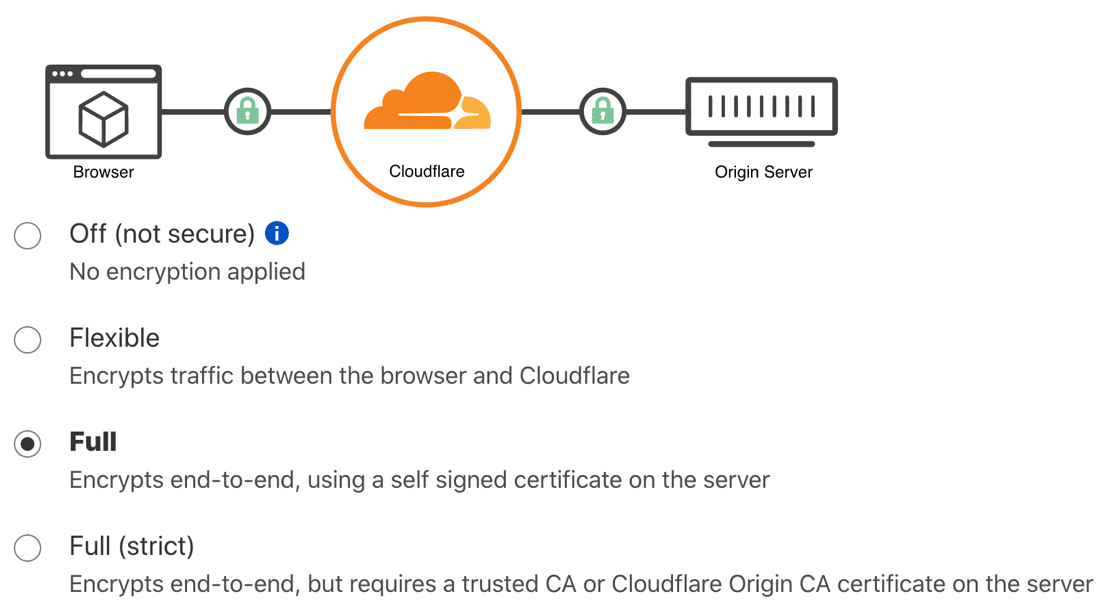
Buy a domain and point its DNS to a CDN (such as Cloudflare), and set the CDN to
FullSSL mode. help -
Set your server's IP address to the CDN's DNS record, and make sure CDN is enabled. (Orange cloud icon in Cloudflare)
-
run the following command on your server and follow the instructions.
curl -s https://raw.githubusercontent.com/VZiChoushaDui/Libertea/master/bootstrap.sh -o /tmp/bootstrap.sh && bash /tmp/bootstrap.sh installThe installation may take a few minutes.
To update, just run the following command on your server:
curl -s https://raw.githubusercontent.com/VZiChoushaDui/Libertea/master/bootstrap.sh -o /tmp/bootstrap.sh && bash /tmp/bootstrap.sh update
Libertea uses SSL-based protocols, so the traffic is not distinguishable from normal HTTPS traffic. Also by setting a Camouflage domain to your Libertea installation, the risk of active probing gets reduced. However, GFW may still block your domains and IPs based on usage after a period of time. It is recommended to use multiple domains and secondary proxies, and periodically change your secondary proxy IPs.
Yes. In the admin panel, go to the Settings tab, and in the Route regional IPs directly section, select the countries you want to go through directly.