
Every word, caught. All of it, kept hush.
Transcribed on your Mac. Never sent anywhere.
Free transcription for calls, files, links, live captions, dictation and meeting notes.

Download for Mac · User guide
macOS 14.2 or later · Apple silicon · free · about 3.5 GB of models, downloaded in setup
What it does · Install · Privacy · Questions · Limits
Hush turns speech into text on your Mac. Once its models are downloaded, it works offline.
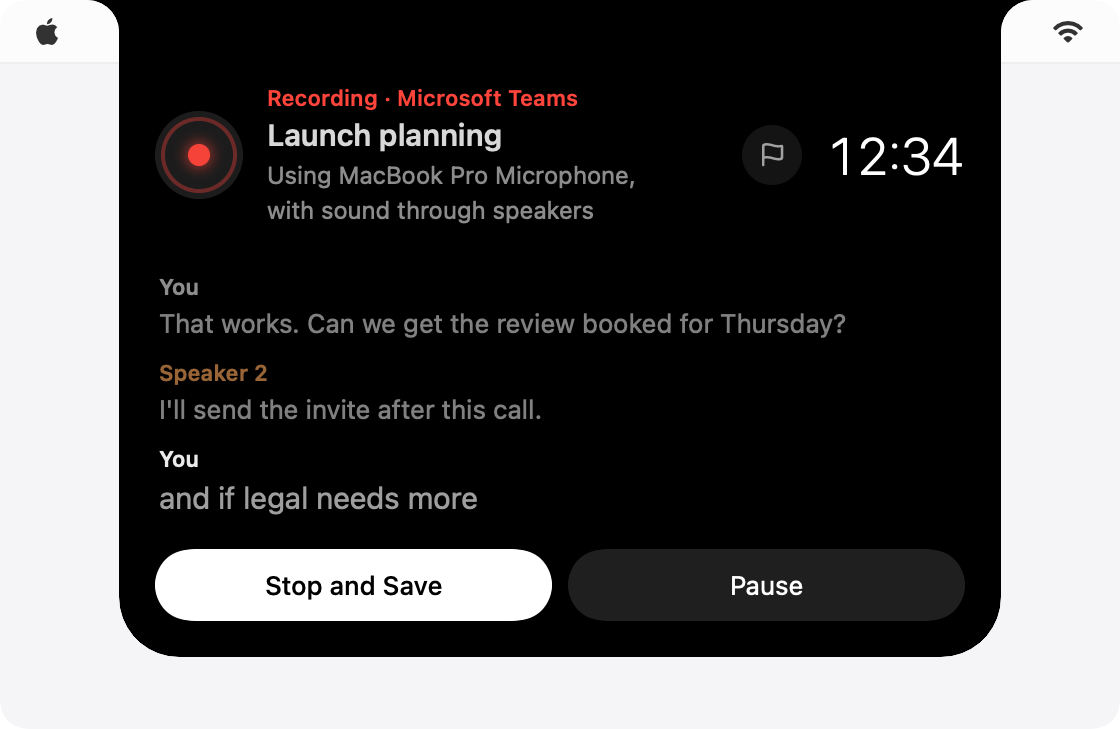
Records calls. Join a call and Hush offers to record it, from a small panel round your Mac's notch. It records your voice and the call separately and labels who said what. No bot joins the call. Works with Zoom, Microsoft Teams, Google Meet, Slack, FaceTime, Webex, Discord and other call apps.
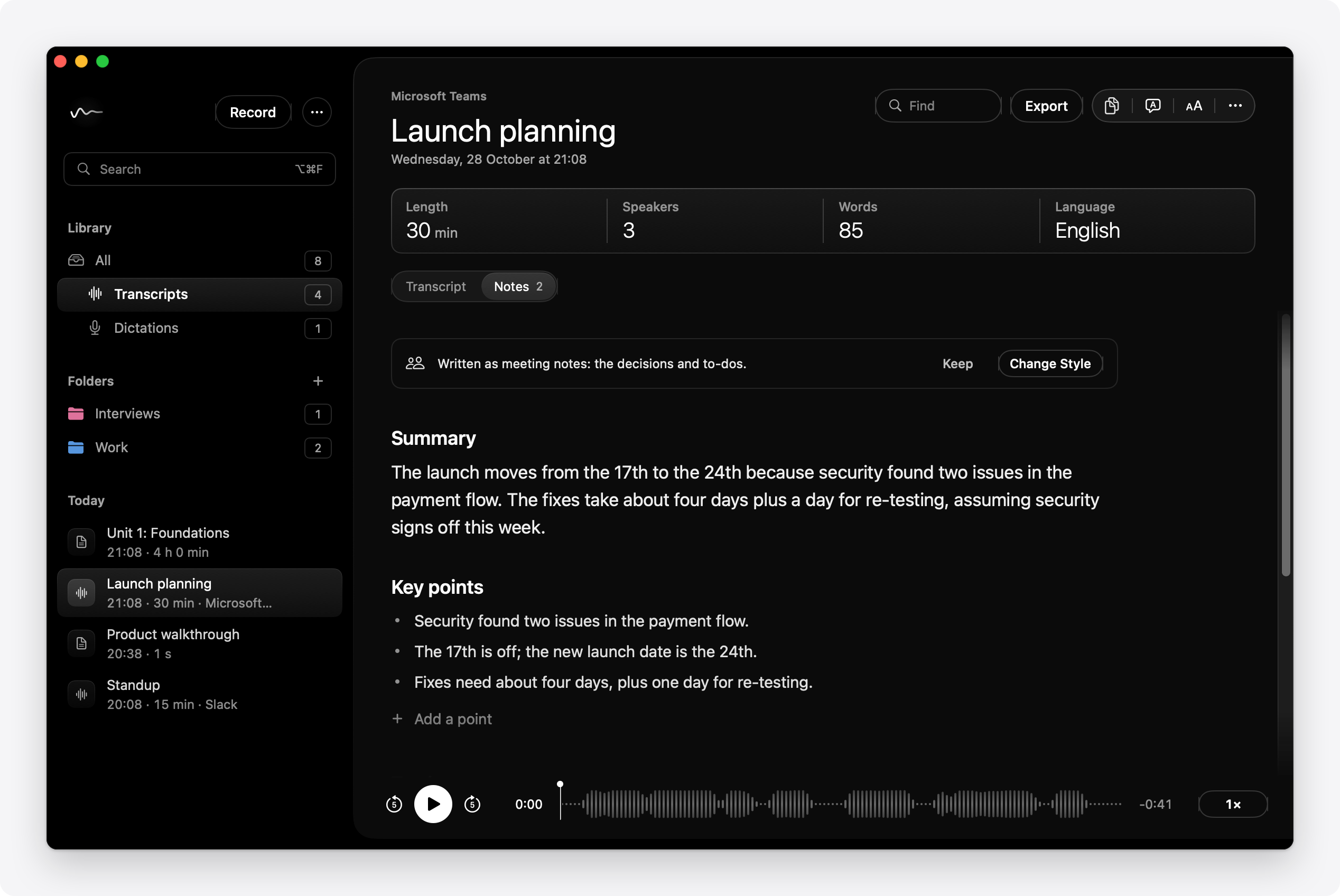
Writes the notes. After every call, file and link, a notes model on your Mac writes a summary, key points and a to-do list, each linked to the moment it came from. Notes come as meeting, lecture, interview or one-to-one notes, or in a style you describe yourself.
Transcribes files and links. Drop in audio or video of any length, or paste a link from YouTube, Vimeo, Panopto or a podcast. Pages you sign in to, like your university's lecture recordings, work too.
Takes dictation. Hold ⌃⌥D, speak and let go: your words appear wherever you're typing, in any app.
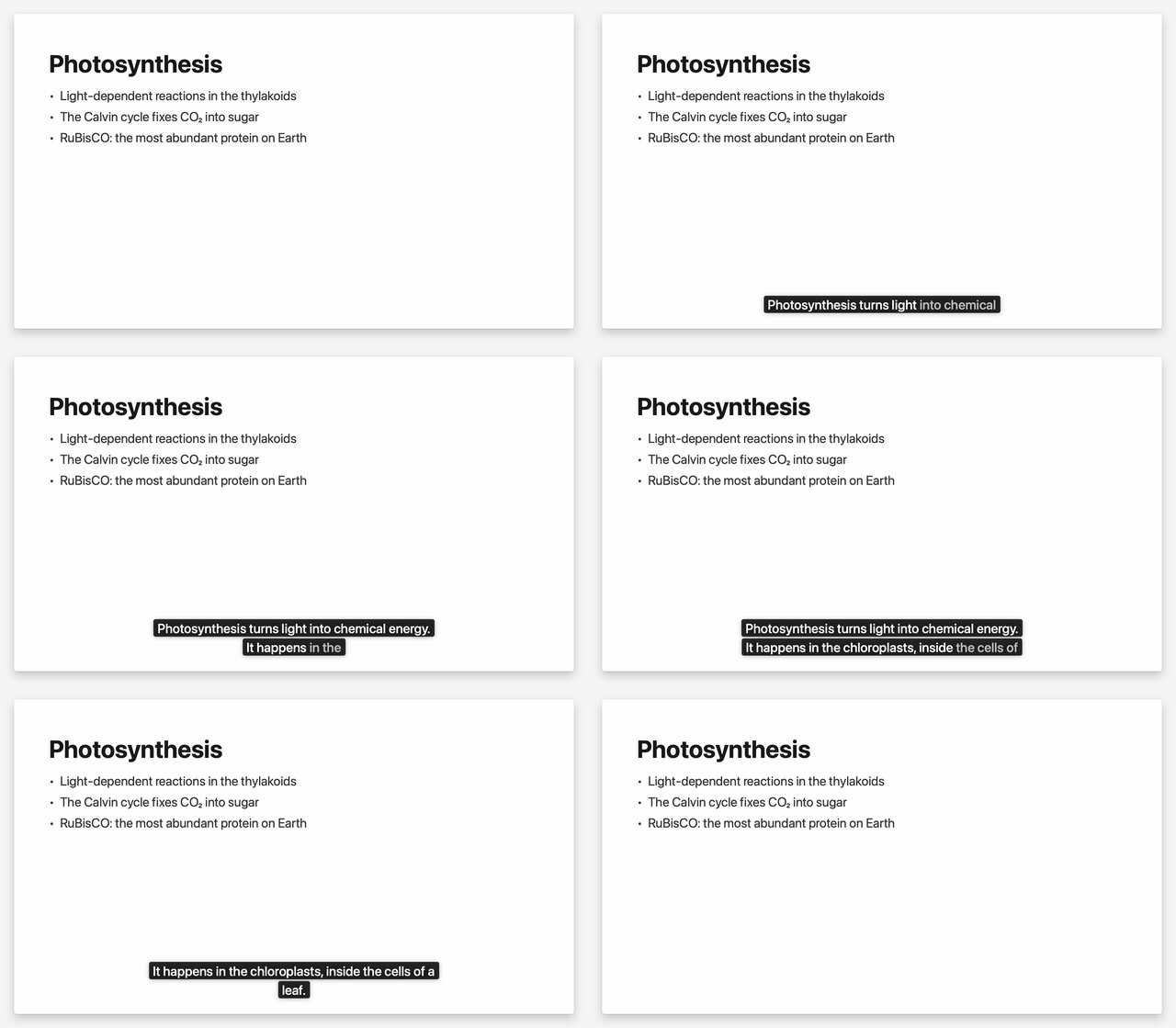
Captions your talks. Present with live captions and what you say appears on the audience's screen, above your slides.
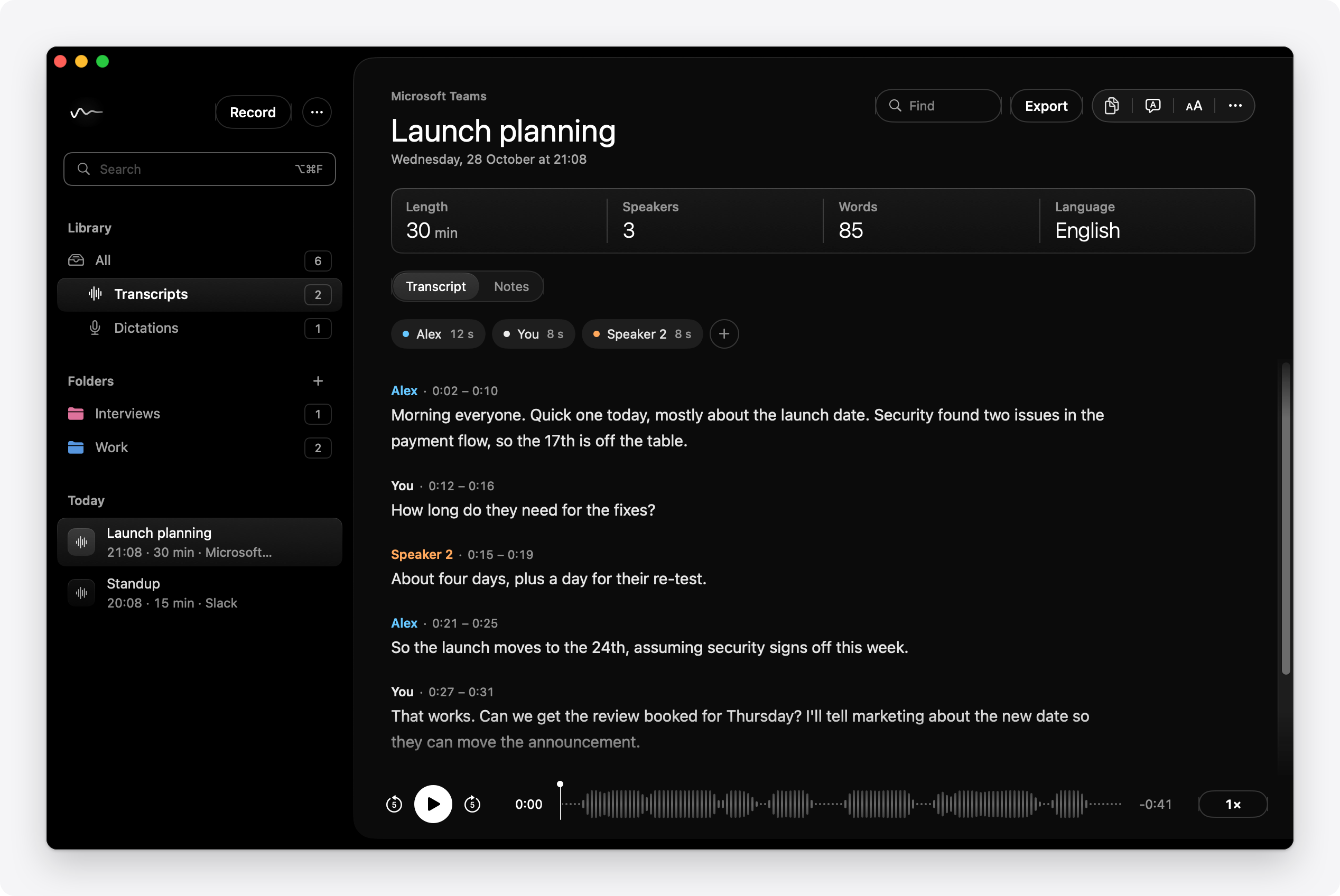
Keeps a library. Play a recording back with the sentence being said lit up. Name a speaker once and Hush knows the voice next time. Search every word, flag moments, translate transcripts and notes into 28 languages, and export to Markdown, Word, PDF, subtitles and more.
One shortcut, from any app. ⌃⇧Space opens the command bar at the notch: record, dictate, transcribe a file or a link, or search what was said in every transcript, without leaving the app you're in.
Ask Claude, if you choose. Off unless you turn it on. Then Claude can read your notes and to-dos (and transcripts, if you allow it) to answer questions about your calls. What it reads goes to Anthropic, and every read is listed.
The user guide covers each of these in full.
- Download Hush.dmg.
- Open it and drag Hush to Applications.
- Open Hush. It's notarised by Apple, so macOS opens it without a warning.
- The Welcome window sets Hush up in a few minutes.
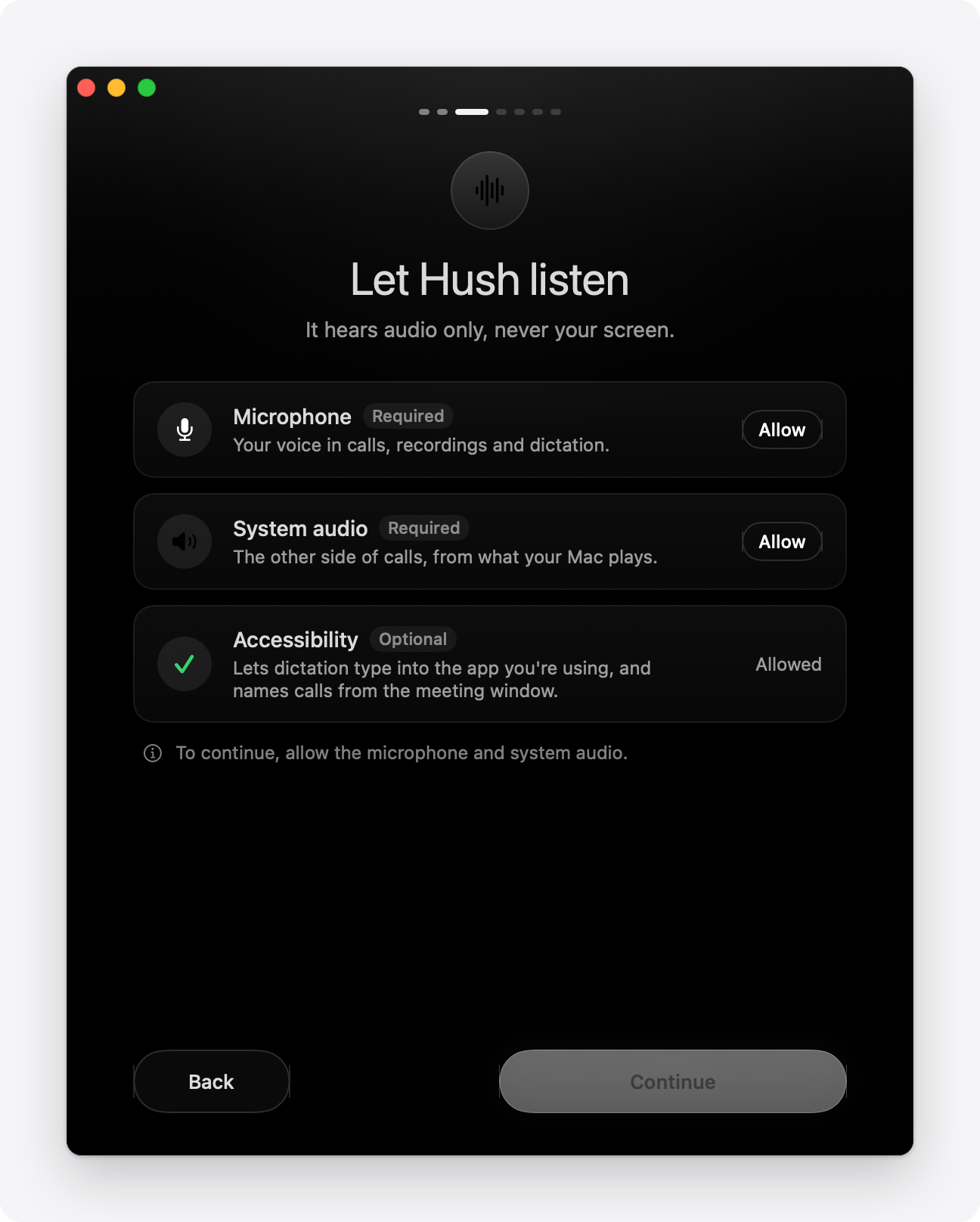
Setup asks for three permissions. Hush hears audio only, never your screen.
- Microphone, for your voice. Required.
- System audio, for the other side of calls. Required. macOS lists it under Screen & System Audio Recording, but Hush never needs Screen Recording.
- Accessibility, so dictation can type into the app you're using, and calls can take their name from the meeting app's window. Optional.
Then it downloads the models that suit your Mac. Hush opens as soon as the speech model is in; the rest carries on in the background.
| Model | Size | Good for |
|---|---|---|
| Whisper Large v3 Turbo | 574 MB | Speech. Very accurate, and keeps up live in 99 languages |
| Whisper Medium | 539 MB | Speech, for Macs with 8 GB of RAM |
| Whisper Small | 353 MB | Live lines during calls, on the Neural Engine. Fetched with the speech model |
| Qwen3 4B | 2.5 GB | Notes. Quick, and good for most recordings |
| Qwen3 8B | 5.0 GB | Notes for long, complicated recordings. Needs 16 GB of RAM |
Hush lives in the menu bar as a small wave, with a red dot while it records. It updates itself: a new version downloads in the background and is installed the next time Hush quits. Open at login, in Settings › General, keeps it ready after a restart.
Private by design. No account, no analytics, nothing uploaded. Recording, transcribing, telling voices apart, writing notes, translating and searching all happen on your Mac, and work without the internet.
Hush goes online only to download what it runs, to check for updates, and to fetch a link you give it:
- Models, from Hugging Face, once.
- Link tools (yt-dlp and ffmpeg, 66 MB), from their makers' sites, once, then a daily check for a new yt-dlp.
- Updates, from this repository, checked once a day.
- The page you paste, when you transcribe from a link.
Settings › Privacy lists every time Hush has gone online: what it was for, what was sent and where to. A firewall such as Little Snitch or LuLu shows the same, and Hush needs only huggingface.co, github.com, ffmpeg.martin-riedl.de and the sites of links you paste. Block all internet access makes no connection at all, for confidential work.
Claude (MCP) is off unless you turn it on in Settings › Integrations. On, what Claude reads leaves your Mac for Anthropic, to answer you; audio, voices and dictation are never shared, and each read is listed in Settings › Privacy.
Your transcripts, recordings and notes live in ~/Library/Application Support/Hush. You can move the library, delete recordings after a time you choose, or keep only the text. The guide has the full list of connections and storage settings.
Is Hush free? Yes. No account, no subscription, no limit on how much you transcribe.
Does it work offline? Yes, once its models are downloaded. Only transcribing from a link needs a connection.
Is my audio uploaded? No. Audio, transcripts and notes stay on your Mac. See Privacy.
Can it record a Zoom call? Yes. Hush offers to record when a call starts in Zoom, Microsoft Teams, Webex, Slack, FaceTime, Discord, WhatsApp, Skype, GoTo Meeting or RingCentral, or in a browser, for Google Meet and the like. For anything else, press Start Recording (⌘R): it records your microphone and everything your Mac plays.
Do the others know I'm recording? Hush doesn't join the call or announce itself. Let people know when you record them, and ask first where the law requires it.
Which languages? The speech model understands 99. Translation covers 28, among them Spanish, French, German, Arabic, Urdu, Hindi, Chinese and Japanese.
Can it transcribe YouTube? Yes, and Vimeo, Panopto, podcasts and most video pages, including pages you sign in to. A video a site protects from downloading can't be fetched: play it and use Start Recording instead.
How much space does it need? About 3.5 GB of models with the recommended choices, and about 250 MB an hour for a recording while it's being made.
Can it replace a cloud notetaker? For many meetings, yes: it records the call, labels who said what, and writes the notes, all on your Mac with no bot in the call. It can't share a live transcript with others, or record a call you're not on.
How do I remove it? Quit Hush and move it to the Bin. Your transcripts and models stay in ~/Library/Application Support/Hush until you delete them too.
- macOS 14.2 or later, on a Mac with Apple silicon.
- Transcripts aren't perfect. Names and jargon can come out wrong; Vocabulary helps.
- Speaker labels can be wrong when people talk over each other or sound alike. Any sentence can be given to the right speaker.
- Live sentences are a first draft. The transcript settles after the call, when Hush goes over the whole recording again, about 6 minutes per hour of call.
- Notes for an hour-long call take a few minutes. Qwen3 8B needs 16 GB of RAM.
- With the lid closed, your Mac's own microphone is off. A recording pauses when your Mac sleeps.
- Hide Hush in screenshots works for screenshots only; screen recordings and shared screens still show the notch panel.
Everything else, from the notch panel to keyboard shortcuts, is in the user guide.
Speech: whisper.cpp (MIT), running OpenAI's Whisper models (MIT), with Silero VAD (MIT) to find speech, and SpeexDSP (BSD) to take echo out.
Notes and translation: llama.cpp (MIT), running Qwen3 (Apache 2.0).
Voices: FluidAudio (Apache 2.0, with fastcluster, BSD, and VBx, Apache 2.0), running Fluid Inference's Core ML conversions, modified from the originals, of pyannote's segmentation model (MIT) and WeSpeaker's VoxCeleb ResNet34-LM speaker embedding, by WeSpeaker and pyannote (CC BY 4.0).
Links: yt-dlp (Unlicense) and FFmpeg (LGPL or GPL, depending on the build), from Martin Riedl's Mac builds, downloaded by Hush when you need them.
Hush is an independent project. It is not affiliated with or endorsed by the makers of the apps, sites and models named here, and their names are trademarks of their owners.