Skip the PDF downloads. Print directly from Odoo to any printer with just one click.


Odoo Direct Print Advanced lets you print any Odoo report directly to your local printer without:
- ❌ Downloading PDFs first
- ❌ PrintNode monthly subscription (€7.99-79.99/month)
- ❌ IoT Box hardware (€299+)
- ❌ Cloud services or internet dependency
👉 Official Website: print.itechgroup.info
| Solution | Cost | Annual | 5 Years |
|---|---|---|---|
| Odoo Direct Print | €29 one-time | €0 | €29 ✅ |
| PrintNode | €7.99-79.99/mo | €95.88-959.88 | €479-4,799 💸 |
| IoT Box | €299 hardware | €0 | €299 ⚙️ |
💡 Save €450-4,770 over 5 years!
Read full comparison: Odoo Direct Print vs PrintNode
- Purchase from Odoo Apps Store (€29)
- In Odoo: Apps → Update Apps List
- Search "Direct Print Advanced" → Install
Navigate to: Direct Print → Configuration
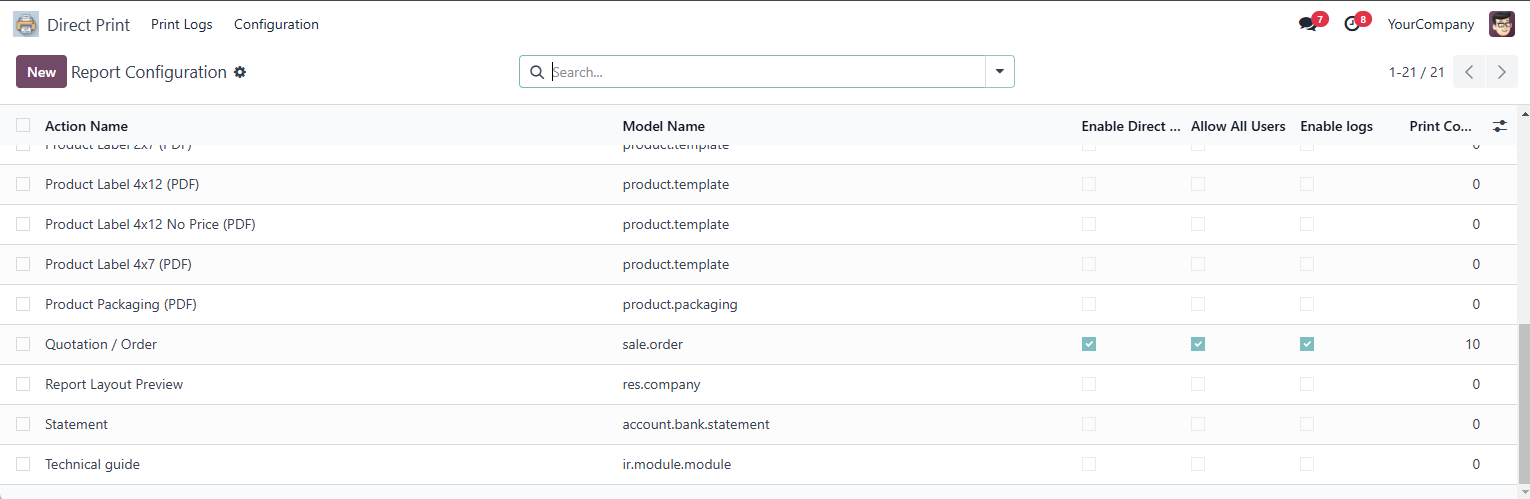
The Direct Print configuration menu in Odoo
Select the reports you want to enable for direct printing:
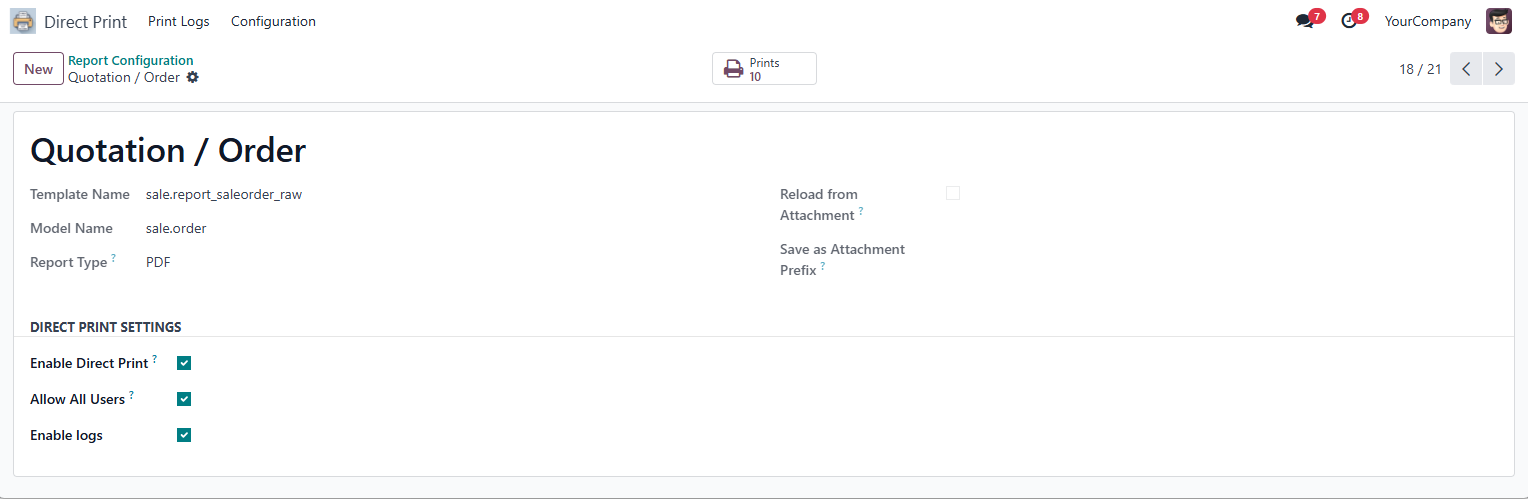
Available Settings (
| Setting | Description |
|---|---|
| Enable Direct Print | Enable/disable direct printing for this specific report |
| Allow All Users | Grant access to all users OR restrict to specific users |
| Enable Logs | Track all print operations for auditing and compliance |
| Allowed Users | Select specific users who can use direct print (if not allowing all) |
Configuration Example:
Report: Sales Order / Quotation
✅ Enable Direct Print
✅ Allow All Users
✅ Enable Logs
Allowed Users: [Leave empty if allowing all users]
Common Reports to Enable:
- 📄 Sales Orders / Quotations
- 🧾 Customer Invoices
- 📦 Delivery Orders / Picking Lists
- 🏷️ Product Labels
- 💰 Payment Receipts
- 🛒 Purchase Orders
💡 Pro Tip: Start with 2-3 most-used reports, then expand based on team feedback.
Navigate to: Settings → Users & Companies → Users
Select the user you want to configure, then scroll to the "Direct Print" section:
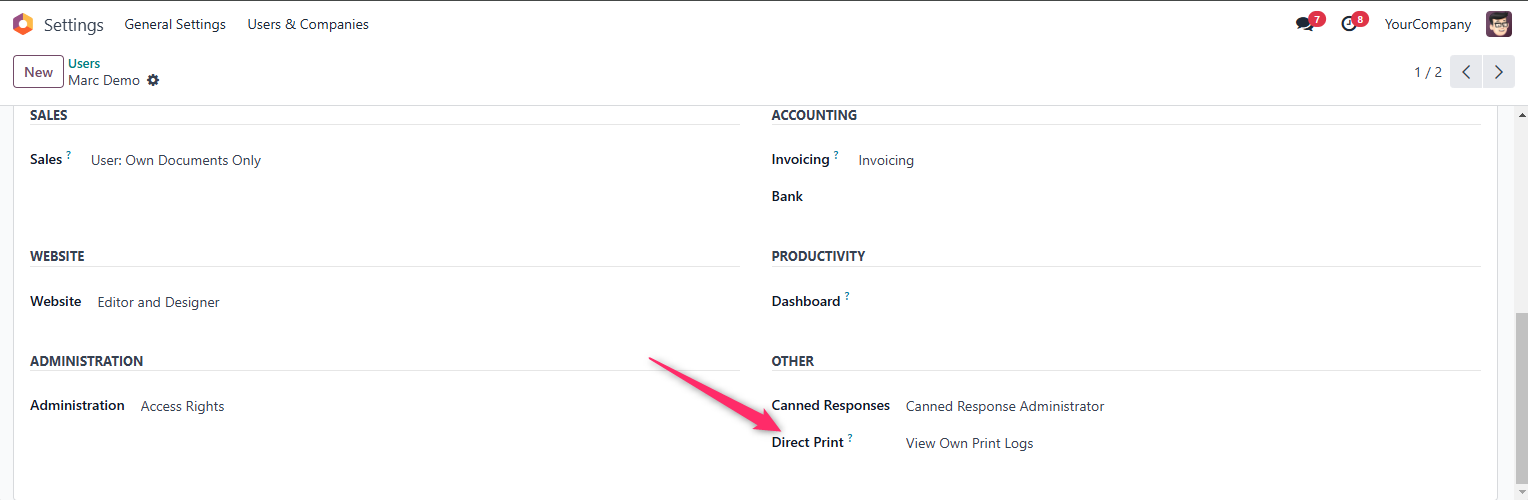
Available Permission:
✅ Direct Print group - Enables users to:
- View their personal print logs
- Access direct print functionality
- Monitor their own printing history
Note: Each user can access and monitor their own printing history, while administrators maintain complete system oversight.
Click Save to apply the permissions.
✅ Configuration Complete! Users can now print directly from Odoo.
📖 Detailed guide: https://print.itechgroup.info/docs
- Open any Odoo document (Sales Order, Invoice, etc.)
- Click Print button
- Look for the 🖨️ printer icon next to enabled reports
- Click → Document prints directly!
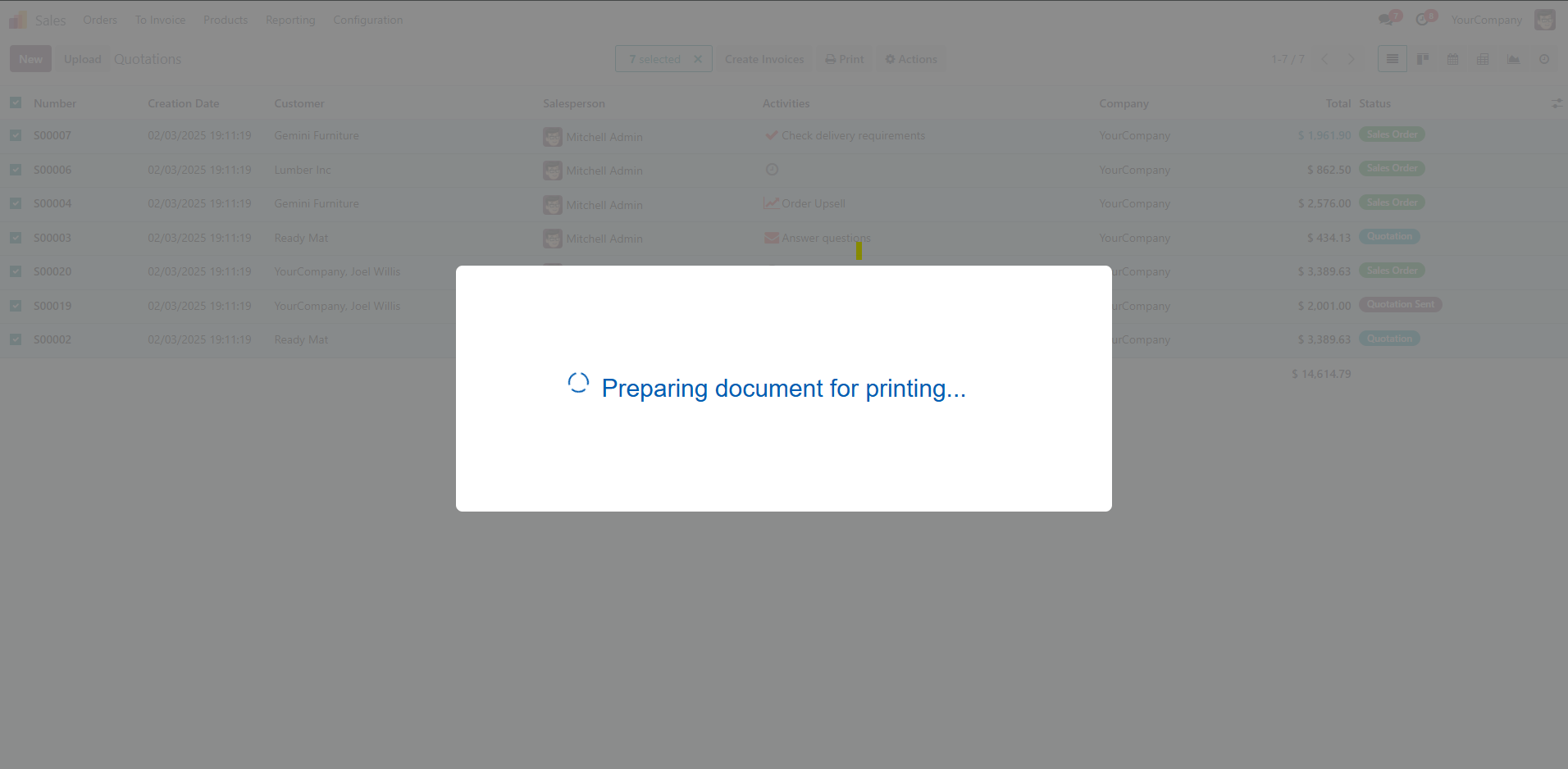
📹 Watch Video Demo: YouTube Tutorial
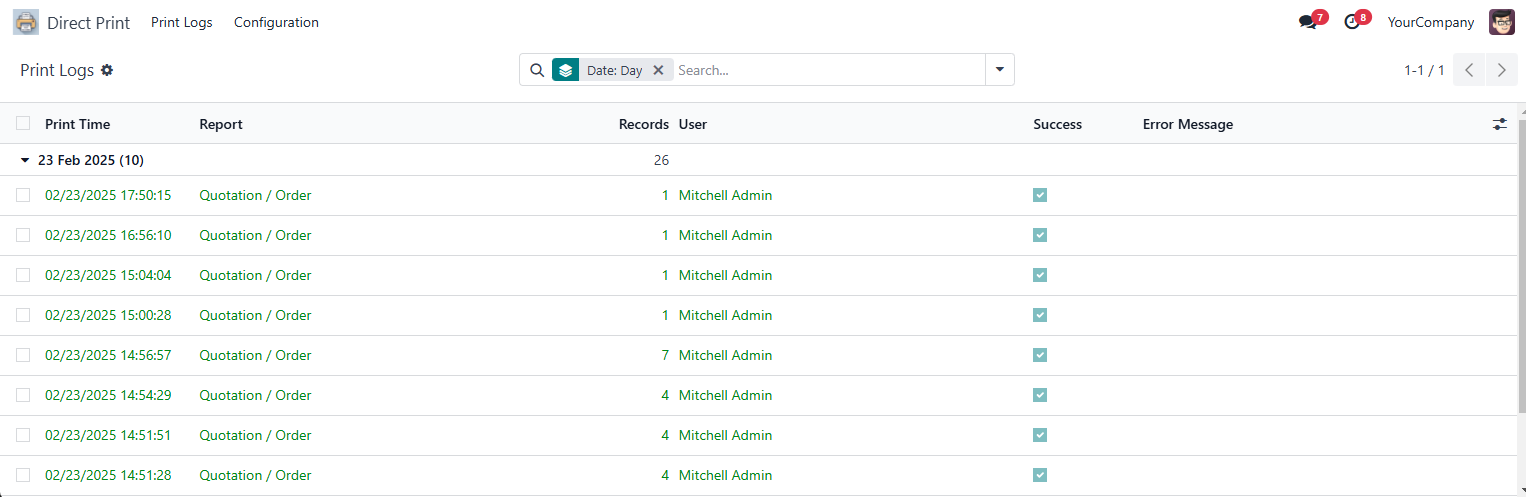
View who printed what and when:
- Navigate to: Direct Print → Print Logs
- Filter by:
- Date range
- User
- Report type
- Status (Success/Failed)
✅ Works with ALL printers: USB, WiFi, Bluetooth, Network
✅ All Odoo versions: 14.0, 15.0, 16.0, 17.0, 18.0, 19.0
✅ All Odoo editions: Community, Enterprise, Odoo.sh
✅ No monthly fees: One-time payment
✅ Unlimited printing: No page limits
✅ Print logs: Track all printing activity
✅ User permissions: Control who can print what
✅ 100% offline: No internet required
✅ Privacy: Documents never leave your network
| Feature | Direct Print Advanced | PrintNode |
|---|---|---|
| Cost | €29 one-time | €7.99-79.99/month |
| Works Offline | ✅ Yes | ❌ No (needs internet) |
| Privacy | ✅ Local only | ❌ Cloud-based |
| Setup Time | 5 minutes | 30+ minutes |
| Subscription | ❌ None | ✅ Required |
Full comparison: Read detailed analysis
A: Yes! 100% offline. Unlike PrintNode, no cloud dependency.
A: ALL printers - USB, WiFi, Bluetooth, Network. Any printer your computer recognizes.
A: Yes! Select different printers for each print job.
A: No! Unlimited printing with no restrictions.
A:
- Cost: €29 one-time vs €7.99-79.99/month
- Privacy: Local vs cloud-based
- Offline: Works offline vs needs internet
See full comparison: https://print.itechgroup.info/blog/odoo-direct-print-vs-printnode
- 🌐 Website: https://print.itechgroup.info
- 📖 Documentation: https://print.itechgroup.info/docs
- 🎓 Setup Tutorial: Complete Guide
- 🛒 Get Module: Odoo Apps Store
- 💬 Request Demo: Try it Free
- 📹 Video Demo: Watch on YouTube
Ready to eliminate PrintNode costs and stop downloading PDFs?

One-time payment • No subscriptions • Unlimited printing
Visit Website | View Docs | Request Demo
Save €95.88-959.88 per year compared to PrintNode
This guide is free to use and share.
Odoo Direct Print Advanced module is proprietary - View License
Made with ❤️ by iTech Group
Stop downloading PDFs. Start printing directly.