ExplorExpress is a web-based travel itinerary planning application that simplifies trip planning by combining intuitive design and advanced features. It offers users personalized travel recommendations, real-time weather updates, interactive maps, and much more, all aimed at making travel seamless and enjoyable.
In today’s fast-paced world, planning a trip can often feel overwhelming. ExplorExpress addresses these challenges by providing a user-friendly platform for organizing flights, accommodations, activities, and more. Whether you're a solo traveler, a couple, or a family, ExplorExpress is designed to create stress-free and memorable travel experiences.
- Personalized Itineraries: Tailored recommendations based on user preferences.
- Interactive Maps: Visualize travel routes and points of interest with customizable options.
- Real-Time Weather Updates: Stay prepared with accurate weather forecasts for destinations.
- Currency Conversion: Integrated tools for seamless budgeting for international travel.
- Gmail Integration: Import travel-related emails and bookings directly into the platform.
- Customizable UI: Choose between light and dark modes for enhanced usability.
- Blogs and Reviews: Access authentic travel content and recommendations from the community.
- Frontend: HTML, CSS, JavaScript, Bootstrap.
- Backend: Node.js, Express.js.
- Database: MongoDB.
- APIs:
- OpenWeather API (for weather updates).
- Google Maps API (for interactive maps).
- ExchangeRate API (for currency conversion).
- EmailJS API (for email integration).
Ensure the following are installed:
- Node.js
- MongoDB
-
Clone the repository:
git clone <repository-url>
cd ExplorExpress
-
Install dependencies:
npm install
-
Set up environment variables:
- Create a
.envfile in the root directory. - Add configurations for API keys and database connection.
- Create a
-
Start the server:
npm start
- Open the application in your browser at
http://localhost:3000. - Sign up or log in to start planning your trip.
- Input your travel details to receive personalized recommendations.
- Access real-time updates, maps, and weather forecasts for your destinations.
- V. Janarthan: Designing, Frontend & Backend.
- P. Lankesh: Frontend & Testing.
- R. Sorubaraj: Frontend & Documentation.
- W.H.M.L.S. Bandara: Frontend & Documentation.
- AI-powered travel chatbots for personalized assistance.
- Advanced analytics to suggest lesser-known destinations.
- Social media integration for sharing plans.
Watch the demonstration video below to see how ExplorExpress works:
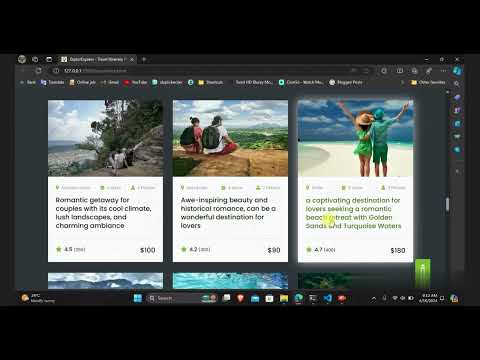
Click the thumbnail or here to view the video on YouTube.