


Spectator is a BEAM observer tool written in Gleam, that plays well with gleam_otp processes.
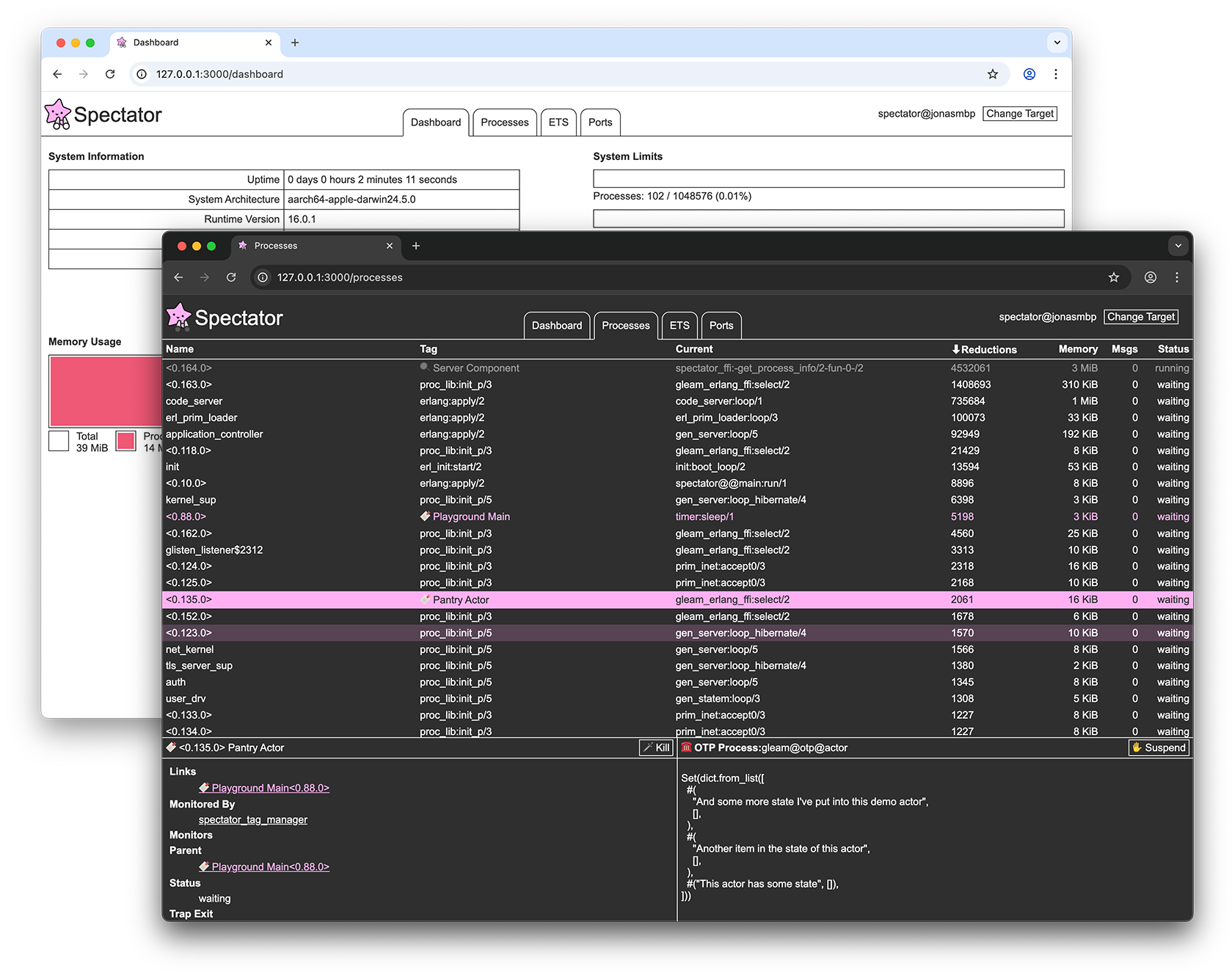
So far, spectator has the following features:
- Show processes in a sortable table
- Tag individual processes for easy identification
- Show process details
- Show OTP process state
- Suspend / resume OTP processes
- List ETS tables
- View content of ETS tables
- List of active ports
- Clickable links between resources
- Dashboard with basic statistics
- Inspect other BEAM nodes
You can install spectator as a dependency in your project, and run it as part of your application to inspect your app in development.
gleam add spectatorFor details on how to do this, see the package README
You can use spectator to inspect the BEAM node running your deployed application by running spectator as a standalone app, and connecting it to the erlang node your application is running on via distribution.
The standalone spectator application is available as a docker image via ghcr.io/jonasgruenwald/spectator, and as an escript via the releases page.
The repo contains a full example of how to use spectator to inspect an app deployed via docker.
First, ensure your application has an Erlang name and cookie set, for example by setting the ERL_FLAGS environment variable before your application is started:
ERL_FLAGS="-name myapp@host -setcookie mycookie"If your application is running in a docker container, put both your applications container, and the container running spectator on the same docker network, and ensure that your applications container has its hostname set to a value you know.
Start spectator, and click 'Change Target' in the top right corner of the application.
Enter the details of the node you wish to inspect, the name should be the name you set via -sname, followed by @, and then the hostname.
Finally, click 'Connect', to inspect the your application node.
Note that the inspection target must have the same Erlang cookie set as spectator. Just like with your application, you can configure spectator's cookie via the ERL_FLAGS environment variable, e.g. ERL_FLAGS="-name spectator@127.0.0.1 -setcookie mycookie".
Please be aware of the following implications of running spectator:
-
Spectator may slow down your system
All displayed processes are probed in the configured interval using Erlang'sprocess_info/2function which puts a temporary lock on the process being infoed. If the process is handling a lot of messages, this may have performance implications for the system -
Spectator will create atoms dynamically
When you choose to connect to other Erlang nodes, spectator needs to convert the node name you provide into an atom. Therefore it is possible to exhaust the memory of the BEAM instance running spectator using its user interface, as atoms are never garbage collected. -
Spectator does not include Access Control
Spectator exposes sensitive details about the runtime it is inspecting via its web interface and does not currently gate access to it.
If you use spectator in a production environment, you are responsible for securing it – make sure to never expose spectator to the public internet.