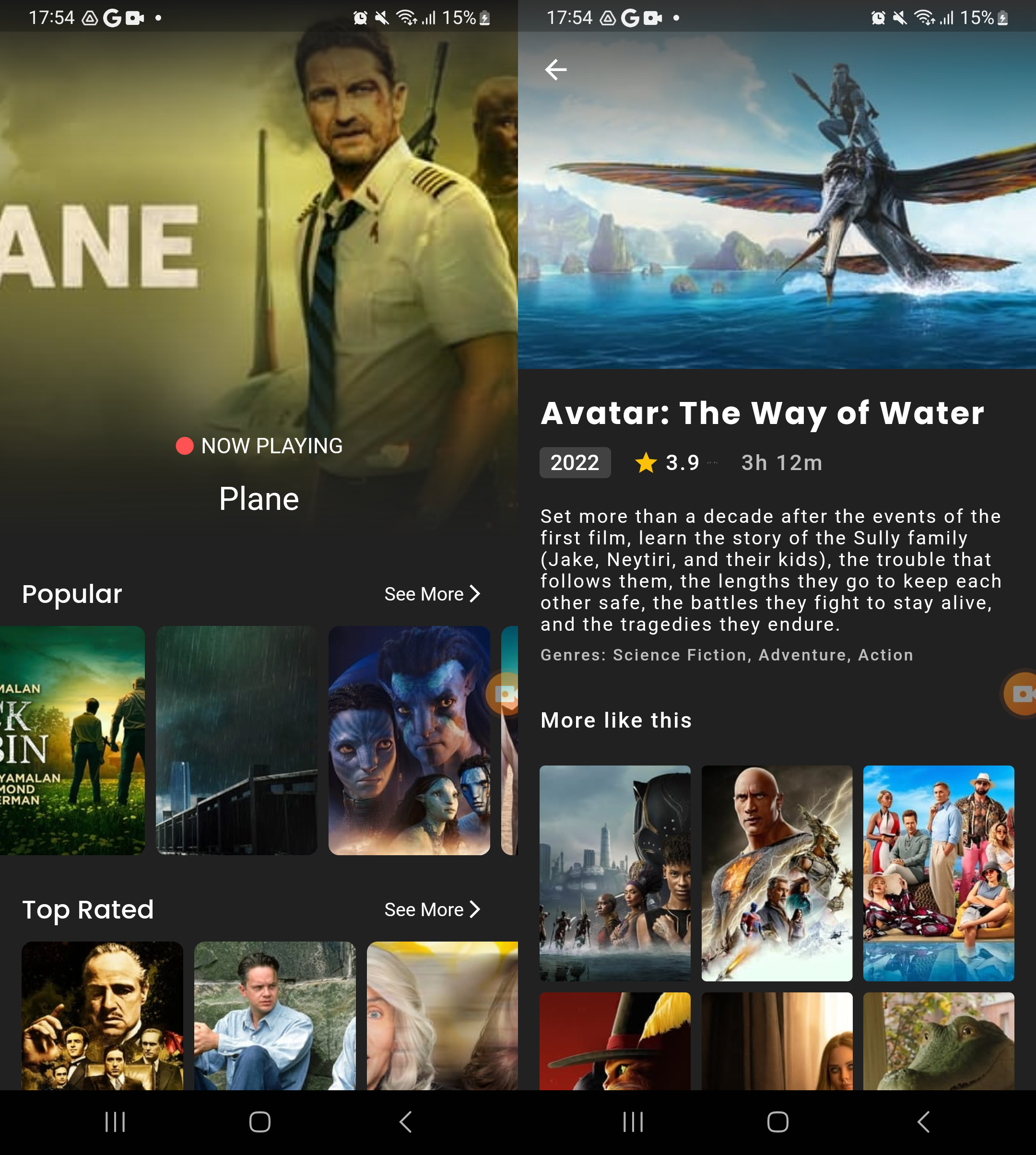
The movie app is a Flutter-based application that uses clean architecture and block as state management with the Dio package to handle API requests from the movie database website. The app displays information about now playing, top-rated, and popular movies, and each movie is clickable to show its details and some recommended movies.
- Familiarity with Flutter and Dart programming concepts .
- Familiarity with clean architecture pattern .
- Familiarity with the dio package for handling APIs .
- Familiarity with the BLoC pattern for state management .
- Familiarity with singleton design pattern .
- Familiarity with Dependency Injection design pattern .
-
Clone or download the repository .
-
Install Dependencies:
-
Open the project in your preferred IDE and run the following command in the terminal:
flutter pub get
-
-
Connect a physical device or launch an emulator .
-
Run the app .
-
The movie app has a simple and user-friendly interface that allows users to browse and discover movies easily. Once the app is launched, users can choose from three tabs: Now Playing, Top Rated, and Popular.
-
Each tab displays a list of movies that the user can scroll through. Each movie is represented by a card that displays its poster and title. When the user taps on a movie card, they are taken to the movie details screen.
-
The movie details screen displays detailed information about the movie, including its title, poster, release date, runtime, and overview. It also shows some recommended movies that are related to the current movie.