Inspired by the legendary OWASP Juice Shop, The PwnShop is a deliberately insecure educational application built exclusively for mobile devices. Designed for everyone from beginners to seasoned professionals, it provides a hands-on environment to test, learn, and master real-world vulnerabilities directly from your Android device.
The PwnShop aims to teach real-world security concepts through practical, hands-on experience. This environment has been laced with numerous vulnerabilities typically found in production applications, ranging from classic SQL injection and Cross-Site Scripting (XSS) to complex business logic flaws, leaky APIs, and hidden endpoints.
Your ultimate goal is to step into the shoes of an ethical hacker. Navigate the application, hunt down security misconfigurations, and exploit these deliberate flaws. As you uncover vulnerabilities, you will unlock items in your Hacker Inventory, learn the underlying mechanisms of why the exploit works, and discover industry-standard mitigation strategies.
Keep a close eye on the Hacker Scoreboard to track your progress. The more vulnerabilities you find, the closer you get to earning your completion certificate! Good luck, and remember: "with great power comes great responsibility". Always conduct security research ethically and legally.
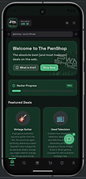
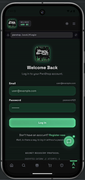
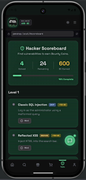
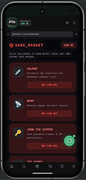
Hunt for "leaky" info by tapping through every corner of the app. Look for developer notes left in plain sight, misconfigured buttons, and hidden menus that were never meant for the end-user's eyes.
Feed the app "broken" data, exploit how it saves your info locally, and try to trick the interface into giving you access or information that it shouldn't.
Discovering a bug isn’t just a win—it’s a lesson. Every vulnerability you find reveals the technical "why" and the industry-standard way to patch it.
Prerequisites: Node.js
- Download the latest
.apkfrom the Releases section onto your Android device. - Enable "Install from Unknown Sources" in your Android security settings.
- Install, then Launch the app.
# 1. Clone the repository
git clone https://github.com/K4N3CO/PwnShop-Mobile.git
# 2. Navigate into the project
cd PwnShop-Mobile-main # 3. Install dependencies
npm install # 4. Start the development server
npm run devClick the URL shown in the terminal (usually http://localhost:3000 or http://0.0.0.0:3000).
If you find PwnShop-Mobile awesome and helpful for learning, please Star ⭐ the project—it drives further development!!
Bug reports, add new feature and pull requests are always welcome!.
☕️ BuyMeACoffee: https://buymeacoffee.com/k4n3co
Bitcoin (₿):
bc1q6lmkuju3kf7f8624fwt5qs7k5mf63mekgcnzf4
This game is for educational purposes ONLY!. Do not try these methods on any app/website you dont own, without explicit permission from the owner. Thank you!
This project is licensed to K4N3CO under the MIT License.
The one's who MIND don't matter. The one's who MATTER don't mind.
Created by K4N3CO ©2026
GitHub