

-
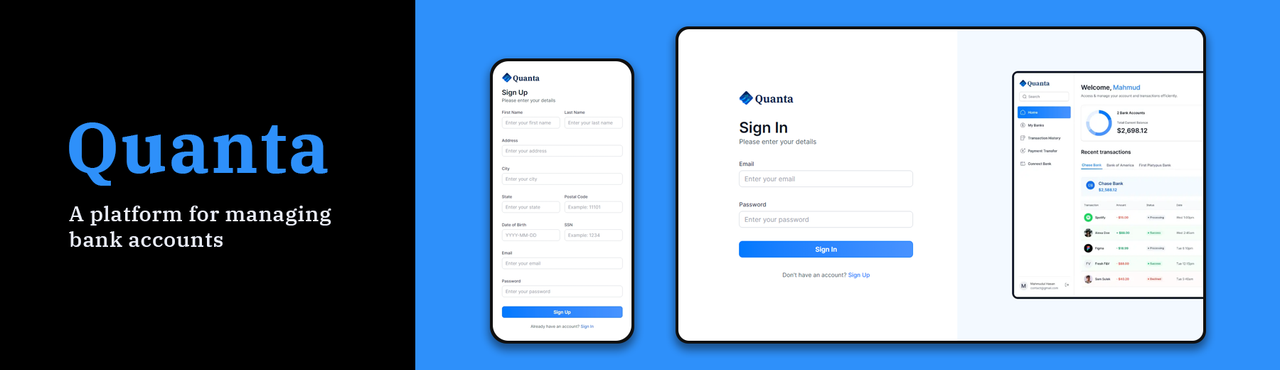
Authentication: An ultra-secure SSR authentication with proper validations and authorization.
-
Connect Banks: Integrates with Plaid for multiple bank account linking.
-
Home Page: Shows a general overview of the user account with total balance from all connected banks, recent transactions, money spent on different categories, etc.
-
My Banks: Check the complete list of all connected banks with respective balances and account details.
-
Transaction History: Includes pagination and filtering options for viewing transaction history of different banks.
-
Real-time Updates: Reflects changes across all relevant pages upon connecting new bank accounts.
-
Funds Transfer: Allows users to transfer funds using Dwolla to other accounts with required fields and recipient bank ID.
-
Responsiveness: Ensures the application adapts seamlessly to various screen sizes and devices, providing a consistent user experience across desktop, tablet, and mobile platforms.
-
Frontend: Next.js, Shadcn UI, TailwindCSS
-
Backend: Next.js, Appwrite
-
Forms: React Hook Form for form handling
-
Validation: Zod for input validation
-
Type Safety: TypeScript for type-checking and improved code quality
-
Integration: Plaid and Dwolla for secure connection to bank account
-
Serverless APIs: Deploy and manage APIs serverlessly
Follow these steps to set up the project locally on your machine.
Make sure you have the following installed on your machine:
git clone https://github.com/Mahmud0808/QuantaBank.git
cd QuantaBankInstall the project dependencies using npm:
npm installCreate a new file named .env in the root of your project and add the following content:
#NEXT
NEXT_PUBLIC_SITE_URL=

#APPWRITE
NEXT_PUBLIC_APPWRITE_ENDPOINT=https://cloud.appwrite.io/v1
NEXT_PUBLIC_APPWRITE_PROJECT=
APPWRITE_DATABASE_ID=
APPWRITE_USER_COLLECTION_ID=
APPWRITE_BANK_COLLECTION_ID=
APPWRITE_TRANSACTION_COLLECTION_ID=
APPWRITE_SECRET=

#PLAID
PLAID_CLIENT_ID=
PLAID_SECRET=
PLAID_ENV=
PLAID_PRODUCTS=
PLAID_COUNTRY_CODES=

#DWOLLA
DWOLLA_KEY=
DWOLLA_SECRET=
DWOLLA_BASE_URL=https://api-sandbox.dwolla.com
DWOLLA_ENV=sandbox
Replace the placeholder values with your actual credentials. You can obtain these credentials by signing up for the corresponding websites on Appwrite, Plaid and Dwolla.
npm run devOpen http://localhost:3000 in your browser to view the project.
Contributions are welcome! Here's how you can contribute:
- Fork the repository.
- Create your feature branch (
git checkout -b feature/AmazingFeature). - Commit your changes (
git commit -m 'Add some AmazingFeature'). - Push to the branch (
git push origin feature/AmazingFeature). - Open a pull request.
Wanna reach out to me? DM me at 👇
Email: mahmudul15-13791@diu.edu.bd