A crud project to learn the basic of java web
Configuration of mysql
Import the project to eclipse
Setting the variable enviroment
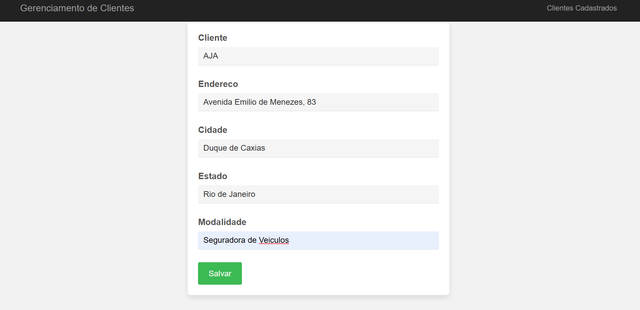
Screenshot of the project
after download the project you need configurate some things(the guide of installation is thinkable for IDE eclipse, so i can't help you with other IDE or text editor like vs code)
-
download and install eclipse: https://shp.icu/eclipsedownload...
-
download and install wildfly 25 on eclipse: https://shp.icu/eclipse-wildfly-configuration...
-
donload and install mysqlworkbench: https://shp.icu/mysql-workbench-installation-guide
now follow the steps below:
- Open the MysqlOrkBench and create a mysql connection, after click on, put your password and enter on DB
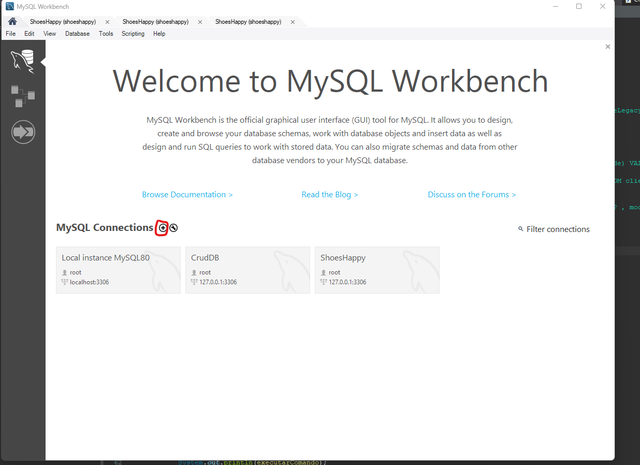
- Open MySQL Workbench and right-click on the left corner, as shown in the screenshot. Then click on "Create Schema".
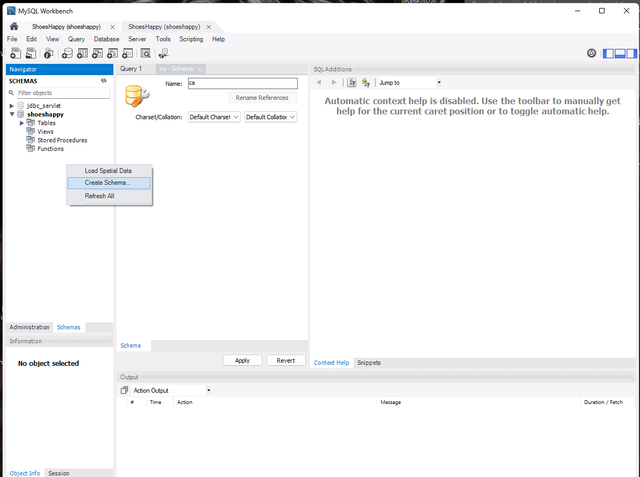
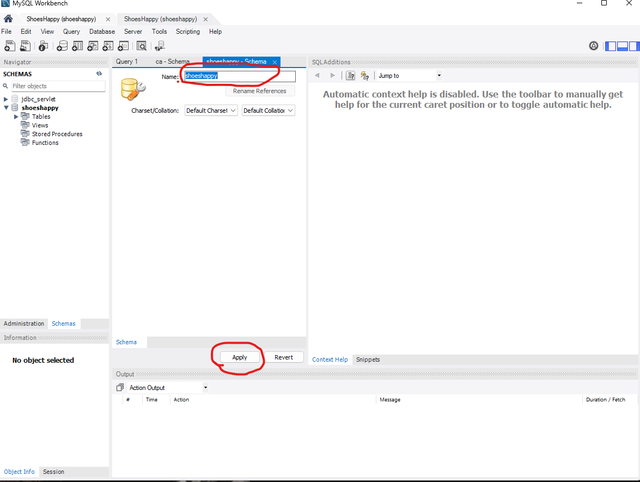
- Insert the name "shoeshappy" for the schema and apply it, as shown in the screenshot.
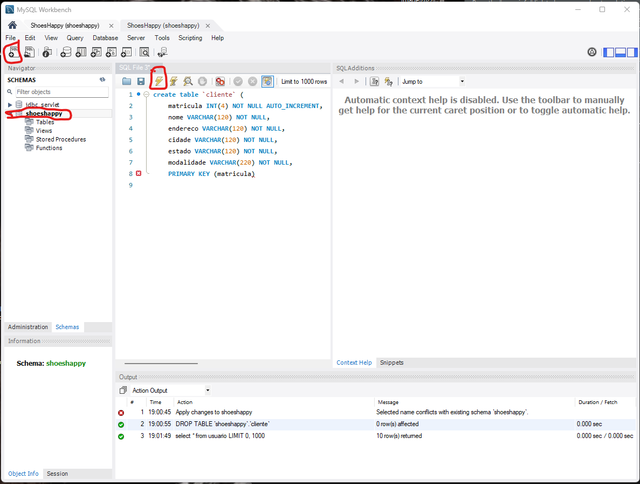
- First, click on your schema "shoeshappy". Then click on the top left corner to open an SQL file to execute queries. Paste the code below:
create table `cliente` (
	matricula INT(4) NOT NULL AUTO_INCREMENT,
	nome VARCHAR(120) NOT NULL,
	endereco VARCHAR(120) NOT NULL,
	cidade VARCHAR(120) NOT NULL,
	estado VARCHAR(120) NOT NULL,
	modalidade VARCHAR(220) NOT NULL,
	PRIMARY KEY (matricula)
After that, click on the lightning icon to execute the query. We have now finished the MySQL Workbench configuration.
- Now we will open the project in Eclipse and configure the MySQL connection. First, extract the downloaded project to a desired folder.
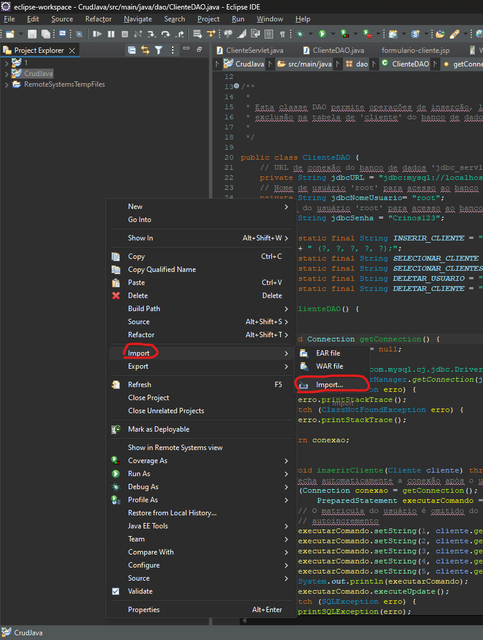
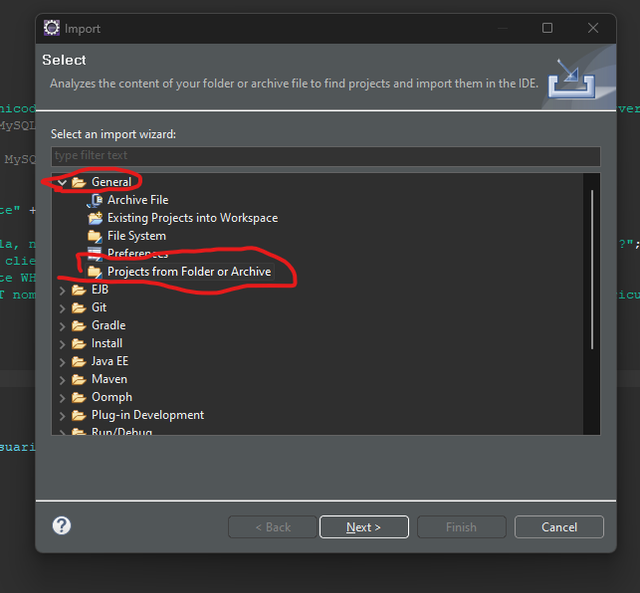
- Click on "General", then "File System", and click "Next"
- Click on "Directory...", select the project folder, and click "Select Folder".
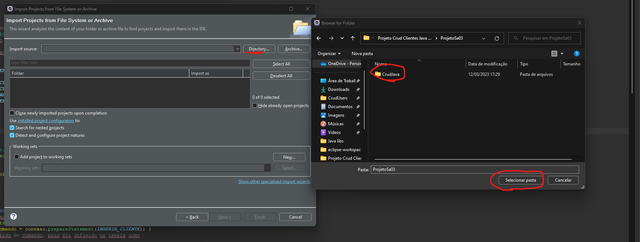
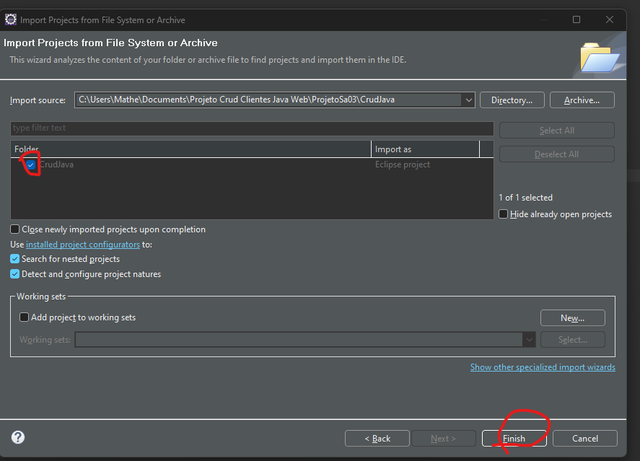
- Select the checkbox next to the project name and click "Finish".
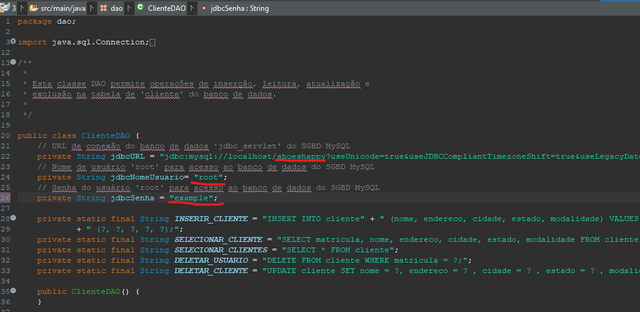
- We have already imported the project. Now we will set the environment variables for the DB connection. To do that, expand the project, click on "src", "main", "java", and then "dao". Click to open "clienteDAO". The first item marked in red is the schema name, the second item is the MySQL user, and the last item is the MySQL password. Update them with your credentials.
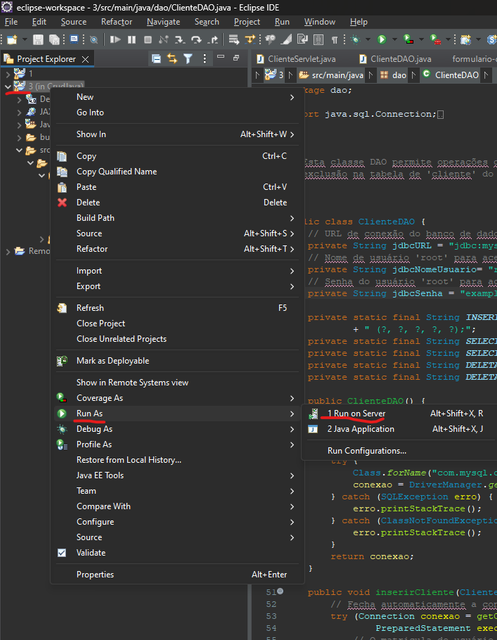
- Right-click on the project, select "Run As", then "Run on Server", and use the WildFly 25 server mentioned before. The app will run and you can see it in action.
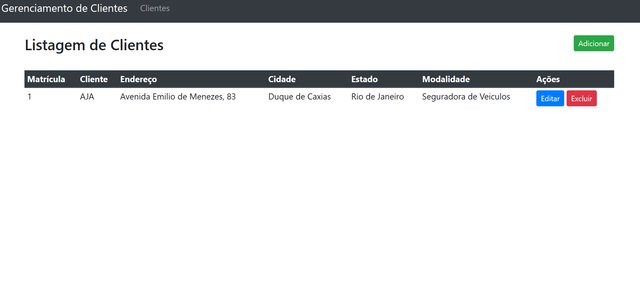
- Client listing page
- Add client and edit client page