
Build a clean cover-art poster from a folder of .cbr / .cbz comic archives, plus optional upload-ready BBCode or Markdown text.
I use this kind of output for private tracker uploads where a pack benefits from a single visual overview and a tidy included-file list. Use it only for content you have the right to share.
- Scans a folder for
.cbrand.cbzfiles - Extracts the best likely cover from each archive
- prefers filenames like
cover,front, orfc - otherwise falls back to natural page order
- prefers filenames like
- Builds one tiled JPEG poster with consistent cover heights
- Writes a tracker-friendly BBCode text file by default
- Can write Markdown instead
- Skips unreadable archives without killing the whole run
- Handles CBZ files without UnRAR
- Supports CBR/RAR files when WinRAR/UnRAR is installed
Recommended: install it with pipx. This clones the GitHub repo, creates an isolated environment, installs the Python dependencies, and adds a cover-posterizer command.
If you already have pipx:
pipx install git+https://github.com/Maxikozie/cover-posterizer.gitFresh Windows machine:
py -m pip install --user pipx
py -m pipx ensurepath
pipx install git+https://github.com/Maxikozie/cover-posterizer.git
Restart your terminal after ensurepath if cover-posterizer is not found.
Upgrade later with:
pipx upgrade cover-posterizerUninstall with:
pipx uninstall cover-posterizerThe Python dependencies are installed automatically by pipx, including rarfile. For .cbr files, you still need the external WinRAR/UnRAR program installed because Python packages cannot bundle the Windows RAR extractor.
CBZ files work without WinRAR/UnRAR.
If UnRAR is not on your PATH, pass it explicitly with --unrar.
cover-posterizer "D:\Comics\Largo Winch 01-10"Outputs are written to a sibling .poster folder:
Largo Winch_poster.jpgLargo Winch_bbcode.txt
Example poster:
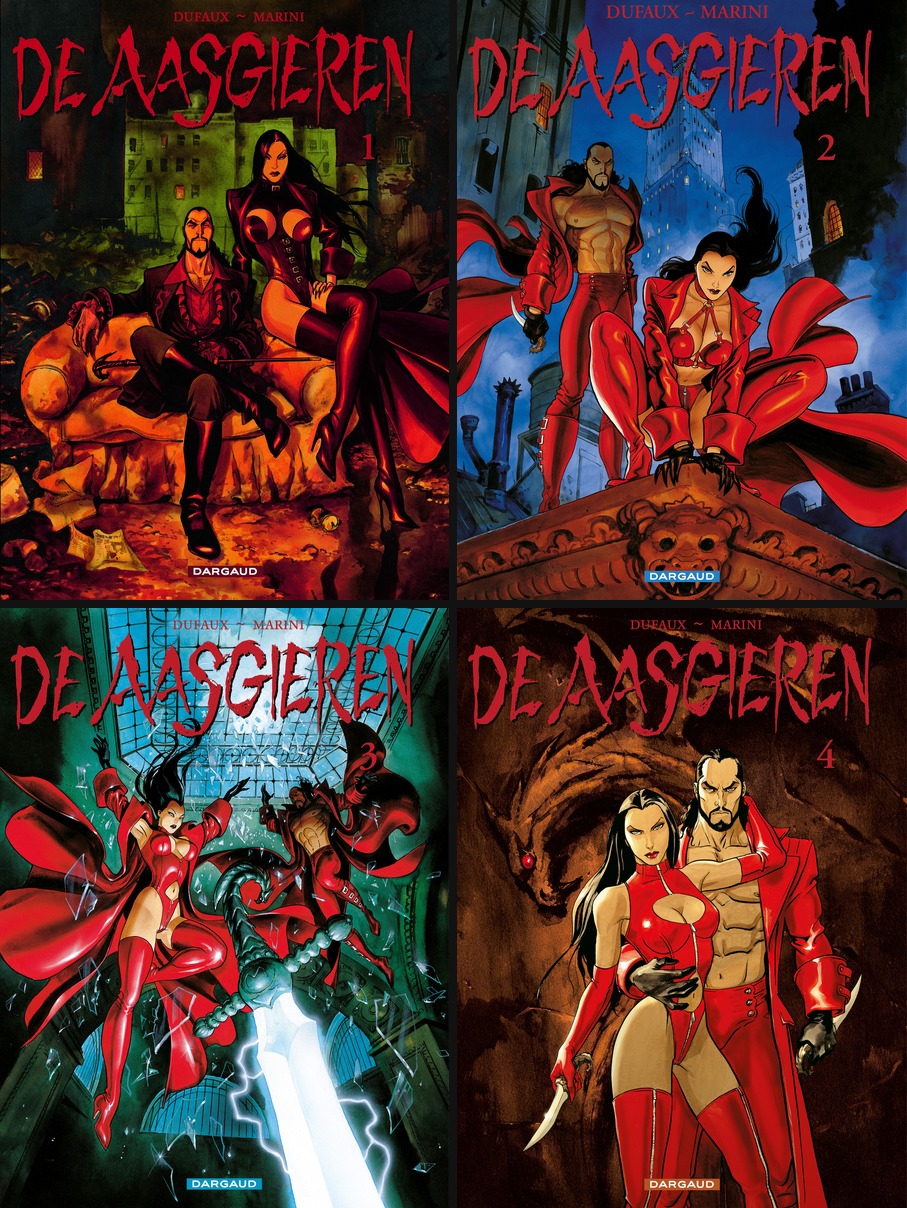
cover-posterizer "D:\Comics\Pack" --height 700 --pad 10 --columns 5cover-posterizer "D:\Comics\Pack" --image-url "https://example.com/poster.jpg"cover-posterizer "D:\Comics\Pack" --markdowncover-posterizer "D:\Comics\Pack" --recursive --keep-coversFor local repo work:
git clone https://github.com/Maxikozie/cover-posterizer.git
cd cover-posterizer
py -m pip install -e .
cover-posterizer --help| Option | Description |
|---|---|
folder |
Folder containing .cbr / .cbz files. If omitted, the script prompts for it. |
--height |
Cover thumbnail height in pixels. Default: 600. |
--pad |
Padding between covers in pixels. Default: 8. |
--columns |
Force a fixed column count instead of automatic square-ish layout. |
--quality |
JPEG quality from 1 to 95. Default: 92. |
--background |
Poster background color as hex. Default: #121212. |
--recursive |
Scan subfolders too. |
--keep-covers |
Keep the extracted temporary cover JPGs. |
--output-dir |
Custom destination folder. Default: sibling .poster. |
--name |
Custom output base name. |
--unrar |
Explicit path to UnRAR. |
--image-url |
URL to use inside the generated BBCode/Markdown poster tag. |
--markdown |
Generate Markdown instead of BBCode. |
--no-text |
Generate only the poster image. |
Pack information
[code]
Archives: 10
Folder size: 1.4 GiB
Source folder: Largo Winch 01-10
[/code]