Detectors World is a Python package for building computer vision applications in an easy and handy way. It wraps Google's MediaPipe models behind a small, friendly API that works directly with OpenCV images.
Developed by @MeqdadDev
Read the full documentation at meqdaddev.github.io/detectors-world.
| Name | What it finds | detect() returns |
|---|---|---|
"hand" |
Hands, 21 landmarks each, plus left/right | list[Landmarks] |
"pose" |
Bodies, 33 landmarks each | list[Landmarks] |
"face" |
Face boxes and 6 key points | list[FaceBox] |
"face_mesh" |
Faces, 478 landmarks each | list[Landmarks] |
pip install detectors-worldRequires Python 3.10 or newer on Windows, Linux, or macOS (Apple Silicon). Models are downloaded automatically the first time each detector is created and cached for later runs, so the first run needs an internet connection.
MediaPipe prints a few INFO and WARNING lines when a model loads. These are normal and can be ignored.
On Linux systems without a desktop, such as servers and Docker containers, MediaPipe also needs the OpenGL system libraries. If you see libGLESv2.so.2: cannot open shared object file, install them on Debian or Ubuntu with:
sudo apt install libgl1 libegl1 libgles2import cv2 as cv
from detectors_world import create_detector
cap = cv.VideoCapture(0)
with create_detector("hand") as hand:
while True:
ok, frame = cap.read()
if not ok:
break
hands = hand.detect(frame) # draws on frame and returns what it found
cv.imshow("Hand Detection", frame)
if cv.waitKey(1) & 0xFF == ord("q"): # press q to quit
break
cap.release()
cv.destroyAllWindows()Using the detector in a with block releases the model when you are done. You can also call hand.close() yourself.
detect() draws on the frame by default and returns a list with one item per hand, body, or face. The list is empty when nothing is found, so if hands: is all you need to check.
Landmarks(hand, pose, face mesh):pointsholds(x, y)pixel positions, andnormalizedholds(x, y, z)values relative to the image size. For hands,labelis"Left"or"Right"andscoreis its confidence. You can also index it directly:hands[0][8]is the same ashands[0].points[8].FaceBox(face):x,y,width,height,scoreandkeypoints, plusboxfor(x, y, width, height).
locate() reads the latest detect() result, so call detect() first, once for every frame. It draws markers and returns plain lists such as [[id, x, y], ...], or [] when nothing is found.
Hand labels name the person's own hands. MediaPipe swaps them on a mirrored frame, such as one from cv.flip(frame, 1).

hand = create_detector("hand", max_hands=2, detection_confidence=0.5)

hands = hand.detect(frame)
for h in hands:
    print(h.label, h.points[8])  # "Left"/"Right" and the index fingertip (x, y)

landmarks = hand.locate(frame, hand=0)  # [[id, x, y], ...] for the first hand, [] if none
Landmark numbers follow the hand landmark map: 0 is the wrist, 4 the thumb tip, 8 the index fingertip, and so on. See examples/finger_counter.py for a complete program that uses them.
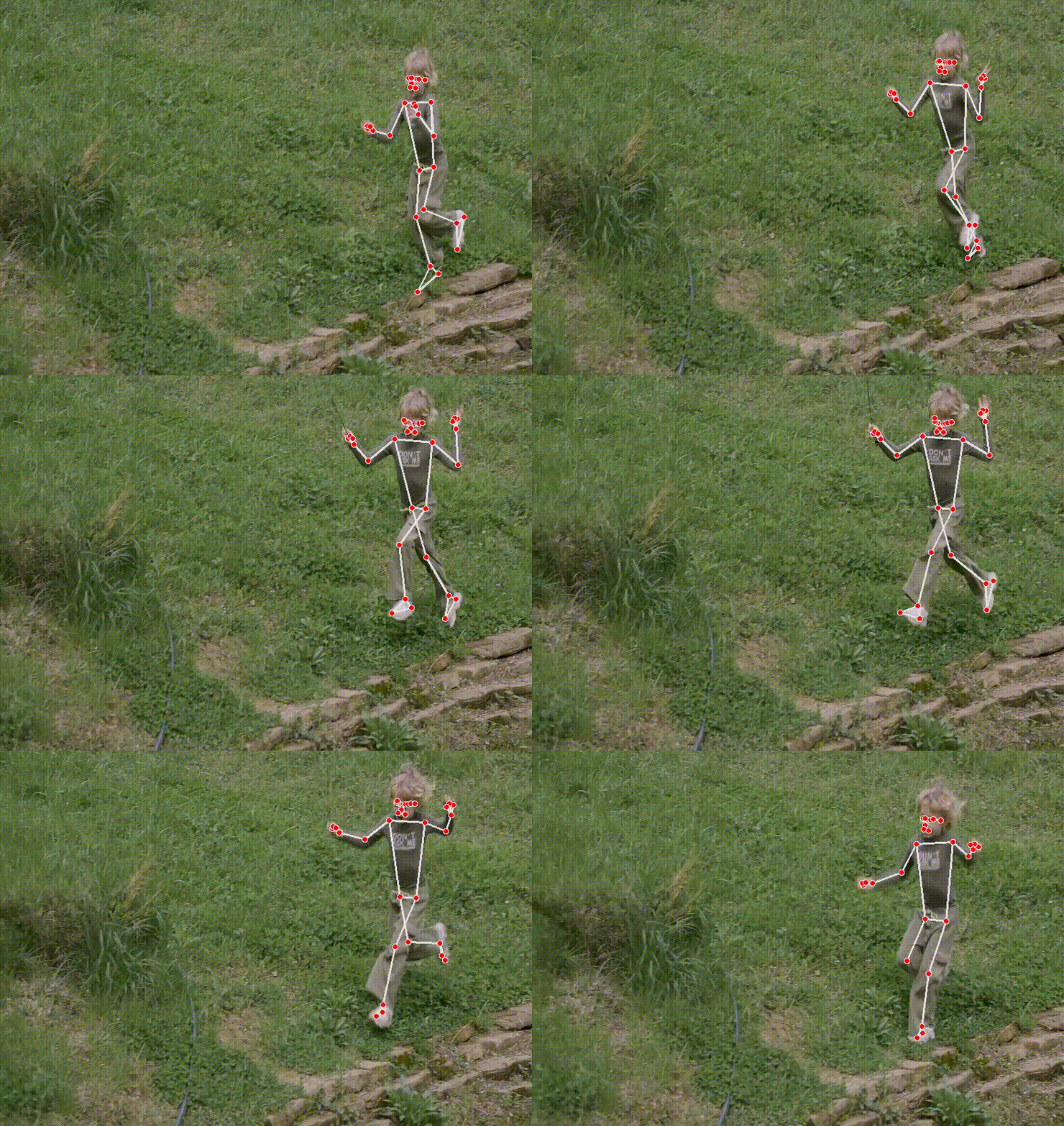
pose = create_detector("pose", model="full")  # "lite", "full" or "heavy"

bodies = pose.detect(frame)
landmarks = pose.locate(frame)  # [[id, x, y], ...] for 33 body landmarks
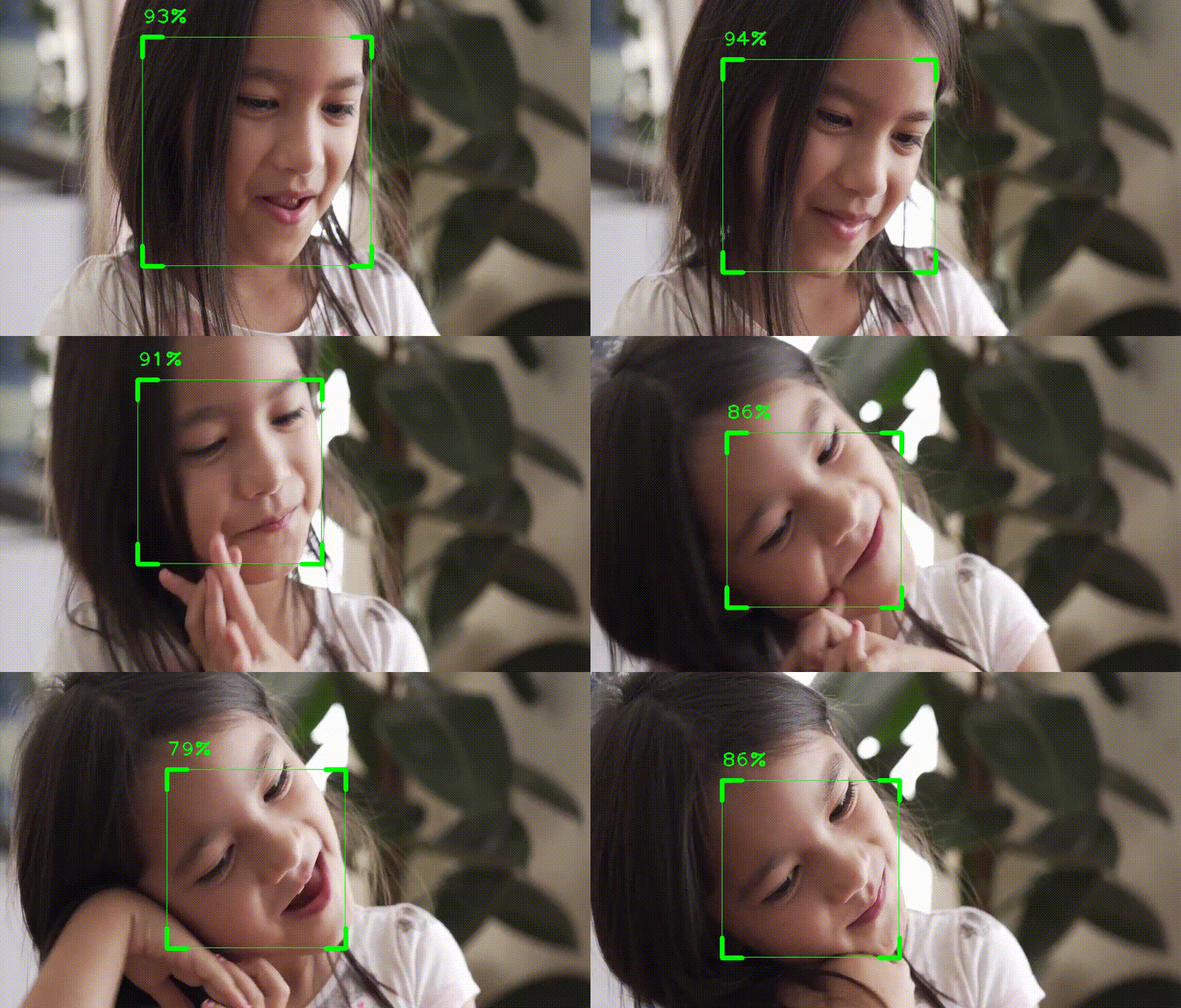
face = create_detector("face")

faces = face.detect(frame, draw=False)
for f in faces:
    print(f.box, f"{f.score:.0%}")  # (x, y, width, height) and confidence

boxes = face.locate(frame)  # draws framed boxes with the score: [[id, (x, y, w, h), score], ...]
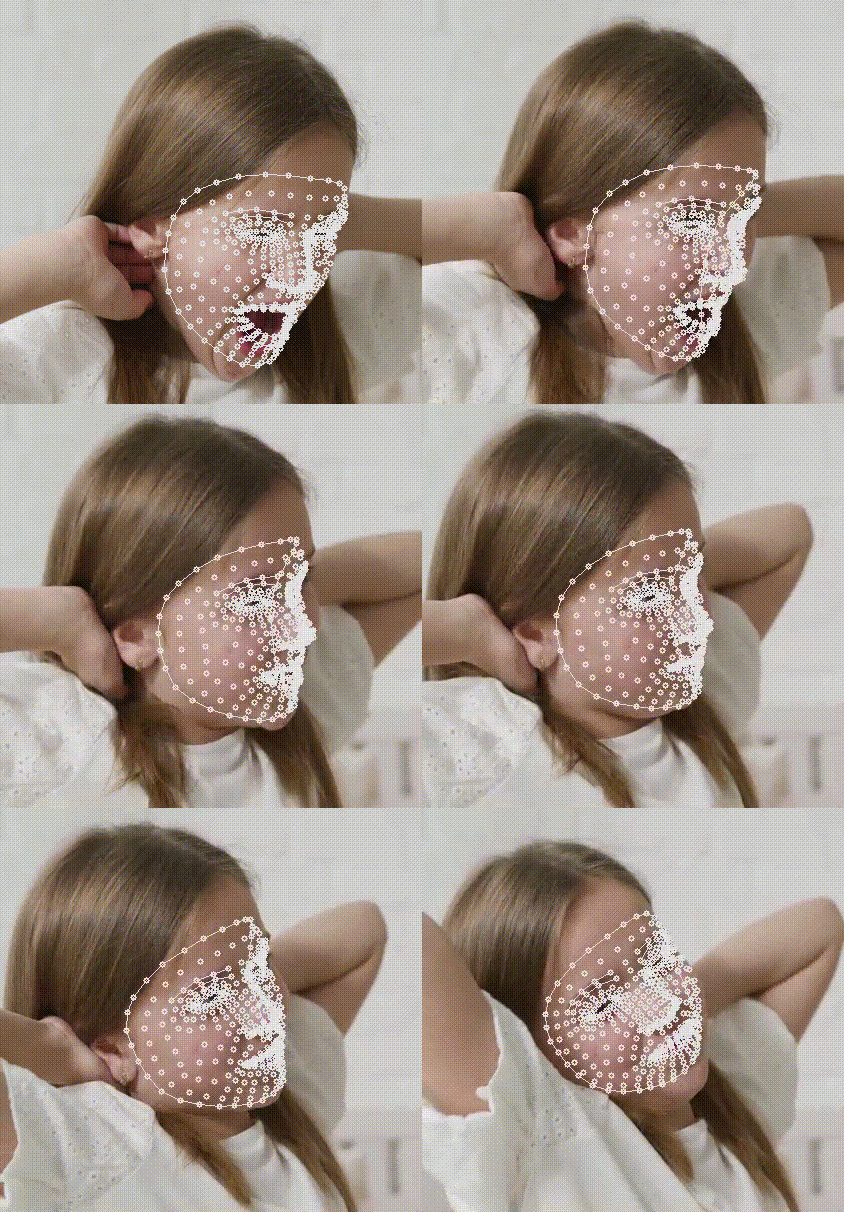
face_mesh = create_detector("face_mesh", max_faces=1)

faces = face_mesh.detect(frame)  # draws the landmarks and the eye, brow, lip and face outlines
landmarks = face_mesh.locate(frame, show_ids=True)  # writes each landmark's number on the frame
Unlike the other detectors, face_mesh.locate() only draws when you ask it to (draw=True or show_ids=True), because 478 markers would cover the face.
Every detector accepts these options in create_detector():
| Option | Default | Meaning |
|---|---|---|
detection_confidence |
0.5 (0.6 for "face") |
Minimum confidence to report something new |
tracking_confidence |
0.5 |
Minimum confidence to keep tracking between frames (not used by "face") |
static_image |
False |
Set to True when processing unrelated photos instead of video frames |
model_path |
None |
Use a model file you already downloaded, for offline use |
Some options apply to one detector:
| Detector | Option | Default | Meaning |
|---|---|---|---|
"hand" |
max_hands |
2 |
Largest number of hands to look for |
"pose" |
max_poses |
1 |
Largest number of people to look for |
"pose" |
model |
"full" |
"lite" is fastest, "heavy" is most accurate |
"face_mesh" |
max_faces |
2 |
Largest number of faces to look for |
detect() and locate() take draw=False to skip drawing, and color=(b, g, r) to change the drawing color.
Downloaded models are stored in %LOCALAPPDATA%\detectors_world on Windows and ~/.cache/detectors_world elsewhere.
Set the DETECTORS_WORLD_CACHE environment variable to use another folder.
Runnable scripts are in the examples folder of this repository. From a copy of the repository:
python examples/webcam.py hand
python examples/webcam.py face_mesh --camera 1
python examples/finger_counter.py0.x installed opencv-python, while 1.x uses the opencv-contrib-python build that MediaPipe requires. Remove the old package when you upgrade, so that only one copy of cv2 is installed:
pip uninstall opencv-python
pip install --upgrade --force-reinstall detectors-world
Old argument names and positional calls keep working and show a DeprecationWarning that names the new spelling:
| 0.x | 1.x |
|---|---|
DetectorCreator().getDetector("hand") |
create_detector("hand") |
drawOnHand=, drawOnFace=, drawOnPose= |
draw= |
handsMax=, facesMax= |
max_hands=, max_faces= |
detectionConfidence=, trackingConfidence= |
detection_confidence=, tracking_confidence= |
drawingColor=, drawingSize= |
color=, radius= |
drawingThickness=, drawingCircleRadius= |
thickness=, radius= |
locate(..., handsNumber=1) (counts from 1) |
locate(..., hand=0) (counts from 0) |
The old names will be removed in 2.0.
Return values did change, so check code that uses them:
detect()now returns the results instead of the frame. It still draws on the frame you pass in, so replaceimg = hand.detect(img)withhand.detect(img).face.locate()always returns the list of boxes, not(frame, boxes).face_mesh.locate()returns one face's[[id, x, y], ...], not(frame, faces).
See the changelog for the full list of changes.
Pull requests are welcome. For major changes, please open an issue first to discuss what you would like to change.
To set up a development environment and run the tests:
pip install -e ".[test]"
pytest