Give Claude Code the Power BI skills it needs.
Install once, then just ask Claude to work with your semantic models.




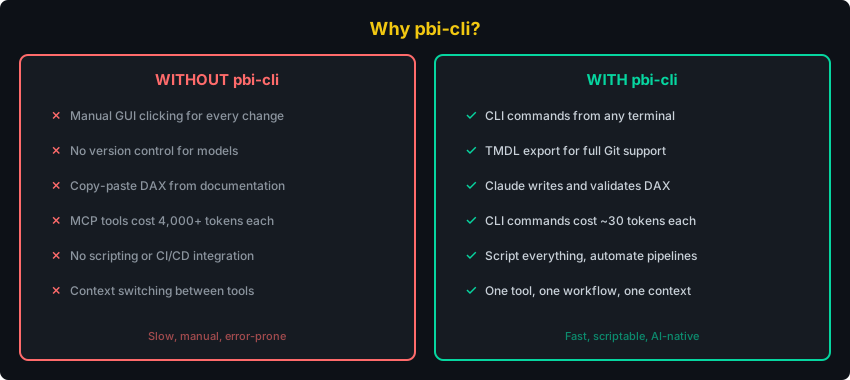
Why pbi-cli • Get Started • Just Ask Claude • Skills • All Commands • Contributing
pipx install pbi-cli-tool    # 1. Install (handles PATH automatically)
pbi connect                  # 2. Auto-detects Power BI Desktop and installs skills
Open Power BI Desktop with a .pbix file, run pbi connect, and start asking Claude.
Requires: Windows with Python 3.10+ and Power BI Desktop running.
Alternative: give Claude the repo URL
Install and set up pbi-cli from https://github.com/MinaSaad1/pbi-cli.git
Claude will clone, install, connect, and set up skills automatically.
Using pip instead of pipx?
pip install pbi-cli-toolOn Windows, pip install often places the pbi command in a directory that isn't on your PATH.
Fix: Add the Scripts directory to PATH
python -c "import site; print(site.getusersitepackages().replace('site-packages','Scripts'))"Add the printed path to your system PATH, then restart your terminal. We recommend pipx to avoid this entirely.
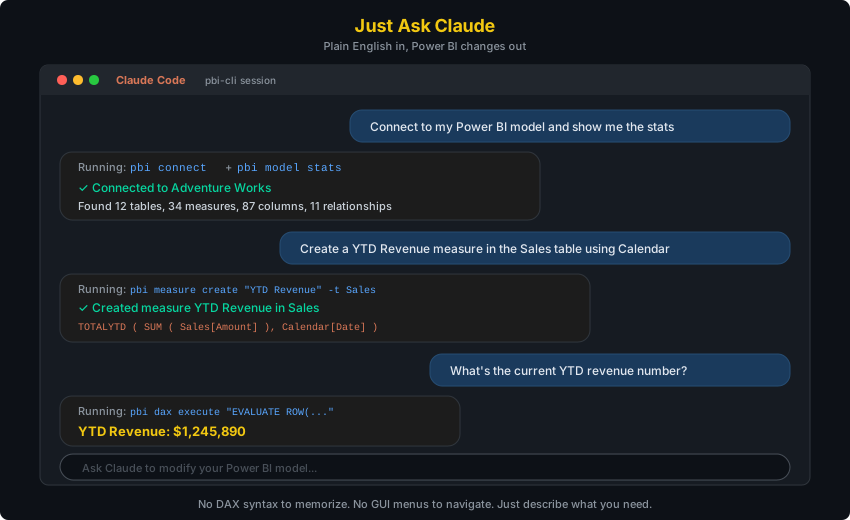
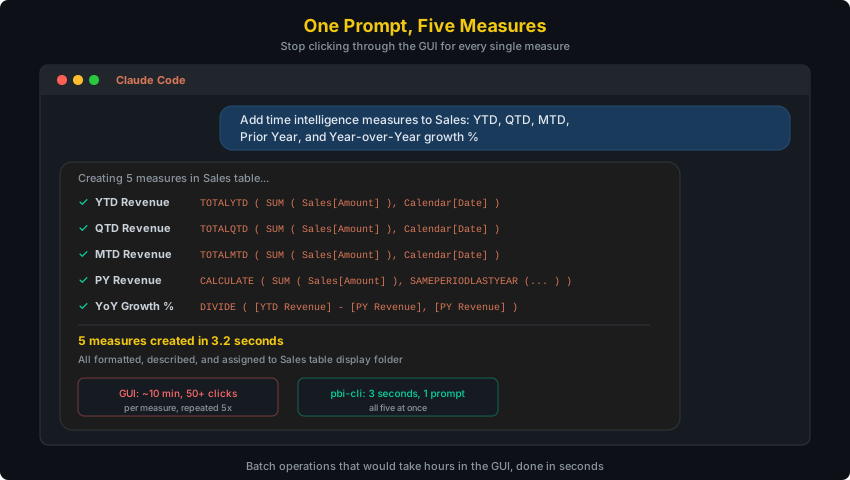
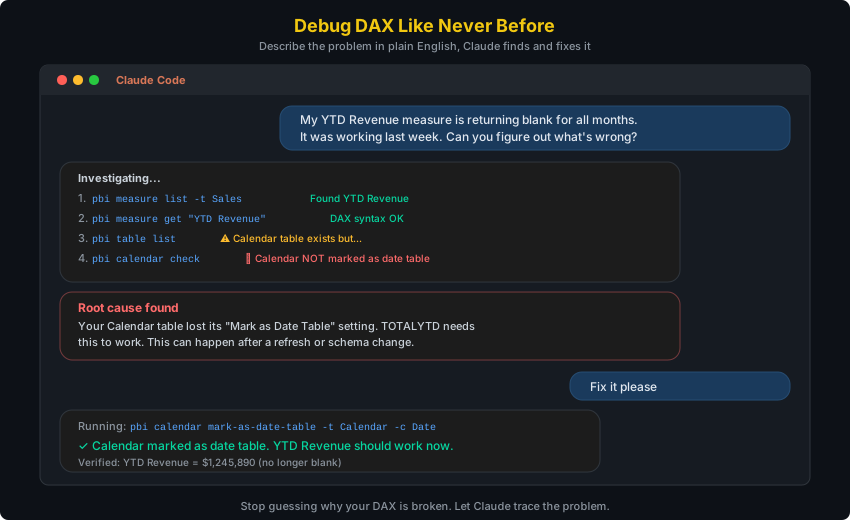
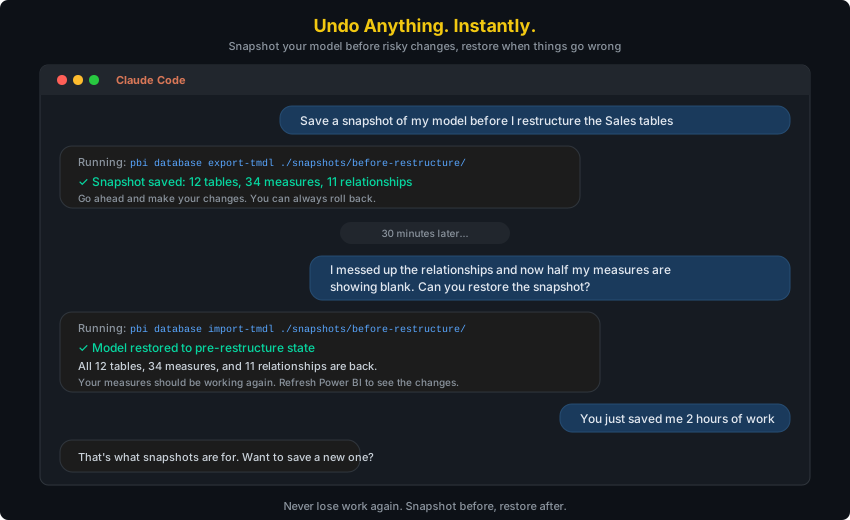
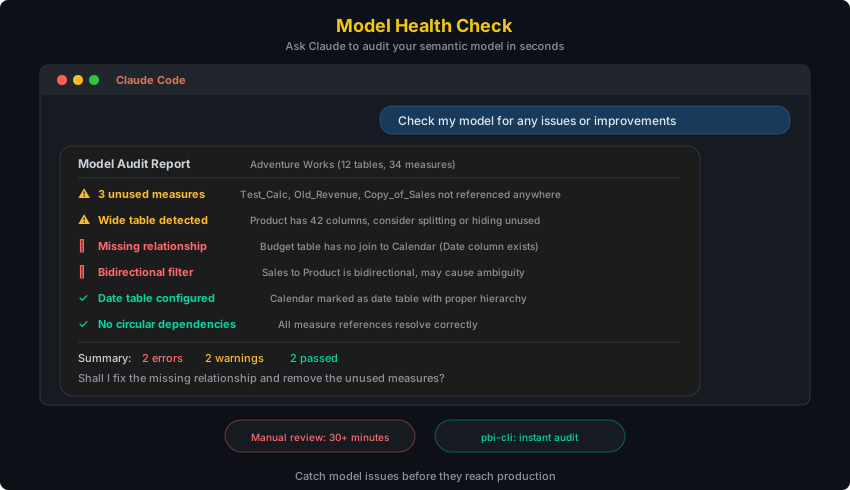
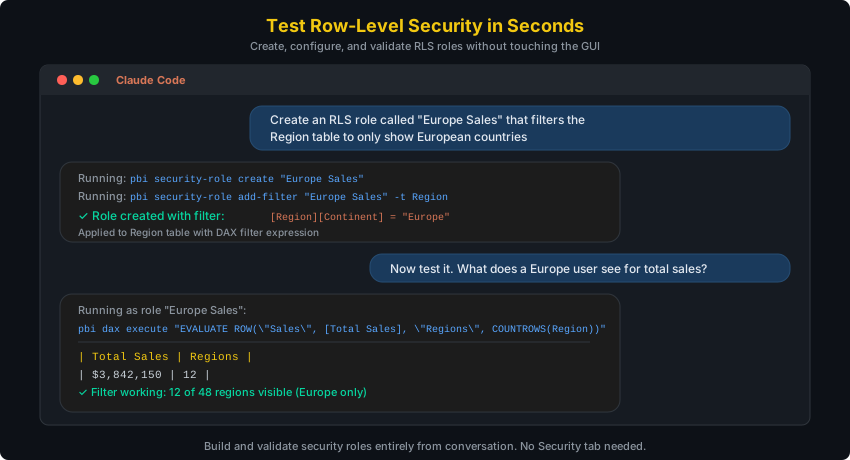
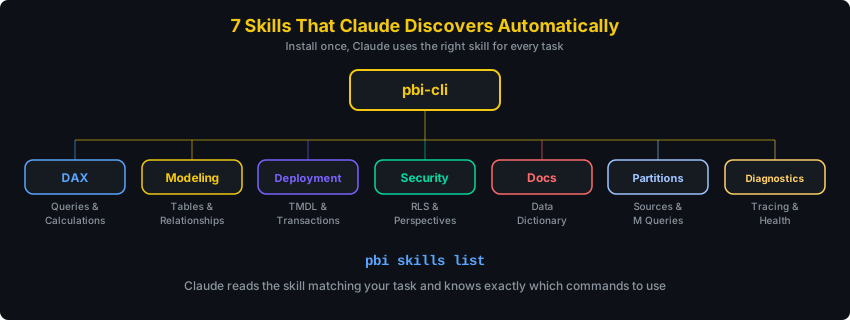
After running pbi connect, Claude Code discovers 7 Power BI skills automatically. Each skill teaches Claude a different area. You don't need to memorize commands.
| Skill | What you say | What Claude does |
|---|---|---|
| DAX | "What are the top 10 products by revenue?" | Writes and executes DAX queries, validates syntax |
| Modeling | "Create a star schema with Sales and Calendar" | Creates tables, relationships, measures, hierarchies |
| Deployment | "Save a snapshot before I make changes" | Exports/imports TMDL, manages transactions |
| Security | "Set up RLS for regional managers" | Creates roles, filters, perspectives |
| Docs | "Document everything in this model" | Generates data dictionaries, measure inventories |
| Partitions | "Show me the M query for the Sales table" | Manages partitions, expressions, calendar config |
| Diagnostics | "Why is this query so slow?" | Traces queries, checks model health, benchmarks |

Direct in-process .NET interop from Python to Power BI Desktop. No MCP server, no external binaries, sub-second execution.
Configuration details
All config lives in ~/.pbi-cli/:
~/.pbi-cli/
  config.json          # Default connection preference
  connections.json     # Named connections
  repl_history         # REPL command history
Bundled DLLs ship inside the Python package (pbi_cli/dlls/).
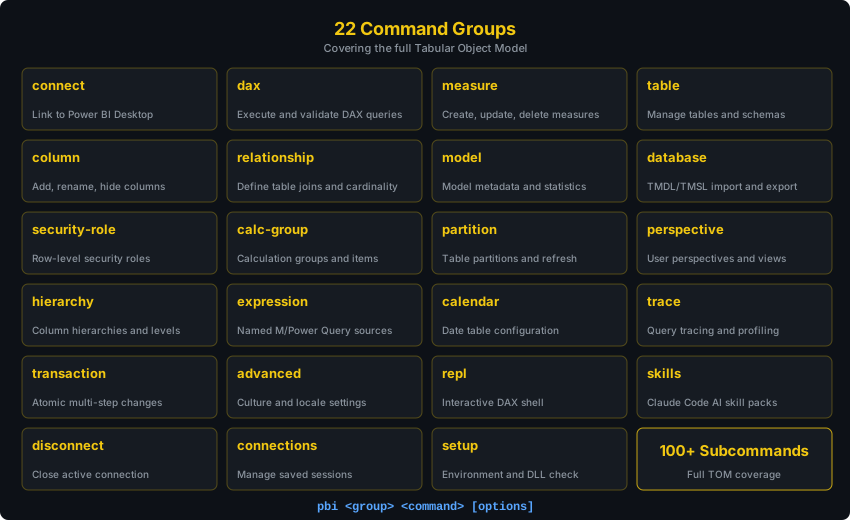
Use --json for machine-readable output (for scripts and AI agents):
pbi --json measure list
pbi --json dax execute "EVALUATE Sales"
Run pbi <command> --help for full options.
For interactive work, the REPL keeps a persistent connection:
$ pbi repl

pbi> connect --data-source localhost:54321
Connected: localhost-54321

pbi(localhost-54321)> measure list
pbi(localhost-54321)> dax execute "EVALUATE TOPN(5, Sales)"
pbi(localhost-54321)> exit
Tab completion, command history, and a dynamic prompt showing your active connection.
git clone https://github.com/MinaSaad1/pbi-cli.git
cd pbi-cli
pip install -e ".[dev]"
ruff check src/ tests/ # Lint
mypy src/ # Type check
pytest -m "not e2e" # Run testsContributions are welcome! Please open an issue first to discuss what you'd like to change.
- Fork the repository
- Create a feature branch
- Make your changes with tests
- Open a pull request


MIT License

