This repository was archived by the owner on Sep 30, 2021. It is now read-only.
Discarded tabs
Extension Preferences > Settings (tab) > Tabs Opening > Discarded
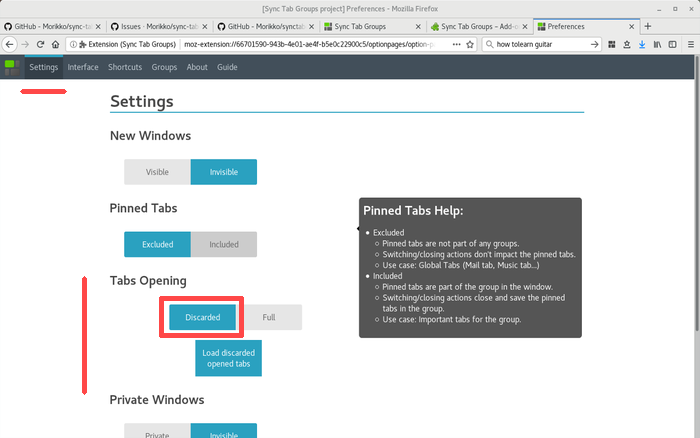
- Open in the tab a custom extension page that is empty
- The tab is only load once you active it
- The icon is still loaded from internet
- If you uninstall/disable the extension on Chrome (only), those tabs, not fully load, are closed. It is because, they are only extension pages.
- In rare cases, the automatic reloading is not working
- The extension is doing some magic to show you the expected tabs in the interface, however other extensions might be disturbed
- GO to the tab that didn't reload.
- It contains an URL, copy it. (It is the URL saved when the group was closed)
- Paste it in the URL bar, and open it.
- It is impossible to open a tab immediately in discarded mode:
- Chrome: NO
- Firefox: Support the "discarded" property inside browser.tabs.create()
- The API
browser.tabs.discardneeds first that the tab is fully load. So, it is not interesting for groups opening. See A Tab Created then immediately Discarded is invalid: It cannot be Reloaded - Firefox (only) is not able to discard all the tabs (Example github tabs), because an event is used on the page. See 1420681 - Add forceDiscard property to tabs.discard