A JavaScript injector that applies to hh.ru vacancies for you: it checks what you have already applied to, fills in the cover letter and moves through the pages.


English · Русский
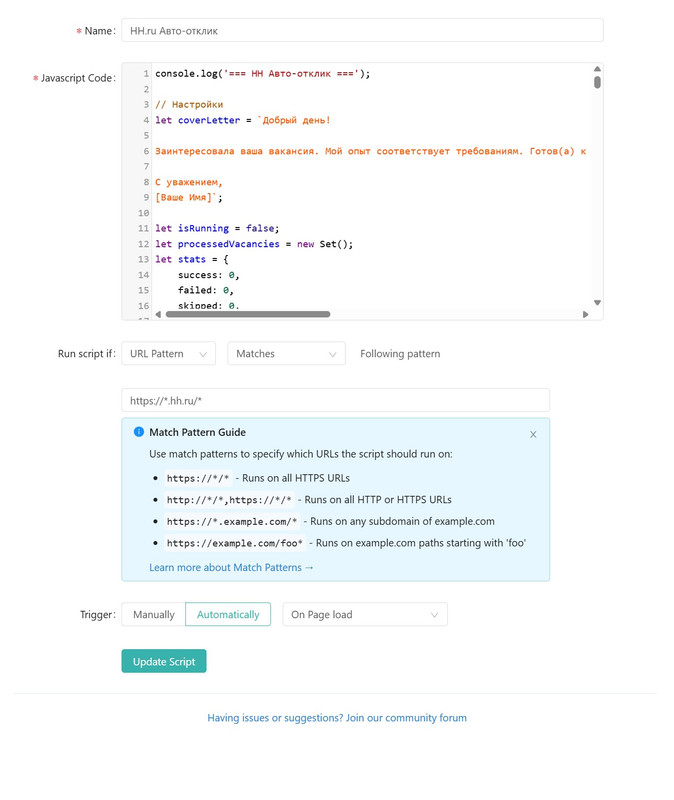
The script runs through Scripty, a JavaScript injector for Chrome.
- Install Scripty for Google Chrome. Scripty opens its own installation window.
- Open the script's share link.
- Press Download.
- Done.
Important
- Try one or two vacancies by hand before turning on automatic mode.
- The script does not solve CAPTCHAs — stop it as soon as one appears.
- Respect hh.ru's limits (roughly 200 applications per day).
- Finds every apply button on the page.
- Checks whether you have already applied.
- Clicks apply.
- Fills in the cover letter.
- Sends the application.
- Moves to the next page.
| Element | What it shows or does |
|---|---|
| 🔍 Available | How many vacancies you can still apply to |
| ✅ Sent | Applications that went through |
| ❌ Failed | Errors while sending |
| ⏭️ Skipped | Ones you had already applied to |
| 📝 Letter field | Set the text of the cover letter |
| 🧪 Test | Try it on a single vacancy |
| Begin applying automatically | |
| ⏹️ Stop | Stop |
- Does not break hh.ru's rules — it automates actions you would do by hand.
- Keeps sensible pauses between applications.
- Collects none of your data.
How do I stop it? Press Stop in the control panel.
Why is the cover letter not filled in? Check that your name is filled into the letter field.
How many applications can I send? No more than 50–100 a day is the safe range.
The panel does not appear on the page. Make sure you are on an hh.ru vacancy search page, and that Scripty is enabled.
If something still does not work, check the Scripty settings.
Trouble installing?
- Reload the hh.ru page.
- Reinstall the script from the link above.
- Check that the Scripty extension is enabled.
Anything else — open an issue. See CONTRIBUTING.md if you would like to send a fix.
MIT — free to use.