


Welcome to Zappy, the 2nd end-year Epitech project! Zappy is a networked game featuring a server coded in C, a GUI client in C++, and AI clients written in Python. This project showcases a comprehensive blend of network programming, game development, and artificial intelligence.
Click here for the technical subjects.
Zappy is a multiplayer game where players compete in a virtual world. The project is divided into three main components:
- Server (C): Handles game logic, player interactions, and networking.
- GUI (C++): Provides a graphical interface for players to interact with the game.
- AI Clients (Python): Autonomous agents that play the game.
- Multiplayer Support: Host games with multiple players.
- Real-time Communication: Fast and efficient networking for seamless gameplay.
- Graphical Interface: Intuitive and interactive GUI for players.
- AI Integration: Intelligent AI clients to play against or with human players.
- Cross-platform: Runs on various operating systems.
- C Compiler:
gccor any compatible C compiler. - C++ Compiler:
g++or any compatible C++ compiler. - Python: Version 3.x.
- CMake: For building the project.
- Make: Build automation tool.
- Raylib: Required for the GUI.
To install raylib on Fedora, follow these steps:
-
Install the required libraries:
sudo dnf install alsa-lib-devel mesa-libGL-devel libX11-devel libXrandr-devel libXi-devel libXcursor-devel libXinerama-devel libatomic
-
Install the raylib development package:
sudo dnf install raylib-devel
-
(Optional) To install only the runtime library:
sudo dnf install raylib
git clone https://github.com/EpitechPromo2027/Zappy.git Zappy
cd Zappymakemake zappy_serveroption description -p port port number -x width width of the world -y height height of the world -n name1 name2 . . . name of the team -c clientsNb number of authorized clients per team -f freq reciprocal of time unit for execution of actions
make zappy_guimake zappy_aiTo start the server, run the following command:
./zappy_server -p [port] -x [width] -y [height] -n [name1] [name2] [...] -c [clientsNb] -f [freq]| Option | Description |
|---|---|
| -p [port] | port number |
| -x [width] | width of the world |
| -y [height] | height of the world |
| -n [name1] [name2] [...] | name of the team |
| -c [clientsNb] | number of authorized clients per team |
| -f [freq] | reciprocal of time unit for execution of actions |
To connect the GUI to the server, run the following command:
./zappy_gui -p [port] -h [machine]| Option | Description |
|---|---|
| -p [port] | port number |
| -h [machine] | name of the machine |
To start an AI client, run the following command:
./zappy_ai -p [port] -n [name] -h [machine]| Option | Description |
|---|---|
| -p [port] | port number |
| -n [name] | name of the team |
| -h [machine] | name of the machine; localhost by default |
The server is the core of Zappy. It manages:
- Player connections and interactions
- Game state and logic
- Communication with the GUI and AI clients
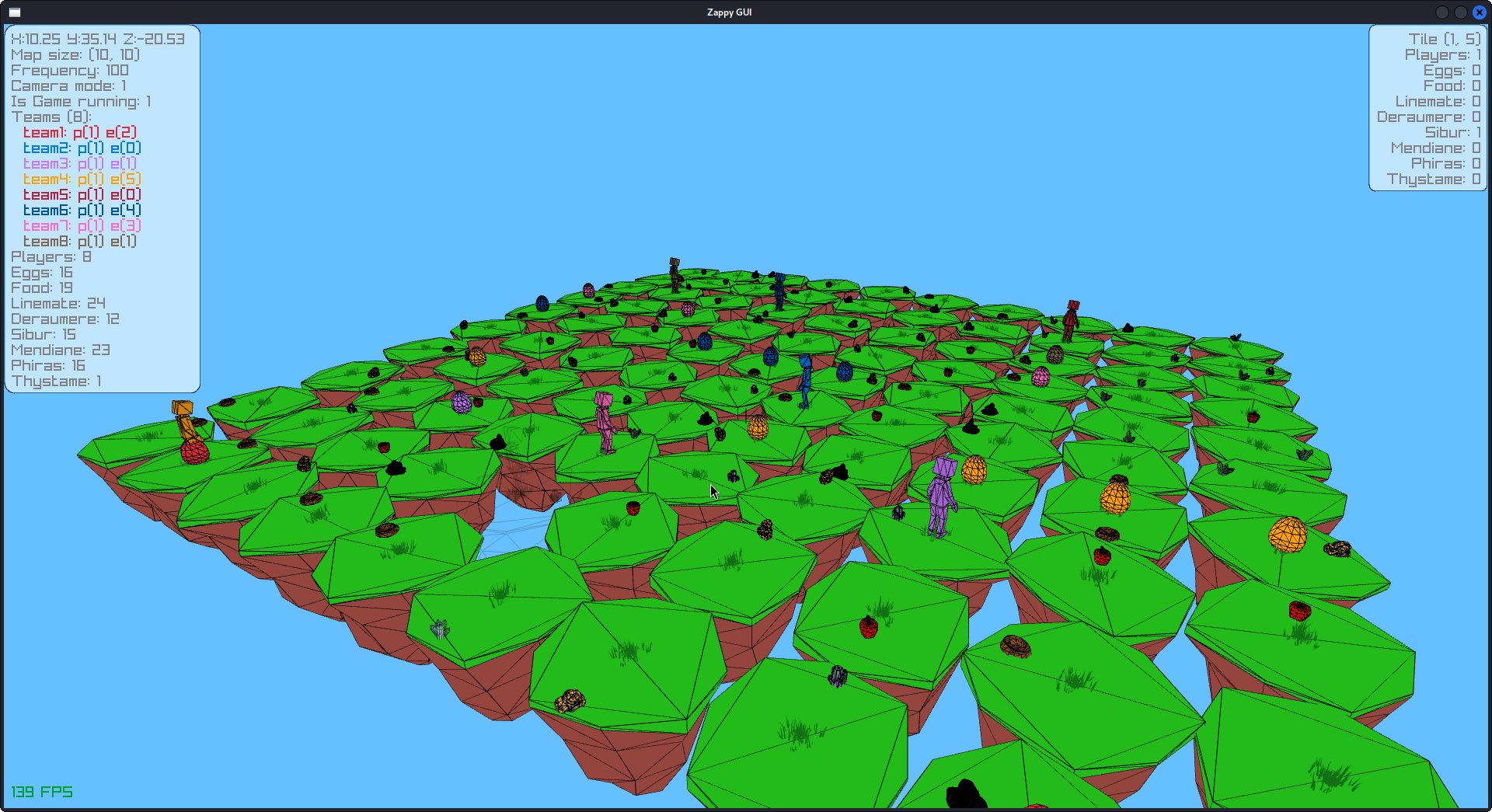
The GUI provides a visual representation of the game. It is built using C++ and Raylib, offering:
- Real-time game visualization
- Player controls and interactions
- Network communication with the server
The AI clients are autonomous agents written in Python. They connect to the server and perform actions based on the game state. The AI logic can be customized and extended for different strategies.
Thank you for checking out Zappy! We hope you enjoy playing and developing it as much as we did creating it.