
Training MaskRCNN to detect potholes from roads and streets using Tensorflow Object Detection API (TF version 2)
This repository includes
- Results folder which contains the detected image and video of Mask-RCNN
- Training Pipeline for Mask-RCNN using Tensorflow Object Detection API (TF-OD-API) on Pothole Dataset
- Pre-trained weights and inference graph of Pothole Dataset
- Inference code on test dataset
- Trained weights and inference graph for Pothole Dataset in release page
For training purpose, read this doc
For inferencing on test dataset, read this doc
For custom dataset, we're going to use Pothole Dataset from kaggle. We're going to use 400 images for train and 80 images for validation.
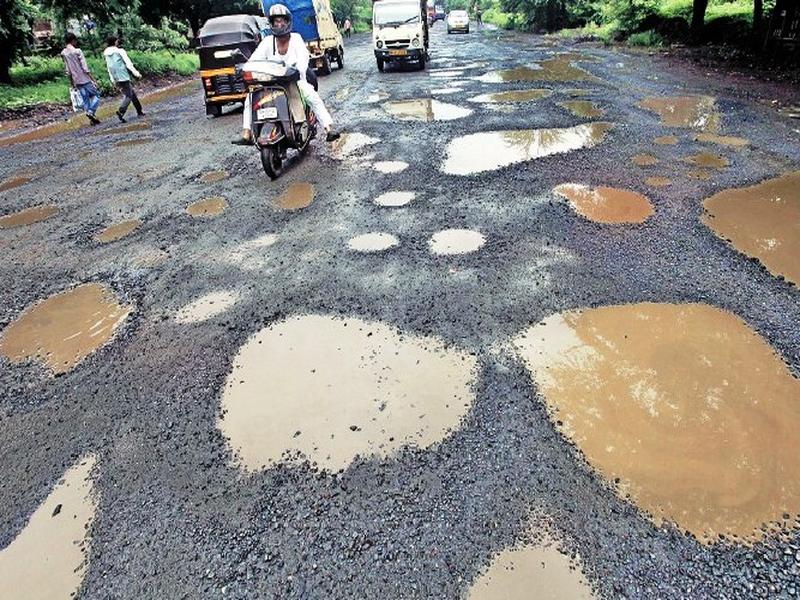
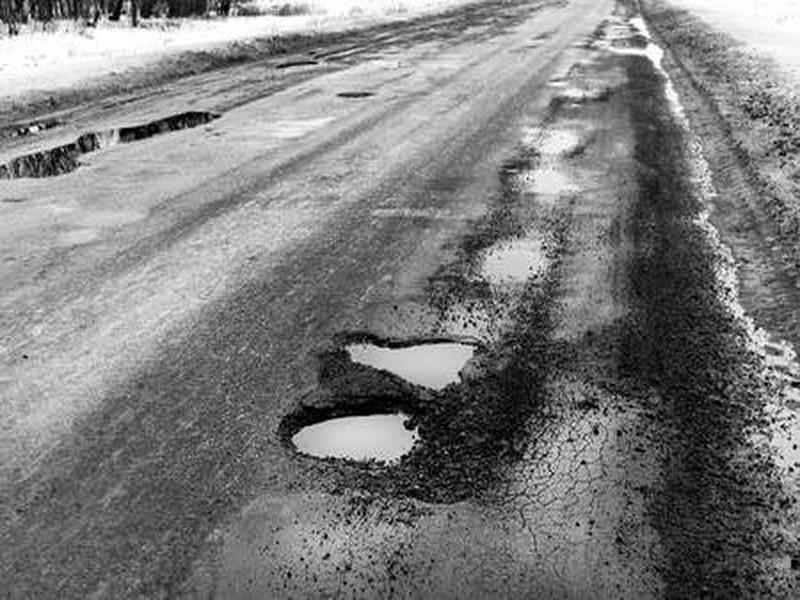
We're going to use Mask-RCNN which is pre-trained on COCO 2017 dataset from the Tensorflow Model Zoo:
| Model name | Speed (ms) | COCO mAP | Outputs |
|---|---|---|---|
| Mask R-CNN Inception ResNet V2 1024x1024 | 301 | 39.0/34.6 | Boxes/Masks |
The updatest mask-rcnn config file for the model can be found inside the configs/tf2 folder.
Training with 3000 steps for train.record and by the end of the last step, I got
Step 3000 per-step time 0.648s
{'Loss/BoxClassifierLoss/classification_loss': 0.019649796,
 'Loss/BoxClassifierLoss/localization_loss': 0.025241787,
 'Loss/BoxClassifierLoss/mask_loss': 1.8854611,
 'Loss/RPNLoss/localization_loss': 0.17313561,
 'Loss/RPNLoss/objectness_loss': 0.027059287,
 'Loss/regularization_loss': 0.0,
 'Loss/total_loss': 2.1305475,
 'learning_rate': 0.0048}
Evaluating valid.record for COCO detection and mask metrics. You can change the metrics_set in config file below like this. metrics_set: "coco_detection metrics" or metrics_set: "coco_mask_metrics"
eval_config {
  metrics_set: "coco_detection_metrics"
  use_moving_averages: false
  eval_instance_masks: true
  include_metrics_per_category: true
  batch_size: 1
}
See more about available metrics at here
COCO Detection Metrics
Accumulating evaluation results...
DONE (t=0.06s).
 Average Precision  (AP) @[ IoU=0.50:0.95 | area=   all | maxDets=100 ] = 0.097
 Average Precision  (AP) @[ IoU=0.50      | area=   all | maxDets=100 ] = 0.268
 Average Precision  (AP) @[ IoU=0.75      | area=   all | maxDets=100 ] = 0.053
 Average Precision  (AP) @[ IoU=0.50:0.95 | area= small | maxDets=100 ] = 0.020
 Average Precision  (AP) @[ IoU=0.50:0.95 | area=medium | maxDets=100 ] = 0.096
 Average Precision  (AP) @[ IoU=0.50:0.95 | area= large | maxDets=100 ] = 0.370
 Average Recall     (AR) @[ IoU=0.50:0.95 | area=   all | maxDets=  1 ] = 0.057
 Average Recall     (AR) @[ IoU=0.50:0.95 | area=   all | maxDets= 10 ] = 0.144
 Average Recall     (AR) @[ IoU=0.50:0.95 | area=   all | maxDets=100 ] = 0.175
 Average Recall     (AR) @[ IoU=0.50:0.95 | area= small | maxDets=100 ] = 0.093
 Average Recall     (AR) @[ IoU=0.50:0.95 | area=medium | maxDets=100 ] = 0.186
 Average Recall     (AR) @[ IoU=0.50:0.95 | area= large | maxDets=100 ] = 0.489
COCO Mask Metrics
Accumulating evaluation results...
DONE (t=0.07s).
Average Precision  (AP) @[ IoU=0.50:0.95 | area=   all | maxDets=100 ] = 0.101
 Average Precision  (AP) @[ IoU=0.50      | area=   all | maxDets=100 ] = 0.235
 Average Precision  (AP) @[ IoU=0.75      | area=   all | maxDets=100 ] = 0.085
 Average Precision  (AP) @[ IoU=0.50:0.95 | area= small | maxDets=100 ] = 0.009
 Average Precision  (AP) @[ IoU=0.50:0.95 | area=medium | maxDets=100 ] = 0.097
 Average Precision  (AP) @[ IoU=0.50:0.95 | area= large | maxDets=100 ] = 0.428
 Average Recall     (AR) @[ IoU=0.50:0.95 | area=   all | maxDets=  1 ] = 0.055
 Average Recall     (AR) @[ IoU=0.50:0.95 | area=   all | maxDets= 10 ] = 0.133
 Average Recall     (AR) @[ IoU=0.50:0.95 | area=   all | maxDets=100 ] = 0.160
 Average Recall     (AR) @[ IoU=0.50:0.95 | area= small | maxDets=100 ] = 0.065
 Average Recall     (AR) @[ IoU=0.50:0.95 | area=medium | maxDets=100 ] = 0.159
 Average Recall     (AR) @[ IoU=0.50:0.95 | area= large | maxDets=100 ] = 0.537
You can use your own trained checkpoint or you can use my ckpt file in release page and use it in here.
# Load the TensorBoard notebook extension
%load_ext tensorboard
%tensorboard --logdir {YOUR_CKPT_PATH}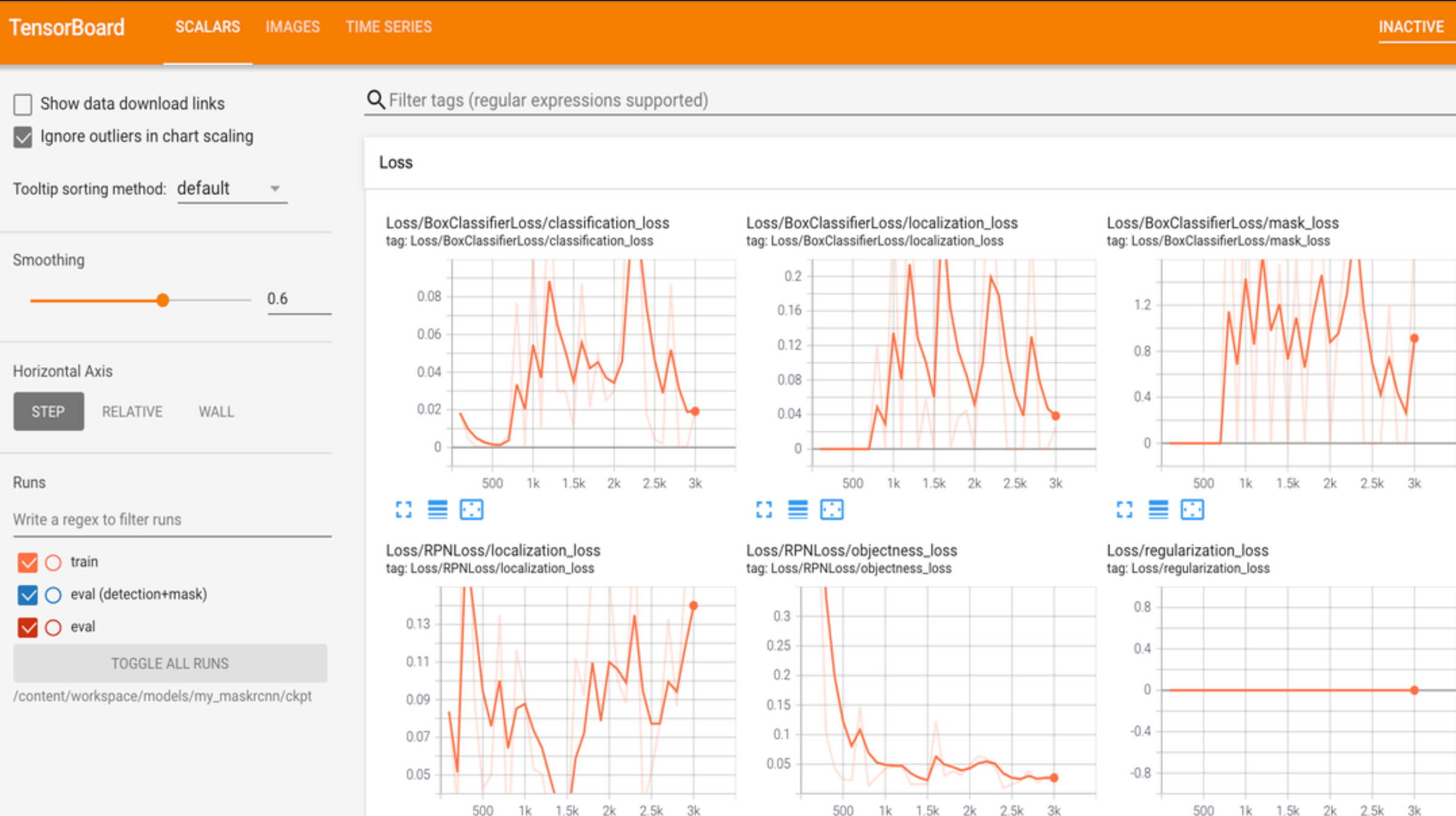
Pothole Detection using MasRCNN (TF version 1.15)
Use this bibtex to cite this repository:
@misc{hivevision_maskrcnn_2021,
  title={Pothole-Detection-using-MaskRCNN-with-Tensorflow-Object-Detection-API},
  author={Nyan Swan Aung},
  year={2021},
  publisher={Github},
  journal={GitHub repository},
  howpublished={\url{https://github.com/NyanSwanAung/Pothole-Detection-using-MaskRCNN}},
}